

Best personalization apps for android
- Google Photos|
- Zedge™ Wallpapers & Ringtones|
- Gboard - the Google Keyboard|
- Microsoft SwiftKey AI Keyboard|
- Microsoft Launcher|
- Smart Launcher 6|
- Nova Launcher|
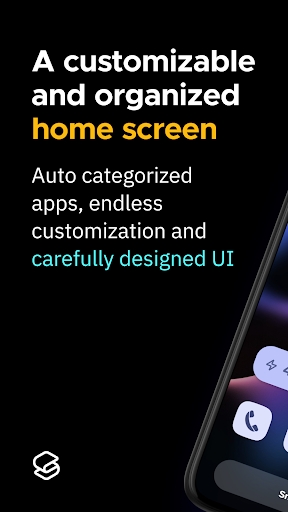
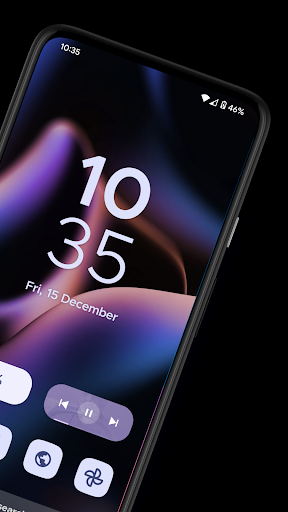
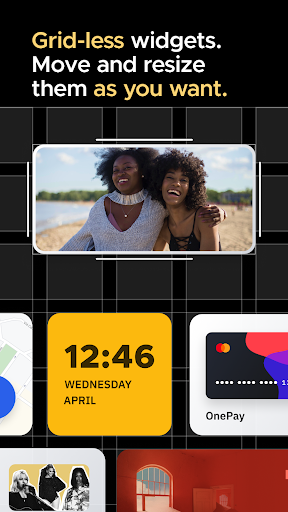
- Niagara Launcher ‧ Home Screen|
- Widgetable: Adorable Screen|
- Facemoji AI Emoji Keyboard|
Here are UPUP's list of best personalization apps for android:
- 1 Ranking
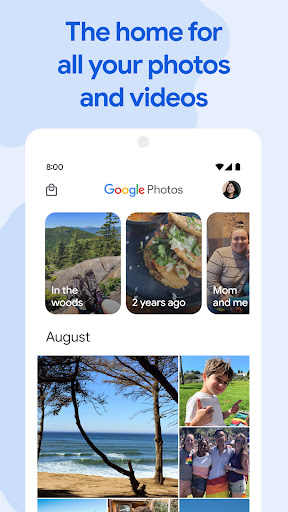
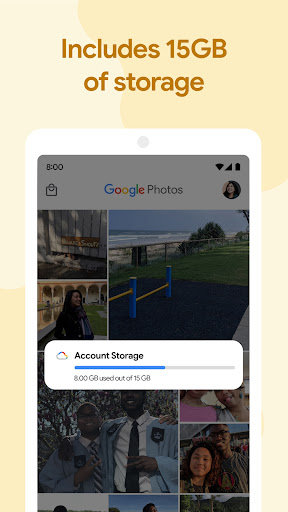
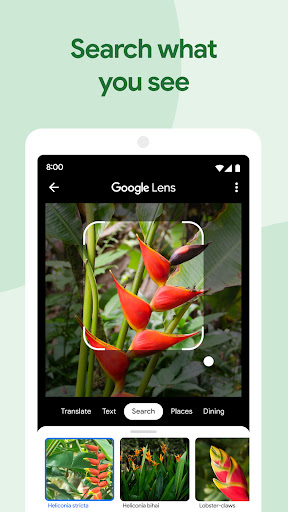
Google Photos is the home for all your photos and videos, automatically organized and easy to share.<br><br>- “The best photo product on Earth” – The Verge<br>- “Google Photos is your new essential picture app” – Wired<br><br>The official Google Photos app is made for the way you take photos today and includes essential features like shared albums, automatic creations and an advanced editing suite. Additionally every Google Account comes with 15 GB of storage and you can choose to automatically back up all your photos and videos in High quality or Original quality. You can then access them from any connected device and on photos.google.com.<br><br>With the official app, you get:<br><br>15 GB OF STORAGE: Back up 15 GB of photos and videos and access them from any device and photos.google.com—your photos are safe, secure, and private to you. All photos and videos you back up in high quality before June 1, 2021 will not count toward your Google Account storage.<br><br>FREE UP SPACE: Never worry about running out of space on your phone again. Photos that are safely backed up can be removed from your device's storage in just a tap.<br><br>NO ADS: Google Photos doesn't sell your photos, videos, or personal information to anyone and we don't use your photos and videos for advertising.<br><br>FAST AND POWERFUL SEARCH: Your photos are now searchable by the people, places and things in them — no tagging required.<br><br>GOOGLE LENS: Search the hard-to-describe and get stuff done, right from a photo. Copy and translate text, identify plants and animals, add events to your calendar, find products online, and more.<br><br>ADVANCED EDITING SUITE: Transform photos with a tap. Use intuitive and powerful photo editing tools to apply content-aware filters, adjust lighting, and more.<br><br>AUTOMATIC CREATIONS: Bring photos to life with automatically created movies, collages, animations, panoramas, and more from your photos. Or easily create them yourself.<br><br>SHARING SUGGESTIONS: With smart sharing suggestions, giving your friends the photos you took of them is painless. And they can add their photos, too, so you’ll finally get the photos you’re actually in.<br><br>LIVE ALBUMS: Select the people and pets you want to see and Google Photos will automatically add photos of them as you take them, no manual updates needed.*<br><br>PHOTO BOOKS: Create a photo book in just minutes from your phone or computer. You can also see suggested photo books based on your best shots from a trip or period of time.*<br><br>SEND PHOTOS IN SECONDS: Instantly share photos with any contact, email, or phone number.<br><br>SHARED LIBRARIES: Grant a trusted person access to all of your photos.<br><br>You can also upgrade storage for your Google Account, used for Original Quality photos and videos by subscribing to Google One. Subscriptions start at $1.99/month for 100 GB in the US. Pricing and availability can vary by region.<br><br>- Google One Terms of Service: https://one.google.com/terms-of-service<br>- One Google Pricing: https://one.google.com/about<br><br>For additional help visit https://support.google.com/photos<br><br>Google Photos is also available on Wear OS for the Google Pixel Watch. Set your favorite photos as your watch face.<br><br>*Face grouping, live albums and photo books are not available in all countries.
- Price
- Free
- Size
- 0M
- Type
- personalization apps
- Rating 4.4 (51181292 Ratings)
- 2 Ranking
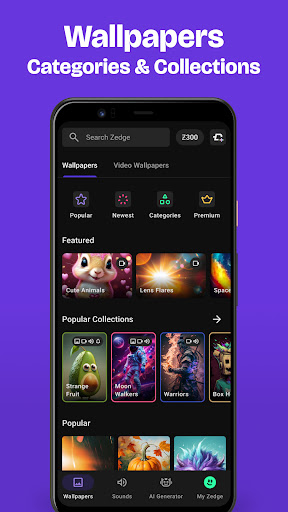
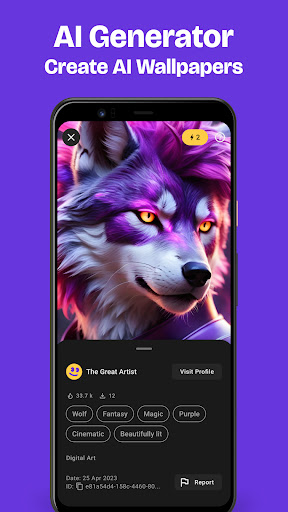
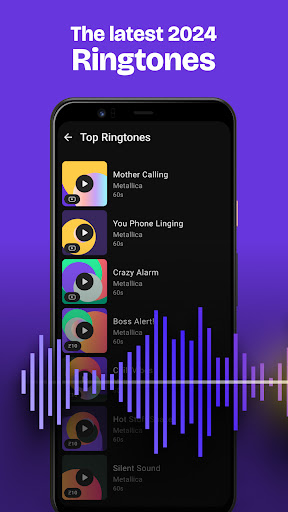
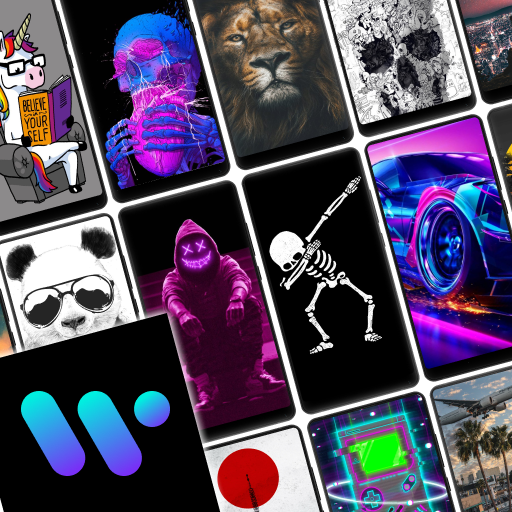
<b>Download Zedge™</b> and personalize your phone with <b>millions of HD wallpapers, live wallpapers, cool ringtones, alarm sounds and notification sounds for FREE!</b> <br><br><b>Zedge: We Make Phones Personal</b> <br><br>View, access or download millions of artwork pieces, from NFT’s, popular artist collections to fusion art, 3D art and icon packs. With probably the <b>largest wallpaper and ringtone collection</b> of any app, Zedge™ is the n.o 1 destination for premium ringtones, wallpapers and digital artwork. Search, find or create anything with Zedge™. <br><br><b>Parallax Wallpapers</b> <br>And now, we're excited to introduce Parallax Wallpapers, a visual trick where the background images move differently from the foreground ones, creating a feeling of depth and immersion. Just pick your favorite wallpaper from Zedge's huge collection, tap to turn on the Parallax effect, then watch your screen come to life. <br><br><b>WHY Zedge™?</b><br>• Download millions of free pieces of featured and premium content <br>• Access content from top tier creators - from top musicians across the world to local artists<br>• Purchase NFT’s the easy way with no cryptocurrency required! <br><br><b>Zedge™ AI Generator – AI Wallpaper Maker</b><br>Feeling creative? Want to see what a pink cat riding a bike on Mars would look like if it was painted by Leonardo da Vinci? Describe your dream wallpaper of any style, theme or aesthetic and our Zedge™ AI art generator will design it for you.<br>• Turn words and phrases into your perfect wallpaper. <br>• Set your unique artwork as your wallpaper or screen lock, then save it for later use<br>• Browse the community gallery and get inspired by other AI masterpieces<br><br><u>Try Zedge™ AI Generator for free today to bring out the artist in you!</u><br><br><b>Wallpapers</b> <br>• Download an endless selection of free wallpaper backgrounds <br>• Get full HD wallpapers and 4K wallpapers <br>• Choose from dozens of wallpaper collections, from Banksy and urban artwork to Sci Fi, space themes and anime <br>• Customize your work with cool filters and stickers<br>• Set to screen lock or home screen, or set backgrounds to rotate at selected intervals<br><br><b>Live Wallpapers</b><br>• Select live wallpapers and get video effects with your home screen background <br>• Our live wallpapers won’t drain your battery and only play once when turning on your home screen<br>• Our single data packet download means there’s no need to re-download when choosing a new live wallpaper<br>• See our full and extensive catalogue of quality live wallpapers catered to all tastes and ages<br><br><b>Ringtones, Alarm & Notification Sounds</b><br>• Search and access an endless selection of free ringtones, popular music, effects and entertaining ringtones, anywhere, anytime<br>• Set ringtones for individual contacts, use alarm sounds and set your own default ringtone<br>• Choose from a massive selection of notification sounds, alerts and funny tones<br>• Set alerts and alarm sounds<br><br>So what are you waiting for? Join the 30 million active Zedge™ users worldwide and start your very own artistic journey today!<br><br><b>Bonus Features</b> <br>• Add sounds or wallpapers to favorites without downloading<br>• Access your ringtones and backgrounds across all devices with one simple login<br>• Receive notifications for limited edition wallpapers and ringtones - like Christmas, Valentines Day Fathers Day, Mothers Day, New Years Day and Halloween <br>• Add customizations for special occasions, birthdays, anniversaries and more.<br><br>We do not import or use any personal information or files in your media library, storage or contact list. <br><br>We love <b>ringtones</b>, we love <b>wallpapers</b>, and we love <b>diversity!</b>
- Price
- Free
- Size
- 0M
- Type
- personalization apps
- Rating 4.7 (15882144 Ratings)
- 3 Ranking
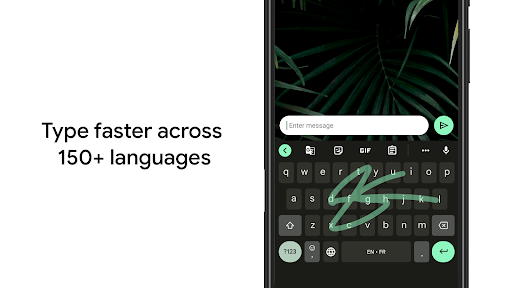
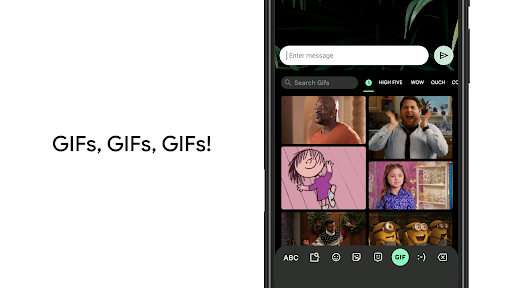
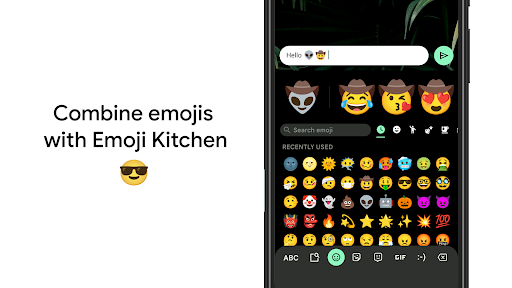
Gboard has everything you love about Google Keyboard—speed and reliability, Glide Typing, voice typing, Handwriting, and more<br><br><b>Glide Typing</b> — Type faster by sliding your finger from letter to letter<br><br><b>Voice typing</b> — Easily dictate text on the go<br><br><b>Handwriting*</b> — Write in cursive and printed letters<br><br><b>Emoji Search*</b> — Find that emoji, faster<br><br><b>GIFs*</b> — Search and share GIFs for the perfect reaction.<br><br><b>Multilingual typing</b> — No more switching between languages manually. Gboard will autocorrect and suggest from any of your enabled languages.<br><br><b>Google Translate</b> — Translate as you type in the keyboard<br><br><b>* Not supported on Android Go devices</b><br><b>Hundreds of language varieties, including:</b><br>Afrikaans, Amharic, Arabic, Assamese, Azerbaijani, Bavarian, Bengali, Bhojpuri, Burmese, Cebuano, Chhattisgarhi, Chinese (Mandarin, Cantonese, and others), Chittagonian, Czech, Deccan, Dutch, English, Filipino, French, German, Greek, Gujarati, Hausa, Hindi, Igbo, Indonesian, Italian, Japanese, Javanese, Kannada, Khmer, Korean, Kurdish, Magahi, Maithili, Malay, Malayalam, Marathi, Nepali, Northern Sotho, Odia, Pashto, Persian, Polish, Portuguese, Punjabi, Romanian, Russian, Saraiki, Sindhi, Sinhala, Somali, Southern Sotho, Spanish, Sundanese, Swahili, Tamil, Telugu, Thai, Tswana, Turkish, Ukrainian, Urdu, Uzbek, Vietnamese, Xhosa, Yoruba, Zulu, and <b>many more</b>! Visit https://goo.gl/fMQ85U for the full list of languages supported<br><br><b>Wear OS support</b>: Everything you love about the Google Keyboard now available on your watch—speed and reliability, Glide Typing, Voice Typing, and more<br><br><b>Glide Typing</b> — Type faster by sliding your finger from letter to letter<br><br><b>Voice Typing</b> — Easily dictate text on the go<br><br><b>Emoji Typing</b> — Find your favorite emojis on your wrist<br><br><b>All Wear OS languages supported, including:</b><br>Chinese (Mandarin, Cantonese, and others), Czech, Danish, Dutch, English, Finnish, French, German, Hindi, Indonesian, Italian, Korean, Norwegian, Polish, Portuguese, Russian, Spanish, Swedish, Thai, Turkish, Vietnamese, and <b>many more</b>!<br><br><b>Pro tips:</b><br>• Gesture cursor control: Slide your finger across the space bar to move the cursor<br>• Gesture delete: Slide left from the delete key to quickly delete multiple words<br>• Make the number row always available (enable in Settings → Preferences → Number Row)<br>• Symbols hints: Show quick hints on your keys to access symbols with a long press (enable in Settings → Preferences → Long press for symbols)<br>• One handed mode: On large screen phones, pin keyboard to the left or the right of the screen<br>• Themes: Choose your own theme, with or without key borders
- Price
- Free
- Size
- 0M
- Type
- personalization apps
- Rating 4.5 (15958195 Ratings)
- 4 Ranking
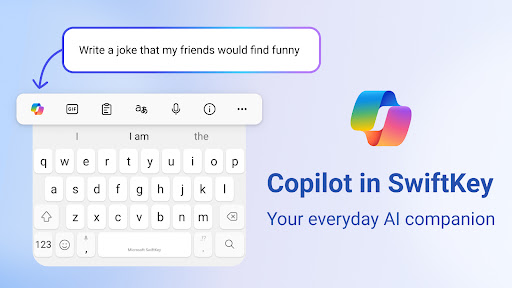
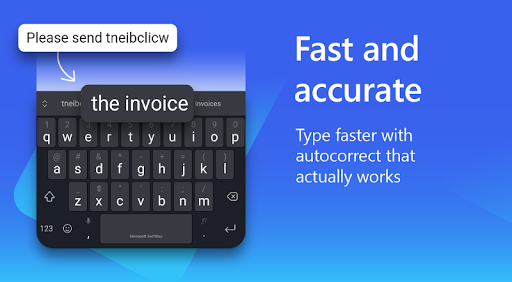
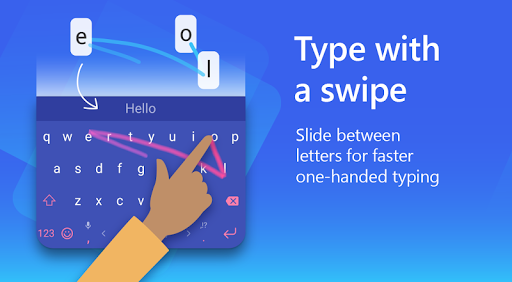
Microsoft SwiftKey is the intelligent keyboard that learns your writing style, so you can type faster.<br><br>Use your personalized keyboard to type and send emoji, GIFs and stickers just the way you like.<br><br>Microsoft SwiftKey comes with Copilot - your everyday AI companion. You can ask AI anything in your favourite apps. <br><br>The Microsoft SwiftKey swipe keyboard is always learning and adapting to match your unique way of typing - including your slang, nicknames and emoji.<br><br>Microsoft SwiftKey caters to all typing tastes, with free designs and themes to fit any style. The custom keyboard provides autocorrect that actually works. Microsoft SwiftKey provides helpful predictions, so you can get your point across fast, without errors. Type and text any way you like, with swipe-to-type, tap-to-type, and searchable emojis and GIFs.<br><br>TYPE LESS, DO MORE <br><br><b>Typing</b><br>- Swipe to type or tap to type <br>- Spell checker and auto text with AI-powered predictions<br>- Custom keyboard toolbar with an expandable menu of quick shortcuts <br>- Rewrite your text in a different tone and Compose text to effortlessly transform your ideas into polished drafts via AI <br><br><b>Rich content</b><br>- Use emoji, GIFs and stickers to express yourself 😎<br>- Emoji keyboard is adaptive, learning and predicting your favorite emoticons for any conversation 👍<br>- Search emojis and GIFs to find the best one for your reaction 🔥<br>- Create unique AI-powered images and memes to stand out from the crowd 🪄<br><br><b>Customize</b><br>- 100+ colorful keyboard themes <br>- Make your own custom keyboard theme with your photo as the background <br>- Customize your keyboard size and layout <br><br><b>Multilingual</b><br>- Enable up to five languages at once<br>- Keyboard supports over 700 languages<br><br>Get the custom keyboard that always matches your style – download Microsoft SwiftKey Keyboard today!<br><br>Find out more about Microsoft SwiftKey’s key features: https://www.microsoft.com/swiftkey <br><br>SUPPORTS 700+ LANGUAGES including: <br>English (US, UK, AU, CA) <br>Spanish (ES, LA, US) <br>Portuguese (PT, BR) <br>German <br>Turkish <br>French <br>Arabic <br>Russian <br>Italian <br>Polish
- Price
- Free
- Size
- 0M
- Type
- personalization apps
- Rating 4.5 (4307306 Ratings)
- 5 Ranking
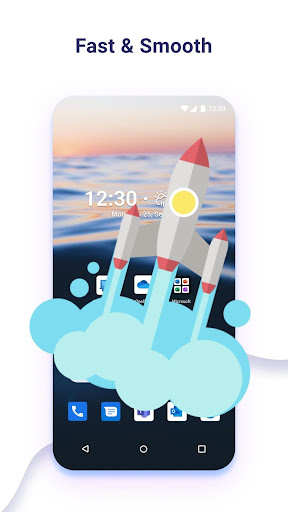
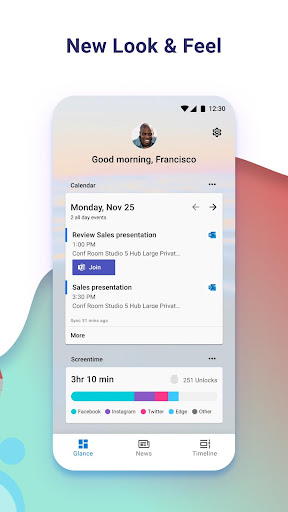
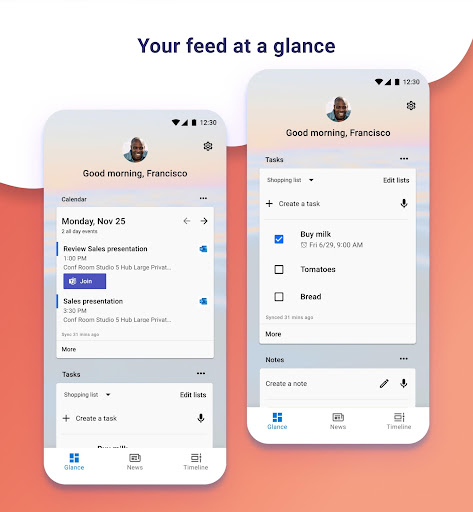
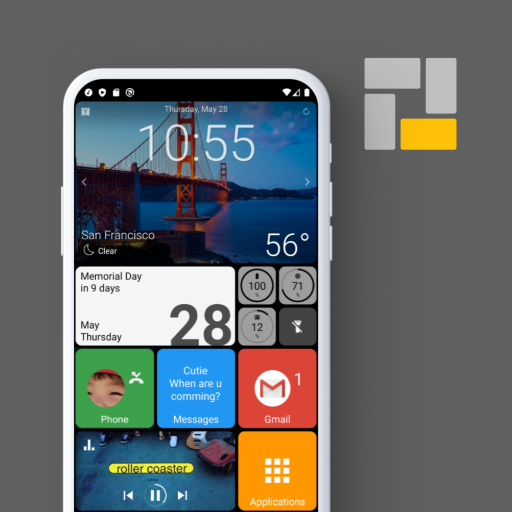
Microsoft Launcher provides a new home screen experience that empowers you to be more productive on your Android device. Microsoft Launcher is highly customizable, allowing you to organize everything on your phone. Your personalized feed makes it easy to view your calendar, to do lists, and more. Sticky Notes on the go. When you set up Microsoft Launcher as your new home screen, you can either start fresh with your favorite apps or import your current home screen layout. Need to switch back to your previous home screen? You can do that, too!<br><br>This version of Microsoft Launcher has been rebuilt on a new codebase to make new features possible, including dark mode, and personalized news.<br> <br>MICROSOFT LAUNCHER FEATURES <br><b>Customizable icons:</b> <br>· Give your phone a consistent look and feel with custom icon packs and adaptive icons. <br><br><b>Beautiful wallpapers:</b> <br>· Enjoy a fresh new image from Bing every day or choose your own photos.<br> <br><b>Dark theme:</b> <br>· Comfortably use your phone at night or in low light environments with Microsoft Launcher’s new dark theme. This feature is compatible with Android’s dark mode settings.<br><br><b>Backup and Restore:</b> <br>· Easily move between your phones or try Home Screen setups through Microsoft Launcher’s Backup and Restore feature. Backups can be stored locally or saved to the cloud for easy transfers.<br> <br><b>Gestures:</b> <br>· Swipe, pinch, double tap, and more on the home screen to easily navigate on the Microsoft Launcher surface.<br>This app uses Accessibility Service Permission for optional gesture of screen lock and recent apps view.<br> <br>Microsoft Launcher asks for the following optional permissions:<br><br>· Microphone: Used for speech-to-text functionality for Launcher features, such as Bing Search, Bing Chat, To Do, and Sticky Notes. <br><br>· Photo and video: Used for getting features, such as your wallpaper, Blur Effect, and Bing Chat Visual Search, and to show recent activities and backups. On Android 13 and higher, these permissions are replaced with the ‘All file’ access permissions. <br><br>· Notifications: Needed to notify you of any update or app activity. <br><br>· Contacts: Used for searching contacts on Bing Search. <br><br>· Location: Used for the Weather widget. <br><br>· Phone: Allows you to call your contacts with a swipe in Launcher. <br><br>· Camera: Used to create image notes for the Sticky Notes card and to search for images in Bing Search. <br><br>· Calendar: Used to show calendar info for the Calendar card in your Launcher feed. <br><br>You can still use Microsoft Launcher even if you do not consent to these permissions, but some functions may be restricted.<br><br><b>TERM OF USE</b> <br>By installing this app, you agree to the Terms of Use (http://go.microsoft.com/fwlink/?LinkID=246338) and Privacy Policy (http://go.microsoft.com/fwlink/?LinkID=248686). <br><br>Downloading Microsoft Launcher gives the option to replace the default launcher or to toggle between device launchers. Microsoft Launcher does not replicate the user’s PC home screen on the Android phone. Users must still purchase and/or download any new apps from Google Play. Requires Android 7.0+.
- Price
- Free
- Size
- 0M
- Type
- personalization apps
- Rating 4.7 (1666188 Ratings)
- 6 Ranking
<p><strong>Smart Launcher improves and extends the features of your Android devices giving them a new home screen designed to be easier and faster to use.<br></strong>Smart Launcher automatically sorts your apps into categories. It features a powerful search engine that allows you to search for what you need in just a few taps. It matches your wallpaper colors every time you change it. We designed every area of your new home screen to be as smart as possible. <br><br>Everything you need to perform your daily tasks faster and easier.<br><br><br>🏅 <strong>Best Android Launcher 2020 - 2021</strong> - Android Central<br>🏅 <strong>Best Android Launcher 2020 for customization</strong> - Tom's Guide<br>🏅 <strong>Best launcher Android app for efficiency 2020 - 2021</strong> - Android Headlines<br>🏅 <strong>Top 10 Launchers</strong> - Android Authority, Tech Radar<br>🏅 <strong>Playstore Best App 2015</strong> - Google <br><br><br>-----<br><br><br><strong>WHAT'S IN SMART LAUNCHER:</strong><br><br><br><strong>• Automatic app sorting</strong><br><br>Apps are automatically sorted into categories, you won't have to waste time organizing your icons anymore! The advantages of automatic app sorting have been recognized also by Apple which introduced it in their <i>App Library</i> in iOS 14.<br><br><br><strong>• Ambient theme</strong><br>Smart Launcher automatically changes the theme colors to match your wallpaper.<br><br><br><strong>• Designed to be used with one hand</strong><br>We moved the items you need to interact the most, in the bottom part of the screen where they are easier to reach.<br><br><br><strong>• Responsive build-in widgets</strong><br>Smart Launcher includes a full set of responsive widgets.<br><br><br><strong>• Customization</strong><br>Smart Launcher is completely customizable. You can now modify every single color of the theme unlocking infinite possibilities of color combination. Change fonts on the home screen choosing among thousands of fonts from Google Fonts.<br><br><br><strong>• Smart search</strong><br>The Smart Launcher search bar allows to quickly find contacts and apps or to perform actions like searching on the web, adding a contact, or performing a calculation.<br><br><br><strong>• Adaptive icons</strong><br>The icon format introduced with Android 8.0 Oreo is fully supported and available for any Android device! Adaptive icons mean not only customizable shapes but also beautiful and bigger icons!<br><br><br><strong>• Gestures and hotkeys</strong><br>Both gestures and hotkeys are supported and configurable. You can turn off the screen with a double-tap or show the notification panel with a swipe.<br><br><br><strong>• On-screen notifications</strong><br>Smart Launcher will now show you which apps have active notifications without requiring you to download an external plugin. This makes the feature more stable and reliable.<br><br><br><strong>• Ultra immersive mode</strong><br>You can now hide the navigation bar in the launcher to maximize the screen space.<br><br><br><strong>• Protect your apps</strong><br>You can hide the apps you want and if you want to keep them secret, you can protect them with a PIN.<br><br><br><strong>• Wallpaper selection</strong><br>Smart Launcher includes a very efficient wallpaper picker that allows you to choose between many sources of pictures. You can also backup your wallpaper before trying a new one!<br><br><br>-----<br><br><br>Smart Launcher is a community-driven project, regularly updated with new features to support the most recent Android APIs and new devices. You can join our community and find out how to become a beta tester using this link: https://www.reddit.com/r/smartlauncher<br><br><br>-----<br><br><br>Smart Launcher requires access to the Android Accessibility API in order to provide some features like turning off the screen or showing the notification panel with a gesture. Enabling the access is optional and in any case, Smart Launcher will never collect any kind of data using this API.<br></p>
- Price
- Free
- Size
- 0M
- Type
- personalization apps
- Rating 4.3 (628114 Ratings)
- 7 Ranking
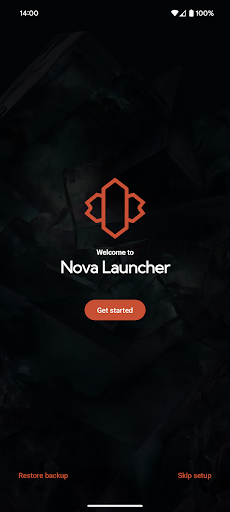
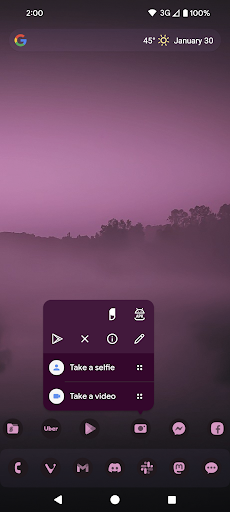
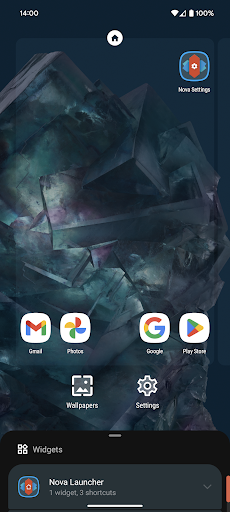
Nova Launcher is a powerful, customizable, and versatile home screen replacement. Nova brings advanced features to enhance your home screens, but still remains a great, user-friendly choice for everyone. Whether you want to completely overhaul your home screens or are looking for a cleaner, faster home launcher, Nova is the answer.<br><br><u><b>✨ The newest features</b></u><br>Nova brings the latest Android launcher features to all other phones.<br><br><u><b>🖼️ Custom icons</b></u><br>Nova supports thousands of icon themes available in the Play Store. Plus, reshape all icons to a shape of your choice for a uniform and consistent look.<br><br><u><b>🎨 An extensive color system</b></u><br>Use Material You colors from your system, or choose your own colors for a personalised feel that's unique to you.<br><br><u><b>🌓 Custom light and dark themes</b></u><br>Sync dark mode with your system, the sunrise and sunset, or keep it on permanently. The choice is yours.<br><br><u><b>🔍 A powerful search system</b></u><br>Nova allows you to search for content in your apps, your contacts, and other services with integrations for your favorite platforms. Additionally, get instant Micro Results for calculations, unit conversions, package tracking, and more.<br><br><u><b>📁Customizable home screen, app drawer, and folders</b></u><br>Icon size, label colors, vertical or horizontal scroll and search bar positioning just scratch the surface of customization for your home screen setup. The app drawer also adds innovative customizable cards to give you the information you need, right when you need it.<br><br><u><b>📏 Subgrid positioning</b></u><br>With the ability to snap icons and widgets in between grid cells, it’s easy to get a precise feel and layout with Nova in a way that’s impossible with most other launchers.<br><br><u><b>📲 Backup and restore</b></u><br>Moving from phone to phone or trying new home screen setups is a snap thanks to Nova’s backup and restore feature. Backups can be stored locally or saved to the cloud for easy transfers.<br><br><u><b>❤️ Helpful support</b></u><br>Quickly get in touch with support through a convenient option in the app, or join our active Discord community at https://discord.gg/novalauncher<br><br><u><b>🎁 Do even more with Nova Launcher Prime</b></u><br>Unlock Nova Launcher’s full potential with Nova Launcher Prime.<br>• <b>Gestures:</b> Swipe, pinch, double tap, and more on the home screen to execute custom commands.<br>• <b>App drawer groups:</b> Create custom tabs or folders in the app drawer for an ultra-organized feel.<br>• <b>Hide apps:</b> Hide apps from the app drawer without uninstalling them.<br>• <b>Custom icon swipe gestures:</b> Swipe up or down on your home screen icons to become more productive without taking up more home screen space.<br>• <b>…and more.</b> More scrolling effects, notification badges, and others.<br><br>――――――――――<br><br><u><b>Icons used in screenshots</b></u><br>• OneYou Icon Pack by PashaPuma Design<br>• OneYou Themed Icon Pack by PashaPuma Design<br>Icon packs used with permission from the respective creators.<br><br>――――――――――<br><br>This app uses the AccessibilityService permission for optional support of making certain system functions more accessible, such as with desktop gestures. For example screen off or opening the Recent Apps screen. Nova will automatically prompt you to enable this if it is necessary for your configuration, for many cases it is not! No data is collected from the AccessibilityService, it is merely used to invoke system actions.<br><br>This app uses the Device Administrator permission for optional screen off/lock functionality.<br><br>This app uses a Notification Listener for optional badges on icons and media playback controls.
- Price
- Free
- Size
- 0M
- Type
- personalization apps
- Rating 4 (1324562 Ratings)
- 8 Ranking
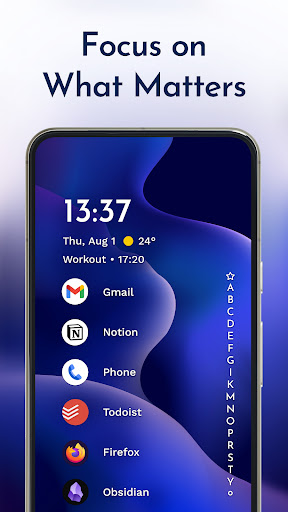
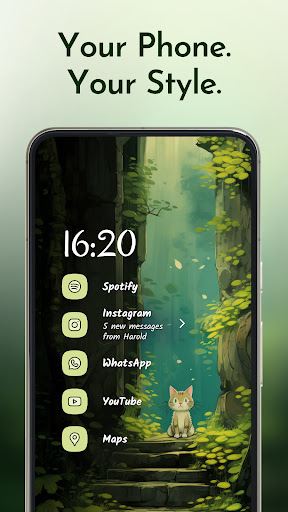
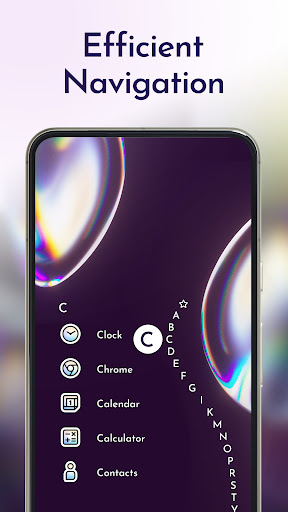
The traditional home screen we know was made more than a decade ago when phone<br> screens were smaller than your credit card. Smartphones keep growing, but not your fingers. The minimalist<br> Niagara Launcher makes everything accessible with one hand and lets you focus on what matters.<br> <br><br>🏆 "The best Android app I've used in years" · Joe Maring, Screen Rant<br><br>🏆 "It changed the way I look at the full device—big time" · Lewis Hilsenteger, Unbox Therapy<br><br>🏆 Among the best launchers of 2022, according to Android Police, Tom's Guide,<br> 9to5Google, Android Central, Android Authority, and Lifewire<br> <br><br><b>▌ Top reasons to use Niagara Launcher:</b><br><br><b>✋ Ergonomic efficiency</b> · Access everything with one hand - no matter how big your phone<br> is.<br> <br><br><b>🌊 Adaptive list</b> · In contrast to a rigid grid layout used by other Android<br> launchers, Niagara Launcher's list can adapt to your needs. The media player, incoming messages, or calendar<br> events: everything pops in when it needs to.<br> <br><br><b>🏄♀ Wave alphabet</b> · Efficiently reach every app without even having to open an app<br> drawer. The launcher's wave animation does not only feel satisfying but also helps you navigate your phone with<br> just one hand.<br> <br><br><b>💬 Embedded notifications</b> · Not just notification dots: Read and respond to<br> notifications right from your home screen.<br> <br><br><b>🎯 Stay focused</b> · The streamlined and minimalist design declutters your home screen,<br> reduces distractions, and is super easy to use.<br> <br><br><b>⛔ Ad-free</b> · Having to endure advertisements on a minimalist launcher designed<br> to keep you focused does not make sense. Even the free version is also completely ad-free.<br> <br><br><b>⚡ Lightweight & lightning fast</b> · Being minimalist and fluid are two of the most important<br> aspects of Niagara Launcher. The home screen app runs smoothly on all phones. With just a few megabytes in size,<br> no space is wasted.<br> <br><br><b>✨ Material You Theming</b> · Niagara Launcher adopted Material You, Android's new expressive<br> design system, to make your home screen truly yours. Set an awesome wallpaper, and Niagara Launcher instantly<br> themes around it. We went one step further by bringing Material You to everyone by backporting it to all Android<br> versions.<br> <br><br><b>🦄 Personalize your home screen</b> · Impress your friends with Niagara Launcher's clean look and<br> customize it to your needs. Personalize it with our integrated icon pack, fonts, and wallpapers, or use your<br> own.<br> <br><br><b>🏃 Active development & great community</b> · Niagara Launcher is in active development and has a<br> very supportive community. If you ever have a problem or want to voice your opinions about the launcher, please<br> join us:<br> <br><br>🔹 Twitter: https://twitter.com/niagaralauncher<br><br>🔹 Discord: https://niagaralauncher.app/discord<br><br>🔹 Telegram: https://t.me/niagara_launcher<br><br>🔹 Reddit: https://www.reddit.com/r/NiagaraLauncher<br><br>🔹 Press kit: http://niagaralauncher.app/press-kit<br><br>---<br><br><b>📴 Why we offer an accessibility service</b> · Our accessibility service has the sole purpose of letting you<br> quickly turn off your phone's screen with a gesture. The service is optional, disabled by default, and neither<br> collects nor shares any data.<br> <br>
- Price
- Free
- Size
- 0M
- Type
- personalization apps
- Rating 4.8 (117228 Ratings)
- 9 Ranking
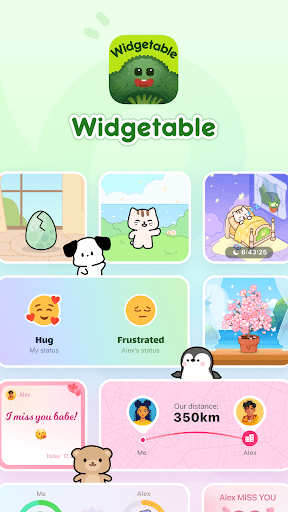
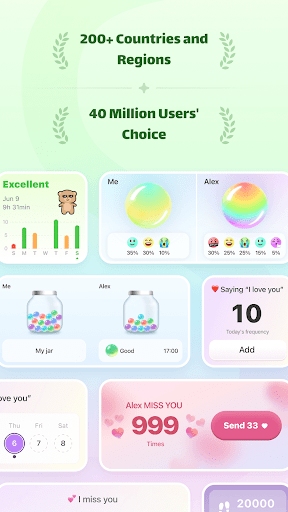
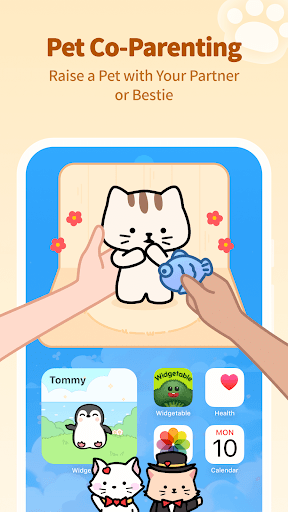
Widgetable provides trending widgets for your phone screen, including pet widgets, plant widgets, social widgets for friends and couples, mood bubbles. Widgetable makes your screen adorable!<br><br>- Pet Widget & Co-parenting<br>You can raise lovely pets on your home screen. As your loyal virtual friends, they will always stay with you and randomly share their life to make you smile. Don't forget to take care of them frequently so that they can stay clean and cheerful! You can also bind your friends or partner for co-parenting and raise pets together!<br><br>- Mood Bubbles<br>Pour different colors of potions into a bubble to represent your mood. Create your own colorful mood bubbles of the day!<br><br>- Plant Widget<br>The widget enables you to grow and nurture your own plants on your home screen. You can choose from a variety of species including flowers, green plants, and fruits, and decorate your unique garden after they get mature.<br><br>Link with your friends or partner and use below social widgets together!<br>- Distance Widget<br>It shows the real-time distance. You can always know how far you are from your friends or your partner.<br>- Status & Moods<br>This widget shows the other one’s latest status. You can give a hug and show it on the home screen when he/she is frustrated.<br>- Notes Widget<br>You can leave cute notes on your friends' or partner's home screens.<br>- Miss You Widget<br>It shows the number of times you miss your friends or partner. Try to tap the "Miss You" button to express your love every time you miss him/her so that your loved one can always sense it.<br><br>We aim to help people better express their emotions and love to each other, and bring people closer. We hope that the interesting social widgets can help people keep in touch with their loved ones and improve their relationships.<br><br>*We request location permission for [Distance Widget] in the app so that you can always know how far the other one is.<br><br>--------<br>Contact us: [email protected]<br>Terms of Services: https://widgetable.net/terms<br>Privacy Policy: https://widgetable.net/privacy<br><br>Follow us:<br>Instagram @widgetableapp<br>TikTok @widgetable
- Price
- Free
- Size
- 0M
- Type
- personalization apps
- Rating 4.7 (300679 Ratings)
- 10 Ranking
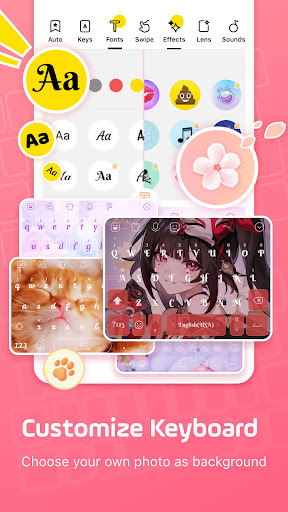
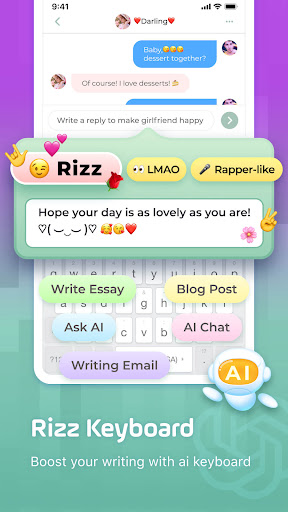
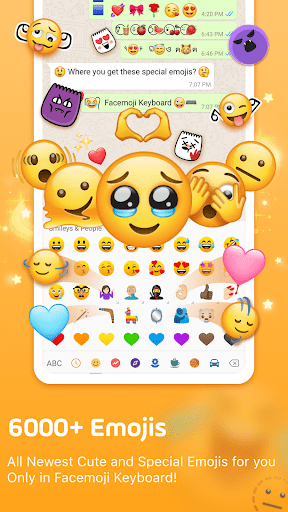
Facemoji AI Emoji Keyboard is a <b>Free, AI-powered custom keyboard with over 5000 emojis, WhatsApp stickers, kaomoji, GIFs, cool fonts, TikTok emojis, and stylish themes.</b><br><br><b>New: DIY Avatar Sticker 🔥</b><br>Generate stickers based on your input and share them with your friends through Whatsapp, Facebook, and TikTok. Simply enter the phrase you want, and create personalized stickers that add a unique touch to your conversations. Give it a try and share your ideas with your friends, making every chat full of surprises!<br><br>The best Font Keyboard app to make your Instagram bios & stories more attractive, get more likes for TikTok posts, write stylish Facebook posts, decorate your WhatsApp & LINE profile, and write fancy texts in Snapchat with awesome fonts and cute text faces.<br><br>Check out all K-Pop content for you! Type "BTS", "Blackpink" or other groups on this emoji keyboard, you will see a surprise! Texting has never been more fun with this hottest emoji keyboard in 2023!<br><br>Easy to send 5000+ Emoji, Emoticon, Free Stickers, Emoji Art, Text Art, Symbols, GIFs<br>- All NEW emojis for 2023 is now available on Facemoji Emoji Keyboard, check out the latest trending emojis!<br>- Best TikTok Keyboard with hidden secret Tiktok emojis<br>- Special and unique emojis you have never seen in other keyboard!<br><br>Custom Keyboard & Photo Keyboard &1500+ Fancy Keyboard Themes<br>- Make your own keyboard wallpaper with your favorite photo/picture, DIY keyboard such as customize buttons, colors, fonts, tapping effects(like BTS lightsticks), tapping sound(piano, guitar, dog barking) to decorate your emoji keyboard. Share and your friends can use the same custom keyboard designed by you!<br>- 1500+ FREE stylish themes such as Japanese anime, Neon keyboard, LED keyboard, RGB keyboard, K-Pop idols, cute animals, Boba milk tea, Avocado, Ironman, Unicorn, Animated themes…New themes are added weekly!<br><br>Cool Fonts Keyboard & Unicode Symbol Keyboard<br>- Create your stylish message with fancy fonts on your Instagram bio and Tiktok post!<br>- Do you know how many heart symbols you can type with Facemoji Keyboard? We have over 1000 unicode symbols and nickname templates!<br><br>Whatsapp Sticker keyboard & Tenor GIF keyboard<br>- Facemoji keyboard’s 2000+ Cute Stickers are all compatible and look very nice in Whatsapp, Messenger and Telegram! We even have Kpop stickers such as BTS stickers and Blackpink stickers. <br><br>Auto Paste keyboard & Clipboard<br>- How to send fast messages? We have a paste keyboard where you can just long click and send repeatedly!<br>- Clipboard keyboard to save your ALL your copied notes and send in 1 click<br><br>Kaomoji Keyboard, Text art and more<br>- Express your emotions with Kaomoji and Emoticon keyboard<br>- Funny Emoji Art & Text Art to attract followers in TikTok/Instagram<br>- We create Emoji Art like Minecraft, Demon slayer, Squid Game with just Emojis!<br>- Funny Quotes/Jokes/Pick up lines/Fairy Comments you can find here<br> <br>Game Keyboard for Among us, Roblox and Minecraft<br>We built a special keyboard for Among us! You can Win every game easily by 1 tap on quick message, player color and location in our Among us keyboard! Our game mode also supports Roblox, Free Fire, Pubg, Mobile legends etc.<br><br>Fast Typing & Smart Suggestions<br>- Creative Emoji suggestions and Emoji predictions<br>- Sticker Predictions in WhatsApp and Messenger<br>- Swipe keyboard: Type faster with smooth gesture typing<br>- Smart Autocorrect: Automatically Fix all the Typos for you<br><br>Bilingual Keyboard supports 100+ languages & built-in Translator<br><br>Privacy and security<br>Facemoji Keyboard will NEVER collect any personal information without your explicit permission.<br><br>Connect with us:<br>TikTok: https://www.tiktok.com/@facemojikeyboard<br>Instagram: https://www.instagram.com/Facemojikeyboard/<br>Twitter: https://twitter.com/FacemojiApp<br>Discord: https://discord.gg/facemojikeyboard
- Price
- Free
- Size
- 0M
- Type
- personalization apps
- Rating 4.7 (1366294 Ratings)