



Best photography apps for android
- Google Photos|
- Gallery|
- Picsart AI Photo Editor, Video|
- Canva: Design, Art & AI Editor|
- Lightroom Photo & Video Editor|
- Photoshop Express Photo Editor|
- Snapseed|
- VSCO: Photo & Video Editor|
- Video Editor & Maker - InShot|
- Remini - AI Photo Enhancer|
Here are UPUP's list of best photography apps for android:
- 1 Ranking
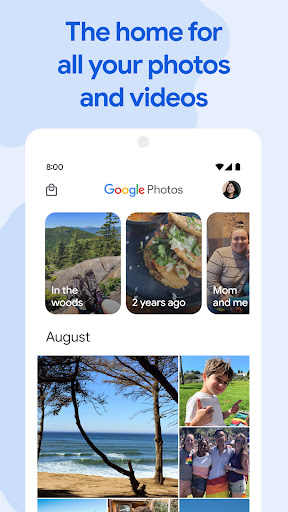
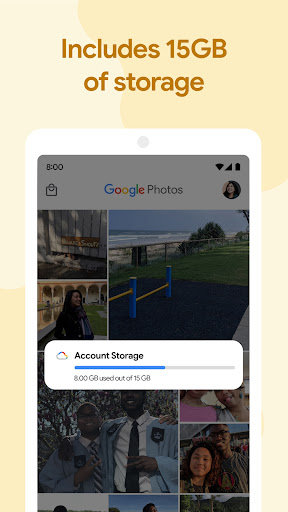
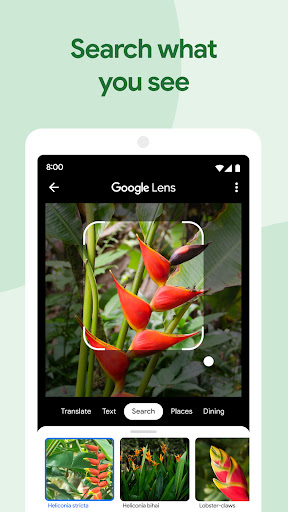
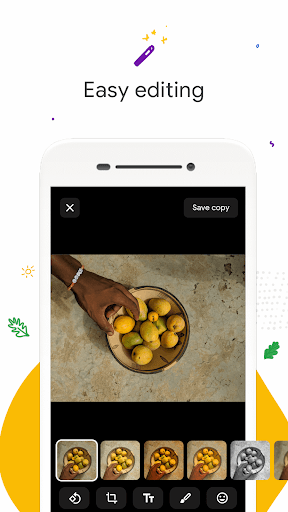
Google Photos is the home for all your photos and videos, automatically organized and easy to share.<br><br>- “The best photo product on Earth” – The Verge<br>- “Google Photos is your new essential picture app” – Wired<br><br>The official Google Photos app is made for the way you take photos today and includes essential features like shared albums, automatic creations and an advanced editing suite. Additionally every Google Account comes with 15 GB of storage and you can choose to automatically back up all your photos and videos in High quality or Original quality. You can then access them from any connected device and on photos.google.com.<br><br>With the official app, you get:<br><br>15 GB OF STORAGE: Back up 15 GB of photos and videos and access them from any device and photos.google.com—your photos are safe, secure, and private to you. All photos and videos you back up in high quality before June 1, 2021 will not count toward your Google Account storage.<br><br>FREE UP SPACE: Never worry about running out of space on your phone again. Photos that are safely backed up can be removed from your device's storage in just a tap.<br><br>NO ADS: Google Photos doesn't sell your photos, videos, or personal information to anyone and we don't use your photos and videos for advertising.<br><br>FAST AND POWERFUL SEARCH: Your photos are now searchable by the people, places and things in them — no tagging required.<br><br>GOOGLE LENS: Search the hard-to-describe and get stuff done, right from a photo. Copy and translate text, identify plants and animals, add events to your calendar, find products online, and more.<br><br>ADVANCED EDITING SUITE: Transform photos with a tap. Use intuitive and powerful photo editing tools to apply content-aware filters, adjust lighting, and more.<br><br>AUTOMATIC CREATIONS: Bring photos to life with automatically created movies, collages, animations, panoramas, and more from your photos. Or easily create them yourself.<br><br>SHARING SUGGESTIONS: With smart sharing suggestions, giving your friends the photos you took of them is painless. And they can add their photos, too, so you’ll finally get the photos you’re actually in.<br><br>LIVE ALBUMS: Select the people and pets you want to see and Google Photos will automatically add photos of them as you take them, no manual updates needed.*<br><br>PHOTO BOOKS: Create a photo book in just minutes from your phone or computer. You can also see suggested photo books based on your best shots from a trip or period of time.*<br><br>SEND PHOTOS IN SECONDS: Instantly share photos with any contact, email, or phone number.<br><br>SHARED LIBRARIES: Grant a trusted person access to all of your photos.<br><br>You can also upgrade storage for your Google Account, used for Original Quality photos and videos by subscribing to Google One. Subscriptions start at $1.99/month for 100 GB in the US. Pricing and availability can vary by region.<br><br>- Google One Terms of Service: https://one.google.com/terms-of-service<br>- One Google Pricing: https://one.google.com/about<br><br>For additional help visit https://support.google.com/photos<br><br>Google Photos is also available on Wear OS for the Google Pixel Watch. Set your favorite photos as your watch face.<br><br>*Face grouping, live albums and photo books are not available in all countries.
- Price
- Free
- Size
- 0M
- Type
- photography apps
- Rating 4.4 (51181292 Ratings)
- 2 Ranking
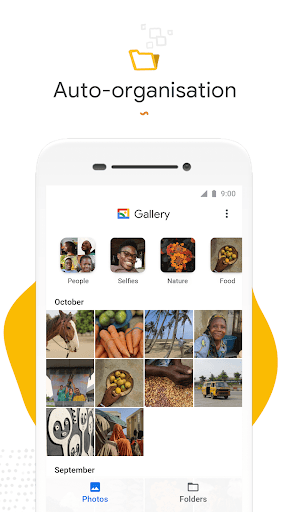
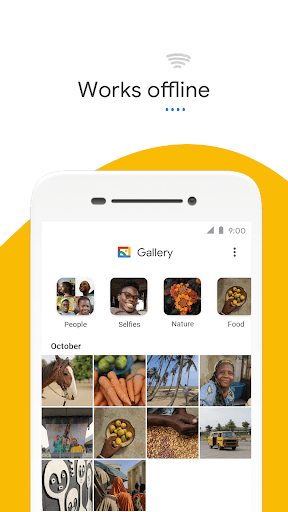
Meet <b>Gallery</b>, a smart, light and fast photo and video gallery built by Google to help you: <br> <br> ✨ <b>Find photos faster</b> with automatic organization <br> 😎 <b>Look your best</b> with editing tools like auto-enhance <br> 🏝️ <b>Use less data</b> - works offline, all in a small app size <br> <br> <b>AUTOMATIC ORGANIZATION</b> <br> <br> Each night, Gallery will automatically organize your photos to group by: People, Selfies, Nature, Animals, Documents, Videos and Movies. <br> Gallery helps you stay organized, so you can spend less time scrolling for that photo of your friend or family member, and more time sharing memories with them.* <br> <br> <b>AUTO-ENHANCE</b> <br> <br> Gallery has easy to use photo editing tools, such as auto-enhance which will make your photos look their best with one-tap. <br> <br> <b>FOLDERS AND SD CARD SUPPORT</b> <br> <br> Use folders to organize photos in any way you want. All while still being able to view, copy and transfer to and from SD Cards, easily. <br> <br> <b>PERFORMANCE</b> <br> <br> Gallery comes in a small file size which means even more space for your own photos. All while using less memory on your device - so it won’t slow down your phone. <br> <br> <b>WORKS OFFLINE</b> <br> <br> Optimized to work offline, Gallery can easily manage and store all your photos and videos without using up all your data. <br> *face grouping not currently available in all countries
- Price
- Free
- Size
- 0M
- Type
- photography apps
- Rating 4.4 (420552 Ratings)
- 3 Ranking
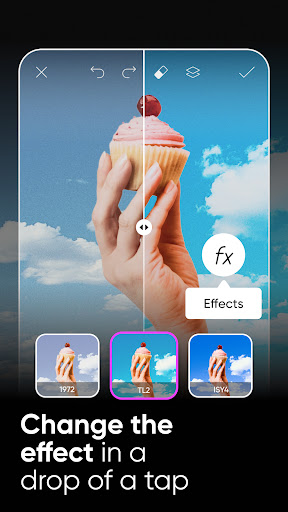
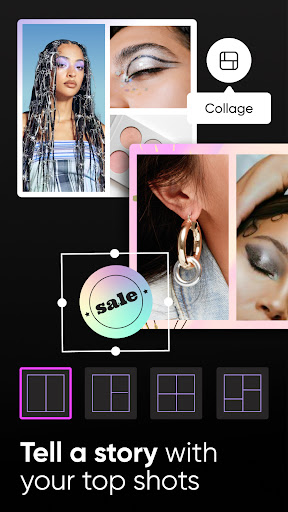
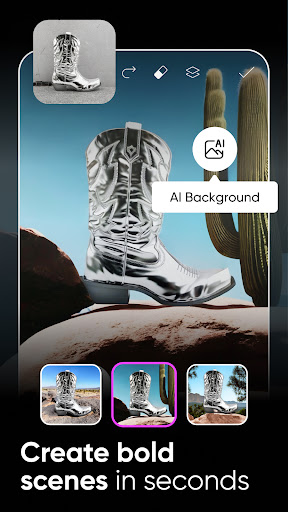
Join the Picsart community of over 150 million creators around the world. With the Picsart AI photo editor and video editor, you can bring your creativity to life. Bring your creativity to life with a full suite of AI powered editing features, quickly remove and swap backgrounds for the perfect product shots, design flyers or social media posts with templates, create photo collages of your favorite memories, choose from hundreds of stylized photo filters, and more. Picsart is your go-to, all-in-one AI assisted editor with all the tools you need to give your content a personal flair and make it stand out.<br><br>PHOTO EDITOR<br>• Try trending filters for pictures and popular photo effects<br>• Use the Background Eraser to erase and replace backgrounds<br>• Clean up pictures and remove unwanted objects with the Remove Object tool<br>• Use millions of curated, free images or edit your own pictures<br>• Add text to photos with 200+ designer fonts<br>• Retouch selfies with hair color changer, makeup stickers & more<br>• Blur backgrounds with our AI-powered smart selection tool<br>• Quickly flip & crop photos<br>• Add stickers to pictures and create your own stickers<br><br>AI TOOLS<br>• Improve low quality images to make them sharper with AI Enhance<br>• Turn text into images with AI Image Generator and create unique, customizable images and GIFs automatically<br>• Apply stylized AI Filters to your photos with one tap, such as anime styles<br>• Replace imagery in your photos with AI Replace<br>• Upload photos of yourself to generate your own unique, customized avatars in different styles with AI Avatar<br><br>VIDEO EDITOR<br>• Create and edit videos with our easy-to-use video editor with music<br>• Take your IG Stories, TikToks & Reels to the next level<br>• Add music to your videos using our extensive video editor music library<br>• Crop video clips to the perfect dimensions and ratios<br>• Try video effects and other trendy filters in the video editor<br>• Trim videos or use smart video merger to blend videos<br>• Add your best moments to a video collage<br><br>COLLAGE MAKER<br>• Create on-trend photo collages with your favorite pictures<br>• Try photo grid collage, freestyle collage, scrapbook, and frames for pictures<br>• Go viral with our meme generator & share with friends<br>• Use the Story Maker and level up your Instagram game with Story templates<br><br>STICKER MAKER + FREE STICKERS<br>• Discover over 60+ million Picsart stickers<br>• Add stickers to pictures to turn up the fun level on your edits<br>• Create unique custom stickers<br><br>PHOTO EFFECTS & FILTERS<br>• Cartoon yourself in seconds with amazing Magic effects<br>• Outline selfies with the popular Sketch effects<br>• Apply AI Filters in multiple styles, such as anime<br><br>REPLAY<br>• Recreate trending edits in a couple of taps. Cut editing time in half with easy customizable steps<br>• Edit multiple pictures in the same style<br>• Keep your IG feed on-trend and consistent by creating personal presets<br><br>DRAWING TOOL<br>• Use Picsart Draw with customizable brushes, layers, & pro drawing tools<br>• Doodle on pictures and create a transparent clothes effect<br>• Start with a blank canvas to create art and illustrations<br><br>PICSART GOLD<br>• The Picsart Gold subscription grants access to NEW EXCLUSIVE content all the time. Get all the top features with an ad-free editing experience.<br>---<br>Start your Picsart Gold membership with a free trial - limited to one per Apple account. Once the trial is over, you’ll be charged a nominal subscription fee. Your Gold subscription will automatically renew unless auto-renew is turned off at least 24 hours before the end of the current period. If your subscription is subject to any promotional discount, the discount will expire upon the end of the current period & you’ll be charged the standard rate upon renewal. Go to your Apple account to manage your membership & to turn auto-renew off. Your Apple account will be charged when the purchase is confirmed.<br><br>Terms and conditions: https://picsart.com/terms-and-conditions<br>About Ads: https://picsart.com/privacy-policy#interest-base
- Price
- Free
- Size
- 0M
- Type
- photography apps
- Rating 4.1 (12165088 Ratings)
- 4 Ranking
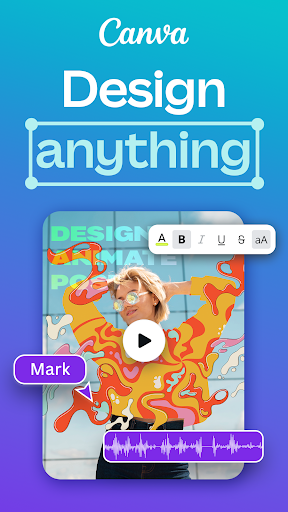
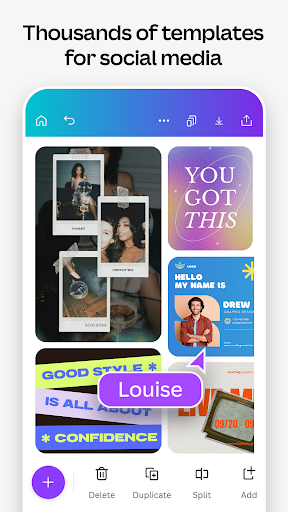
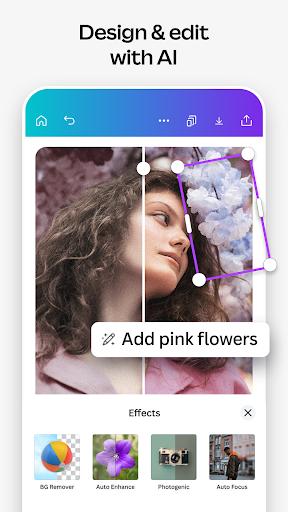
<b>Welcome to Canva - where magic happens! Get ready to unleash your creativity with our all-in-one digital art studio & AI editor. Enjoy easy-to-use photo & video editor, endless templates for your resume, presentations, Instagram reels, invitation or other creative digital art ideas - right at your fingertips!</b> Whether you're a professional designer, an aspiring artist, or simply someone looking to add a touch of creativity to your everyday life, Canva has something for everyone. Packed with an array of easy-to-use features, built-in magical AI tools, and a vast library of templates and layouts for CV, social media posts or holiday cards, Canva is the go-to app for all your design needs.<b> Join millions of satisfied users and unlock your creativity with Canva today:<br><br>Video Editor & Photo Collage Maker: free, no ads, no watermarks</b><br>📷Easy-to-use photo editor and background remover<br>🎥Produce professional videos & reels in the video editor with our video layout & library of audio tracks<br>📷Create a pic collage using one of Canva’s templates, or on your own<br>🎥Bring your pictures to life: Make images move with one-tap animations & page transitions<br>📷Use the photo grid, filters & photo effects to customize and share images<br>🎥Overlay multiple audio tracks of music, sound effects & voiceovers with Beat Sync<br>📷Unlock Canva’s cutting edge Magic AI art tools to take your photo and video editor features to the next level<br><br><b>Professional Templates & Documents: Resume, Data or Presentations</b><br>📄Easily create a CV with Canva’s resume templates and CV maker<br>📄Retouch and edit your profile picture, apply filters & effects with Canva's powerful yet user-friendly photo editor<br>📄Students & teachers: create professional presentations, posters & worksheets with ease<br>📄Take your school or workplace to the next level with our Magic Design for Presentations tool, tailored to your content in no time<br>📄Display data with infographics and slideshow templates, poster maker & AI Magic Presentations<br><br><b>AI Magic Built-in: Bringing the magic and ease of AI art to your designs</b><br>✨Magic Design: Upload an image and let Canva create designs for you with AI art tools and maker<br>✨Magic Edit: Swap or add anything to your images with AI editing<br>✨Translate automatically in 100+ languages<br>✨Magic Eraser: Remove unwanted objects from any image. Click and let Canva’s AI magic eraser do the rest<br>✨Magic Text to Image AI tool<br><br><b>Social Media: Design, create & share your story (or post, or reel… anything, really!)</b><br>📱Design posts, reels, photo collage or images for Instagram, TikTok, Snapchat, Facebook or LinkedIn<br>📱Creating a video or photo collage has never been easier: just use a template or one of our millions of layouts to design a photo grid, a video collage, to apply filters & effects on your picture, story, or reel, and share your stunning visuals<br>📱Retouch and edit your profile picture, Instagram story, TikTok video, and more<br>📱Plan posts with Scheduler: the cutting-edge tool for Canva Pro users<br><br><b>Brand & Logo Maker - Build your brand and get into business</b><br>💼Use our banner maker for thumbnails & ads to promote your business in Instagram, Facebook, TikTok, Linkedin, and more<br>💼Logo maker: Create and use your logo design on mockups<br>💼Flyer maker & business cards templates<br>💼Meet your new Brand Hub: your one-stop-shop to design and keep your logos, colors, fonts, icons, imagery, graphics, and brand guidelines in one place for everyone to use<br><br><b>Free Content Library – over 2M assets</b><br>✅2M+ royalty-free images & photo filters<br>✅Thousands of watermark-free videos in the video editor<br>✅25K+ pre-licensed audio & music tracks<br>✅500+ fonts & effects in the photo editor<br><br><b>Need a little help?</b><br>Instagram/ Facebook/ Twitter/ Pinterest: @canva<br>Canva Support: https://www.canva.com/help
- Price
- Free
- Size
- 0M
- Type
- photography apps
- Rating 4.8 (19367583 Ratings)
- 5 Ranking
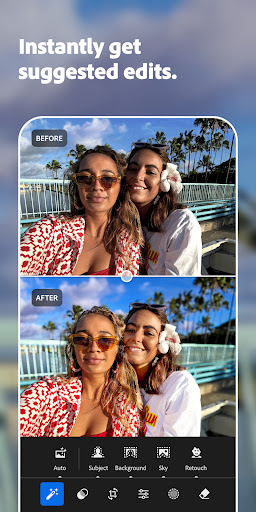
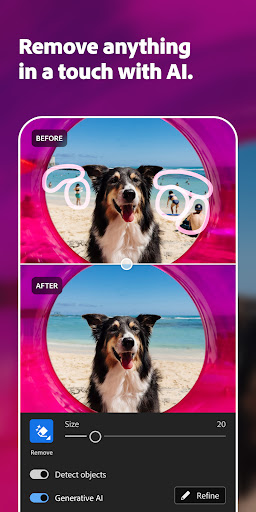
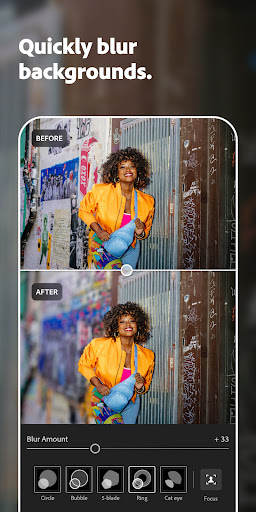
<b>Get your best photos faster than ever with Lightroom’s free photo and video editor</b><br><br>Lightroom is the easy way for you to transform your snaps into photos that stand out. Offering intuitive AI-assisted tools, presets, filters, and advanced features that give you full control and pro-quality results.<br><br>Create your own style, apply filters, batch edit photos, and get stunning pictures with this easy-to-use yet powerful photo and video editor.<br><br><i>Quick Actions</i> <br>Instantly get suggestions, tailored to your photos, so you can get the edits you want. <br><br><i>Portrait Photos</i> <br>Use the Lens Blur tool to make people stand out and Generative Remove to erase background distractions, blemishes or shiny skin<br><br><i>Travel Photos</i><br>Presets and filters that enhance the sky in one tap, and Remove tools to clean up distractions and unwanted objects, for a photo worth sharing<br><br><i>Food Photos</i><br>Selective edits that make your subject stand out<br><br><i>Street Photos</i><br>HDR, Texture, and Grain editor that brings out the atmosphere of the location<br><br><i>Landscape Photos</i><br>Hue and Saturation editor to set the tone of your photo<br><br><b>AI-Powered Features</b><br>• Quick Actions: instantly suggests the best edits for your photo, including skin smoothing, portrait retouching, and subject enhancement, based on your photo’s content<br>• Generative Remove: easily remove photobombers and pesky objects that ruin your otherwise <b>perfect</b> photo<br>• Lens Blur: add blur to backgrounds to make people really stand out (now available as Blur Background Presets)<br>• Adaptive Presets: easily make subjects and skies pop with one tap<br>• Masking: quickly select any part of a photo and make detailed edits to get the <b>right</b> balance in your image<br>• Recommended Presets and Filters: with so many presets and filters tailored to any photo, you can create stunning images and share to your social media in a few taps<br><br><b>Powerful Editing Tools</b><br>• Edit suggestions: Quick Actions recommends the best edits for your photos.<br>• Remove: high-precision tools to flawlessly retouch and remove any distraction from your photos<br>• Lighting tools: take control of Exposure, Highlights, Shadows, and Curves to capture the right light in your photo<br>• Colour tools: adjust Hue, Saturation, Luminance, and Colour grading to add style or get a film look<br>• Details or effects: modify Clarity, Texture, Dehaze, Grain, and Vignette to add texture and depth to your images<br>• Crop and geometry: alter the perspective, resize, rotate, and straighten photos<br>• HDR: edit the full dynamic range of your image for high-quality photos<br><br><b>Video</b><br>• Style: Presets, Light, Colour, and Edit tools to create stylistic videos<br>• Social: Create edit replay for reels you can post to social media<br><br><b>Camera</b><br>• Get all the controls of a pro camera on your phone<br>• ISO, Exposure, Shutter Speed, and more<br><br><b>Additional Features</b><br>• Create and save your own filters and presets to apply to all your photos<br>• Instant access to your photo gallery<br>• Quick search for pictures<br><br>Lightroom photo and video editor gives you pro-quality results with powerful filters, editing, and Remove tools that make your pictures stand out.<br>Terms & Conditions: <br>Your use of this application is governed by the Adobe General Terms of Use http://www.adobe.com/go/terms_au and the Adobe Privacy Policy https://www.adobe.com/go/privacy_policy_au<br><br>Do not sell or share my personal information www.adobe.com/go/ca-rights
- Price
- Free
- Size
- 0M
- Type
- photography apps
- Rating 4.6 (3007190 Ratings)
- 6 Ranking
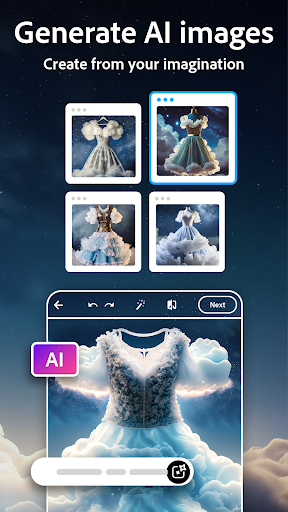
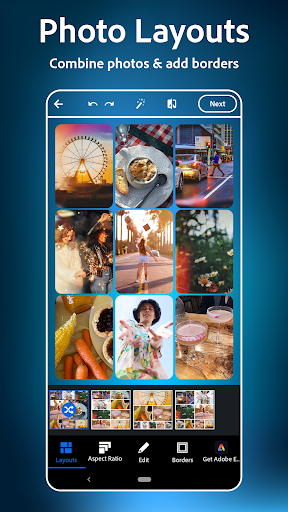
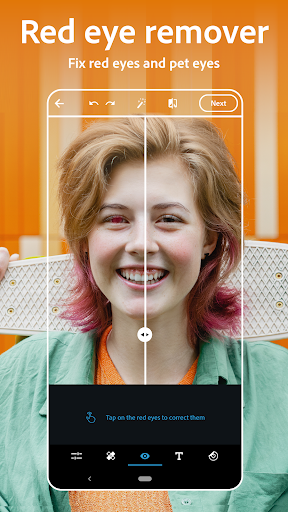
PHOTO EDITING MADE FUN AND EASY<br><br>Tap into your creativity with a photo editor made for fun, fast, and easy, one-tap photo edits. Photoshop Express is the picture editor perfect for turning creative ideas into reality. Touch up a selfie, make pre-post edits, and apply camera filters. With Photoshop Express you get a state-of-the-art AI image generator and easy-to-use photo design tools trusted by millions.<br><br>Get a photo app filled with features and photo effects at your fingertips. From camera film effects and overlays to photo stickers and retouch tools – get thousands of ways to customize and edit photos.<br><br>Clean up images with red eye corrector, healing, clone stamp, and blemish remover features. Choose from hundreds of camera filters for moody film effects, aesthetic styles, and more! Image editor, AI photo generator, photo collage maker — get it all with Photoshop Express.<br><br>Enjoy a high-quality image editor no matter your photography skills. Get Photoshop Express today for a comprehensive yet simple way to edit, retouch photos, and transform moments!<br><br>PHOTOSHOP EXPRESS FEATURES<br><br>AI PHOTO EDITOR & IMAGE RETOUCH<br>- Photo editing tools help create picture perfect images<br>- Retouch photos with blemish remover and spot healing features to create smooth skin appearance<br>- Create custom photo color edits, replace image backgrounds, and remove objects<br>- Remove blur, dehaze pictures, erase background noise, and seamlessly apply vibrancy and dramatic filters<br>- Use AI photo tools to erase objects, add makeup, and restyle images<br><br>INDUSTRY LEADING PICTURE EDITOR<br>- Combine pictures in a fun and simple photo collage maker<br>- Make collages easily with pre-made photo grid layouts<br>- Create memes with easy-to-use graphic design features<br>- Add stamps, custom watermarks, and text with dozens of fonts and layouts<br><br>TEXT TO IMAGE<br>- Use our AI photo generator to expand the possibilities of creative concepting<br>- Create custom eye-catching stickers or try on an outfit or accessory you create with a text prompt<br>- Level up your vision and moodboards with distinct imagery provided by our AI image generator<br>- Add your own reference image to your prompt to generate photos that align with your aesthetic<br><br>UPLOAD & SHARE PHOTOS EASILY<br>- Upload images from multiple source formats (including RAW, TIFF, and PNG)<br>- Get an image editor perfect for social media<br>- Share photos to your favorite social channels like Instagram, TikTok, Pinterest, Snapchat, Facebook, Line, and Telegram<br><br>Unlock unlimited possibilities with Photoshop Express Premium!<br><br>PREMIUM<br><br>Upgrade to Photoshop Express Premium to access extra, exclusive features and more precise editing controls.<br><br>Photoshop Express is the picture editor made for everyone. Make photo magic happen with Adobe Photoshop Express. Fix photos, create fun memes, and make personalized pic collages today!<br><br>Adobe Terms of Use:<br>Your use of this application is governed by the Adobe General Terms of Use http://www.adobe.com/go/terms_en and the Adobe Privacy Policy http://www.adobe.com/go/privacy_policy_en<br><br>Do not sell or share my personal information www.adobe.com/go/ca-rights
- Price
- Free
- Size
- 0M
- Type
- photography apps
- Rating 4.5 (2380280 Ratings)
- 7 Ranking
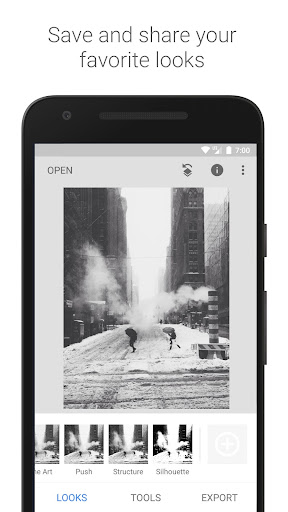
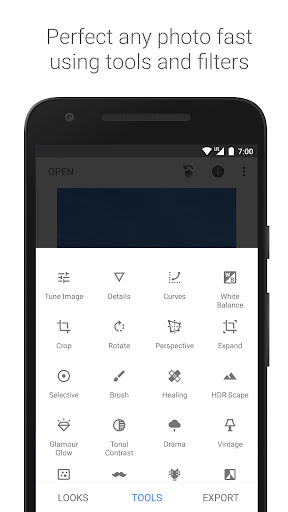
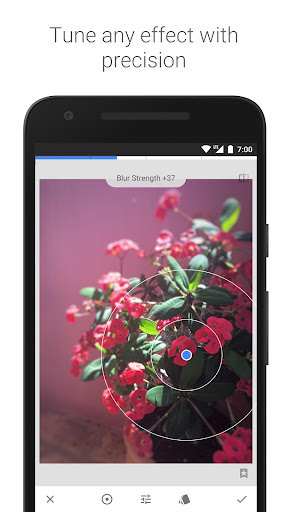
Snapseed is a complete and professional photo editor developed by Google.<br><br><br><br>== KEY FEATURES==<br><br>• 29 Tools and Filters, including: Healing, Brush, Structure, HDR, Perspective (see list below)<br><br>• Opens JPG and RAW files<br><br>• Save your personal looks and apply them to new photos later<br><br>• Selective filter brush<br><br>• All styles can be tweaked with fine, precise control<br><br><br><br>== TOOLS, FILTERS AND FACE ==<br><br>• RAW Develop – open and tweak RAW DNG files; save non-destructively or export as JPG<br><br>• Tune image – adjust exposure and color automatically or manually with fine, precise control<br><br>• Details – magically brings out surface structures in images<br><br>• Crop – crop to standard sizes or freely<br><br>• Rotate – rotate by 90°, or straighten a skewed horizon<br><br>• Perspective – fix skewed lines and perfect the geometry of horizons or buildings<br><br>• White Balance – adjust the colors so that the image looks more natural<br><br>• Brush – selectively retouch exposure, saturation, brightness or warmth<br><br>• Selective – the renown “Control Point” technology: Position up to 8 points on the image and assign enhancements, the algorithm does the rest magically<br><br>• Healing – remove the uninvited neighbor from a group picture<br><br>• Vignette – add a soft darkness around the corners like a beautiful, wide-aperture would do<br><br>• Text – add both stylized or plain text<br><br>• Curves - have precise control over the brightness levels in your photos<br><br>• Expand - increase the size of your canvas and fill up the new space in smart ways with content of your image<br><br>• Lens Blur – add a beautiful Bokeh to images (background softening), ideal for photographic portraits<br><br>• Glamour Glow – add a fine glow to images, great for fashion or portraits<br><br>• Tonal Contrast – boost details selectively in the shadows, midtones and highlights<br><br>• HDR Scape – bring a stunning look to your images by creating the effect of multiple exposures<br><br>• Drama – add a hint of doomsday to your images (6 styles)<br><br>• Grunge – an edgy look with strong styles and texture overlays<br><br>• Grainy Film – get modern film looks with realistic grain<br><br>• Vintage – the style of color film photo from the 50’s, 60’s or 70’s<br><br>• Retrolux – go retro with light leaks, scratches, film styles<br><br>• Noir – Black and White film looks with realistic grain and the “wash” effect<br><br>• Black & White – classic Black and White look straight out of the darkroom<br><br>• Frames – add frames with adjustable size<br><br>• Double Exposure - blend two photos, choosing from blend modes that are inspired by shooting on film and by digital image processing<br><br>• Face Enhance – add focus to the eyes, add face-specific lighting, or smoothen skin<br><br>• Face Pose - correct the pose of portraits based on three dimensional models
- Price
- Free
- Size
- 0M
- Type
- photography apps
- Rating 4.1 (1712823 Ratings)
- 8 Ranking
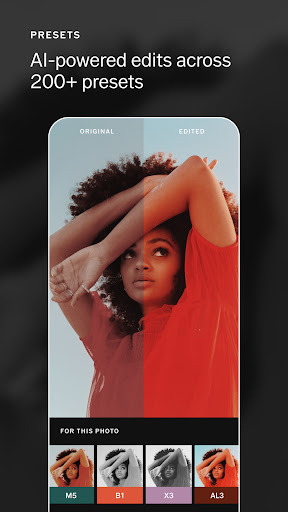
VSCO: AI Photo & Video Editor <br>VSCO is a community-driven platform that equips photographers to expand creatively and professionally. With a suite of photo and video editing tools for mobile and desktop and a network for connecting with other creatives and businesses, VSCO empowers photographers to develop their unique style and be discovered by the world.<br>VSCO — tools, community, and exposure for all photographers.<br><br>PHOTO EDITING<br>Professional Grade Presets<br>Our preset library is the best in class. Choose from over 200 curated presets, including member favorite AL3. Excellent for outdoor and indoor image edits and ideal for food and night photography, AL3 uniquely brightens and softens the light in your photos while they appear natural and untouched.<br><br>Precise Editing Control<br>Take control and create the look you want with our suite of editing tools. For instance, use our Grain tool to create an authentic texture of film—soften the texture of your image while controlling the strength, size, and color of the grain.<br><br>Photo Filters: Edit your photos with VSCO presets<br>VSCO presets allow you to elevate your photos quickly and easily. The VSCO app includes 16 of our most popular presets for free. You can edit images immediately without in-app purchases or subscriptions. Each preset produces a unique look, from quiet and muted to vibrant and saturated.<br><br>Camera: A camera app with built-in GIF maker and effects<br>A new way to create is just a swipe and a tap away for all your photos and videos. Our Camera feature has four camera options: Burst, Retro, Prism, and DSCO.<br><br>Collage: Make a photo collage in seconds<br>Rapidly create a collage with your choice of pre-set templates, or start with a blank canvas. Customize your one-of-a-kind composition with your photos and adjustable shapes, colors, and sizes.<br><br>Dodge & Burn: Take control of highlights and shadows<br>With VSCO’s Dodge and Burn tool, creators can control the light in their images to correct common problems and guide the eye to the image's focal point.<br><br>VIDEO EDITING<br>Powerful and exclusive video editing tools<br>Transform your videos on mobile with the same premium VSCO presets, effects, and advanced editing tools from our photo editor. Adjust the white balance and experiment with color control with HSL. Trim, crop, and reverse videos with exclusive features like Speed for a slo-mo effect.<br>Video Like a Pro<br>Our high-quality photo editing presets are also available for your videos. Use our fan-favorite presets with standard video editing tools like crop and trim. Then, add standout exclusive VSCO features like Speed to create professional-level videos.<br><br>Share your photos and videos with #VSCO to be featured in VSCO's curated gallery.<br><br>COMMUNITY FEATURES<br>VSCO Spaces<br>Create shared galleries, get feedback, and discuss the creative process. Spaces are collaborative environments that provide a safe space for creators to workshop ideas, share inspiration, and connect through collective galleries.<br><br>VSCO MEMBERSHIP<br>Start your VSCO Membership with a free 7-day trial. Once the trial is over, you’ll be charged an annual subscription fee. Your VSCO Membership will automatically renew unless canceled before the end of the trial period. If you'd like help with any issue, please visit vs.co/help to submit a ticket.<br><br>Plans for all photographers<br>Invest in your creativity with VSCO Membership. Join our global community of photographers and creators today.<br>STARTER (FREE)<br>Explore your creativity and the VSCO community.<br>Essential set of editing tools and presets<br>Post your work to build your personal profile<br>Collect inspiration from our creative community<br>PLUS<br>Discover your creativity and share your photography.<br>Edit with 200+ presets and advanced mobile tools<br>Member profile to showcase your identity<br>Full access to community Spaces and Discussions<br>Create and edit video<br><br>Review our Terms and Conditions<br>https://vsco.co/about/terms_of_use<br>Review our Privacy Policy<br>https://vsco.co/about/privacy_policy
- Price
- Free
- Size
- 0M
- Type
- photography apps
- Rating 3.4 (1328536 Ratings)
- 9 Ranking
InShot - Powerful all-in-one <b>Video Editor</b> and <b>Video Maker</b> with professional features. Add music, text, transition effects for videos, make smooth slow motion, make video collage, blur background and etc! As an easy-to-use editing app, InShot makes creating vlogs a breeze and helps you to become an influencer on YouTube, Instagram, TikTok, WhatsApp, Facebook, etc.<br><br>InShot is also a <b>photo editor</b> and <b>collage maker</b>. Edit pictures and selfie, remove bg, add filters and adjust HSL, etc.<br><br><b>Features:</b><br><br><b>AI Tool</b><br>- AI Body Effects. Experience the magic of AI with instant presets that elevate your images and videos in just one tap.<br>- Auto Captions. AI-powered speech-to-text tool helps you say goodbye to manual text typing and makes video editing effortless.<br>- Auto Remove Background. Remove background of videos/photos at the touch of a button.<br>- Smart tracking. Make stickers/text move seamlessly in sync with your tracking object motion, adding dynamic flair to your videos.<br>- Smooth slow-mo. Experience seamless slow-motion effects for buttery smooth videos.<br><br><b>Full-featured Video editing</b><br>- Trim/Merge clips. Combine and compress video without losing quality.<br>- Reverse videos.<br>- Add text, emoji and InShot exclusive stickers.<br>- Add music, sound effects & voice-overs.<br>- Add various-styles voice effects.<br>- Adjust ratio. Fit your video and photo in any aspect ratio.<br>- Speed control. Speed up/slow down video. Add speed ramping.<br>- Keyframes editing. Add custome keyframe animations.<br>- Chromakey. Easily edit green screen video.<br>- Picture-in-Picture. Create multi-layered videos.<br>- Mixtures. Blend your video with blend mode.<br>- Color picker. Pick any color on the screen and apply it to the background/text.<br><br><b>Filters, Effects & Transitions</b><br>- Lots of cinematic filters.<br>- Adjust video brightness, contrast, saturation, etc. Customized video filters and video effects.<br>- Unique effects such as Glitch, Fade, Noise, Beats, Weather, Retro DV, celebrate, etc.<br>- AI effects. Clone, stroke, auto-blur, etc.<br>- Pro editing app with super transitions. Combine two clips with transition effects.<br><br><b>Photo Editor & Collage Maker</b><br>* Blur the background easily.<br>* 1000+ stickers, funny memes, texts & backgrounds.<br>* Easy-to-use photo grid collage maker. 100+ highly editable collage layouts available.<br>* Pic Stitch. Horizontal, vertical, or <b>automatically recognize subtitles</b>.<br><br><b>Canvas & Background</b><br>- Choose from various background patterns or upload your own pictures.<br>- Adjust video ratios for Instagram/TikTok/Youtube post.<br><br><b>Easy to Share</b><br>- Custom video export resolution, HD pro video editor support 4K 60fps export.<br>- Share your daily life on social media: Instagram Reels, TikTok, Whatsapp Status, YouTube Shorts, etc.<br><br>InShot is an editing app for videos and photos. With InShot - video maker with music, you can easily make basic video and even advanced assets like video collage, smooth slow motion, stop motion, reverse video and more. Share your vlogs to social media to get more likes, or edit video with music and pic for TikTok.<br><br>Any questions for InShot (FREE slow motion video editor with music & photo slideshow maker)? Please contact us at [email protected]<br><br>For more new feature tutorials and advanced video editing tips, please subscribe to our YouTube channel: https://www.youtube.com/@InShotApp<br><br><b>Disclaimer:</b><br>InShot is not affiliated, associated, sponsored, endorsed by, or in any way officially connected with YouTube, Instagram, TikTok, WhatsApp, Facebook, Twitter.
- Price
- Free
- Size
- 0M
- Type
- photography apps
- Rating 4.8 (21877716 Ratings)
- 10 Ranking
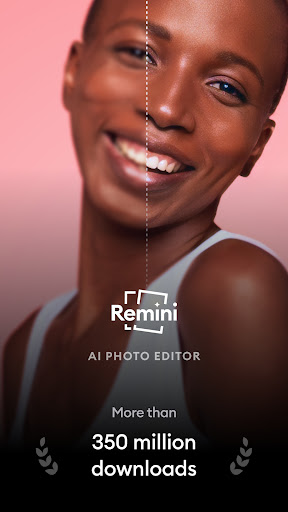
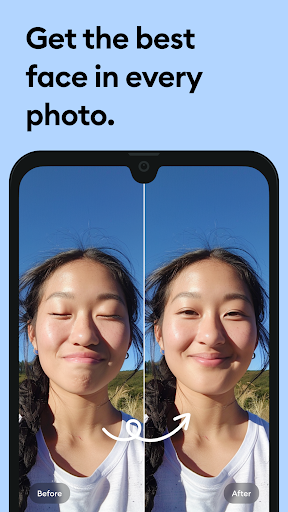
Turn your old, pixelated, blurred, or damaged pictures into high-definition photos with just one tap! <br><br>Generate mind-blowing and professional looking AI Photos of yourself with the powerful photo enhancer Remini.<br><br>Remini uses state-of-the-art Artificial Intelligence to unblur, restore, and enhance any image you want. Take your old memories and give them a new lease of life in stunning, crystal clear HD.<br><br>Over 100 million photos now revitalized. The Remini photo editor is one of the most popular and beloved enhancer apps in the world. Scan your old family photos, revitalize them, and reminisce together!<br><br>-------- Use Remini to... --------<br>- Turn your portrait, selfie, or group picture into HD—it’s incredible with face details!<br>- Repair old, blurry, scratched photos<br>- Clear vintage and old camera photos<br>- Sharpen and unblur out of focus pictures<br>- Increase the number of pixels in low quality photos and retouch them<br><br>We put constant work into the AI model to bring continuous improvements and new features to make your experience satisfying! Check back for the latest updates.<br><br>The app is available in: English, Hindi, Japanese, Korean, Portuguese, Russian, Simplified and Traditional Chinese, Spanish, and Thai.<br><br>Subscribe or to have unlimited access to all the premium features as well.<br>• Subscription length: weekly, yearly<br>• Your payment will be charged to your Google Account as soon as you confirm your purchase.<br>• You can manage your subscriptions and turn off auto-renewal from your Account Settings after the purchase.<br>• Your subscription will renew automatically, unless you turn off auto-renew at least 24 hours before the end of the current period.<br>• The cost of renewal will be charged to your account in the 24 hours prior to the end of the current period.<br>• When canceling a subscription, your subscription will stay active until the end of the period. Auto-renewal will be disabled, but the current subscription will not be refunded.<br>• Any unused portion of a free trial period, if offered, will be forfeited when purchasing a subscription.<br><br>Have a feature request you would like to see in a future version of the app? Do not hesitate to contact us at [email protected] <br><br>Terms of Service: https://www.bendingspoons.com/tos.html?app=1470373330<br>Privacy Policy: https://www.bendingspoons.com/privacy.html?app=1470373330<br><br>Versions older than Android 7 may not support the most recent updates.
- Price
- Free
- Size
- 0M
- Type
- photography apps
- Rating 4.1 (4678125 Ratings)