



Best tools apps for android
- Member Tools|
- Samsung Internet Browser|
- Smart Tools - All In One|
- Google Translate|
- Google Chrome|
- Files by Google|
- Clock|
- Google Drive|
- Google Go|
- Brave Private Web Browser, VPN|
Here are UPUP's list of best tools apps for android:
- 1 Ranking
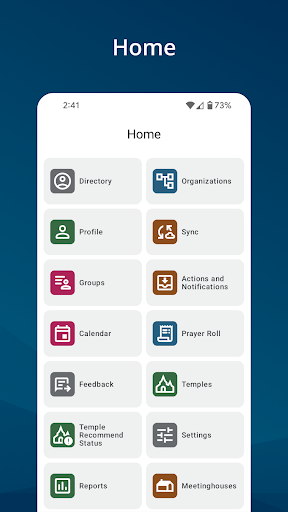
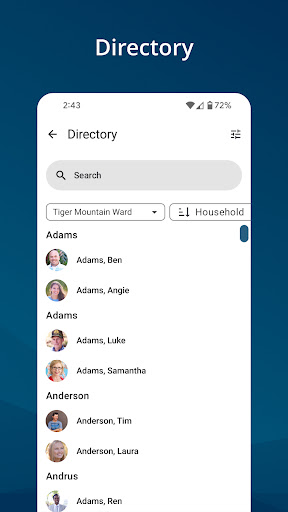
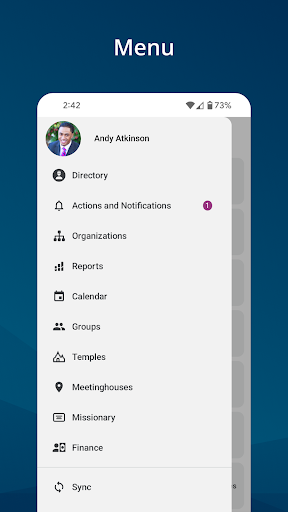
The Member Tools app provides members of The Church of Jesus Christ of Latter-day Saints with the ability to contact ward and stake members, access event calendars, and locate Church meetinghouses and temples. Leaders can also access additional membership information and reports.<br><br>•Messages. View messages with important updates or actions needed.<br>•Directory. View contact information and photos of members in your ward and stake.<br>•Organizations. View ward and stake callings by organization.<br>•Calendar. View event calendars for your ward and stake.<br>•Reports. Ward and stake leaders can access membership reports for members of their ward and stake.<br>•Manage Records. Bishops, branch presidents, and clerks can move records and record ordinances.<br>•Lists. Create custom lists of members in your ward and stake.<br>•Missionary. Access contact information for the full-time missionaries assigned to and serving from your ward or stake.<br>•Temples. View your assigned temple, temples nearest your current location, ordinance schedules, and temple recommend expiration reminders.<br>•Meetinghouses. Find meetinghouse locations and addresses, sacrament meeting times, and contact information for bishops.<br>•Finance. Organization presidencies can submit payment requests.
- Price
- Free
- Size
- 0M
- Type
- tools apps
- Rating 3.7 (36115 Ratings)
- Books And Reference
- 2 Ranking
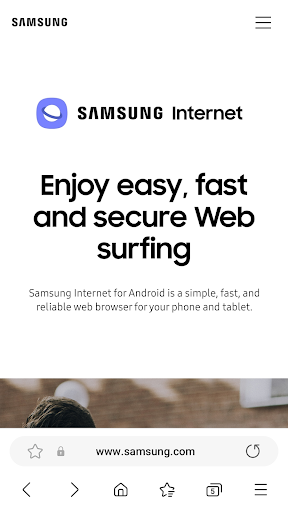
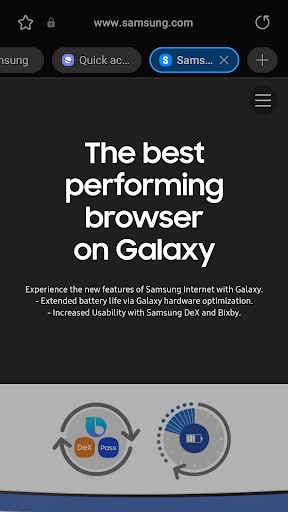
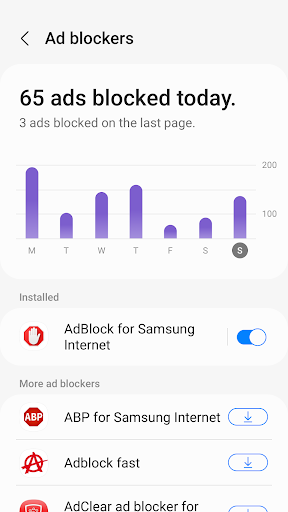
Samsung Internet provides the best web browsing experience for you with Video Assistant, Dark Mode, Customize menu, Extensions such as Translator, and by protecting your privacy with Secret mode, Smart Anti-Tracking and Smart Protection.<br><br>Samsung Internet with tiles and complication feature is available on Galaxy Watch devices that support Wear OS. (※ Galaxy Watch4 series and models released later)<br><br>■ New Features for you<br>* Supports Internet settings search<br>Supports searching in the Internet settings to make it easier to find the Settings menu<br><br>* Enhanced protection of Internet synced data - End-to-end encryption applied (OneUI 6.1 or higher)<br>End-to-end encryption protects Internet synced data (saved pages, bookmarks, open tabs, quick access, history) in the Samsung Cloud.<br>※ End-to-end encryption is available from Samsung Cloud app v5.5.10 or higher.<br><br>* Removed the options to change the scroll bar position and hide the scroll bar<br><br>■ Security & Privacy<br>Samsung Internet helps you protect your security and privacy while browsing the Internet.<br><br>* Smart Anti-Tracking<br>Intelligently identify domains which have cross-site tracking ability and block storage (cookie) access.<br><br>* Protected Browsing<br>We will warn you before you can view known malicious sites to prevent you from visiting web sites which may try to steal your data.<br><br>* Content Blockers<br>Samsung Internet for Android allows 3rd party apps to provide filters for content blocking, making browsing safer and more streamlined.<br><br>The following permissions are required for the app service.<br>For optional permissions, the default functionality of the service is turned on, but not allowed.<br><br>[Required permissions]<br>none<br><br>[Optional permissions]<br>Location: Used to provide location-based content requested by the user or location information requested by the webpage in use<br>Camera: Used to provide webpage shooting function and QR code shooting function<br>Microphone: Used to provide recording function on webpage<br>Phone: (Android 11) Requires access permission to check the mobile phone information in order to provide country-specific feature optimization<br>Nearby devices: (Android 12 or higher) To find and connect to nearby Bluetooth devices when requested by the website<br>Music and audio: (Android 13 or higher) To upload audio files on webpages<br>Photos and videos: (Android 13 or higher) To upload photos and videos on webpages<br>Files and media: (Android 12) To upload files stored in storage spaces on webpages<br>Storage: (Android 11 or lower) To upload files stored in storage spaces on webpages<br>Notifications: (Android 13 or higher) To display the download progress and website notifications
- Price
- Free
- Size
- 0M
- Type
- tools apps
- Rating 3.7 (5803685 Ratings)
- 3 Ranking
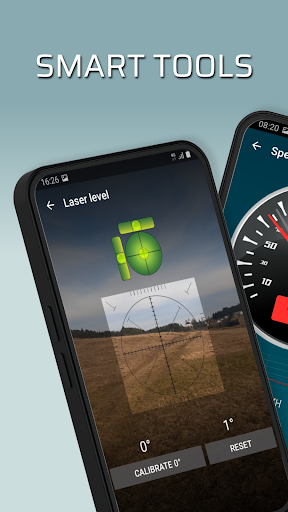
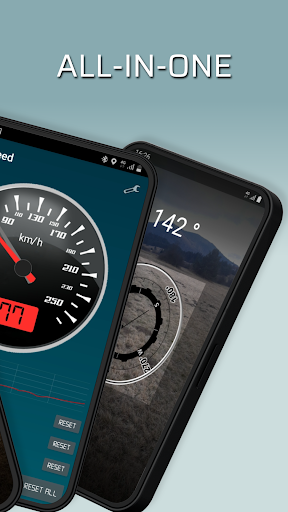
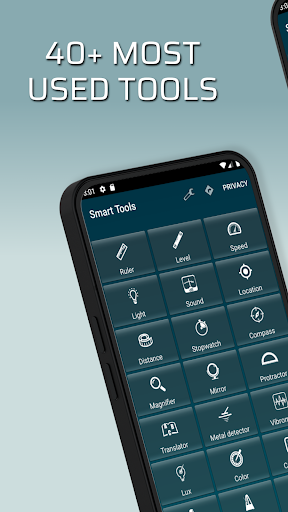
Smart Tools - All In One is a useful kit of tools with 40+ carpenter, construction, measure and other tools and utilities. Use device's in-built sensors in all in one tool box app, useful like a swiss army knife.<br><br>Carpenter + construction tools kit:<br>Ruler;<br>Bubble level;<br>Laser level;<br>Light: Manual torch light, strobe light or a sound driven light show;<br>Protractor;<br>Magnifier.<br><br>Measure tools kit:<br>dB level: Measure the sound dB level and its spectrum;<br>Location (map) with altimeter;<br>Distance meter;<br>Stopwatch;<br>Thermometer;<br>Magnetic field meter (metal detector);<br>Vibration level meter;<br>Luminosity (LUX) level meter;<br>Color sensor;<br>Speedometer;<br>Compass;<br>Battery tester;<br>Network speed test;<br>Drag Racing.<br><br>Other useful utilities kit:<br>Unit, currency and size converter;<br>Calculator;<br>Code scanner: QR code and bar code;<br>Text scanner;<br>NFC scanner;<br>Accelerometer;<br>Time zones;<br>Mirror;<br>Dog whistle;<br>Microphone;<br>Metronome;<br>Pitch tuner;<br>Counter;<br>Random generator;<br>Pedometer;<br>Body mass index;<br>Period tracker;<br>Translator;<br>Notepad.<br><br>Free app with ads, option to remove it.<br><br>You can create separate shortcuts for each tool from the kit.<br><br>Tools that are sensor sensitive can be calibrated for the best tool accuracy.<br><br>Tool box supports all device brands and several languages, but not all models have the appropriate sensors to support all tools and utilities, especially from the measure kit.
- Price
- Free
- Size
- 0M
- Type
- tools apps
- Rating 4.6 (11929 Ratings)
- 4 Ranking
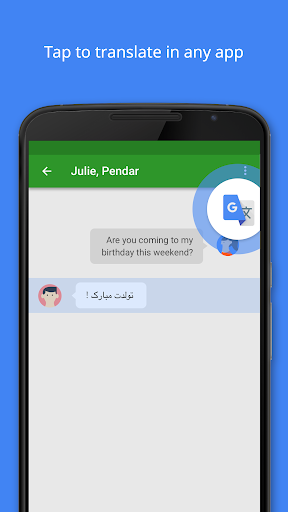
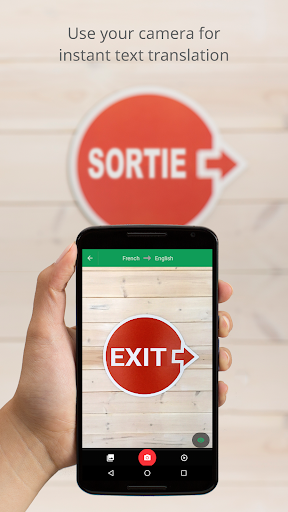
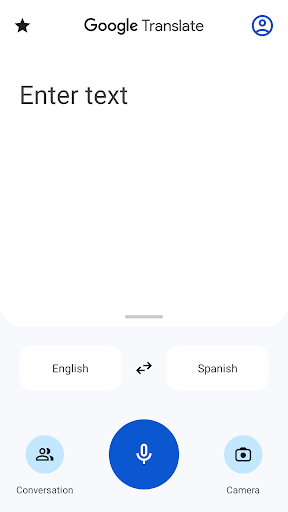
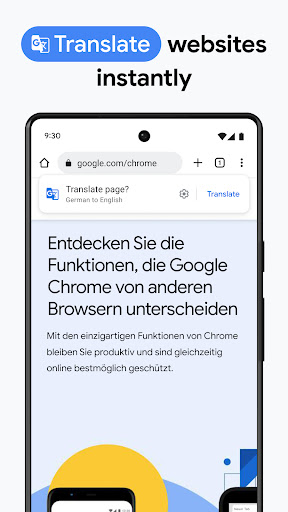
• Text translation: Translate between 108 languages by typing<br>• Tap to Translate: Copy text in any app and tap the Google Translate icon to translate (all languages)<br>• Offline: Translate with no internet connection (59 languages)<br>• Instant camera translation: Translate text in images instantly by just pointing your camera (94 languages)<br>• Photos: Take or import photos for higher quality translations (90 languages)<br>• Conversations: Translate bilingual conversations on the fly (70 languages)<br>• Handwriting: Draw text characters instead of typing (96 languages)<br>• Phrasebook: Star and save translated words and phrases for future reference (all languages)<br>• Cross-device syncing: Login to sync phrasebook between app and desktop<br>• Transcribe: Continuously translate someone speaking a different language in near real-time (8 languages)<br><br>Translations between the following languages are supported:<br>Afrikaans, Albanian, Amharic, Arabic, Armenian, Assamese, Aymara, Azerbaijani, Bambara, Basque, Belarusian, Bengali, Bhojpuri, Bosnian, Bulgarian, Catalan, Cebuano, Chichewa, Chinese (Simplified), Chinese (Traditional), Corsican, Croatian, Czech, Danish, Dhivehi, Dogri, Dutch, English, Esperanto, Estonian, Ewe, Filipino, Finnish, French, Frisian, Galician, Georgian, German, Greek, Guarani, Gujarati, Haitian Creole, Hausa, Hawaiian, Hebrew, Hindi, Hmong, Hungarian, Icelandic, Igbo, Ilocano, Indonesian, Irish, Italian, Japanese, Javanese, Kannada, Kazakh, Khmer, Kinyarwanda, Konkani, Korean, Krio, Kurdish (Kurmanji), Kurdish (Sorani), Kyrgyz, Lao, Latin, Latvian, Lingala, Lithuanian, Luganda, Luxembourgish, Macedonian, Maithili, Malagasy, Malay, Malayalam, Maltese, Maori, Marathi, Meiteilon (Manipuri), Mizo, Mongolian, Myanmar (Burmese), Nepali, Norwegian, Odia (Oriya), Oromo, Pashto, Persian, Polish, Portuguese, Punjabi, Quechua, Romanian, Russian, Samoan, Sanskrit, Scots Gaelic, Sepedi, Serbian, Sesotho, Shona, Sindhi, Sinhala, Slovak, Slovenian, Somali, Spanish, Sundanese, Swahili, Swedish, Tajik, Tamil, Tatar, Telugu, Thai, Tigrinya, Tsonga, Turkish, Turkmen, Twi, Ukrainian, Urdu, Uyghur, Uzbek, Vietnamese, Welsh, Xhosa, Yiddish, Yoruba, Zulu<br><br>Permissions Notice<br>Google Translate may ask for the following optional permissions*:<br>• Microphone for speech translation<br>• Camera for translating text via the camera<br>• External storage for downloading offline translation data<br>• Contacts for setup and management of your account<br><br>*Note: The app may be used even if optional permissions are not granted.
- Price
- Free
- Size
- 0M
- Type
- tools apps
- Rating 4.3 (8984651 Ratings)
- 5 Ranking
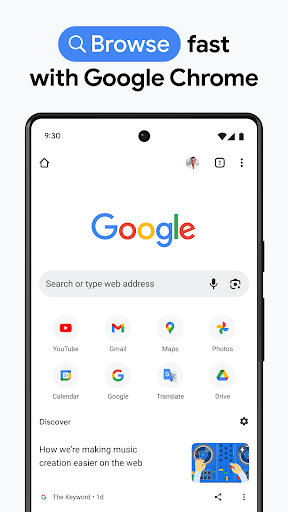
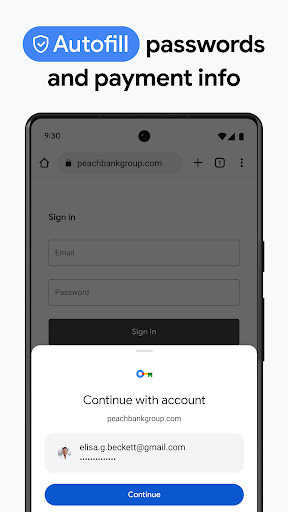
Google Chrome is a fast, easy to use, and secure web browser. Designed for Android, Chrome brings you personalized news articles, quick links to your favorite sites, downloads, and Google Search and Google Translate built-in. Download now to enjoy the same Chrome web browser experience you love across all your devices.<br> <br> <b>Browse fast and type less.</b> Choose from personalized search results that instantly appear as you type and quickly browse previously visited web pages. Fill in forms quickly with Autofill.<br> <br> <b>Incognito Browsing.</b> Use Incognito mode to browse the internet without saving your history. Browse privately across all your devices.<br> <br> <b>Access your Chrome across devices.</b> When you sign in to Chrome, you can save bookmarks, passwords and more in your Google Account, so you can access them on your other devices.<br> <br> <b>All your favorite content, one tap away.</b> Chrome is not just fast for Google Search, but designed so you are one tap away from all your favorite content. You can tap on your favorite news sites or social media directly from the new tab page. Chrome also has the “Tap to Search”- feature on most webpages. You can tap on any word or phrase to start a Google search while still in the page you are enjoying.<br> <br> <b>Protect your phone with Google Safe Browsing.</b> Chrome has Google Safe Browsing built-in. It keeps your phone safe by showing warnings to you when you attempt to navigate to dangerous sites or download dangerous files.<br> <br> <b>Fast downloads and view web pages and videos offline</b> Chrome has a dedicated download button, so you can easily download videos, pictures, and entire webpages with just one tap. Chrome also has downloads home right inside Chrome, where you can access all the content you downloaded, even when you are offline.<br> <br> <b>Google Voice Search.</b> Chrome gives you an actual web browser you can talk to. Use your voice to find answers on-the-go without typing and go hands free. You can browse and navigate quicker using your voice anywhere, anytime.<br> <br> <b>Google Translate built-in: Quickly translate entire web pages.</b> Chrome has Google Translate built in to help you to translate entire web to your own language with one tap.<br> <br> <b>Smart personalized recommendations.</b> Chrome creates an experience that is tailored to your interests. On the new tab page, you will find articles that Chrome selected based on your previous browsing history.
- Price
- Free
- Size
- 0M
- Type
- tools apps
- Rating 4.1 (46519847 Ratings)
- 6 Ranking
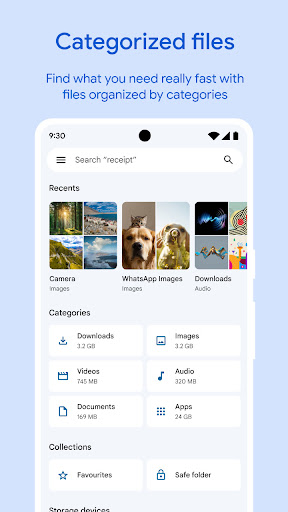
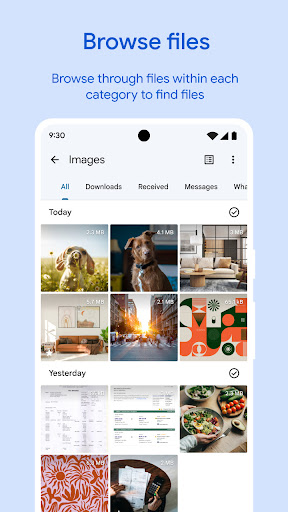
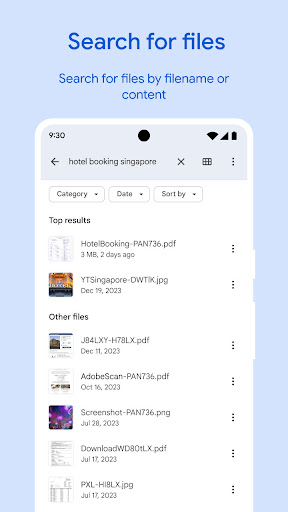
✨ <b>Free up space</b> on your device with cleaning recommendations<br>🔍 <b>Find files faster</b> with search and simple browsing<br>↔️ <b>Quickly share files offline</b> with Quick Share<br>☁️ <b>Back up files to the cloud</b> to save space on your device<br>🔒 <b>Secure your files</b> with a non-device lock<br><br><b>Free up space</b><br>Easily see how much space is left on your device, SD card and USB drive. Free up space by finding old photos from chat apps, duplicate files, clearing cache, and more.<br><br><b>Find files faster</b><br>Save time looking for photos, videos, and documents on your phone. Search quickly or browse your GIFs or share that video you downloaded recently. Sort files by size to understand what’s taking up space.<br><br><b>Fast & secure file sharing</b><br>Share photos, videos, apps, and more to Android and Chromebook devices around you with Quick Share. Files transfer quickly, with speeds up to 480 Mbps, even without an internet connection. Transfers are private and secured with end-to-end encryption.<br><br><b>Secure your files</b><br>Keep your sensitive files safe with a PIN or pattern that can be different from your device lock.<br><br><b>Play offline media</b><br>Listen to your music or watch your videos with advanced controls like playback speed, shuffle, and more.<br><br><b>Back up files</b><br>Move your files to Google Drive or an SD card to save space on your device. You can also share to other cloud storage apps on your device.<br><br><b>Get smart recommendations</b><br>Get helpful suggestions to save space, protect your device, and more. Your recommendations get smarter the more you use the app.<br><br><b>It’s efficient and effective</b><br>The Files by Google app uses less than 20 MB of storage on your device, it’s easy to use, and has no ads.
- Price
- Free
- Size
- 0M
- Type
- tools apps
- Rating 4.6 (8234764 Ratings)
- 7 Ranking
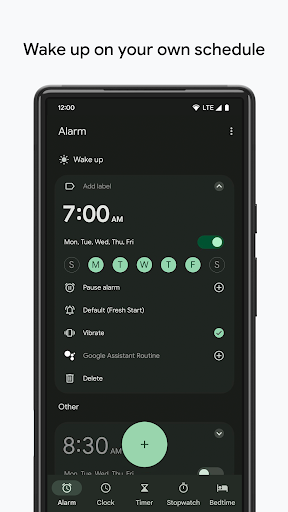
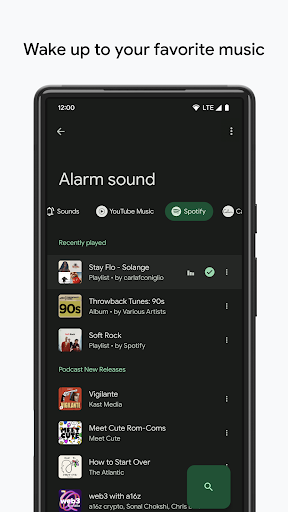
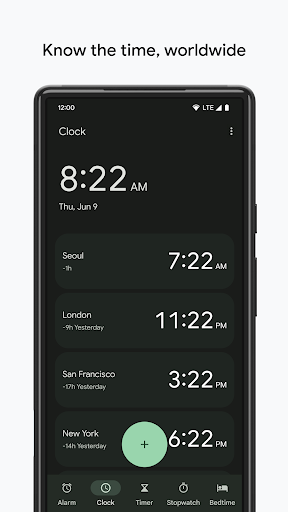
Clock combines all of the functionality you need into one simple, beautiful package.<br><br><br><br> 1. Set alarms, add timers, and run a stopwatch<br><br> 2. Keep track of time around the world using World Clock<br><br> 3. Set a bedtime schedule, listen to sleep sounds, and see your upcoming events<br><br> 4. Pair with a Wear OS device to bring your alarms and timers to your wrist with saved tiles or watch face complications
- Price
- Free
- Size
- 0M
- Type
- tools apps
- Rating 4.1 (669193 Ratings)
- 8 Ranking
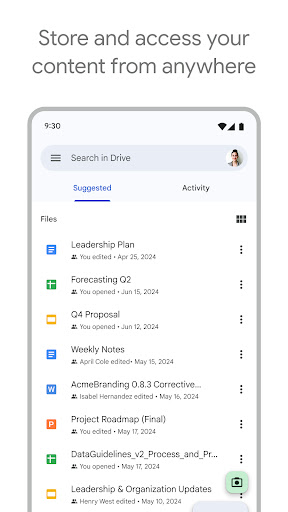
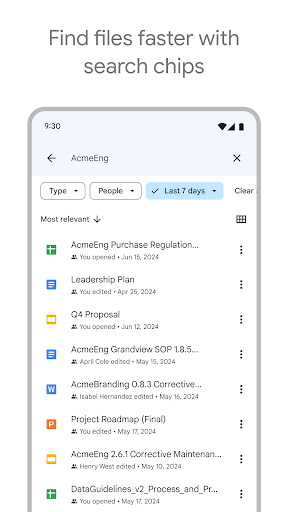
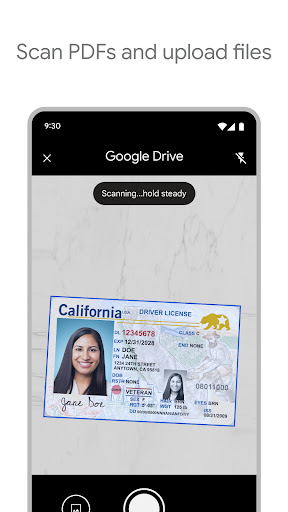
Google Drive, part of Google Workspace, lets you securely store, intelligently organize and collaborate on files and folders from anywhere, on any device. <br><br>With Drive, you can:<br>• Safely store and access your files anywhere<br>• Edit and store 100+ file types, including PDFs, Office files, videos and more<br>• Quickly access recent and important files<br>• Scan and upload paper documents using your device’s camera<br>• Search for files by name and content<br>• Filter files by type, last modified date and more<br>• Share and set permissions for files and folders<br>• View your content on the go while offline<br>• Receive notifications about important activity on your files<br>• View files more easily on Android tablets with side by side view, drag and drop functionality and more<br><br>Google Workspace subscribers have access to additional Drive functionality, including:<br>• Security and management controls for admins to help meet data compliance needs<br>• Sharing files and folders directly with groups or teams within your organization<br>• Creating a shared drive to store all of your team’s content<br><br>Learn more about Drive in Google Workspace: https://workspace.google.com/products/drive/<br><br>Learn more about Google Apps update policy: https://support.google.com/a/answer/6288871 <br><br>Google accounts get 15GB of storage, shared across Google Drive, Gmail, and Google Photos. For additional storage, you can upgrade to Google One as an in-app purchase. In the US, subscriptions start at $1.99/month for 100 GB with Google One. Plans and prices can vary by region.<br><br>Google Privacy Policy: https://www.google.com/intl/en_US/policies/privacy<br>Google Drive Terms of Service: https://www.google.com/drive/terms-of-service<br><br>Follow us for more:<br>X: https://x.com/googleworkspace and https://x.com/googledrive <br>LinkedIn: https://www.linkedin.com/showcase/googleworkspace<br>Facebook: https://www.facebook.com/googleworkspace/
- Price
- Free
- Size
- 0M
- Type
- tools apps
- Rating 4.3 (10359855 Ratings)
- 9 Ranking
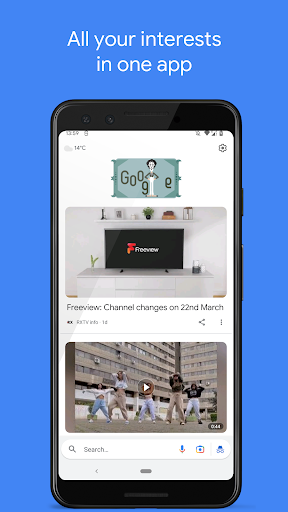
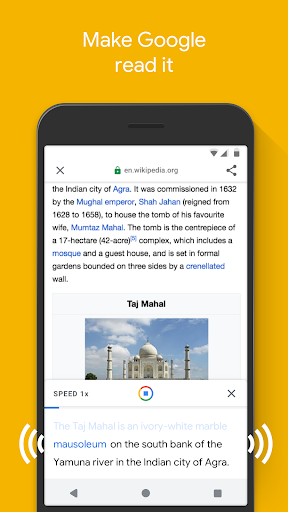
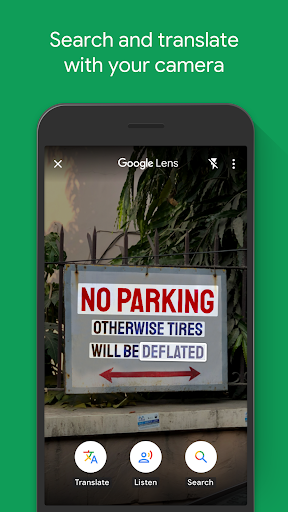
<b>Google Go</b> is a lighter, faster way to search, with search results optimised to save up to 40% data.<br><br>Get answers quickly and reliably with Google Go, even on slow connections and smartphones with low space. At 12MB in size, it’s fast to download and saves space on your phone.<br><br><b>Type less, discover more.</b> Save time by tapping your way through trending queries and topics, or by using your voice to say what you’re looking for.<br><br><b>Make Google read it.</b> Point your camera at text or listen to any web page. Words are highlighted as they are read, so you can easily follow along.<br><br><b>Search and translate with your camera.</b> See a word you don’t understand on a sign, form, or product? With Google Lens, just point your camera to translate or search for it.<br><br><b>Everything you need in one app.</b> Easily and quickly access your favorite apps and websites, as well as images, videos and information on the things you care about - all from Google Go.<br><br><b>Don’t miss out on what’s popular and trending.</b> Explore the latest trending topics just by tapping Search.<br><br><b>Find the perfect greetings to share with loved ones.</b> Tap on “Images” or “GIFs” to find the best photos and animated greetings to liven up your chats.<br><br><b>Easily switch between languages.</b> Set a second language to switch your search results to or from at any time.<br><br>Whatever you are looking for on the internet, Google Go makes it fast and easy for you to find!
- Price
- Free
- Size
- 0M
- Type
- tools apps
- Rating 4.3 (1560307 Ratings)
- 10 Ranking
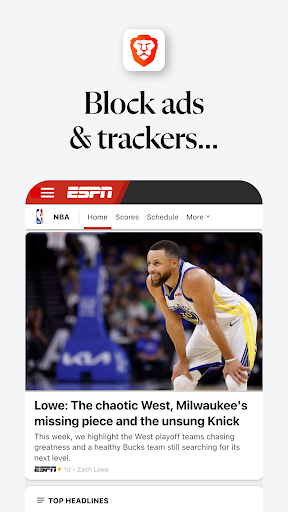
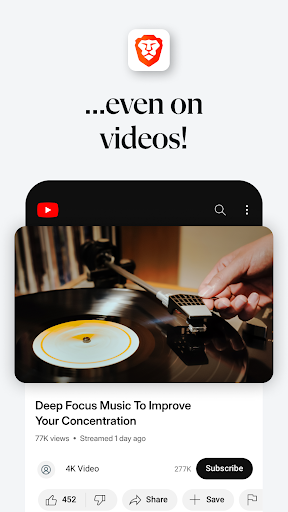
<b>Browse 3X faster on Brave Browser.</b> Get a lightning fast, safe and private web browser with AI, Adblock, and VPN. <br><br>Loved by 75 million users, Brave has AI assistant Brave Leo, Firewall + VPN, Brave Search, and night mode.<br><br><b>NEW App Features</b><br>✓ Brave Leo: AI assistant<br>✓ Firewall + VPN<br>✓ Brave Search. Private, independent search engine.<br>✓ Night Mode. Easily read in low light. <br><br><b>Additional Features</b><br>✓ Free built-in Adblock<br>✓ Private internet browser with pop-up blocker<br>✓ Saves data and battery <br>✓ Sync Bookmarks securely<br>✓ Free tracking protection<br>✓ Https Everywhere (for security)<br>✓ Script Blocker<br>✓ Private bookmarks <br>✓ Browsing history<br>✓ Recent and private tabs<br>✓ Import/export bookmarks from/to another browser<br>✓ Blocks cookie consent notifications by default <br>✓ Removes tracking codes when you copy URLs<br><br>Supports Android 7 and above. <br><br><b>🤖 NEW: AI ASSISTANT</b><br>Meet Brave Leo, the smart, free AI assistant in your browser. Ask answers, get answers, translate languages, and more. Leo doesn't record or share your chats, or use them for model training.<br><br><b>🔎 Brave Search</b><br>Brave Search is the world’s most complete, independent, private search engine. It doesn’t track you, your searches, or clicks. <br><br><b>🙈 Private Browsing</b><br>Enjoy fast, secure, private browsing. Get free ad blocker, anonymous browsing history, personalized private search, and private tabs. Browse the internet without saving your history.<br><br><b>🚀 Browse Faster</b><br>Brave is a fast web browser! Brave reduces page loading times, improves web browser performance and blocks ads infected with malware. <br><br><b>🔒 Privacy Protection</b><br>Be protected with leading privacy and security features such as HTTPS Everywhere (encrypted data traffic), script blocking, cookie blocking, and private incognito tabs. All other browsers fall short of the level of the privacy and security protection that Brave provides. Global Privacy Control enabled by default to assert your legal rights to not be tracked online.<br><br><b>🏆 Brave Rewards</b><br>With your old web browser, you paid to browse the internet by viewing ads. Now, Brave welcomes you to the new internet. One where your time is valued, your personal data is kept private, and you actually get paid for your attention.<br><br><b>About Brave</b><br>Our mission is to protect your privacy online by making a safe, fast, and private browser while growing ad revenue for content creators. Brave aims to transform the online ad ecosystem with micropayments and a new revenue-sharing solution to give users and publishers a better deal.<br><br>To learn more about Brave Web Browser, please go to www.brave.com.<br><br><b>Questions/support?</b><br>Contact us at http://brave.com/msupport. We love hearing from you.<br><br>Terms of Use: https://brave.com/terms-of-use/<br>Privacy Policy: https://brave.com/privacy/<br><br>Download the best private web browser app for Android today! Securely browse the internet with confidence.
- Price
- Free
- Size
- 0M
- Type
- tools apps
- Rating 4.7 (2226544 Ratings)