



Best productivity apps for android
- ChatGPT|
- Google Keep - Notes and Lists|
- Google Calendar|
- Google Gemini|
- Forest: Focus for Productivity|
- Habitica: Gamify Your Tasks|
- Todoist: Planner & Calendar|
- Google Docs|
- Google Sheets|
- Evernote - Note Organizer|
Here are UPUP's list of best productivity apps for android:
- 1 Ranking
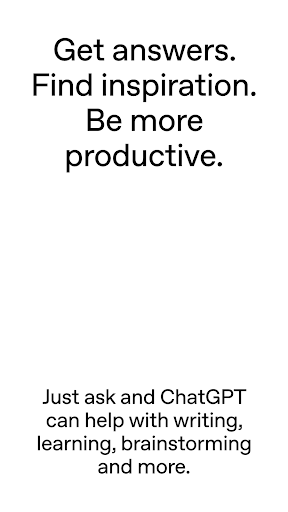
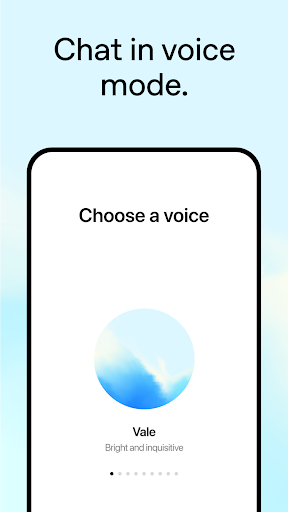
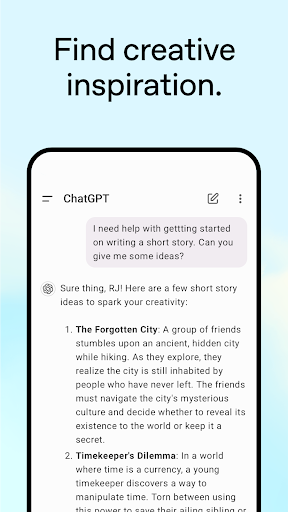
With the official ChatGPT app, get instant answers and inspiration wherever you are.<br><br>This app is free and brings you the newest model improvements from OpenAI, including access to GPT-4o, our newest and smartest model.<br><br>With ChatGPT in your pocket, you’ll find:<br><br>· Advanced Voice Mode–get ChatGPT Plus and tap the soundwave icon to have a real-time convo on the go, request a bedtime story for your family, or settle a dinner table debate.<br>· Photo upload—transcribe a handwritten recipe or ask about a monument. <br>· Creative inspiration—birthday gift ideas or create a personalized greeting card.<br>· Tailored advice—craft a personalized response or talk through a tough situation.<br>· Personalized learning—explain electricity to a dinosaur-loving kid or easily refamiliarize yourself with a historic event.<br>· Professional input—brainstorm marketing copy or a business plan.<br>· Instant answers—get recipe suggestions when you only have a few ingredients.<br><br>Join hundreds of millions of users and try the app captivating the world. Download ChatGPT today.<br><br>Terms of use: https://openai.com/terms
- Price
- Free
- Size
- 0M
- Type
- productivity apps
- Rating 4.8 (7089409 Ratings)
- 2 Ranking
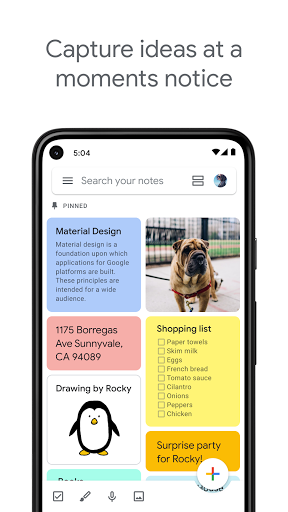
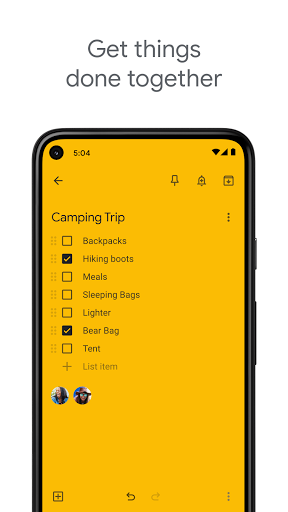
Quickly capture what’s on your mind and get a reminder later at the right place or time. Speak a voice memo on the go and have it automatically transcribed. Grab a photo of a poster, receipt or document and easily organize or find it later in search. Google Keep makes it easy to capture a thought or list for yourself, and share it with friends and family.<br><br>Capture what’s on your mind<br>• Add notes, lists and photos to Google Keep. Pressed for time? Record a voice memo and Keep will transcribe it so you can find it later.<br>• Take advantage of widgets on your phone and tablet and add tiles and complications to your Wear OS device to quickly capture your thoughts.<br>Share ideas with friends and family<br>• Easily plan that surprise party by sharing your Keep notes with others and collaborating on them in real time.<br>Find what you need, fast<br>• Color and add labels to notes to quickly organize and get on with your life. If you need to find something you saved, a simple search will turn it up.<br>• Pin notes to your phone or tablet homescreen with widgets and add shortcuts to your notes with tiles on a Wear OS device.<br>Always within reach<br>• Keep works on your phone, tablet, computer and Wear OS device. Everything you add syncs across all of your devices so your thoughts are always with you.<br>The right note at the right time<br>• Need to remember to pick up some groceries? Set a location-based reminder to pull up your grocery list right when you get to the store.<br>Available everywhere<br>• Try Google Keep on the web at http://keep.google.com and find it in the Chrome Web Store at http://g.co/keepinchrome.
- Price
- Free
- Size
- 0M
- Type
- productivity apps
- Rating 4.1 (1639541 Ratings)
- 3 Ranking
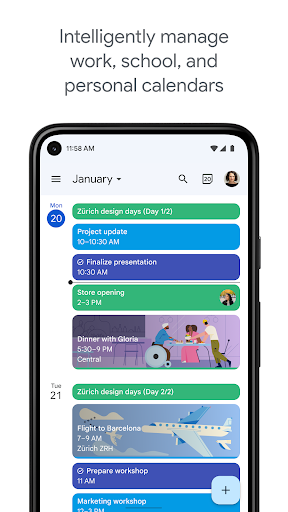
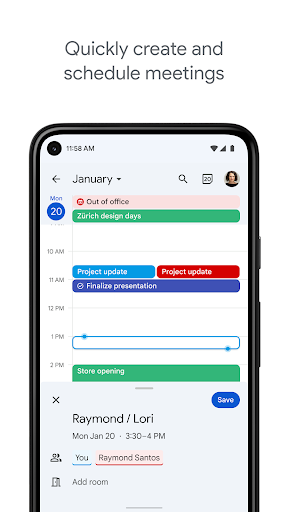
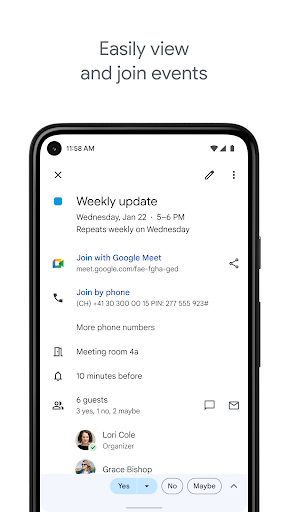
Get the official Google Calendar app, part of Google Workspace, for your Android phone, tablet, or Wear OS device to save time and make the most of every day.<br>• Different ways to view your calendar - Quickly switch between month, week, and day view.<br>• Events from Gmail - Flight, hotel, concert, restaurant reservations, and more are added to your calendar automatically.<br>• Tasks - Create, manage, and view your tasks alongside your events in Calendar.<br>• All your calendars in one place - Google Calendar works with all calendars on your phone, including Exchange.<br>• Never miss an event or task on the go - On Wear OS devices, Google Calendar notifies you on time and supports tiles and complications.<br>Google Calendar is part of Google Workspace. With Google Workspace, you and your team can:<br>• Schedule meetings quickly by checking coworkers availability or layering their calendars in a single view<br>• See if meeting rooms or shared resources are free<br>• Share calendars so people see full event details or just if you are free<br>• Access from your laptop, tablet or phone<br>• Publish calendars on the web<br>Learn more about Google Workspace: https://workspace.google.com/products/calendar/<br>Follow us for more:<br>Twitter: https://twitter.com/googleworkspace<br>Linkedin: https://www.linkedin.com/showcase/googleworkspace<br>Facebook: https://www.facebook.com/googleworkspace/
- Price
- Free
- Size
- 0M
- Type
- productivity apps
- Rating 4.7 (3409273 Ratings)
- 4 Ranking
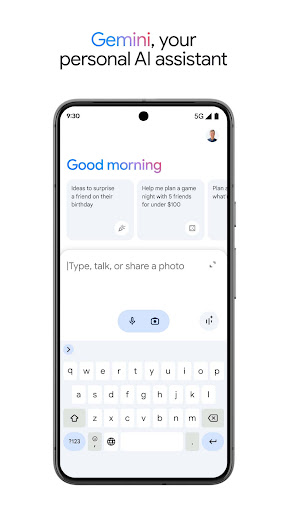
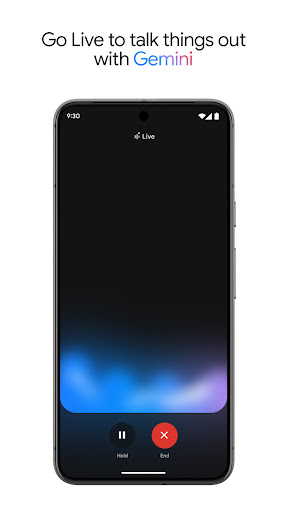
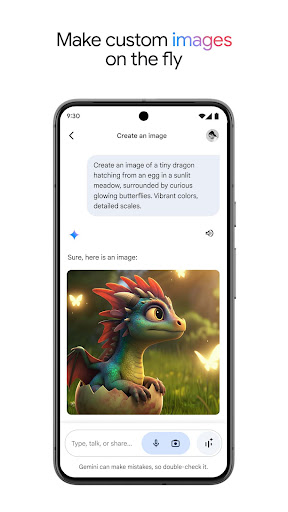
The Google Gemini app is an AI assistant that can help supercharge your creativity and productivity.<br><br>This official app is free. Gemini gives you direct access to Google’s best family of AI models on your phone so you can:<br><br>- Go Live with Gemini to brainstorm ideas, simplify complex topics, and rehearse for important moments. Just click on the Gemini Live button in your Gemini app<br>- Generate images on the fly<br>- Get help with writing, learning, and more<br>- Summarize and find quick info from Gmail or Google Drive<br>- Make plans with Google Maps and Google Flights<br>- Use text, voice, photos and your camera to get help in new ways<br><br>Access Gemini Advanced right from your Gemini app.<br><br>Image Generation results for illustrative purposes and may vary. Internet connection and subscription for certain features required. Language and country availability varies. Create responsibly:<br>https://policies.google.com/terms/generative-ai/use-policy<br><br>The Gemini app is now live in English, Spanish, French, Portuguese, Chinese, Japanese, Korean and more languages. See the full list of supported languages and countries here:<br>https://support.google.com/?p=gemini_app_requirements_android<br><br>If you opt in to the Gemini app, it will replace your Google Assistant as the primary assistant on the phone. Some Google Assistant voice features aren't available through the Gemini app yet — including controlling media and routines. You can switch back to Google Assistant in settings.<br><br>Review the Gemini Apps Privacy Notice:<br>https://support.google.com/gemini?p=privacy_notice
- Price
- Free
- Size
- 0M
- Type
- productivity apps
- Rating 4.6 (2541515 Ratings)
- 5 Ranking
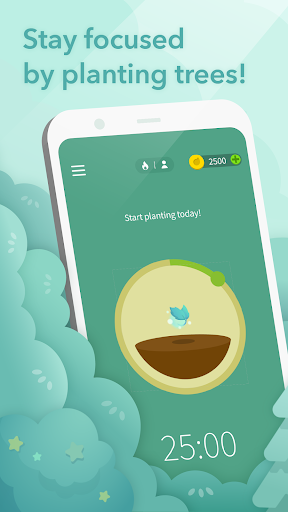
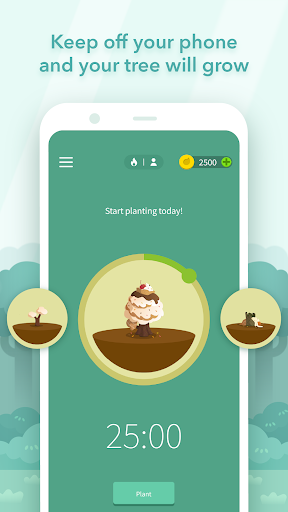
Can't stop scrolling? Lack of self-control? Forest is the solution that has the cutest focus timer to help you stay focused and boost productivity!<br><br><b>★ 2018 Google Play Editors’ Choice Top Productivity App★</b><br><br><b>★ 2018 Google Play Best Self-improvement app in 9 countries, including, Canada, France, Japan, Korea and more!★</b><br><br><b>★ Google Play 2018 Best Social Impact App Nomination★</b><br><br><b>★ Google Play 2015-2016 Best App of the Year★</b><br><br>Plant a seed in Forest when you need to put down your phone and stay focused to get your to do list done.<br><br>As you stay focused, this seed will gradually grow into a tree. However, if you cannot resist the temptation of using your phone and leave the app, your tree will wither.<br><br>The sense of achievement while seeing a flourishing forest with each tree representing your dedication motivates you to reduce procrastination, and helps you build a good habit of time management!<br><br><b>Motivation and Gamification</b><br><br>- Grow your very own forest with each tree representing your effort.<br>- Earn rewards by staying focused and unlocking adorable trees!<br><br><b>Multiple Focus Modes</b><br><br>- Timer mode: Set your focus session and dive into your work or study flow, or apply Pomodoro technique.<br>- Stopwatch mode: Start and stop at any time. Count-up timer works great as a habit tracker.<br><br><b>Personalized Experience</b><br><br>- Planting Reminder: Remind yourself that it is time to keep your phone down!<br>- Custom Phrases: Motivate yourself with your favorite quotes and inspiring words!<br><br><b>Forest Premium</b><br><br>- <b>Statistics:</b> More insightful statistics of your focused time to tailor your focus habits.<br>- <b>Plant Together:</b> Stay focused with your friends and family anytime and anywhere.<br>- <b>Plant Real Trees:</b> Plant real trees on Earth to make the world greener!<br>- <b>Allow Lists:</b> Create personalized Allow Lists for different situations. Non-allowed apps will be blocked.<br><br><b>Exclusive Events on Different Servers:</b> Enjoy various special events customized for different servers/regions.<br><br><b>Download Forest for FREE now to focus on your goals in life and be a better self!</b><br><br><b>Social Media</b><br><br>Connect with us on Instagram(@forest_app), Twitter(@forestapp_cc), and Facebook(@Forest). Stay tuned for updates and special events!<br><br>We also have a chrome extension. Find out more at <a>[www.forestapp.cc](http://www.forestapp.cc/)</a>!<br><br>NOTICE<br><br>- With the Pro version, Forest can be accessed across all your Android devices.<br>- Downloading a non-Android version of Forest requires a separate purchase.<br>- Your data can be synchronized across all platforms by logging in with the same account.<br>- Due to budget constraints, the number of real trees each user can plant is limited to five.<br><br>Permissions Explained: <a>[https://www.forestapp.cc/permissions/en/](https://www.forestapp.cc/permissions/en/)</a><br><br>Sound Design: Shi Kuang Lee
- Price
- Free
- Size
- 0M
- Type
- productivity apps
- Rating 4.6 (730958 Ratings)
- 6 Ranking
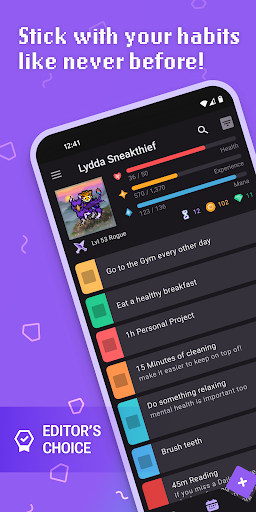
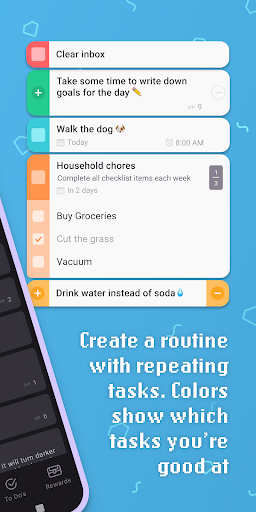
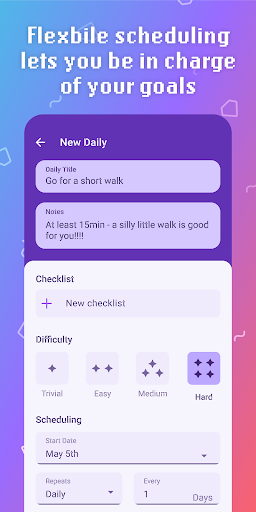
Habitica is a free habit-building and productivity app that uses retro RPG elements to gamify your tasks and goals.<br>Use Habitica to help with ADHD, self care, New Year’s resolutions, household chores, work tasks, creative projects, fitness goals, back-to-school routines, and more!<br><br>How it works:<br>Create an avatar then add tasks, chores, or goals you’d like to work on. When you do something in real life, check it off in the app and receive gold, experience, and items that can be used in-game!<br><br>Features:<br> • Automatically repeating tasks scheduled for your daily, weekly, or monthly routines<br> • Flexible habit tracker for tasks you want to do multiple times a day or only once in awhile<br> • Traditional to do list for tasks that only need to be done once<br> • Color coded tasks and streak counters help you see how you’re doing at a glance<br> • Leveling system to visualize your overall progress<br> • Tons of collectable gear and pets to suit your personal style<br> • Inclusive avatar customizations: wheelchairs, hair styles, skin tones, and more<br> • Regular content releases and seasonal events to keep things fresh<br> • Parties let you team up with friends for extra accountability and battle fierce foes by completing tasks<br> • Challenges offer shared task lists you can add to your personal tasks<br> • Reminders and widgets to help keep you on track<br> • Customizable color themes with dark and light mode<br> • Syncing across devices<br><br><br>Want even more flexibility to take your tasks on the go? We have a Wear OS app on the watch!<br><br>Wear OS features:<br> • View, create, and complete Habits, Dailies, and To do’s<br> • Receive rewards for your efforts with experience, food, eggs, and potions<br> • Track your stats with dynamic progress bars<br> • Show off your stunning pixel avatar on the watch face<br><br><br>—<br><br><br>Run by a small team, Habitica is an open-source app made better by contributors who create translations, bug fixes, and more. If you’d like to contribute, you can check out our GitHub or reach out for more information!<br>We highly value community, privacy, and transparency. Rest assured, your tasks remain private and we never sell your personal data to third parties.<br>Questions or feedback? Feel free to reach us at [email protected]! If you’re enjoying Habitica, we’d be thrilled if you leave us a review.<br>Start your journey towards productivity, download Habitica now!
- Price
- Free
- Size
- 0M
- Type
- productivity apps
- Rating 4.7 (58169 Ratings)
- 7 Ranking
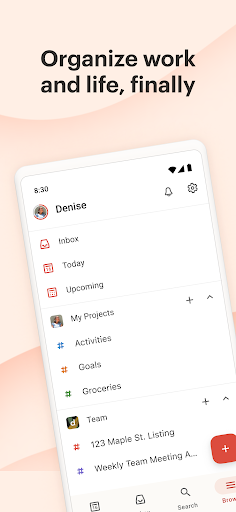
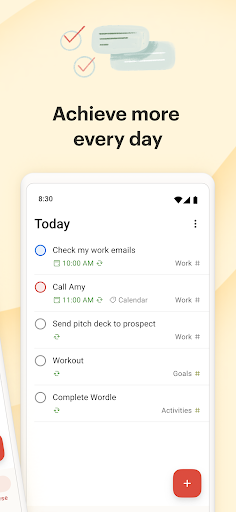
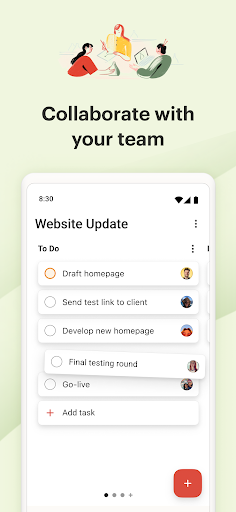
Trusted by over 42 million people, Todoist is a to do list and a planning center for individuals and teams. Instantly declutter your mind, boost productivity and build habits with Todoist. <br><br>With a simple tap, add your daily tasks and set reminders, enjoy multiple views like calendar, list and board, filter tasks by work and/or personal life, share notes, collaborate on projects, and achieve peace of mind. <br><br>Why choose Todoist?<br>• As a habit tracker, you can add tasks like “Plan next week’s work every Friday afternoon” or “Do homework every Wednesday at 6pm” using Todoist’s powerful language recognition and recurring due dates.<br>• Use it as a checklist to reach that mental clarity you’ve been longing for by capturing tasks at the speed of thought.<br>• View any project as a list, board or calendar to give you ultimate flexibility when planning both your tasks and your time. <br>• Available on any device – with apps, extensions, and widgets – Todoist is everywhere you need it to be. <br>• Link Todoist with your calendar, voice assistant, and 60+ other tools such as Outlook, Gmail, and Slack.<br>• Collaborate on projects of all sizes by assigning tasks to others. Have all your teamwork at hand by adding comments, voice notes, and files.<br>• Get up and running in no time with templates ranging from a schedule planner to packing lists, meeting agendas and more.<br>• Instantly see what’s most important by setting visual task priority levels.<br>• Work towards your goals with insights into your personalized productivity trends.<br><br>Todoist on Android<br>• All the power from Android: task list widget, productivity widget, Quick Add tile, and notifications.<br>• Todoist is beautifully designed, simple to get started and intuitive to use. <br>• Stay structured with your planner via your phone, tablet, and Wear OS watch while also syncing across desktop and all other devices.<br>• Simply type details like "tomorrow at 4pm" and Todoist will recognize it all for you.<br>• Location-based reminders available on upgrade. Never forget an errand again. <br>• And the best from Wear OS: Day Progress tile and multiple complications.<br><br>Questions? Feedback? Visit get.todoist.help or reach out on Twitter @todoist.<br><br>Recommended by: Wirecutter, The Verge, PC Mag and more as the top choice for task management. <br>> The Verge: “Simple, straightforward, and super powerful”<br>> Wirecutter: “It’s simply a joy to use”<br>> PC Mag: “The best to do list app on the market”<br>> TechRadar: “Nothing short of stellar”<br><br>Use Todoist to plan or track anything:<br>• Daily reminders<br>• Project Calendars<br>• Habit tracker<br>• Daily planner<br>• Weekly planner<br>• Holiday planner<br>• Grocery list<br>• Project management<br>• Chore tracker<br>• Task manager<br>• Study planner<br>• Bill planner<br>• Shopping list<br>• Task management<br>• Business planning<br>• To do list <br>• And more<br><br>Todoist is flexible and loaded with features, so no matter what you require from your task planner or to do list, Todoist can help you organize your work and life.<br><br>*About Pro plan billing*:<br>Todoist is free. But if you choose to upgrade to the Pro plan, payment will be charged to your Google Play account, and your account will be charged for renewal within 24 hours prior to the end of the current period. You can choose to be billed monthly or yearly. You can turn off auto-renew in your Google Play settings any time after purchase.
- Price
- Free
- Size
- 0M
- Type
- productivity apps
- Rating 4.5 (275016 Ratings)
- 8 Ranking
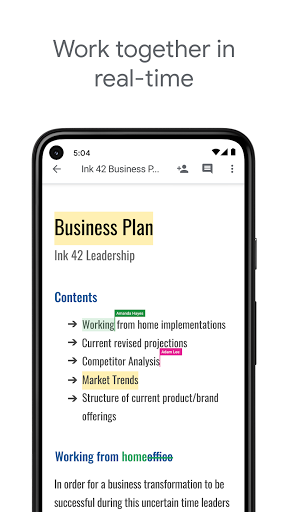
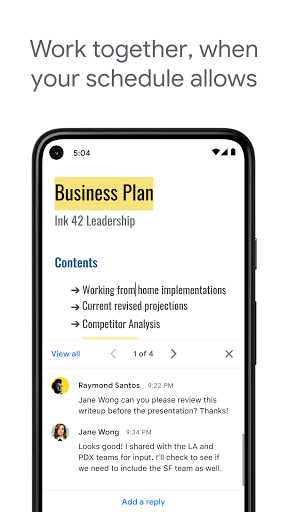
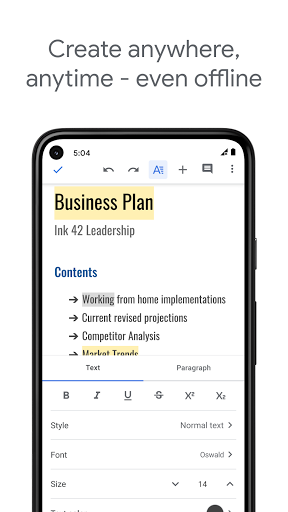
Create, edit, and collaborate with others on documents from your Android phone or tablet with the Google Docs app. With Docs you can:<br><br>- Create new documents or edit existing files<br>- Share documents and collaborate in the same document at the same time.<br>- Work anywhere, anytime - even offline<br>- Add and respond to comments.<br>- Never worry about losing your work – everything is saved automatically as you type.<br>- Search the web and your files in Drive, right from Docs<br>- Open, edit, and save Word documents and PDFs.<br><br>Google Docs is part of Google Workspace: where teams of any size can chat, create, and collaborate.<br><br>Google Workspace subscribers have access to additional Google Docs features, including:<br>- Working in a single document with teammates or people outside your company. See edits as others type, communicate through built-in chat, and leave feedback through comments and suggestions<br>- Importing your documents to make them instantly editable, including Microsoft® Word and PDF files. Export your work in .docx, .pdf, .odt, .rtf, .txt or .html format<br>- Unlimited version history. Track changes made to your documents and undo anything you choose.<br>- Working across devices, with or without Internet<br><br>Learn more about Google Workspace: https://workspace.google.com/products/docs/<br><br>Follow us for more:<br>Twitter: https://twitter.com/googleworkspace<br>Linkedin: https://www.linkedin.com/showcase/googleworkspace<br>Facebook: https://www.facebook.com/googleworkspace/.
- Price
- Free
- Size
- 0M
- Type
- productivity apps
- Rating 4.1 (1853429 Ratings)
- 9 Ranking
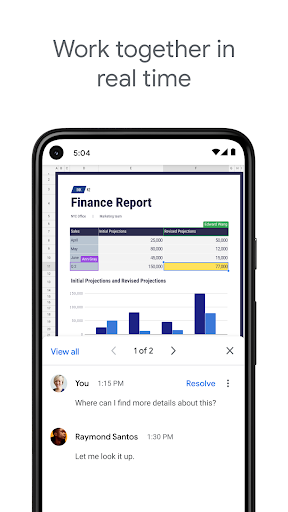
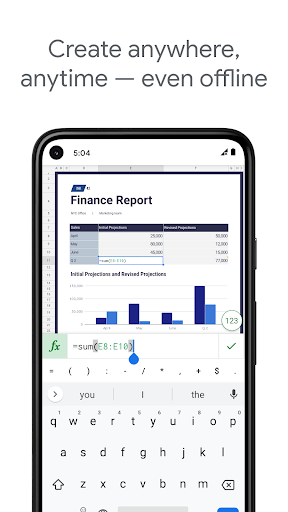
Create, edit, and collaborate on spreadsheets from your Android phone or tablet with the Google Sheets app. With Sheets, you can:<br><br>- Create new spreadsheets or edit existing files<br>- Share spreadsheets and collaborate in the same spreadsheet at the same time.<br>- Work anywhere, anytime - even offline<br>- Add and respond to comments<br>- Format cells, enter or sort data, view charts, insert formulas, use find/replace, and more<br>- Never worry about losing your work – everything is saved automatically as you type<br>- Quickly get insights, insert charts, and apply formatting with smart suggestions<br>- Open, edit, and save Excel files.<br><br>Google Sheets is part of Google Workspace: where teams of any size can chat, create, and collaborate.<br><br>Google Workspace subscribers have access to additional Google Sheets features, including:<br>- Easily add collaborators to projects, see changes as they occur, receive notifications for edits that happen while you’re away, and chat with colleagues in the same spreadsheet. All changes are automatically saved as you make them. And with offline access, you can create, view, and edit files wherever and whenever<br>- Get insights fast, powered by Google AI<br>- Work seamlessly across Sheets and Excel<br>- Maintain control with enterprise-grade security<br>- Analyze data from other business-critical tools<br>- Build custom solutions<br><br>Learn more about Google Workspace: https://workspace.google.com/products/sheets/<br><br>Follow us for more:<br>Twitter: https://twitter.com/googleworkspace<br>Linkedin: https://www.linkedin.com/showcase/googleworkspace<br>Facebook: https://www.facebook.com/googleworkspace/
- Price
- Free
- Size
- 0M
- Type
- productivity apps
- Rating 4.1 (1186902 Ratings)
- 10 Ranking
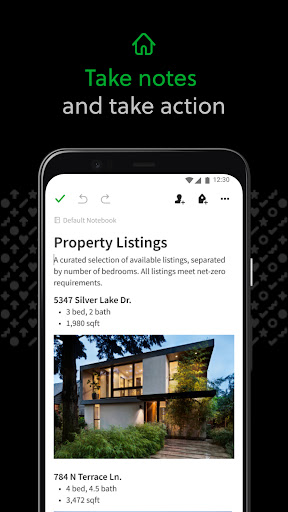
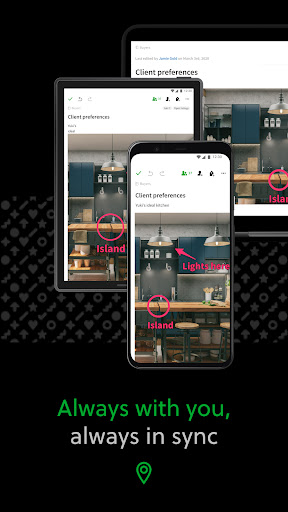
Capture ideas when inspiration strikes. Bring your notes, to-dos, and schedule together to tame life’s distractions and accomplish more—at work, at home, and everywhere in between. <br><br>Evernote syncs to all your devices, so you can stay productive on the go. Tackle your to-do list with Tasks, connect your Google Calendar to stay on top of your schedule, and see your most relevant information quickly with a customizable Home dashboard.<br><br>"Use Evernote as the place you put everything … Don’t ask yourself which device it’s on—it’s in Evernote" – The New York Times<br> <br>“When it comes to taking all manner of notes and getting work done, Evernote is an indispensable tool.” – PC Mag<br> <br>---<br><br>CAPTURE IDEAS<br>• Write, collect, and capture ideas as searchable notes, notebooks, and to-do lists.<br>• Clip interesting articles and web pages to read or use later. <br>• Add different types of content to your notes: text, docs, PDFs, sketches, photos, audio, web clippings, and more.<br>• Use your camera to scan and organize paper documents, business cards, whiteboards, and handwritten notes.<br> <br>GET ORGANIZED<br>• Manage your to-do list with Tasks—set due dates and reminders, so you never miss a deadline.<br>• Connect Evernote and Google Calendar to bring your schedule and your notes together.<br>• See your most relevant information instantly on the Home dashboard.<br>• Create separate notebooks to organize receipts, bills, and invoices.<br>• Find anything fast—Evernote's powerful search can even find text in images and handwritten notes.<br><br>ACCESS ANYWHERE<br>• Sync your notes and notebooks automatically across any Chromebook, phone, or tablet.<br>• Start work on one device and continue on another without missing a beat.<br><br>EVERNOTE IN EVERYDAY LIFE<br>• Keep a journal to keep your thoughts organized. <br>• Go paperless by scanning receipts and important documents.<br><br>EVERNOTE IN BUSINESS<br>• Keep everyone up to date by capturing meeting notes and sharing notebooks with your team.<br>• Bring people, projects, and ideas together with shared Spaces. <br> <br>EVERNOTE IN EDUCATION<br>• Keep track of lecture notes, exams, and assignments so you don’t miss important details.<br>• Create notebooks for each class and keep everything organized.<br><br>---<br><br>Also available from Evernote:<br> <br>EVERNOTE PERSONAL<br>• 10 GB of new uploads each month<br>• Unlimited number of devices<br>• Create and manage tasks<br>• Connect one Google Calendar account<br>• Access your notes and notebooks offline<br><br>EVERNOTE PROFESSIONAL<br>• 20 GB of new uploads each month<br>• Unlimited number of devices<br>• Create, manage, and assign tasks<br>• Connect multiple Google Calendar accounts<br>• Access your notes and notebooks offline<br>• Home dashboard - Full customization<br> <br>Price may vary by location. Subscriptions will be charged to your credit card through your Google Play account. Where applicable, your subscription will automatically renew unless canceled at least 24 hours before the end of the current period. Subscriptions may not be cancelled for refund except as provided in Evernote's Commercial Terms. Manage your subscriptions in Account Settings after purchase.<br><br>---<br><br>Privacy Policy: https://evernote.com/legal/privacy.php<br>Terms of Service: https://evernote.com/legal/tos.php<br>Commercial terms: https://evernote.com/legal/commercial-terms
- Price
- Free
- Size
- 0M
- Type
- productivity apps
- Rating 3.1 (1838393 Ratings)