



Best productivity apps for iphone
- Structured - Daily Planner|
- Flora - Green Focus|
- Habit Tracker|
- ChatGPT|
- Focus Keeper - Pomodoro Timer|
- MinimaList: To Do List &Widget|
- Notion: Notes, Tasks, AI|
- Google Tasks: Get Things Done|
- Opal: Screen Time Control|
- Forest: Focus for Productivity|
Here are UPUP's list of best productivity apps for iphone:
- 1 Ranking
Structured: Your all-in-one day planner combining calendar, to-do list, and habit tracker into a single timeline. Join over 1 million happy planners, start achieving your goals, and make the most of your day. The visual timeline forms the core of Structured, where your business appointments, private events, and to-do lists all come together. Easily create tasks in seconds, set deadlines, rearrange them, and customize your day according to your needs. Whether dealing with ADHD, autism, or simply seeking a bit more structure, we are here to make it happen. Start planning for free to: - Manage your daily tasks in an intuitive timeline and achieve your goals faster - Reach mental clarity by storing your thoughts in the Inbox - you can sort it out later - Use Structured across all your devices and synchronize your tasks to make them accessible from anywhere - Utilize notes and sub-tasks to break down larger tasks into smaller, more manageable parts - Enhance your focus using Live Activities, interactive widgets, and a dedicated focus timer for a more productive and distraction-free work atmosphere - Easily rearrange tasks in seconds using drag & drop whenever your plans change - Enhance your focus using color coding and hundreds of unique icons - Create tasks across time zones, perfect for travelers or collaborating with partners worldwide - Use Structured's accessibility features, including support for VoiceOver, VoiceControl, a dyslexic-friendly font and translations into many languages Upgrade to Structured Pro to: - Integrate all your calendars and to-do lists to create a complete overview of your day - Create recurring tasks to set up routines for your workday or your favorite weekend program - Use Structured AI to create your schedule with natural language recognition - Customize your notifications perfectly to every situation Structured Pro is available for purchase as a monthly or annual subscription, or as a one-time lifetime purchase. Terms & Privacy Policy: https://structured.app/legal
- Price
- Free
- Size
- 257.77M
- Type
- productivity apps
- Rating 4.8 (125248 Ratings)
- Efficiency
- Education


- 2 Ranking
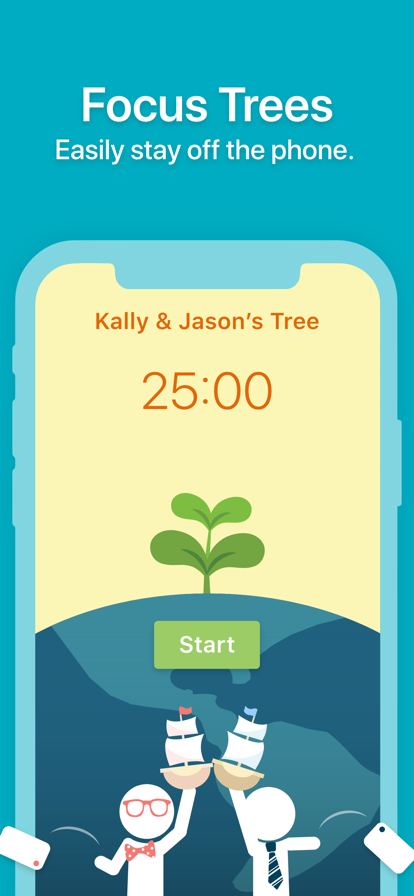
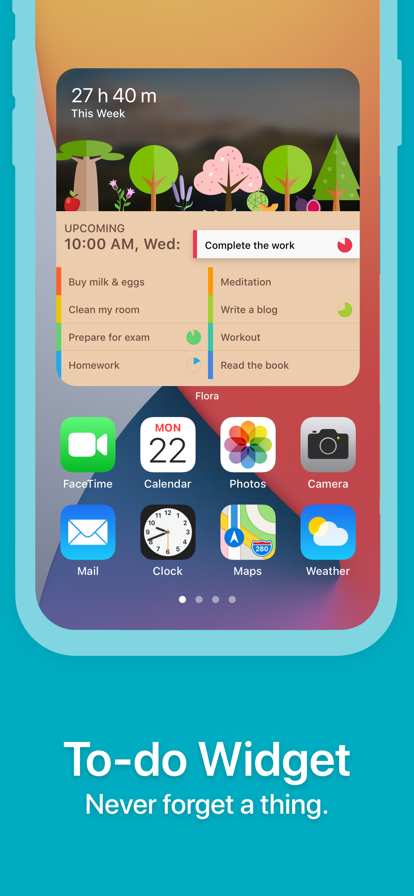
Flora is a new way to stay off your phone, clear to-do lists, and build positive, life-changing habits. Whenever you want to make progress towards your goals, plant a seed in Flora. As you work hard, the seed will grow into a healthy tree. Let the tree be your coach and grow yourself with it. You will be amazed by how great you can be. FOCUS TREES Have trouble putting down the phone? Flora blocks distracting apps in a pleasant way to help you focus on what’s more important in real life. If you cannot resist the temptation of using your phone and leave the app while growing a tree, the tree will be killed! But if succeeding, you'll unlock new trees. DOUBLE EFFICIENCY WITH FRIENDS Things get even more interesting when you challenge your friends to plant trees together—you will see who kills a tree (ouch). However, if you successfully stay away from your phones together, each of you will win an additional tree from a random friend. You can also chat and share your progress to motivate each other and keep everyone on track.* * Flora is the original app for multi-user tree planting and delivers the best features that help you and your friends be productive. TO-DO LIST & WIDGET Flora is a to-do list, and more. Simply create a to-do item and set a reminder, then you will never forget a thing. Even better, you can tag your trees with a to-do item to easily track the progress towards each of your life goals. No matter if your goal is daily, weekly, or monthly, Flora will help you follow it through and achieve it. HABIT TRACKER Enjoy a rewarding daily habit routine. If you grow trees regularly, you will earn yourself a beautiful, vibrant garden. Take a look at it and feel proud of yourself! Each tree records your perseverance and a step towards a healthy life. You can also view the daily, weekly, or monthly statistics of your activities in Flora to find opportunities to improve your time-management and planning skills. REAL TREES, REAL IMPACT Why not plant REAL trees while improving yourself? Flora proudly offers the opt-in Price and Care services that let you plant real trees on the earth if you kill or successfully grow a tree in the app. We partner with tree-planting organizations in Africa and East Asia, such as the Trees.org and Eden Reforestation Projects, to plant fast-growing soil rebuilding trees, fruit trees that diversify incomes and nutrition, and trees that can provide forage and fuel-wood. All these trees help make the earth greener and provide long-term financial aid to families who need it most. Sounds good? Download Flora and join our 2,000,000+ productive users now!
- Price
- Free
- Size
- 327.89M
- Type
- productivity apps
- Rating 4.8 (74615 Ratings)
- Efficiency
- Health And Fitness

- 3 Ranking
Habit Tracker is an app to help you build habits & reach your goals. It will remind you when needed, track habits with stats and notes, analyze habits with charts, and motivate you toward success. You can also share habits with friends to track together. ----Useful Features---- - Auto tracking: water intake, steps, exercise time, calories burned...etc, powered by Apple Health - Two types of habits: build good habits, quit bad habits - Goal units: track with volume and units, not just did or not - Group habits: build, remind & track habits with people you care - Powerful stats: detailed information to evaluate your results - Habit reports: weekly, monthly & yearly reports - Mood tracker: track your mental wellness - Reminders: time-based or location-based reminders - Repeated reminders: You can set more than one reminder for any habit - Custom reminder sound: You can record or import reminder sound - Home screen widgets: different widgets designed for the home screen - Lock screen widgets: view your habits anytime - Today widgets: quickly log your habits without opening the app - Habit memo: your own habit diary - Yearly view: unique yearly view puts everyday results together - Focus time: habits with time units can run a countdown and stopwatch timer - Cloud backup & sync: data across different devices - Daily words: wallpapers and quotes/affirmations to motivate you - Safety lock: protect your privacy with faceID or touchID - Compete with friends: see who's doing better - Dark mode: for those black lovers - Habit ideas: discover new habits that are worth trying (will be updated frequently) - Upcoming features: we will add more features like mood tracker, enhanced water tracker & step counter, and more Health connected habits With Habit, it will make your daily routine simple, make your mind clear, make your goal achievable, make your life better, and finally make your dream come true. Download now, you won't regret. NOTE: Habit reads data for some habits from Apple Health app (Steps, energy, walking, running ..etc). No data is being sent outside of your device. Health app access required. EULA: https://www.eulatemplate.com/live.php?token=MRcYNs6U8BXMLSDWG0BzEqLPPtL2Vc46
- Price
- Free
- Size
- 342.73M
- Type
- productivity apps
- Rating 4.8 (116304 Ratings)
- Efficiency
- Tools


- 4 Ranking
Introducing ChatGPT for iOS: OpenAI’s latest advancements at your fingertips. This official app is free, syncs your history across devices, and brings you the newest model improvements from OpenAI. With ChatGPT in your pocket, you’ll find: · Advanced Voice Mode–tap the soundwave icon to have a real-time convo on the go, request a bedtime story for your family, or settle a dinner table debate. · Creative inspiration—birthday gift ideas or help creating a personalized greeting card. · Tailored advice—help crafting a personalized response or talking through a tough situation. · Learning opportunities—help explaining electricity to a dinosaur loving kid or the ability to easily refamiliarize yourself with a historic event. · Professional input—a brainstorm partner for marketing copy or a business plan. · Instant answers—clarification whether the napkin goes on the right or the left of the plate or a recipe when you only have a few ingredients. Join hundreds of millions of users and try the app captivating the world. Download ChatGPT today. Terms of service & privacy policy: https://openai.com/policies/terms-of-use https://openai.com/policies/privacy-policy
- Price
- Free
- Size
- 73.47M
- Type
- productivity apps
- Rating 4.9 (1463038 Ratings)
- Efficiency
- Tools


- 5 Ranking
Focus Keeper is the ultimate focus timer and Pomodoro timer designed to help you boost productivity and fight against procrastination. Whether you're a student preparing for an exam, managing ADHD, or simply trying to stay focused, this app is here to make your time management easier. By leveraging the original Pomodoro method, Focus Keeper helps you break down your tasks into manageable intervals and balance work with breaks, so you can stay on track without burning out. With a built-in study tracker, customizable settings, and an intuitive design, Focus Keeper is ideal for those who need a reliable exam timer or just want to track their progress efficiently. Focus Keeper: Pomodoro Timer, Exam Timer, ADHD Pomodoro – Stay true to the original technique with 25-minute sessions followed by short breaks to keep your mind sharp. Customizable Focus Timer – Adjust the length of your sessions, short breaks, and long breaks to suit your workflow. Exam Timer & Study Timer – Ideal for students and professionals, the product acts as a perfect exam timer to help you easily manage study sessions. ADHD Friendly – Tailored for those with ADHD, the app’s structured technique helps improve concentration and task completion. Time Tracker – Track your productivity over time with insightful charts and fight against ADHD and procrastination. Simple Interface – With a clean and intuitive design, it's easy to set up your focus timer and start working on your tasks immediately. How Its Works? Set Your Focus Timer & Study Timer– Choose a task and set the clock for 25 minutes. Work Until the Rings – Stay focused on your task until the Pomodoro rings. Take a Short Break – Enjoy a 5-minute break after each session to refresh your mind. Long Breaks – After completing 4 focus sessions, take a longer break of 20-30 minutes to recharge. The app automatically starts the next session, so you can stay productive without interruptions. Who Can Benefit? Whether you're a student needing a reliable study timer for exams, a professional managing multiple tasks, or someone who struggles with ADHD, the concentration app is the perfect tool. The app provides a structured routine, making it easier to avoid distractions and procrastination. Its built-in time tracker and customizable settings ensure that you can stay productive in any environment, from the office to the study room. Why ? Unlike other apps, Focus Keeper offers an original Pomodoro experience while giving you full control over how you manage your focus sessions. Whether you're using it as an exam timer, a study timer, or to manage ADHD, its versatile features and easy-to-use interface make it stand out. Track your productivity over time, customize your features, and use it as a stopwatch for specific tasks – all while avoiding procrastination and staying on task. Read our terms and conditions at https://www.iubenda.com/terms-and-conditions/36391786 Read our privacy policy at https://www.iubenda.com/privacy-policy/36391786 [ Support: [email protected] ]
- Price
- Free
- Size
- 200.50M
- Type
- productivity apps
- Rating 4.8 (26735 Ratings)
- Efficiency
- Health And Fitness


- 6 Ranking
MinimaList, a simple productive app featured on App Store home page. It's a to do list, a reminder, a checklist, a schedule planner and a task manager that helps you to get things done, available for iPhone, iPad, and Mac). ----Main Features---- - Intuitive lists: different lists for different purposes - Colored lists: assign different colors to different tasks - Customizable theme: color/pic background & font style/size/color - Shared lists: simplest way to share the same list with others (Share link must be opened in Safari) - Widgets: Home Screen and Lock Screen widgets - Reminders: repeated time-based and location-based reminders - Memo & Sub-Task: description and sub-tasks - Smart input: automatically detect time in a phrase and set it as a reminder - Auto-snooze: you can set a reminder auto snooze three times (change the time interval in setting - more option) - Focus Timer: Pomodoro, count down and count up timer, with amazing sound effects - Today Widget: create and complete tasks in Today Widget - Cloud Syncing: same lists for all devices (iPhone,iPad, Mac) - TouchID/FaceID: privacy is protected now - Siri ready: remind me to go shopping at 3 pm on MinimaList - Custom setting: your notification sounds, your font, your background - Calendar syncing: syncing with Apple calendar - Continuous Reminder (Notification action, force touch on your notification - where you snooze a reminder) - Supports iPhone iPad and Mac - Url Scheme supports: to create a task: minimalist://x-callback-url/create?list=valueList&content=valueContent&date=yyyy-mm-dd&time=HH:mm&x-success=valueCallback to open a list: minimalist://x-callback-url/open?list=valueList (valueList is the name of the list, valueContent is the task content, valueList and valueContent must be url encoded first,valueCallback is the callback app's url scheme name) MinimaList, a simple list to solve big problems. Less is More. Terms of Use:http://intuitive.studio/minimalist/terms Terms of Use(EULA): https://www.apple.com/legal/internet-services/itunes/dev/stdeula/ Privacy Policy:http://intuitive.studio/minimalist/Privacy MinimaList is free but you can also upgrade to Premium for full access to premium features for $0.99 a month or $5.99 a year (price in usd) through an auto-renewing subscription. Subscriptions for Pro account will be charged to your credit card through your iTunes account. Your subscription will automatically renew unless canceled at least 24-hours before the end of the current period. You will not be able to cancel a subscription during the active period. You can manage your subscriptions in the Account Settings after purchase. Any unused portion of a free trial period, if offered, will be forfeited when the user purchases a subscription to that publication, where applicable.
- Price
- Free
- Size
- 91.90M
- Type
- productivity apps
- Rating 4.8 (32499 Ratings)
- Efficiency
- Tools


- 7 Ranking
Write, plan, organize. With AI at your side. Your notes, docs, tasks, and projects — all in one place. “AI’s everything app” — Forbes FREE FOR PERSONAL USE • Create as many notes, docs, and content as you want. • Use one of thousands of templates to get started. FREE TO TRY WITH YOUR TEAM • Millions run on Notion every day, from next-generation startups to established enterprises. • Get started by easily importing your content from Google Docs, PDFs, and more. • Connect tools like Figma, Slack, and GitHub to Notion. FREE FOR STUDENTS • Your study planner, class notes, to-dos and more, your way. Loved by millions of students worldwide. • Get organized for your best school year yet with beautiful, customizable templates created by students, for students. NOTES & DOCS • Create beautiful docs with images, to-dos, and 50+ more content types. • Find exactly what you need using Search with powerful filters to find content across your workspace. TASKS & PROJECTS • Choose the exact info you want to track. Create your own priority labels, status tags, and automations to craft the perfect workflow. • Capture every detail in a table. Break projects into manageable pieces to get the work done. AI • Write better. Use Notion AI to help write and brainstorm. • Get answers. Ask Notion AI questions about all your content and get answers in seconds. • Autofill tables. Notion AI turns overwhelming data into clear, actionable information — automatically. SYNCS WITH BROWSER, MAC, AND WINDOWS APPS. • Pick up on mobile where you left off on desktop. MORE PRODUCTIVITY. FEWER TOOLS. • Track to-dos, write notes, create docs, and manage projects in one connected workspace.
- Price
- Free
- Size
- 186.83M
- Type
- productivity apps
- Rating 4.8 (46764 Ratings)
- Efficiency
- Business


- 8 Ranking
Get more done with Google Tasks. Manage, capture, and edit your tasks from anywhere, at anytime, with to-dos that sync across all your devices. Integrations with Gmail and Google Calendar help you get tasks done—faster. Quickly capture tasks anywhere • Create task lists with your most important to-dos • View, edit, and manage tasks on the go, from any device • Manage tasks created in Gmail or Calendar on the web from your mobile device Add details and create subtasks • Break down your tasks to subtasks • Add details about the work you need to focus on • Edit details about any task as your work progresses View tasks created from emails • Create a task directly from an email in Gmail • View your tasks in the side panel of Gmail • Trace a task back to its source email Stay on track with due dates and notifications • Set a due date for every task to help you achieve your goals • Organize your tasks by date or prioritize using drag-and-drop • Receive due date notification reminders to keep your tasks on track Part of Google Workspace • Bring Google's suite of powerful, intelligent apps to your business • Leverage Google’s AI to bring data insights and analysis to every employee • Connect with your team seamlessly using one suite: Gmail, Tasks, Calendar & more Take control of your task management and install Google Tasks. Start managing your to-do list on the go with the Tasks planner app from Google.
- Price
- Free
- Size
- 82.46M
- Type
- productivity apps
- Rating 4.8 (90302 Ratings)
- Efficiency


- 9 Ranking
Achieve screen time control with the world’s most-loved screen time app! Opal is the fun, free Screen Time app to improve your focus and make the most out of every day. 5 to 6 hours. That’s the average time you’ll spend looking at your phone today, often without realizing it. It's time to fight back. With a combination of screen time control, app limits, app blockers, real time data, leaderboards and rewards, you will focus better and accomplish your dreams, just like Opal’s members. **As of November 2024, Opal has saved humanity 120 Million hours from less screen time. ** Many of the world's top teams and companies trust Opal to help protect their focus. You can too. **Opal cut my screen time by 2 hours per day – Marketing at Google ** **You need this app. When I first got opal my daily screen-time was about 8 1/2 hours a day. Now it's 1 hour. ** **Opal has become an indispensable tool in my quest for productivity and mindful technology usage ** **Get Opal! - Ali Abdaal, productivity expert** BENEFITS Save 1 hour and 23 minutes per DAY from less screen time, on average. 94% of Opal members are less distracted 93% are more productive thanks to the app 90% experience improved mental health Added benefits: - Better screen time control - Better productivity at work - Reduce stress, be more mindful - Better manage ADHD - Set daily work hours, sleep, and routines - Block apps to unplug and detox - Stay in focus when you need it most - You're happy and in control of your screen time FEATURES - #1 Screen Time Control: the most loved app for screen time control with 4.8/5. - #1 App Blocker: Instantly Block apps and websites you choose at a specific time of day throughout the week to organize your time. - Focus Difficulty: Make it hard, or make it a bit easier. Deep Focus won't let you cancel or bypass at all. - App Limits: Set daily usage limits on apps and websites to automatically block them and prevent overuse. - Mindful Block Screens: Discover quotes, puns and more every time you try to open an app or website you really shoudn't. - Blocklist & Allowlist: Easily pick any app, game or website you want to block or allow during your Blocks. - Focus Report: Measure your progress with clear metrics, actionable screen time stats, and benchmark against your peers. - Focus Score: Check your screen time and focus level at any point easily spotting Focus and Distracted time. - Calendar: Set daily working hours, sleep and routines, block apps automatically, so you don’t have to remember. - Precious Rewards: Unlock unique MileStones you can share with friends. - Leaderboard: Challenge friends to top the leaderboard, enhancing productivity, focus and keeping each other motivated. - Breaks: Choose the app you want to use, write your intention, and set a timer. - Focus Mode Integration: Sync your Opal Focus Sessions with iPhone Focus Mode to block apps. - Shortcut Integration: Connect iPhone shortcut automations to start/stop Focus Sessions based on app opens, time, location and more! - Focus Reminders: Get timely reminder notifications when you get distracted or reach a time limit. - Deep Focus: Need ultimate focus? Deep Focus is the maximum level of protection — you can’t bypass or cancel. - More Fun: Opal is guilt-free and fun. - Widget: Have Opal on your home screen! CREATE A PERSONALIZED APP BLOCK LIST Easily pick any app, game or website you want to block or allow to Block Apps. PRIVATE & SAFE We use Apple's Screen Time API in order to monitor and block apps you use. Installation is easy and takes a few seconds on your iPhone. Unlike most apps, Opal works entirely on your phone and personal browsing data never leaves your device. TERMS, PRIVACY & CONDITIONS Read on https://opal.so/terms & https://www.apple.com/legal/internet-services/itunes/dev/stdeula/
- Price
- Free
- Size
- 186.36M
- Type
- productivity apps
- Rating 4.8 (35673 Ratings)
- Efficiency
- Health And Fitness


- 10 Ranking
## Top productivity app in 136 countries. More than 2 million satisfied paying users. Featured in Apple's "Amazing Apps" TV commercial. ## Staying focused with the cutest gamified timer. ## Over 1,500,000 real trees were planted on Earth by our users. "Forest works well, and if your goal is to be more in the moment, ignore your phone and actually talk to your friends when you are with them, this is the app for you."— The New York Times "In order to establish new, better habits, it's helpful to engage with tools that make it easier to reinforce them. For anyone looking to curtail their phone usage, the Forest app might be for you."— Business Insider If you want to temporarily put down your phone and focus on what’s more important in real life, you can plant a seed in Forest. As time goes by, this seed will gradually grow into a tree. However, if you cannot resist the temptation of using your phone and leave the app, your tree will wither. The sense of achievement and responsibility will encourage you to stay away from your phone, and will help you make better use of your time. Stop getting distracted by your phone, make you self-motivated and get more things done. Stay focused, Be present! STAY FOCUSED • A interesting way to help you beat phone addiction and overcome distraction • Turn your focused moments into a lush forest. • Create personalized Allow Lists for different situations. Non-allowed apps will be blocked. (iOS 16 or above) GET MOTIVATED • Earn rewards and unlock more than 90 new tree species and white noises. • Share your forest and compete with friends and users around the world. • Plant trees along with friends & family. • Unlock achievements and earn extra rewards. • Plant real trees on Earth and protect the environment with tree-planting organization Trees for the Future. STATISTICS • Manage your own tags and view detailed statistics of your time distribution. • Browse your weekly, monthly and even your yearly big forest. • Track your focused time in the Apple Health App. • Track your daily phone usage and screen time. • Recall memories of your planting journey with our brand new Forest Timeline! It's never too late to build up productive habits! NOTICE • Forest is compatible with iPhone, iPad and Apple Watch, and can be used across these iOS devices with a one-time purchase. The full app with the aforementioned features is available on iPhone and iPad; on Apple Watch you can view live planting session and today’s focus stats. To download or unlock a non-iOS version, it requires a separate purchase. By logging into the same account, your data can be synchronized across all platforms. • Due to iOS limitations, the Allow List feature is only available on iOS/iPadOS 16 or above. If you’re using a device running iOS/iPadOS 15 or below, your tree will wither when you leave Forest during a planting session. • Due to budget constraint, the number of real trees each user can plant is limited to five. We will be introducing limited time events that will allow users to plant more real trees. Please follow our social media page or check the in-app announcement for more updates. • There is only one version of Forest on the App Store. Other apps that are similar and mimics Forest are not developed by the Forest team. Thank you for your support! Like us on Facebook: https://www.facebook.com/forestapp.cc/ Follow us on Twitter: https://twitter.com/forestapp_cc Follow us on Instagram: https://www.instagram.com/forest_app/ We also provide browser extensions. Find out more on www.forestapp.cc
- Price
- $3.99
- Size
- 760.50M
- Type
- productivity apps
- Rating 4.8 (43470 Ratings)
- Efficiency
- Life