

Best video playback apps for iphone
- Infuse • Video Player|
- MX Video Player:Media Player|
- Video Lite|
- Save videos & manage - Clicha|
- KMPlayer|
- Slo Mo: Make Slow Motion Video|
- MX Player - All Video Player|
- Pip - Video Player|
- Video Playback App|
- YubePiP: PiP Video Player|
Here are UPUP's list of best video playback apps for iphone:
- 1 Ranking
Ignite your video content with Infuse – the beautiful way to watch almost any video format on your iPhone, iPad, Apple TV, Mac, and Vision. No need to convert files! Infuse is optimized for iOS 18, with powerful streaming options, Trakt sync, and unmatched AirPlay & subtitle support. Gorgeous interface. Precise controls. And silky-smooth playback. - PLAY MORE VIDEO TYPES A powerful video player that plays just about anything, including MP4, MKV, M4V and MOV – plus many others. Includes support for Dolby® and DTS audio. - STREAM FROM OTHER DEVICES Browse and play videos stored on your Mac, PC, NAS, Wi-Fi hard drive, apps like Plex, Emby, and Jellyfin, or from cloud services like Dropbox, Google Drive, OneDrive, Box, pCloud, Yandex.Disk, MEGA, and Aliyun Drive – no syncing required! - AIRPLAY & GOOGLE CAST OPTIONS Stream a wide variety of videos types such as MKV, MP4, M4V, and others over AirPlay & Google Cast with full surround sound and subtitles. - TRAKT 2-WAY SYNC Connect with Trakt to sync watched history, submit ratings and post comments. - OPTIMIZED SUBTITLES POWERED BY OPENSUBTITLES Bring your own subtitles, or download them on the fly (for free) in virtually any language. ===== “Looks great, plays anything you throw at it...surprisingly powerful” - Lifehacker “The best media player for iPhone and iPad...superior to VLC.” - Cult of Mac “I can't give the UI high enough praise. It's great.” - 9to5Mac “I see no reason whatsoever to remove Infuse from my Home screen anytime soon.” - iDownloadBlog “A beautiful UI.” - Trakt co-founder “A mini Kodi!” - Infuse user ===== MORE THAN JUST A PRETTY FACE THE BASICS - Silky-smooth video player (plays full 4K w/ HDR & Dolby Vision) - Stream from a Mac, PC, NAS or Wi-Fi enabled hard drive - Connect with Plex, Emby, Jellyfin, Kodi (XBMC), WMC and other media servers - Beautiful layout with quick access to video info - Artwork and metadata added automatically - Split View & PIP - Spatial audio SUPPORTED FORMATS - Video: 33GP, AVI, AV1, ASF, BDMV, DIVX, DVDMEDIA, DVR-MS, FLV, H.264 (AVC), H.265 (HEVC), ISO/IMG, M4V, MKV, MOV, MP4, MPEG, MTS/M2TS, MXF, OGM, OGV, RMVB, TS, VC1, VIDEO_TS, VOB, VP9, WEBM, WMV, WTV - Audio: AAC, AC3/E-AC3, DOLBY TRUEHD, DTS, DTS-HD MA, FLAC, MP3, OGG, PCM, WMA - Subtitles: DVB, DVDSUB, MICRODVD, MPL2, PGS, SMI, SSA/ASS, SRT, SUB, TIMED TEXT, TMP, TXT, VOBSUB, VTT, XSUB PLAYER FEATURES - Multiple audio tracks - Chapters - Gesture controls - 8 video zoom options - Continuous playback - TV out via HDMI or VGA adapter - Deinterlacing EXTRAS - Folders - One-click subtitle downloads from OpenSubtitles - Scrobble plays to Trakt - Download videos from networked devices - Drag and drop uploads via web browser - Get extra onboard storage with SanDisk iXpand and other USB drives GET MORE WITH INFUSE PRO! - Play even more video formats - Stream video trailers for movies and TV shows - Enjoy high-resolution Dolby® and DTS® audio - Access videos stored in cloud services like Dropbox, Google Drive, Box, OneDrive, pCloud, Yandex.Disk, MEGA, and Aliyun Drive - Stream a wide variety of video types over AirPlay and Google Cast - Sync libraries, settings, watched history, and playback progress between devices ===== Note: DRM-protected movies & TV shows purchased from the iTunes store are not supported. Metadata and artwork provided by TMDB, which is a community maintained movie and TV show database. ===== Infuse Pro is available as a optional subscription, and includes a free trial period that begins once your purchase has been confirmed with your iTunes Account. When the trial period concludes, your subscription will start and renew automatically. Your iTunes Account will be charged for the upcoming period unless you disable auto-renew or cancel your subscription in your Account Settings at least 24-hours prior to the end of the current period. Visit firecore.com/terms-privacy for full terms and privacy policy.
- Price
- Free
- Size
- 135.81M
- Type
- video playback apps
- Rating 4.7 (23678 Ratings)
- Entertainment
- Photo & Video


- 2 Ranking
Mx video player HD use to play all video in all Formate.video player HD is use to play a different types of video formate like AVI,MP3,WAV,AAC,MOV,MP4,WMV,RMVB,FLAC,3GP,M4V,MKV,TS,MPG,FLV,etc. Mx video player On start up, it automatically scans and display all your videos form phone. Using Mx video player you can play your high resolution HD movie without any quality loss. it is the most powerful and easy to use player which supports almost all types of video.video player HD is really good app to control your video volume and brightness without any quality loss. it is the most powerful and easy to use player which supports almost all types of video.Max video player is really good app to control your video volume and brightness It supports auto-rotation, aspect-ratio adjustments and gestures to control volume, brightness and seeking. Mx video player - Video Player Hd is support different types of video format Like AVI,MP4,3GP,MPEG,MKV and many more.Full HD Video Player app is use to play video with amazing feature and its support Video format.full hd video player is mx video playar high quality 1080p Multimedia,MX video Player player.max video player hd is one of the Fastest, Lightweight ios app. Mx video Player - mx video player Show New web series and new action movies. latest show action movies like Bollywood and all type most popular web series showing by Max Player HD max player is different types of video format. Enjoy every moment to watch any video.max player high quality is supports ALL video formats, ultra HD video files, and plays them within high-definition videos.max player video is best HD video player for ios tablet and ios phone. max player app supports all video file formats like Ultra HD videos, Mp4 videos,3GP videos, MKV videos and many more.MX video Player plying videos max player app is the most powerful and easy to use player which supports almost all types of video.max player hd video is quickly to find and listing your SD card videos files. max player full is hd best player for show the video and movies. max player new version 2019 is the best HD Video Player. Enjoy for high quality videos plays smoothly. - Max player HD Key Features lists all video files. - Max player HD get video directly from SD Card. - Support high resolution HD video movie. - Support all popular video codec format. - Max player HD is Searching all videos of your Phone Automatically. - Swipe control for volume, brightness & seeking - You can Lock and Unlock the screen to press the icon. - Displays Videos in Specific Folders - Gesture Controls to Increase / Decrees Volume, Seek video Backward/ Forward. - Supports auto-rotation, aspect-ratio adjustments. - Plays all format videos. - Video zoom options (aspect, full, custom)- Lock your screen when video is playing. [MX Video Player:Media Player - Subscription] - MX Video Player:Media Player Pro subscription is billed weekly, monthly or annually at the rate corresponding to the selected plan. In addition, a one-time payment will be offered if needed, which is not one of the subscription plan. - Payment will be charged to iTunes Account at confirmation of purchase. - Subscription automatically renews unless auto-renew is turned off at least 24-hours before the end of the current period. - Account will be charged for renewal within 24-hours prior to the end of the current period, and identify the cost of the renewal. - Subscriptions may be managed by the user and auto-renewal may be turned off by going to the user's Account Settings after purchase. - Any unused portion of a free trial period, if offered, will be forfeited when the user purchases a subscription to that publication, where applicable. [Terms of Use] https://skyinfotechdeveloper.com/terms_mxhd.html [Privacy Policy] https://skyinfotechdeveloper.com/policy_mxhd.html
- Price
- Free
- Size
- 90.78M
- Type
- video playback apps
- Rating 4.5 (3395 Ratings)
- Photo & Video
- Entertainment


- 3 Ranking
Video Lite is an all-in-one browser for video websites that lets you: • Experience a seamless, native app experience • Chromecast on iOS • Picture-in-picture mode • Dark mode • Sleep timer and more Terms of service: https://lite-5e417.web.app/eula.txt
- Price
- Free
- Size
- 69.19M
- Type
- video playback apps
- Rating 4.8 (105811 Ratings)
- Photo & Video
- Tools


- 4 Ranking
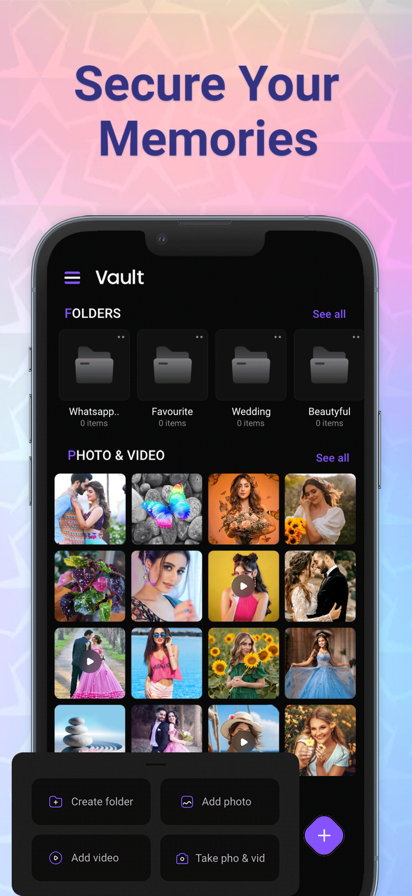
◆◇The ultimate in video playback and management apps! ◆◇ All the video files are stored in Clicha and can be played in the background. You can store, share, and watch unlimited videos offline! Passcode setting for peace of mind! ◆Features◆ ・Import videos to Clicha by sharing from photo albums. ・Start up the camera and start shooting and saving videos. ・Import videos saved on iCloud Drive and other apps. ・All you can watch videos offline at any time. ・Background playback of audio ・Auto-play (Automatically moves to the next video. Even if you move the application from the video playback screen to the background, it is possible to move the song forward and back in the control center. ・Folder management and reordering of video files ・Enjoy your own playlists of videos and music with folder management. ・Abundant playback options, such as single song repeat, double speed setting, and stopping at the end of a folder (playlist) ・Passcode setting ・Playback sleep timer setting (from the settings screen, playback settings) ・PiP(Minimization of the playback screen) ・The automatic background playback is possible when the PiP setting is turned off by iPad. ・Playback from AppleWatch is also supported. ・Support for iOS14 widgets (recently played videos, start and play the app immediately from the folder list) ・AirPlay support, you can also enjoy it on your TV ◆Recommended for the following people◆ ・watch videos all the time. ・want to enjoy videos without waiting offline. ・want to enjoy leaving the video running. ・You can't watch videos without worrying about the speed limit. ・want to manage my videos by folders. ・want to save TikTok videos and manage them in the clicker app for fun. ◆How to classify folders◆ 1. Select "Edit" in the upper right of the library screen. 2. Select a video 3. Select "Move to Folder". 4. Create a folder from "Create a new folder". 5. Select the folder you have created, and complete 6. Select the folder you created from the folder tab. 7. Select a video from the list of videos in the folder and go to the video playback screen. ◆Subscription◆ 【Upgrade to Premium】 Unlimited video save/no ads. Can be operated while watching a video (video minimization) Other new features will be updated as they become available. Payment will be charged to your iTunes account when you confirm your purchase. Accounts will be charged for renewal within 24 hours prior to the end of the current period and the cost of renewal will be identified. Subscriptions can be managed by the user, and after purchase they can go to the user's account settings to turn off automatic updates. We look forward to your feedback. Terms of Use https://sites.google.com/view/clicha/terms-of-use Privacy Policy https://sites.google.com/view/clicha/privacy-policy
- Price
- Free
- Size
- 78.08M
- Type
- video playback apps
- Rating 4.6 (86 Ratings)
- Photo & Video
- Tools


- 5 Ranking
KMPlayer is a perfect media player that can play all forms of high resolution videos, music, and subtitle files. Along with the flawless playback, enjoy the rich features of the player including quick button, bookmark, subtitle settings, and play speed settings! KMPlayer has now created KMPlex! Succeed in mission on KMPlex to earn points, and exchange the points with listed coins. ( Exchangeable coins: MovieBloc Token (MBL), Cobak Token (CBK) ) ▶ KMPlayer ◀ · Bookmark: Add bookmark to the time points to playback any sections you wish to cherish · Control Color: Change brightness, light intensity, hue, saturation, and gamma information · Expand & Contract: Expand & contract the video screen being played · Section Repeat: Repeatedly play a section from point A to point B · Quick button: Quickly set the player options · Equalizer: Save separate equalizers for music & video · Subtitle Settings: Change color, size, and position of subtitles · URL Playing: Enter URL to play any videos on the web (streaming) · Network: Supports FTP, UPNP, SMB, WebDav · Cloud: Supports Google Drive, Dropbox, OneDrive [ Supported Formats ] Video and music: AVI, MP3, WAV, AAC, MOV, MP4, WMV, RMVB, FLAC, 3GP, M4V, MKV, TS, MPG, FLV Subtitle: DVD, DVB, SSA/ASS Subtitle Track, SubStation Alpha(.ssa/.ass) with full styling.SAMI(.smi) with ruby tag support, SubRip(.srt), MicroDVD(.sub/.txt), VobSub(.sub/.idx), SubViewer2.0(.sub), MPL2(.mpl/.txt), TMPlayer(.txt), Teletext, PJS(.pjs) , WebVTT(.vtt) Due to the policy, we do not support certain codecs. (DTS, EAC3, TrueHD, Divx .. ) ▶ KMPlex ◀ Participate in various missions to earn points! Exchange these earned points with coins and simultaneously send them to your Wallet! [ How to earn listed coins on KMPlex ] · Access KMPlex through KMPlayer and create your Wallet · Participate in various missions and earn points (Make sure to participate in the special release event!) · Collect points to exchange with listed coins ( Coins currently supported: MBL, CBK ) ▶ Permission Information ◀ [ Required Permissions ] Storage space: Requesting permission to access photos, music, and videos stored in the device ▶ Message from the Developers ◀ KMPlayer’s development team are always open to your opinions to further improve the App. Feel free to request new features and please provide us with plentiful feedback. Email: [email protected]
- Price
- Free
- Size
- 173.81M
- Type
- video playback apps
- Rating 4.3 (3050 Ratings)
- Entertainment
- Photo & Video


- 6 Ranking
Change the speed of your videos! Slo Mo is the quickest and easiest way to do it in the App Store. Choose from your library or record a new one with the camera. Slide the dial to adjust the speed. Trim out the sections you do not want. Make professional looking videos and clips. Unlock Slo Mo Pro to isolate parts of the video at different speeds. Slo Mo Pro also lets you make your videos play faster or in reverse. Share your creation on Instagram! Subscription pricing and terms: Slo Mo offers two auto-renewing subscription options: $2.99 per week $12.99 per year These prices are for United States customers. Pricing in other countries may vary and actual charges may be converted to your local currency depending on the country of residence. Your Slo Mo subscription will automatically renew at the end of each term and your credit card will be charged through your iTunes account. You can turn off auto-renew at any time from your iTunes account settings but refunds will not be provided for any unused portion of the term. Read more about our terms and conditions here: Terms of Use: http://totoventures.com/terms-of-use/ Privacy Policy: http://totoventures.com/privacy-policy/
- Price
- Free
- Size
- 33.27M
- Type
- video playback apps
- Rating 3.8 (2911 Ratings)
- Photo & Video
- Entertainment


- 7 Ranking
Wow!!! This video player is support all types of video format like MP4, MKV, MOV, AVI, FLV, F4V, WEBM, M2V, 3GP, M4V, MPG, MPEG, OGV, 3G2, OGM, MTS, VOB, OGG, M2TS, TS, RM, ASF, HEVC, F4A, DIVX, MXF with Video Editor. It allows file synchronisation with your computer(iTunes), iCloud drive even local transferred video files. ==> VIDEO PLAYER SMART CONTROL - Supports all video format - Multi play option - Auto-rotation - Subtitle add with many languages - Capture screenshot from video and save to gallery - Easy screen brightness and volume control - Playing queue arrange according to you - Aspect-ratio - Screen-lock. - Double tap to fast forward/rewind video - Set video speed / slow motion video / playback speed control ==> VIDEO TO MP3 Easily extract audio from your video files . Extract high quality mp3 songs using this powerful application ==> VIDEO SPEED Easily change your video speed ==> VIDEO REVERSE Wanna create fun Videos with reverse effect? Wanna rewind Video which you recorded? Wanna share Backwards Video with your friends? if Yes, then you are at right place. With this amazing Video Reverser you can Create reverse camera videos in a go. ==> VIDEO TO GIF Convert your videos into funny GIFs! ==> ADD WATERMARK Protect your videos by adding watermark. Create your own brand identity(logo) and watermark your videos. Create your own watermark or use existing watermark template and apply on any of your video on the go. ==> REVERSE VIDEO Lets you create a reverse movie with one tap. Create magical videos in reverse that is sure to get likes! ==> REMOVE AUDIO Now it's to remove audio from video with simple one click on your mobile device, are you like to shoot a video but sometime too much crowed are making your video clip boring..? Try this which has option to easily remove your audio clip from video without edit and cut your video clip. ==> APP LOCK App allows you to password protect the entire app so no one can access your videos. Thanks Enjoy!!! Privacy Policy: https://sites.google.com/view/patelgauravapps/home Terms of Use: https://sites.google.com/view/patelgauravappsterms/home
- Price
- Free
- Size
- 63.24M
- Type
- video playback apps
- Rating 4.5 (1597 Ratings)
- Photo & Video


- 8 Ranking
This little pretty app adds one of the most important feature for your Files - fullfeatured video player that works in foreground and background Picture in Picture mode. If you have a collection of videos on your devices this app can be VERY handy!
- Price
- Free
- Size
- 51.79M
- Type
- video playback apps
- Rating 4.6 (1191 Ratings)
- Tools
- Efficiency

- 9 Ranking
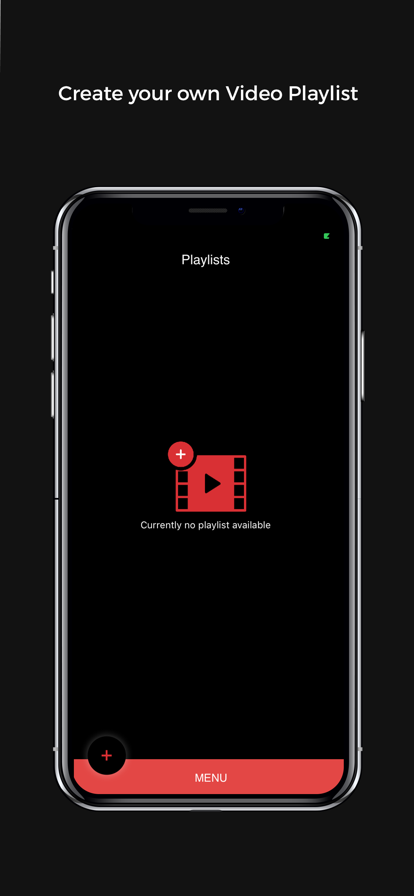
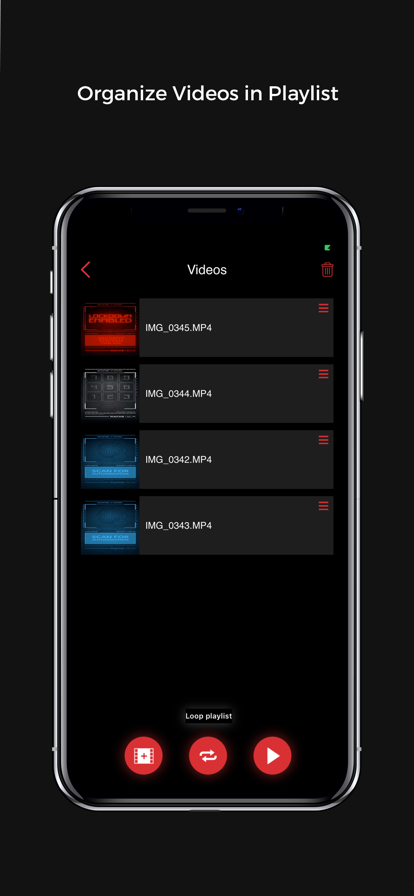
Video Playback App allows Professional video playback for handheld iOS devices. Users can easily build playlists and trigger them by hand gestures or Bluetooth Keyboard. This is a best tool in the market for 24 frame playback operators.
- Price
- Free
- Size
- 19.22M
- Type
- video playback apps
- Rating 0 (0 Ratings)
- Photo & Video

- 10 Ranking
YubePiP plays YouTube videos Picture in Picture. It enables background audio-only playback. It also allows you to play two videos at the same time, one in full screen and another in PiP. You can open 3 instances of the YouTube web app and browse the video separately. • Play YouTube videos picture in picture • Play the videos in the background with your screen locked. • A set of powerful PiP Tools • [Pro] YouTube ad blocker
- Price
- Free
- Size
- 28.83M
- Type
- video playback apps
- Rating 4.6 (6460 Ratings)
- Entertainment
- Photo & Video