Best navigation apps for iphone
- Waze Navigation & Live Traffic|
- Google Maps|
- Apple Maps|
- Yandex Navi – navigation, maps|
- Sygic GPS Navigation & Maps|
- MapQuest GPS Navigation & Maps|
- TomTom GO Navigation|
- MAPS.ME: Offline Maps, GPS Nav|
- inRoute - Intelligent Routing|
- Garmin Drive™|
Here are UPUP's list of best navigation apps for iphone:
- 1 Ranking
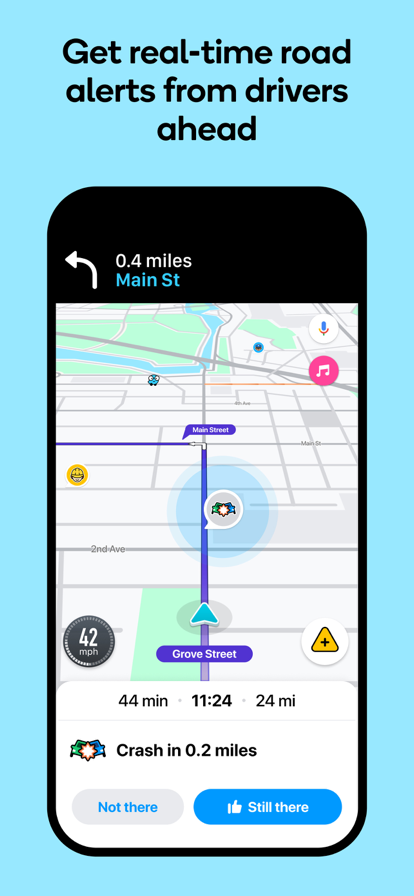
Know what's ahead on the road with the help from other drivers. Waze is a live map that harnesses the local knowledge of tens of millions of drivers around the world. Drivers safely and confidently reach their everyday destinations thanks to Waze map’s GPS navigation, live traffic updates, real-time safety alerts (including construction, accidents, crashes, police, potholes, and more), and accurate ETAs. Make your next drive more predictable and stress-free: • Get there faster with real-time directions, accurate ETAs, and automatic rerouting based on live traffic, incidents, and road closures • Even if you know the way, avoid surprises on the road ahead with safety alerts for accidents, crashes, construction, objects on the road, potholes, speed bumps, sharp curves, bad weather, emergency vehicles, railroad crossings, and more • Steer clear of tickets by knowing where police and red light & speed cameras are located • Share what’s happening on the road with other drivers by reporting live incidents and hazards • Stay informed of upcoming speed limit changes, and keep your speedometer in check • Know which lane to be in with multi-lane guidance • See toll pricing and choose to avoid tolls along your routes • Add road passes and vignettes for HOV lanes and restricted traffic zones • Find gas / fuel stations & prices and EV charging stations along your route • Locate and compare parking lots and their prices near your destination • Use voice-guided turn-by-turn navigation from a variety of languages, local accents, and your favorite celebrities • Plan your next drive by checking ETAs by future departure or arrival times • Use your favorite audio apps (for podcasts, music, news, audiobooks) directly within Waze • Sync Waze to your car’s built-in display through Apple CarPlay * Some features are not available in all countries * Waze navigation is not intended for emergency or oversized vehicles You can manage your in-app Waze Privacy Settings at any time. Learn more about the Waze privacy policy here, www.waze.com/legal/privacy.
- Price
- Free
- Size
- 202.59M
- Type
- navigation apps
- Rating 4.8 (2996905 Ratings)
- Navigation
- Tourism


- 2 Ranking
Navigate your world faster and easier with Google Maps. Over 220 countries and territories mapped and hundreds of millions of businesses and places on the map. Get real-time GPS navigation, traffic, and transit info, and find what you need by getting the latest information on businesses, including grocery stores, pharmacies and other important places. Get where you need to go efficiently: • Find the best route with automatic rerouting based on live traffic, incidents, and road closure Find important businesses: • Know what’s open in your area and their latest business hours • Find local restaurants offering delivery and takeout • Create lists of your important places Get there faster with real-time updates • Beat traffic with real-time ETAs and traffic conditions • Catch your bus, train, or ride-share with real-time transit info • Save time with automatic rerouting based on live traffic, incidents, and road closure • With Live View in Google Maps, see the way you need to go with arrows and directions placed right on top of your world. There’s no second guessing or missing another turn. More experiences on Google Maps • Offline maps to search and navigate without an internet connection • Street View and indoor imagery for restaurants, shops, museums and more • Indoor maps to quickly find your way inside big places like airports, malls and stadiums Some features not available in all countries Navigation isn't intended to be used by oversized or emergency vehicles
- Price
- Free
- Size
- 303.22M
- Type
- navigation apps
- Rating 4.7 (6370415 Ratings)


- 3 Ranking
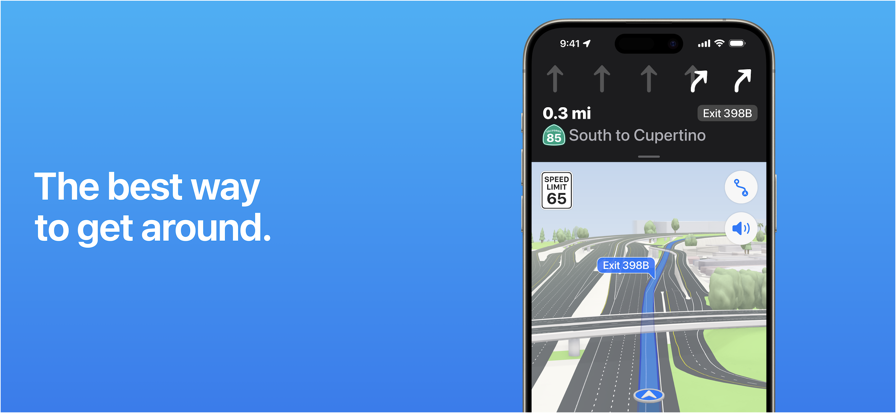
Apple Maps is the best way to navigate and explore the world - all with your privacy protected. What's new: • Topographic maps with stunning details like contour lines, hill shading, hiking trail information and more. • Hikes across U.S. national parks — with details like route type, length, and elevation — can be saved to your device for access offline. • Custom walking and hiking routes can be created and saved for easy access — even while offline. • Turn-by-turn navigation for hikes and custom walking routes helps you stay on track. • Search allows you to quickly discover and compare places by browsing photos, ratings, price level and more, all without leaving search. • An all-new Places Library allows you to easily save places and add a personal note about them. • Offline maps sync directly to your Watch for offline use, even when your phone isn’t nearby or powered on. Get around with ease. • Use voice-guided turn-by-turn navigation for driving, cycling, or walking. • Download offline maps to your iPhone or Watch and explore them while offline. View place information like hours and ratings and get turn-by-turn directions for driving, walking, cycling, or transit. • Get real-time transit schedules and directions via subways, buses, trains, and ferries. • Check real-time traffic conditions, incidents, and road closures. • See speed limits for the road you’re driving on and get guidance on which lane you should be in before your next move. • Report incidents in the Maps app and see incidents reported by other users, including accidents, hazards, and speed checks. • See when you’re approaching speed and red-light cameras along your route. • Get cycling directions to route along bike lanes, paths, and roads while taking elevation and busy streets into account. • Plan your drive or transit journey by choosing a future departure or arrival time. • Immersive walking directions show step-by-step guidance in augmented reality. • Glance at the Lock screen for turn-by-turn navigation, transit directions, and Time to Leave notifications. • Find your parked car and get directions to it. Discover and interact with places. • Look up information about places, including hours, photos, ratings, reviews, and support for Apple Pay. • Rate and add photos to places you’ve visited. • Discover great places to eat, shop, and explore with curated Guides from trusted brands and experts. • Make restaurant reservations, view menus, or place an order right within Maps. • Browse detailed indoor maps for hundreds of malls and airports worldwide. • Ask Siri to find places you’d like to go. Visit new places without leaving home. • Detailed city maps display elevation, landmarks, crosswalks and turn lanes, 3D views to navigate complex interchanges, and more in San Francisco, Los Angeles, New York, Paris, London, Toronto, Las Vegas, Sydney, and more. • Interactive 3D globe shows enhanced details for mountain ranges, deserts, forests, and oceans. • Explore cities with Look Around, which offers a ground-level, high-resolution, interactive 3D experience. • View major cities around the world from the air with photo-realistic, interactive 3D views using Flyover. Use any of your devices. • Access your saved places from your iPhone, iPad, Mac, or Apple Watch using iCloud. • Use Maps with your car’s display in your CarPlay-equipped vehicle. • Use Maps with your Apple Watch to get taps on your wrist when it’s time to make a turn. • Plan trips on your Mac and share them with Maps on your iOS device. Availability and features may vary by country or region. Apple Business Connect Business owners can use Apple Business Connect to take control of how their business is seen across Apple. Claim a location and add crucial information like business hours or address, and useful details including photos, a logo and cover image, limited time special offers and events, Good to Know information, and more. Visit businessconnect.apple.com for more details.
- Price
- Free
- Size
- 3.01M
- Type
- navigation apps
- Rating 2.6 (30922 Ratings)


- 4 Ranking
Yandex Navigator is the perfect companion for drivers. It helps you find your way around the city with fast, convenient directions that avoid traffic jams and road closures. If road conditions change, Yandex Navigator adjusts your route on the fly. No surprises on the road Get detailed directions as you drive and find out about road conditions ahead of time. The app warns you about traffic, speed limits, cameras, and road closures. It also lets you know when there’s an upcoming turn or complex intersection. And since it does that using voice notifications, you can keep your eyes on the road. Get multi-stop directions There’s no need to waste time planning the most efficient routes if you need to make multiple stops along the way. Let Yandex Navigator do the work for you. Plan a route with 4-10 stops and tap "Optimize." Yandex Navigator will reorder them to make the route as quick and convenient as possible. Get your bearings anywhere No matter where you are, Yandex Navigator shows you how to get to where you need to go. Search for restaurants, cafes, bars, shops, gas stations, pharmacies, stadiums, law firms, or anything else, navigating there quickly and stress-free. Never get lost offline Find places and plan routes even without a connection once you’ve downloaded offline maps for your city or region. Pay for parking Look for convenient parking spots near your destination. And since you can pay for them right from Yandex Navigator, you don’t need other apps. Pay for fuel Choose your fuel type, select how much you need, and pay for it without leaving the app. Just tap the fuel tank button, and you'll see all nearby gas stations along with their available payment options. Steer clear of poor road conditions Turn on "Avoid bad and unpaved roads" in the route parameters or app settings. Yandex Navigator will guide you along smooth, paved roads wherever possible. Plan your trips ahead of time Adjust departure date and time settings to see how long your route is in advance. For example, you can plan how to get to the airport the evening before your flight by setting the departure date for the next day. Yandex Navigator shows how long it usually takes to drive that route at that time, taking into account the usual traffic conditions. You'll definitely get there on schedule. Get directions tailored to your vehicle If you're driving a truck or other freight vehicle, select "Add truck" in the app settings and describe your vehicle's characteristics. Yandex Navigator will get directions that account for any weight, size, or emission limitations. Monitor traffic in real time Yandex Navigator updates your route details when traffic conditions change. You can also add widgets to your phone’s home screen that show traffic levels for your favorite routes so you can keep track of them even without opening the app. See your route laid out in front of you Yandex Navigator is available for CarPlay, making it easy to follow your route on the screen in front of you without getting distracted by your phone. To make that work, you'll need a Yandex Plus subscription. The app works in Russia, Abkhazia, Azerbaijan, Armenia, Belarus, Georgia, Kazakhstan, Kyrgyzstan, Moldova, Tajikistan, Turkey, Uzbekistan. Terms of Use: apple.com/legal/itunes/appstore/dev/stdeula Privacy policy: yandex.com/legal/confidential
- Price
- Free
- Size
- 574.30M
- Type
- navigation apps
- Rating 4.7 (10113 Ratings)
- Navigation
- Tourism


- 5 Ranking
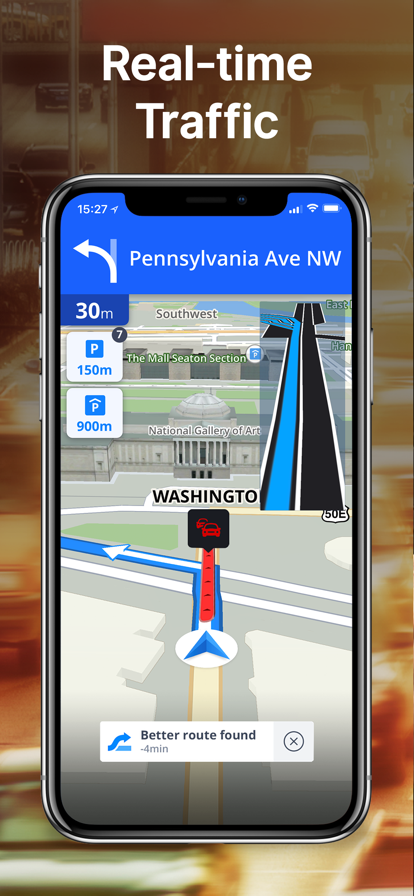
Sygic GPS Navigation & Maps is innovative GPS navigation app with monthly-updated offline maps and with precise live traffic & speed camera alerts, both updated in real-time. It‘s trusted by more than 200 million drivers worldwide. Offline 3D maps are stored on your phone for GPS navigation without an internet connection. We update the maps multiple times per year for free, so that you can always rely on Sygic GPS Navigation. NAVIGATE ANYWHERE, EVEN WITHOUT AN INTERNET CONNECTION • 3D Offline maps of all countries in the world, from TomTom and other providers • Free map updates multiple times per year • Voice-guided GPS navigation with precise directions and spoken street names • Millions of interesting Places (POI) • Pedestrian GPS navigation with walking directions and tourist attractions (POI) • Customize your navigation arrow. Try everyday car, van or even formula. ESCAPE THE TRAFFIC • Avoid traffic jams with the most accurate real-time traffic information with data collected from more than 200 million users worldwide* STAY SAFE • Advanced safety features make driving in unfamiliar territories easier • Speed limit warnings show you the current speed limit and the upcoming speed limit changes • Dynamic Lane Assistant guides you into the correct lane • Head-up Display (HUD) projects navigation onto the windshield of your car, making driving at night safer • Dashcam records the road ahead and automatically saves a video in case of an accident • Real View Navigation is an augmented reality feature for even better and safer driving experience • Real-time route sharing lets you share your estimated time of arrival & current position on a map* • Apple CarPlay Connectivity - all navigation features on your car’s built-in display. • Cockpit shows you the real-time performance of your car. • Wrong-way warning (in partnership with Bosch)**. If you are driving in the wrong way or someone is driving in the opposite direction, we will warn you.* SAVE MONEY ALONG YOUR ROUTE • Park easily with parking place suggestions and live info about prices and availability* • Set your fuel type and fill up for the best price with live information about fuel prices* • Avoid speeding tickets with Speed camera warnings* • Save money on roaming charges with offline maps Do you want to find out how it feels to have Premium+? Try our 7-day trial for free and discover all Premium+ features. After that, you can decide if you want to prolong your subscription or use basic features only. Subscriptions will be charged to your credit card through your iTunes account. Your subscription will automatically renew unless canceled at least 24 hours before the end of the current period. You will not be able to cancel the subscription once activated. Manage your subscriptions in Account Settings after purchase. Should you have any questions, please visit sygic.com/support. We are here for you 7 days a week. If you like our app, please leave a review or spread the word at sygic.com/love. Thank you for your support. *Please note that this feature requires the internet connection. Privacy Policy: www.sygic.com/company/privacy-policy Terms of Use: www.sygic.com/company/terms-of-use Note: Sharing videos from Dashcam is forbidden by law in these countries: Austria, Belgium, Luxembourg, Switzerland, Slovakia, Spain. Note 2: Dashcam, Traffic Sign Recognition, and Real View are part of the new feature SmartCam. SmartCam merge all camera features into one. The SmartCam is a part of our Premium+ subscription. **Wrong-way driver feature is available in Sygic GPS Navigation for iOS, version 22.2. or higher. More information about features can be find in glossary: https://www.sygic.com/what-is By installing, copying or using all or any portion of this software you accept all the terms and conditions of this agreement: https://www.sygic.com/company/eula
- Price
- Free
- Size
- 420.09M
- Type
- navigation apps
- Rating 4.6 (55301 Ratings)
- Navigation
- Tourism


- 6 Ranking
Get where you need to go with the MapQuest turn-by-turn GPS Navigation app. Whether it’s using voice navigation for walking or driving directions or exploring points of interests on the map, MapQuest has the tools you need to navigate the United States and Canada. Map and Navigation Features: • Hands-free driving directions with Apple CarPlay Connectivity • Up-to-date satellite imagery • Turn-by-turn voice navigation for walking and driving directions • Real-time traffic updates to help you find alternate ways to your destination • Routes designed to help save you time, gas and money • A speedometer so you compare your current speed to the speed limit along your route • Favorites so you can store locations, like your home and work addresses, for quick-and-easy maps and directions • Route choices so you have more suggestions to get where you need to go faster • Route options that help you avoid things like highways and toll roads • Multipoint routes so you can include more than just one stop • Planning: create routes starting from somewhere other than your current location Do More than Get Directions: • Search and explore nearby points of interest like restaurants, bars, gas stations and hotels, with our layers bar • Find great hotel deals and book them directly from within the MapQuest: Maps & GPS Navigation app • Feed your inner foodie and discover new places to eat: browse menus, make reservations and order food through OpenTable and GrubHub points of interest • Save money by comparing prices of nearby gas stations • View local weather so you can plan ahead Please Note: Continued use of GPS running in the background can dramatically decrease battery life.
- Price
- Free
- Size
- 138.50M
- Type
- navigation apps
- Rating 4.3 (18779 Ratings)
- Navigation
- Tourism


- 7 Ranking
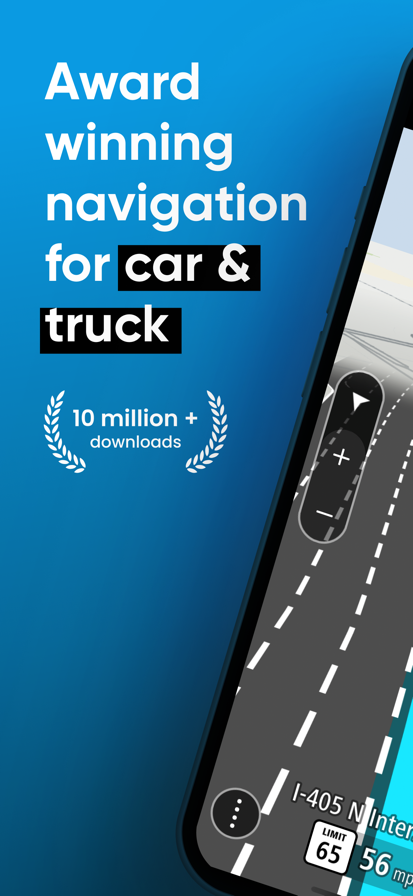
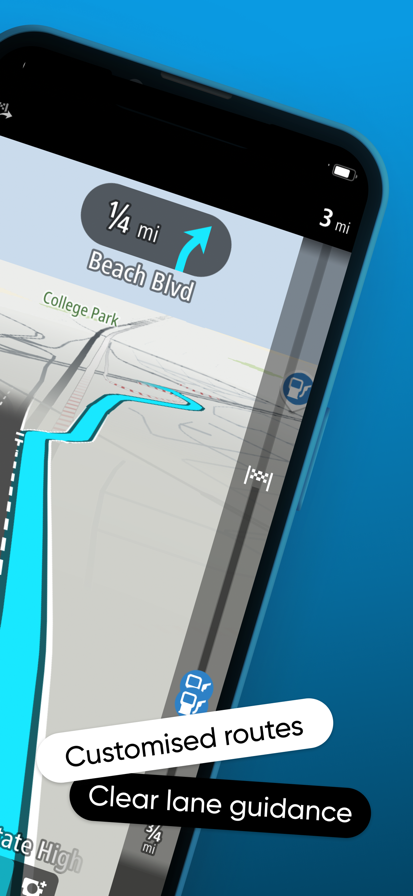
Join +10 million drivers to get a tailored GPS navigation experience with TomTom GO Navigation. Enjoy a reliable sat nav app for both cars and trucks with regular updated maps stored on your phone. Choose the subscription plan that fits your needs and start your FREE TRIAL today TOMTOM GO NAVIGATION: ESCAPE TRAFFIC, SAVE TIME & SAVE MONEY - Steer clear of traffic and blocked roads in REAL-TIME - Drive hassle-free with SPEED ALERTS and warnings for fixed and mobile speed cameras - Compatible with APPLE CARPLAY – Get directions and real-time info on a bigger screen and in surround sound - NO ADS, no distractions, and data PRIVACY at its best. See only what is essential on the road - Know exactly which lane to take with LANE GUIDANCE, never miss a turn with easy turn-by-turn directions - TomTom ROUTEBAR always shows you all relevant warnings and notifications along your route - Smarter journeys for both cars and trucks, enter your vehicle's dimensions to get personalised guidance - Save your mobile data and battery using OFFLINE MAPS, while driving with up-to-date GPS navigation Driving a TRUCK? This app offers you all you need: - Enter your vehicle's dimensions to get personalised guidance - Easily find truck rest-stops - Enter your dangerous cargo information to avoid certain roads - Define your desired maximum speed and get an adjusted ETA Try our 7-day trial for free, discover all our premium features, and decide to prolong with one of the following auto-renewing subscription plans: Car: 1 month - £3.99 12 months - £19.99 Truck: 1 month - £24.99 12 months - £79.99 Cancel or change your plan anytime. Are you one of the happy 10M+ TomTom GO Navigation app users? Please leave a review and spread the word. Thank you for your support - The use of this app is governed by the Terms and Conditions at tomtom.com/legal/. - Additional laws, regulations, and local restrictions may apply. You use this app at your own risk. *The Speed Camera Services must only be used in accordance with laws and regulations of the country where you are driving. This functionality is specifically prohibited in some jurisdictions. It is your responsibility to comply with such laws before activating the services. You can enable and disable Speed Camera warnings on TomTom GO Navigation. Learn more at: tomtom.com/en_eu/navigation/mobile-apps/go-navigation-app/disclaimer/ **Offer limited to one free trial period per user. - Apple CarPlay is a trademark of Apple Inc
- Price
- Free
- Size
- 245.83M
- Type
- navigation apps
- Rating 4.2 (2274 Ratings)
- Navigation
- Tourism

- 8 Ranking
Fast, detailed and entirely offline maps with turn-by-turn navigation – trusted by over 140 million travelers worldwide. OFFLINE MAPS Save mobile data; no internet is required. NAVIGATION Use driving, walking and cycle navigation anywhere in the world. TRAVEL GUIDES Save you time planning the trip and never miss an interesting place with our ready-made travel guides. We've partnered with the best travel content creators to build travel guide catalog for hunderds of destinations around the world. Whether you prefer city travel, car trips or outdoor activities you will find a great choice of guides for a perfect journey. INCREDIBLY DETAILED Directions to points of interest (POIs), hiking trails and places missing from other maps. UP-TO-DATE Maps are updated by millions of OpenStreetMap contributors daily. OSM is an open-source alternative to Google Maps and Apple Maps. FAST AND RELIABLE Offline search, GPS navigation along with optimized maps to effectively save memory space. BOOKMARKS Save locations you love and share them with your friends. AVAILABLE WORLDWIDE Essential for home and travel. MAPS.ME is free to download and use. AND MORE! – Search through different categories, e.g. restaurants, cafes, tourist attractions, hotels, ATMs and public transport (metro, bus, etc). – Make hotel bookings via Booking.com directly from the app. – Share your location via text message or social media. – When cycling or walking, the app shows whether the way is uphill or downhill. Continued use of GPS running in the background can dramatically decrease battery life. If you have any questions, visit our Help Center: support.maps.me. If you are unable to find the answer to your question, contact us at: [email protected]. Follow us on FB: http://www.facebook.com/mapswithme | Twitter: @MAPS_ME Privacy Policy: https://maps.me/policy/ Terms of Use: https://maps.me/terms/
- Price
- Free
- Size
- 212.22M
- Type
- navigation apps
- Rating 4.7 (69816 Ratings)
- Tourism
- Navigation


- 9 Ranking
Plan optimal routes or chart your own course using weather, elevation, curves and more. Then navigate safely with voice-guided, turn-by-turn directions that automatically check your route for severe weather. ***Featured in Essential Navigation Apps on the US App Store*** ***As seen on the TODAY show in the Traveling This Summer segment*** “adding to both the safety of the ride and the pleasure of knowing beforehand what to expect” - Florin Tibu, “autoevolution” “I used InRoute for planning six world record attempts. No weather app gives you more information, period.” - Carl Reese, Multiple World Record Holder Key Features (some require inRoute Pro--see below): • Voice guided navigation of up to 150 locations with automatic severe weather alerts* • Optimize waypoint order for fastest time, or manually reorder • Import from XLSX, GPX and KML files • Create custom routes based on weather, elevation and curviness, or build your own route from available alternates on each leg of a route • Interactive charts showing route elevation, curviness, weather (temperature, humidity, precipitation, wind speed/direction, severe weather alerts), and sunrise/sunset times* • Search along a route—the whole route, every x miles/hours, or the next x miles/hours from a place—find gas, hotels, campgrounds or places to eat close to a route • Enter your RV specs to avoid clearance issues and weight restrictions • Set Departure and Layover Times—weather forecasts, road conditions (e.g. congestion), and travel times accurately reflect conditions throughout the trip • Save your favorite routes and places, sync between devices, organize into folders, print via Airprint, and share with family and friends • Easily add places to the map using a Dropped pin, Search, or Contacts • Export routes to Apple Maps, Google Maps, Navigon, and Waze. Some apps use inRoute's "Agenda Nav" feature. See the in-app FAQ for more info. • Export to GPS devices and apps compatible with GPX files • Routes are stored on your device so you can access them even if you lose connection *Weather forecasts are available worldwide. Severe weather alerts are currently available in the US, EU, Canada and Israel. inRoute Pro (for iPhone, iPad, CarPlay & Mac): - $4.99 monthly, or $39.99 annually. 1 week free trial - Create routes with up to 150 locations (8 in free version) - Sync routes and pins between devices - Weather charts/custom routes - Severe weather alerts during navigation (US, Canada, EU areas) - Export/share routes as GPX files - RV routes based on vehicle description Price may vary by location. Subscriptions will be charged to your credit card through your iTunes account. Your subscription will automatically renew unless canceled at least 24 hours before the end of the current period. Manage your subscriptions in Account Settings after purchase. Privacy Policy and Terms of Use: http://carobapps.com/privacy-policy Note: Since continued use of GPS running in the background can dramatically decrease battery life, inRoute will automatically shut down if you haven't used it in a while.
- Price
- Free
- Size
- 84.46M
- Type
- navigation apps
- Rating 4.6 (8656 Ratings)
- Navigation
- Tourism


- 10 Ranking
The Garmin Drive™ app is a simple and convenient app solution for the latest Garmin automotive navigators and dash cams. Visit garmin.com/driveapp for a list of compatible devices. For compatible navigators, the Garmin Drive app provides real-time information for traffic, parking, advanced weather, and photoLive traffic cameras, in addition to smart notifications from your Bluetooth-enabled mobile device. For compatible dash cams, the Garmin Drive app provides quick access to camera controls, settings, and recorded footage. Up to four dash cams can be wirelessly connected with the Dash Cam Auto Sync feature to provide comprehensive coverage around a vehicle, offering various viewpoints recorded by the multiple cameras. The Garmin Drive app can create a “picture-in-picture” video from any two perspectives at the same time, making it easy to review video and also share videos with friends, insurance agencies, or legal authorities. Garmin Speak™ and Garmin DriveSmart™ 65 with Amazon Alexa are two Garmin products that bring what you love about Amazon Alexa to your vehicle. Just ask Alexa to hear music, news, and more. Also, enjoy Garmin turn-by-turn navigation. Stream the audio (music and other responses) from your vehicle’s stereo when you connect Garmin Speak to your stereo using Bluetooth® or AUX. Older Bluetooth-capable Garmin navigators are compatible with the Garmin Smartphone Link app, and older Wi-Fi-enabled Garmin dash cams can access video footage through the Garmin VIRB app.
- Price
- Free
- Size
- 134.14M
- Type
- navigation apps
- Rating 4.6 (7419 Ratings)