Best navigation apps for android
- Google Maps|
- Waze Navigation & Live Traffic|
- Navigation Pro: Maps on Watch|
- Google Maps Go|
- Sygic GPS Navigation & Maps|
- Yandex Navigator|
- TomTom AmiGO - GPS Navigation|
- Yandex Maps and Navigator|
- NAVER Map, Navigation|
- MAPS.ME: Offline maps GPS Nav|
Here are UPUP's list of best navigation apps for android:
- 1 Ranking
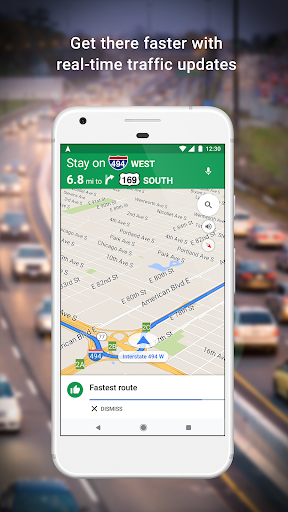
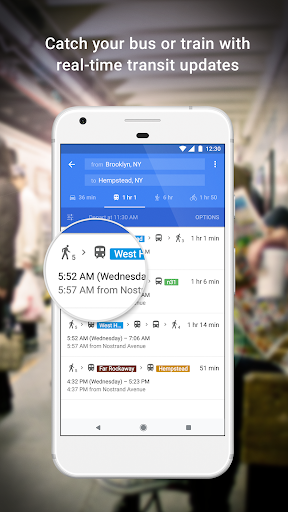
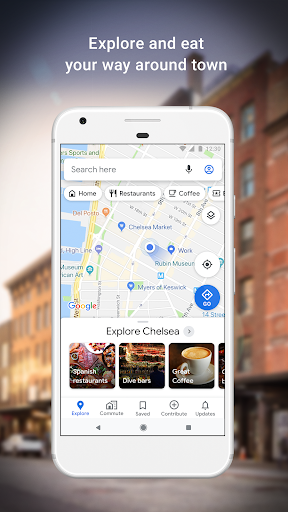
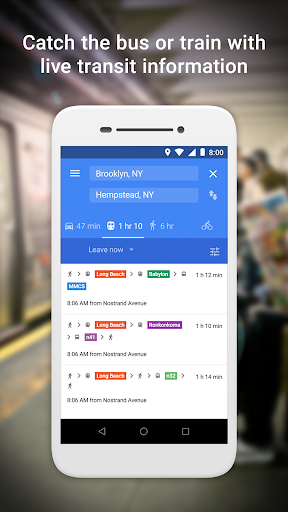
Navigate your world faster and easier with Google Maps. Over 220 countries and territories mapped and hundreds of millions of businesses and places on the map. Get real-time GPS navigation, traffic, and transit info, and explore local neighborhoods by knowing where to eat, drink and go - no matter what part of the world you’re in.<br><br>Get there faster with real-time updates<br>• Beat traffic with real-time ETAs and traffic conditions<br>• Catch your bus, train, or ride-share with real-time transit info<br>• Save time with automatic rerouting based on live traffic, incidents, and road closures<br><br>Discover places and explore like a local<br>• Discover local restaurant, events, and activities that matter to you<br>• Know what’s trending and new places that are opening in the areas you care about<br>• Decide more confidently with “Your match,” a number on how likely you are to like a place<br>• Group planning made easy. Share a shortlist of options and vote in real-time<br>• Create lists of your favorite places and share with friends<br>• Follow must-try places recommended by local experts, Google, and publishers<br>• Review places you’ve visited. Add photos, missing roads and places.<br><br>More experiences on Google Maps<br>• Offline maps to search and navigate without an internet connection<br>• Street View and indoor imagery for restaurants, shops, museums and more<br>• Indoor maps to quickly find your way inside big places like airports, malls and stadiums<br><br>* Some features not available in all countries<br><br>* Also available for Wear OS. Add a Tile on your Wear OS watch to quickly access home and work.<br><br>* Navigation isn't intended to be used by oversized or emergency vehicles
- Price
- Free
- Size
- 0M
- Type
- navigation apps
- Rating 3.7 (18531973 Ratings)
- Travel And Local Services
- 2 Ranking
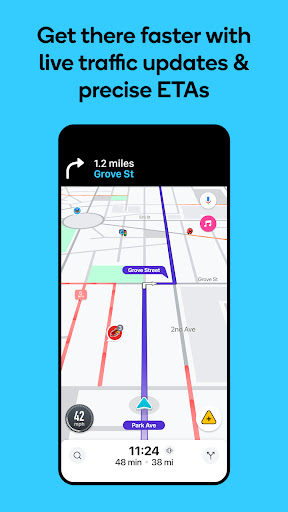
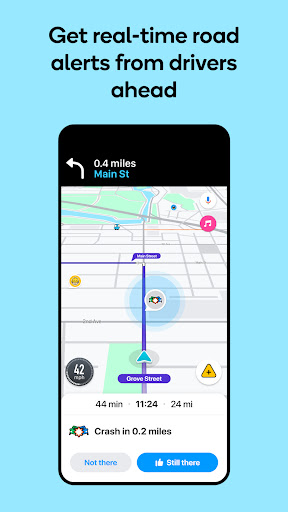
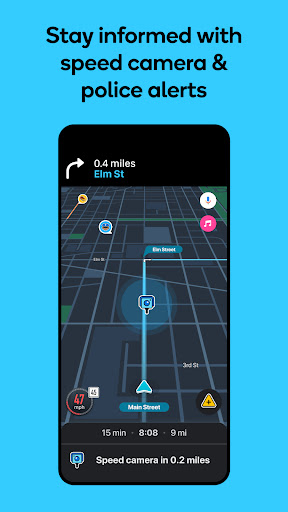
Know what's ahead on the road with the help from other drivers. Waze is a live map that harnesses the local knowledge of tens of millions of drivers around the world. Drivers safely and confidently reach their everyday destinations thanks to Waze map’s GPS navigation, live traffic updates, real-time safety alerts (including roadworks, accidents, crashes, police, potholes and more), and accurate ETAs.<br><br>Make your next drive more predictable and stress-free:<br>• Get there faster with real-time directions, accurate ETAs and automatic rerouting based on live traffic, incidents and road closures<br>• Even if you know the way, avoid surprises on the road ahead with safety alerts for accidents, crashes, roadworks, objects on the road, potholes, speed bumps, sharp curves, bad weather, emergency vehicles, railway crossings and more<br>• Steer clear of tickets by knowing where police and red light and speed cameras are located<br>• Share what’s happening on the road with other drivers by reporting live incidents and hazards<br>• Stay informed of upcoming speed limit changes, and keep your speedometer in check <br>• Know which lane to be in with multi-lane guidance <br>• See toll pricing and choose to avoid tolls along your routes<br>• Add road passes and vignettes for HOV lanes and restricted traffic zones<br>• Find petrol/fuel stations and prices and EV charging stations along your route<br>• Locate and compare parking lots and their prices near your destination<br>• Use voice-guided turn-by-turn navigation from a variety of languages, local accents and your favourite celebrities<br>• Plan your next drive by checking ETAs by future departure or arrival times<br>• Use your favourite audio apps (for podcasts, music, news, audiobooks) directly within Waze <br>• Sync Waze to your car’s built-in display through Android Auto<br><br>* Some features are not available in all countries<br><br>* Waze navigation is not intended for emergency or oversized vehicles<br><br>You can manage your in-app Waze privacy settings at any time. Learn more about the Waze privacy policy here, www.waze.com/legal/privacy.
- Price
- Free
- Size
- 0M
- Type
- navigation apps
- Rating 4.2 (8778963 Ratings)
- Map Navigation
- 3 Ranking
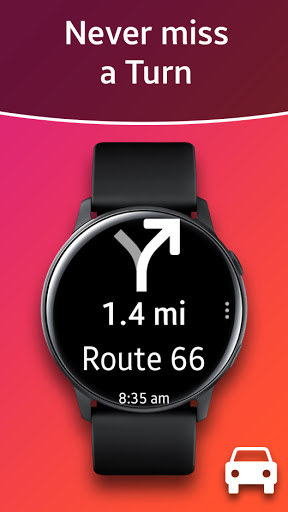
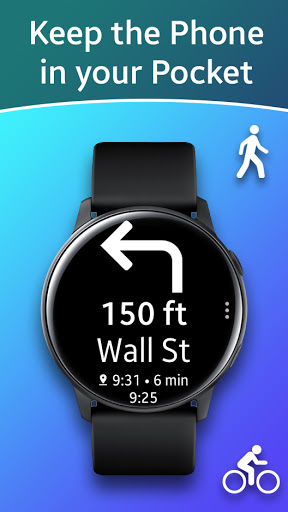
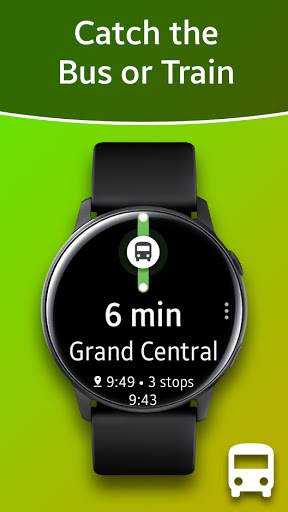
Displays Google Navigation instructions from the phone on your Samsung watch. Great for driving, cycling and public transport.<br>Features autostart with navigation, voice output, customizable vibration, 102 languages, options for themes, speedometer and much more!<br>It requires the free companion app "Navigation Pro" from Samsung Galaxy Apps.<br><br>How to use:<br>- Install Samsung Gear and connect with your Gear smartwatch.<br>- Install this "Navigation Pro" app on your watch.<br>- Install "Navigation Pro" app from Google Play on your phone. <br>- Start "Navigation Pro" app on your phone.<br>- Allow the app to read notifications. (Go to: Settings > Security > Notification Access and enable Navigation Pro). <br>- Start Google Maps Navigation and instructions will be pushed to your smartwatch.<br><br>Troubleshooting<br>- Ensure your Gear watch is connected to Phone and you have "Galaxy Wearable" installed.<br>- If the app still only shows the "Ready" message, please ensure that maps notifications are activated and displayed on your phone (Go to: Settings > Apps > Maps and enable "Show notifications").<br>- Restart smartphone AND Gear watch<br>- Uninstall from phone, restart phone and reinstall the app<br>- If you have a Xiaomi phone, go to Security -> Permissions -> Autostart and activate "Gear Navigation"<br><br>The Wear OS app is not standalone and requires phone interaction in order to function.<br><br>Compatible with all Galaxy Watch models, Gear S2 / S3 / Sport, Gear 1, Gear 2, Gear S.<br>For Gear Fit2 (Pro) use the following app: https://play.google.com/store/apps/details?id=smartwatchstudios.app.gearfit20navigation
- Price
- $2.99
- Size
- 0M
- Type
- navigation apps
- Rating 4.6 (11512 Ratings)
- Map Navigation
- 4 Ranking
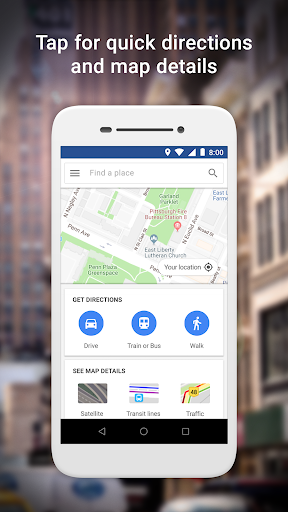
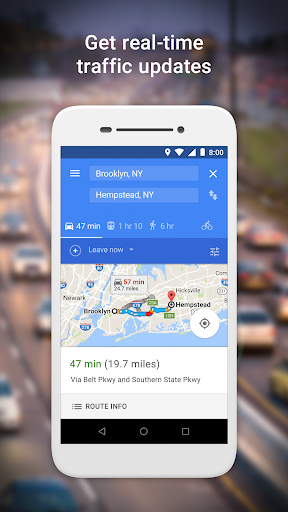
Google Maps Go is the lightweight Progressive Web App variation of the original Google Maps app.<br><br>This version requires Chrome (if you do not wish to install Chrome, please use www.google.com/maps in your browser instead).<br><br>Taking up 100 times less space on your device than the full Google Maps app, Google Maps Go is designed to run smoothly on devices with limited memory and on unreliable networks without compromising speed to provide your location, real-time traffic updates, directions, and train, bus, and city transit information. You can even search and find information about millions of places, such as phone numbers and addresses.<br>• Find the fastest route combining two-wheelers, metro, buses, taxi, walking and ferries<br>• Ride the metro, bus or train with live city public transport schedules<br>• Step-by-step directions with route preview, helping you plan your trips ahead of time<br>• Get there faster with real-time traffic information and traffic maps<br><br>• Discover and explore new places<br>• Search and find local restaurants, businesses, and other nearby places<br>• Decide on the best places to go by reading customer reviews, and viewing pictures of food<br>• Find the phone number and address to a place<br>• Save places you want to or visit often, and quickly find them later from your mobile<br><br>• Available in 70+ languages<br>• Comprehensive, accurate maps (including satellite and terrain) in 200 countries and territories<br>• Public transport information for over 20,000 cities<br>• Detailed business information for over 100 million places<br><br>____<br>Become a beta tester: https://goo.gl/pvdYqQ
- Price
- Free
- Size
- 0M
- Type
- navigation apps
- Rating 4.2 (317856 Ratings)
- Travel And Local Services
- 5 Ranking
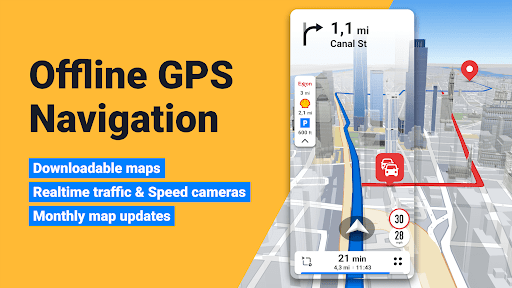
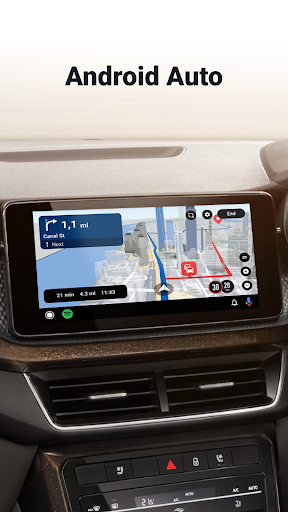
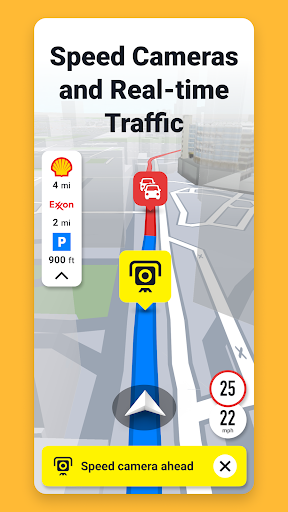
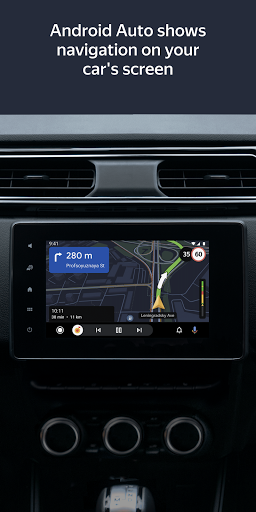
Sygic GPS Navigation & Maps is <b>innovative GPS navigation app with monthly-updated offline maps and with precise live traffic & speed camera alerts, both updated in real time.</b> It‘s trusted by more than 200 million drivers worldwide. Offline 3D maps are stored on your phone for GPS navigation without an internet connection. <b>We update the maps multiple times per year for free</b>, so that you can always rely on Sygic GPS Navigation.<br><br><b>NAVIGATE ANYWHERE, EVEN WITHOUT AN INTERNET CONNECTION</b><br>• 3D Offline maps of all countries in the world, from TomTom and other providers<br>• Free map updates multiple times per year<br>• Voice-guided GPS navigation with precise directions and spoken street names<br>• Millions of interesting Places (POI) <br>• Pedestrian GPS navigation with walking directions and tourist attractions (POI) <br>• Satellite Maps - search for your target address, point of interest or favorites in the satellite view.*<br>• Customize your navigation arrow. Try everyday car, van or even formula.<br><br><b>ESCAPE THE TRAFFIC</b><br>• Avoid traffic jams with the most accurate real time traffic information with data collected from more than 200 million users worldwide*<br><br><b>ANDROID AUTO CONNECTIVITY</b><br>• Just connect your phone to your car's screen and stay focused on the road<br>• You can use your car's touchscreen, knobs, or buttons to control the app<br><br><b>STAY SAFE</b><br>• Advanced safety features make driving in unfamiliar territories easier<br>• Speed limit warnings show you the current speed limit and the upcoming speed limit changes <br>• Dynamic Lane Assistant guides you into the correct lane <br>• Head-up Display (HUD) projects navigation onto the windshield of your car, making driving at night safer<br>• Sign recognition detects speed limits from traffic signs as you drive<br>• Dashcam records the road ahead and automatically saves video in case of an accident<br>• Real View Navigation is an augmented reality feature for even better and safer driving experience<br>• Cockpit shows you the real time performance of your car.<br>• Real time route sharing lets you share your estimated time of arrival & current position on a map*<br>• Wrong-way warning (in partnership with Bosch)**. If you are driving in the wrong way or someone is driving in the opposite direction, we will warn you.*<br><br><b>SAVE MONEY ALONG YOUR ROUTE</b><br>• Park easily with parking place suggestions and live info about prices and availability*<br>• Set your fuel type and fill up for the best price with live information about fuel prices*<br>• Avoid speeding tickets with Speed camera warnings*<br>• Save money on roaming charges with offline maps<br><br><b>Do you want to find out how it feels to have Premium+?</b> Try our 7-day trial for free and discover all Premium+ features. After that, you can decide if you want to prolong your subscription or use basic features only.<br><br>Should you have any questions, please visit sygic.com/support. We are here for you 7 days a week.<br>If you like our app, please leave a review or spread the word at sygic.com/love. Thank you for your support.<br><br>*Please note that this feature requires an internet connection. <br>Note: Sharing videos from Dashcam is forbidden by law in these countries: Austria, Belgium, Luxembourg, Switzerland, Slovakia, Spain.<br><br>Note 2: Dashcam, Traffic Sign Recognition, and Real View are part of the new feature SmartCam. SmartCam merge all camera features into one. The SmartCam is a part of our Premium+ subscription.<br><br>**Wrong-way driver feature is available in Sygic GPS Navigation for Android, version 22.2. or higher.<br><br>More information about features can be find in glossary: https://www.sygic.com/what-is<br><br><br>By installing, copying, or using all or any portion of this software you accept all the terms and conditions of this agreement: https://www.sygic.com/company/eula
- Price
- Free
- Size
- 0M
- Type
- navigation apps
- Rating 4.1 (1889184 Ratings)
- Map Navigation
- 6 Ranking
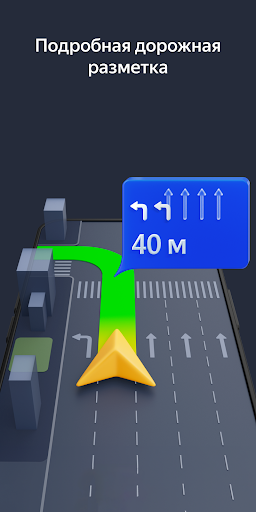
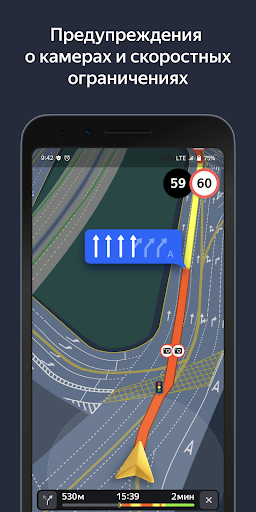
Yandex Navigator helps drivers plot the optimal route to their destination. The app takes traffic jams, accidents, road works, and other road events into account when plotting your route. Yandex Navigator will present you with up to three variants of your journey, starting with the fastest. If your selected journey takes you over toll roads, the app will warn you about this in advance.<br><br>Yandex. Navigator uses voice prompts to guide you along your way, and displays your route on your device’s screen. Additionally, you can always see how many minutes and kilometers you have to go.<br>You can use your voice to interact with Yandex Navigator so that you don't have to take your hands off the wheel. Just say "Hey, Yandex" and the app will start listening for your commands. For example, "Hey, Yandex, let's go to 1 Lesnaya Street" or "Hey, Yandex, take me to Domodedovo Airport". You can also let Navigator know about road events you encounter (such as "Hey, Yandex, there is an accident in the right lane") or search for locations on the map (by simply saying "Hey, Yandex, Red Square").<br>Save time by choosing recent destinations from your history. Look through your recent destinations and favorites from any of your devices—they are saved in the cloud and available when and where you need them.<br>Yandex Navigator will guide you to your destinations in Russia, Belarus, Kazakhstan, Ukraine, and Turkey.<br><br>Yandex Navigator is a navigation app, which doesn't have any functions related to healthcare or medicine.<br><br>The app suggests enabling the Yandex search widget for the notification panel.
- Price
- Free
- Size
- 0M
- Type
- navigation apps
- Rating 4.5 (2281822 Ratings)
- Travel And Local Services
- 7 Ranking
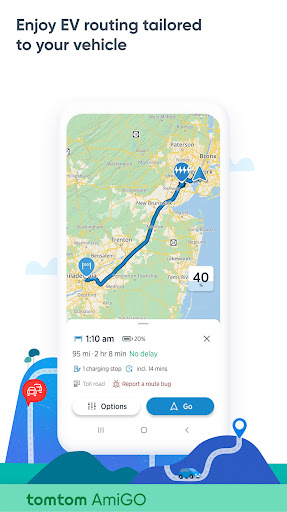
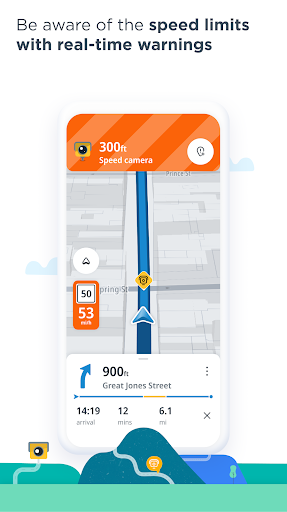
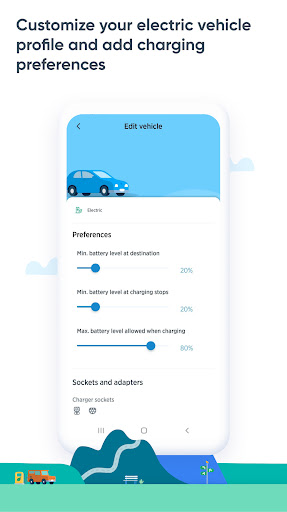
Install TomTom AmiGO at no cost and enjoy ad-free navigation. Your intelligent driving companion with EV navigation shows you charging stations, EV charger info and the best ways around live traffic, speed cameras*, and hazards.<br><br>Enjoy EV navigation and find detailed info on charging stations and EV chargers near you. <br>- First, create your vehicle profile for personalized EV navigation tailored to your specific vehicle and EV charger type. <br>- Second, choose the desireable battery charge levels at the destination and at the EV charging stations<br>- Next, when you plan routes and search for EV charging stations, AmiGO will filter EV charging stations that match your EV charger type and other requirements<br><br>Get ready for a hassle-free drive 🥳<br><br>• Speed Camera Warnings: know your average speed and drive within speed limits with fixed and mobile speed camera alerts* 👮️<br>• Real-time Traffic Alerts: avoid blocked and closed roads and get an update when the traffic jam ahead of you is slow-moving ⚠️<br>• Easy Navigation: pinpoint incidents on the map and navigate with clear guidance 🚙<br>• EV Navigation and Charging Stations: plan routes tailored to your vehicle profile and find compatible EV charging stations on the map, showing you EV charger availability, EV charger connector type, and EV charger speed 🔋 <br>• Charging stations views: see the availability of the charging stations directly on the map or in the list**<br>• Android Auto: follow navigation from your car’s display on a larger screen 👀<br>• Trusted Arrival Times: get proprietary maps, coming from 30+ years of experience to give you the most accurate traffic information.<br>• Ad-free: focus on the road – no interruptions 😍<br>• Privacy-focused: your data is always protected – we will never sell your data or serve ads ✅<br>• Beautiful Interface: enjoy visual guidance of the maps and instructions to all your destinations.<br>• Drive to your Calendars & Contacts: search for the addresses stored on your phone straight through AmiGO.<br>• Report Incidents: share radar, jam, hazards, and more traffic updates with other drivers 🔔<br>• Auto start/stop via Bluetooth connection: get alerts and instructions through your car speakers with the hands-free protocol.<br>• Overlay Mode: see speed camera* and traffic updates with AmiGO’s widget, even when you don’t need navigation.<br>• Simple Lane Guidance: follow easy instructions and the route bar for turn-by-turn navigation.<br><br>Join the millions of drivers enjoying ad-free navigation with TomTom AmiGO! 💙<br><br>– The use of this app is governed by the Terms and Conditions at tomtom.com/en_us/legal/.<br>– Additional laws, regulations, and local restrictions may apply. You use this app at your own risk.<br>*The Speed Camera Services must only be used in accordance with the laws and regulations of the country where you are driving. This functionality is specifically prohibited in some countries/jurisdictions. It is your responsibility to comply with such laws before driving and activating the services. You can enable and disable Speed Camera warnings on AmiGO. Learn more at: https://www.tomtom.com/navigation/mobile-apps/amigo/disclaimer/<br>**EV navigation leverages intricately designed profiles for electric vehicles, currently in an experimental beta phase. As a result, estimations of energy consumption en route, recommendations for EV charging stations, and the overall EV navigation experience may exhibit variability in reliability under certain conditions.
- Price
- Free
- Size
- 0M
- Type
- navigation apps
- Rating 4.3 (167744 Ratings)
- Map Navigation
- 8 Ranking
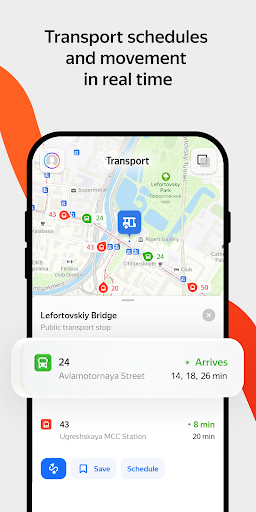
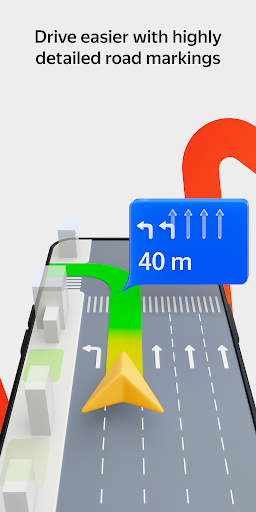
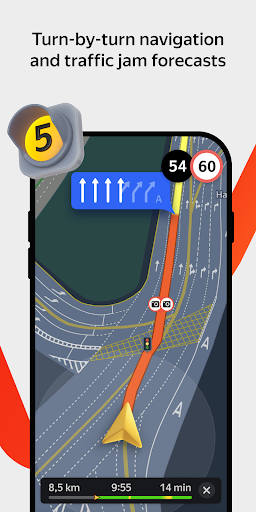
<b>Yandex Maps</b> is the ultimate app for navigating the city around you. Yandex Maps is packed with useful features that can help you get around with comfort and ease. There’s Navigator, with info on traffic jams and cameras, and voice assistant Alice. There’s searching for places by address, name, or category. There’s public transport like buses, trolleybuses, and trams moving on the map in real time. Pick any mode of transport to get to your destination. Or create a walking route if you feel like it.<br><br><b>Navigator</b><br>• Real-time traffic forecasts to get you moving and avoid traffic jams.<br>• Voice prompts for turns, cameras, speed limits, accidents, and roadworks to help you navigate without looking at the screen.<br>• Alice is also on board: she'll help you find a place, create a route, or call a number from your contact list.<br>• The app recommends faster routes if the traffic conditions have changed.<br>• To navigate offline, simply download an offline map.<br>• You can use the app on your car screen via Android Auto.<br>• City parking and parking fees.<br>• Pay for gas in the app at over 8000 gas stations across Russia.<br><br><b>Search for places and businesses</b><br>• Easily search the business directory using filters and get detailed address results with entrances and driveways.<br>• Find everything you need to know about a business: contact information, working hours, list of services, photos, visitor reviews, and rating.<br>• Check the indoor maps of large shopping malls, train stations, and airports.<br>• No internet? Search with an offline map.<br>• Save cafes, shops, and other favorite spots to My places and view them on other devices.<br><br><b>Public transport</b><br>• Track buses, trams, trolleybuses, and minibuses in real time.<br>• Choose to display only selected routes.<br>• Get your public transport schedule for the next 30 days.<br>• Check the expected arrival time at your stop.<br>• Find public transport stops, metro stations, and other important facilities.<br>• Learn in advance about congestion in metro stations.<br>• Get information about the most convenient exits and transfers on your route.<br>• Check if you need the first or last metro car – a nifty feature for people traveling by metro in Moscow, Novosibirsk, or Saint Petersburg.<br><br><b>Routes for any mode of transport</b><br>• By car: Navigation that accounts for traffic conditions and camera warnings.<br>• On foot: Voice prompts make it easier to enjoy a walk without looking at the screen.<br>• By public transport: Track your bus or tram in real time and check expected arrival times.<br>• By bike: Be warned about crossings and exits to motorways.<br>• On a scooter: We'll suggest bikeways and sidewalks and help you avoid stairs where possible.<br><br><b>Making cities more convenient</b><br>• Book appointments at beauty salons online, at any time of day (or night!). <br>• Order food from cafes and restaurants and collect it on your way home or to work.<br>• Book electric scooters to ride around Moscow and Krasnodar.<br>• Order a taxi directly from the app. <br><br><b>And more</b><br>• Download maps to create driving routes and search for places and addresses offline.<br>• Never get lost in unfamiliar places with street panoramas and 3D mode.<br>• Switch between map types (Map, Satellite, or Hybrid) depending on the situation.<br>• Use the app in Russian, English, Turkish, Ukrainian, or Uzbek.<br>• Find your way easily in Moscow, Saint Petersburg, Novosibirsk, Krasnoyarsk, Omsk, Ufa, Perm, Chelyabinsk, Yekaterinburg, Kazan, Rostov-on-Don, Volgograd, Krasnodar, Voronezh, Samara, and other cities.<br><br>Yandex Maps is a navigation app, which doesn't have any functions related to healthcare or medicine.<br><br>We're always happy to receive your feedback. Send your suggestions and comments to <b>[email protected]</b>. We do read them and reply!
- Price
- Free
- Size
- 0M
- Type
- navigation apps
- Rating 4.6 (1441967 Ratings)
- Map Navigation
- 9 Ranking
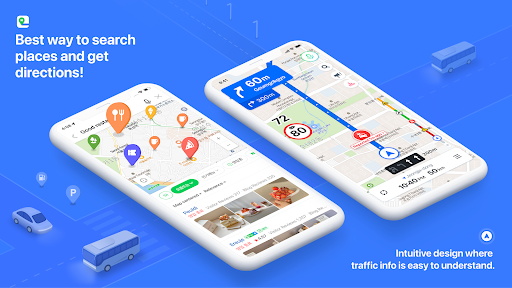
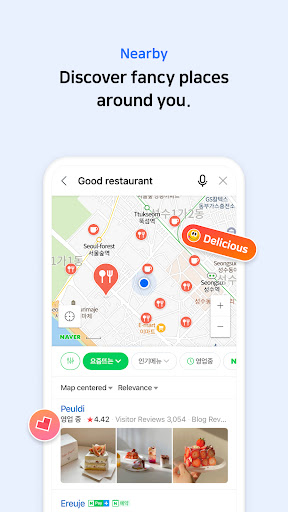
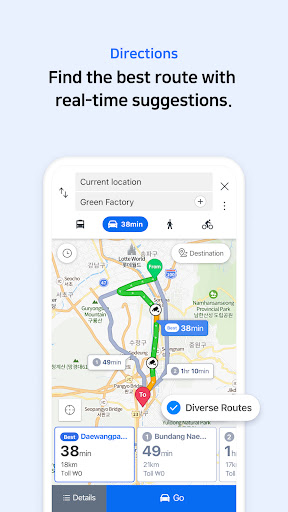
South Korea's GPS navigation Get started right away<br><br>* Experience the completely new NAVER Map.<br>[Key features]<br>- Menu tab for Map home<br>Quickly access and use Nearby, Bookmark, Transit, Navigation and the MY tab from the home screen.<br><br>- Simplified search<br>Search locations, buses, subway, and more in a comprehensive search bar.<br><br>- Nearby (SmartAround)<br>Check restaurants and places to visit in your surroundings provided by NAVER's user data.<br><br>- Navigation<br>Fast and accurate navigation with real-time traffic info and optimized usability for any driving condition.<br><br>- Vector map<br>360 degrees rotation-enabled vector map with 3D view of key landmarks via tilting.<br><br>- Transit<br>You can easily reach your destination by using transit directions for various modes of transportation, real-time departure and arrival times, and notifications for when to get on/off.<br><br>- Street view<br>Seamless street and aerial views provided for location search and route planning.<br><br>- Bookmark<br>Easily save your best restaurants and must-visit tourist spots on NAVER Map and share them with others.<br><br>- Instant search<br>View useful info about your query, such as opening/closing times for supermarkets while you search.<br><br>- Language<br>Korean/English/Japanese/Chinese maps and English navigation provided.<br><br>*Requires Android OS 7.0 or later<br>*Find out more tips on how to use NAVER Map<br>- NAVER Map customer service: http://naver.me/GYywEiT4<br>- NAVER Map blog: https://blog.naver.com/naver_map<br><br>----<br><br>*User confirmation for NAVER Map<br>Enabling the below privacy settings is recommended:<br>(Some features to make calls and send messages while navigating is supported only in Korea)<br>- Microphone: Used to provide voice search or voice comman.(KR only)<br>- Location: Used to find users' location when users find direction or use navigation.<br>- Phone: Used to make calls while navigating.(KR only)<br>- Call history: Used to access receipts of phone calls/messages while navigating.(KR only)<br>- SMS: Used to send messages while navigating.(KR only)<br>- File and Media (Photos and Videos): Used to provide service including navigation smoothly and store required content on a device and view it. (Note that photos and videos are not accessible in Naver Map 5.28.0 or later on devices running OS 13.0 or later.)<br>- Contacts: Used to make calls and send messages while navigating.(KR only)<br>- Camera: Used in Feedback and NAVER’s MY - Receipt Confirmation to take photos of receipts.<br>- Notifications: Used to receive important notices, events, and promotional notifications (supported on devices running Android 13.0 or later).<br><br>----<br><br>*Contact: 1588-3820<br>*Address: 95, Jeongjail-ro, Bundang-gu, Seongnam-si, Gyeonggi-do, Republic of Korea
- Price
- Free
- Size
- 0M
- Type
- navigation apps
- Rating 2.9 (187252 Ratings)
- Map Navigation
- 10 Ranking
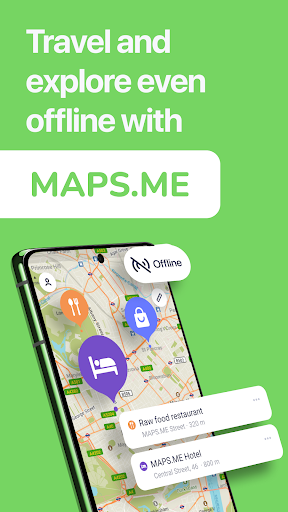
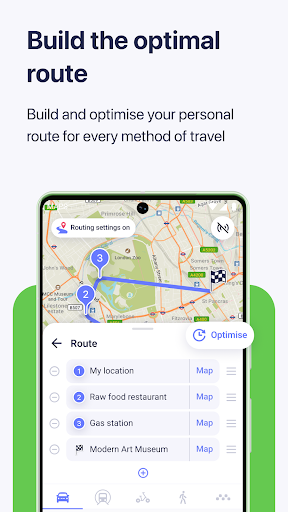
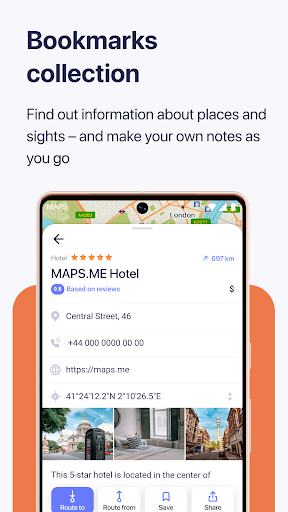
Fast, detailed and entirely offline maps with turn-by-turn navigation – trusted by over <b>140 million</b> travelers worldwide.<br><br><b>OFFLINE MAPS</b><br>Save mobile data, no internet is required.<br><br><b>NAVIGATION</b><br>Use driving, walking and cycle navigation anywhere in the world.<br><br><b>TRAVEL GUIDES</b><br>Save you time planning the trip and never miss an interesting place with our ready-made travel guides. We've partnered with the best travel content creators to build travel guide catalog for hundreds of destinations around the world. Whether you prefer city travel, car trips or outdoor activities you will find a great choice of guides for a perfect journey.<br><br><b>INCREDIBLY DETAILED</b><br>Directions to points of interest (POI), hiking trails and places missing from other maps.<br><br><b>UP-TO-DATE</b><br>Maps are updated by millions of OpenStreetMap contributors daily. OSM is an open-source alternative to popular map services.<br><br><b>FAST AND RELIABLE</b><br>Offline search, GPS navigation along with optimized maps to effectively save memory space.<br><br><b>BOOKMARKS</b><br>Save locations you love and share them with your friends.<br><br><b>AVAILABLE WORLDWIDE</b><br>Essential for home and travel. Paris, France? Check. Amsterdam, Netherlands? Check. Barcelona, Spain? Check. New York, Chicago, Florida, Las Vegas, Nevada, Seattle, San Francisco, California, USA? Check! Rome, Italy? Check. London, UK? Check.<br><br><b>TRAFFIC DATA</b><br>New online city traffic maps. Check out updates on traffic info and fastest driving routes in 36 countries!<br><br><b>AND MORE!</b><br>– Search through different categories e.g. restaurants, cafes, tourist attractions, hotels, ATMs and public transport (metro, bus…)<br>– Make hotel bookings via Booking.com directly from the app<br>– Share your location via text message or social media<br>– When cycling or walking, the app shows whether the way is uphill or downhill<br> <br>Continued use of GPS running in the background can dramatically decrease battery life.<br> <br>If you have any questions, visit our Help Center: support.maps.me.<br>If you are unable to find the answer to your question, contact us at: [email protected].<br>Follow us on FB: http://www.facebook.com/mapswithme | Twitter: @MAPS_ME
- Price
- Free
- Size
- 0M
- Type
- navigation apps
- Rating 4.1 (1276280 Ratings)
- Travel And Local Services