Best spreadsheets apps for android
- Google Sheets|
- Microsoft Excel: Spreadsheets|
- Zoho Sheet - Spreadsheet App|
- Google Docs|
- Table Notes - Mobile Excel|
- Smartsheet: Projects & Teams|
- AppSheet|
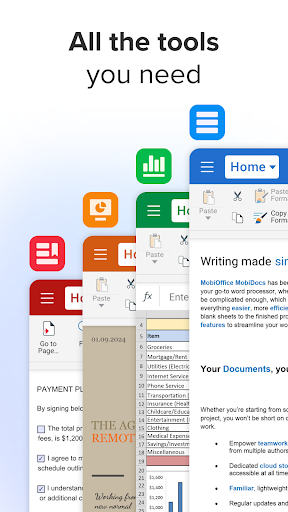
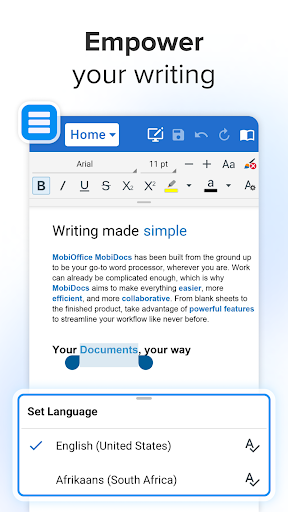
- MobiOffice: Word, Sheets, PDF|
- Microsoft 365 (Office)|
- AndrOpen Office|
Here are UPUP's list of best spreadsheets apps for android:
- 1 Ranking
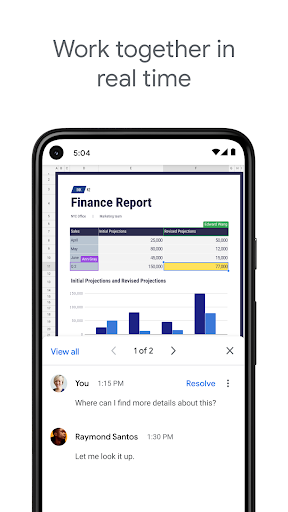
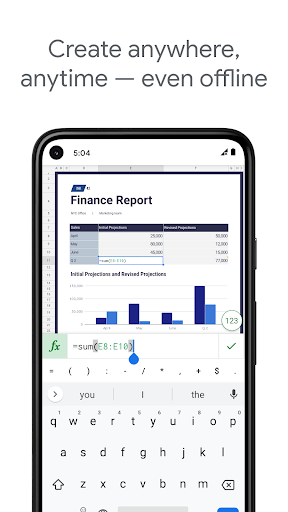
Create, edit, and collaborate on spreadsheets from your Android phone or tablet with the Google Sheets app. With Sheets, you can:<br><br>- Create new spreadsheets or edit existing files<br>- Share spreadsheets and collaborate in the same spreadsheet at the same time.<br>- Work anywhere, anytime - even offline<br>- Add and respond to comments<br>- Format cells, enter or sort data, view charts, insert formulas, use find/replace, and more<br>- Never worry about losing your work – everything is saved automatically as you type<br>- Quickly get insights, insert charts, and apply formatting with smart suggestions<br>- Open, edit, and save Excel files.<br><br>Google Sheets is part of Google Workspace: where teams of any size can chat, create, and collaborate.<br><br>Google Workspace subscribers have access to additional Google Sheets features, including:<br>- Easily add collaborators to projects, see changes as they occur, receive notifications for edits that happen while you’re away, and chat with colleagues in the same spreadsheet. All changes are automatically saved as you make them. And with offline access, you can create, view, and edit files wherever and whenever<br>- Get insights fast, powered by Google AI<br>- Work seamlessly across Sheets and Excel<br>- Maintain control with enterprise-grade security<br>- Analyze data from other business-critical tools<br>- Build custom solutions<br><br>Learn more about Google Workspace: https://workspace.google.com/products/sheets/<br><br>Follow us for more:<br>Twitter: https://twitter.com/googleworkspace<br>Linkedin: https://www.linkedin.com/showcase/googleworkspace<br>Facebook: https://www.facebook.com/googleworkspace/
- Price
- Free
- Size
- 0M
- Type
- spreadsheets apps
- Rating 4.1 (1186902 Ratings)
- 2 Ranking
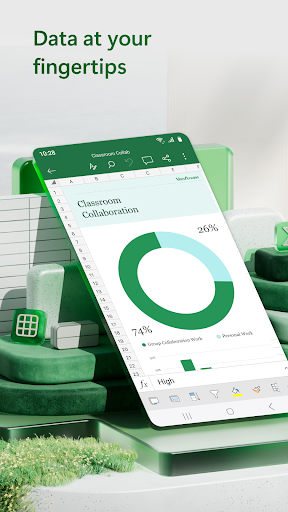
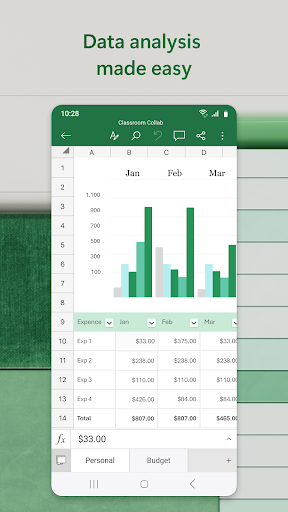
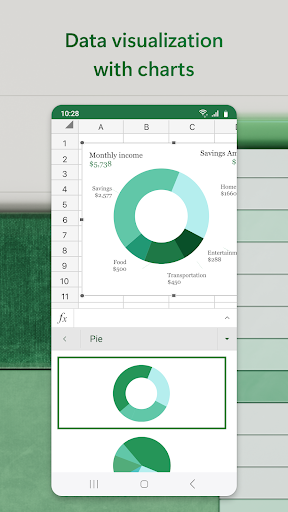
Budgeting, chart creation, data analytics and more – all at your fingertips. The Excel spreadsheet and budgeting app lets you create, view, edit and share files, charts and data. Excel’s built-in file editor lets you manage your finances with on-the-go budget and expense tracking integration. We make it easy to review and analyze data, edit templates, and more.<br><br>With Excel you can confidently edit documents, track expenses, and compile charts and data . Create charts directly from your phone for convenient data analysis, accounting, and financial management. Access to spreadsheets, pivot tables and chart makers make budgeting in Excel easy.<br><br>Make spreadsheets and data files with robust formatting tools and features that boost your productivity. Build charts and sheets that meet specific needs with Excel’s wide array of worksheet resources.<br><br>Spreadsheets, business collaboration, charts and data analysis tools all on your phone with Microsoft Excel.<br><br>Microsoft Excel Features:<br><br>Spreadsheets & Calculations<br>• Create charts, budgets, task lists, accounting & financial analysis with Excel's modern templates.<br>• Use an accounting calculator, data analysis tools & familiar formulas to run calculations on spreadsheets.<br>• Workbook sheets and charts are easier to read and use with rich Office features & formatting options.<br>• Spreadsheet & chart features, formats & formulas operate the same way on any device.<br><br>Accounting, Budget & Expense Tracking<br>• Budget Template: Spreadsheets & charts help calculate budget needs.<br>• Budget Planner: Budget templates & tools to help you drill down to your finance needs.<br>• Budget Tracker: Track expenses & save money.<br>• Accounting app: Use as a tax calculator for estimates, personal finances & more.<br><br>Data Analysis<br>• Chart maker: Annotate, edit & insert charts that bring data to life.<br>• Data analysis: Add & edit chart labels to highlight key insights.<br>• Budget tracker: Track expenses with a personal budget template.<br>• Pivot Charts and spreadsheet visualization tools offer easily digestible formats.<br><br>Review and Edit<br>• File editor: Edit documents, charts and data from anywhere.<br>• Data analysis features like sort & filter columns.<br>• Annotate charts, highlight parts of worksheets, create shapes & write equations with the draw tab on devices with touch capabilities.<br><br>Collaborate and Work Anywhere<br>• Share files & Excel sheets in a few taps to invite others to edit, view or leave comments.<br>• Edit & copy your worksheet in the body of an email or attach a link to your workbook.<br><br>Microsoft Excel is your all-in-one expense manager, chart maker, budget planner, and more. Get more done today with extensive spreadsheet tools to enhance your productivity.<br><br>REQUIREMENTS:<br>1 GB RAM or above<br><br>To create or edit documents, sign in with a free Microsoft account on devices with a screen size smaller than 10.1 inches.<br><br>Unlock the full Microsoft experience with a qualifying Microsoft 365 subscription for your phone, tablet, PC and Mac.<br><br>Microsoft 365 subscriptions purchased from the app will be charged to your Play Store account and will automatically renew within 24 hours prior to the end of the current subscription period, unless auto-renewal is disabled beforehand. You can manage your subscriptions in your Play Store account settings. A subscription cannot be cancelled during the active subscription period.<br><br>This app is provided by either Microsoft or a third-party app publisher and is subject to a separate privacy statement and terms and conditions. Data provided through the use of this store and this app may be accessible to Microsoft or the third-party app publisher, as applicable, and transferred to, stored, and processed in the United States or any other country where Microsoft or the app publisher and their affiliates or service providers maintain facilities.<br><br>Please refer to Microsoft's EULA for Terms of Service for Microsoft 365 on Android. By installing the app, you agree to these terms and conditions: http://aka.ms/eula
- Price
- Free
- Size
- 0M
- Type
- spreadsheets apps
- Rating 4.8 (6596698 Ratings)
- 3 Ranking
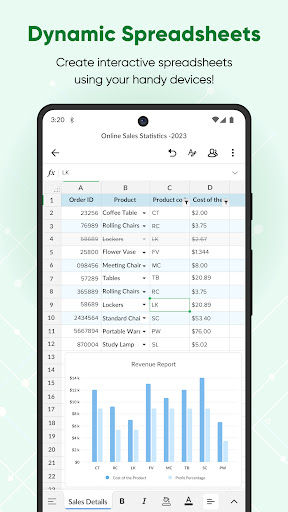
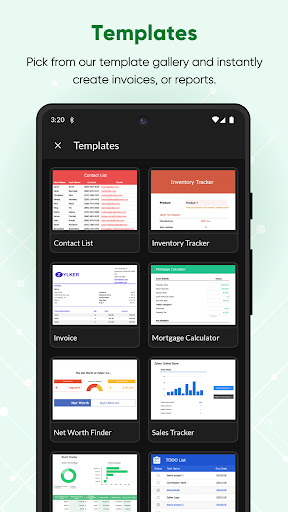
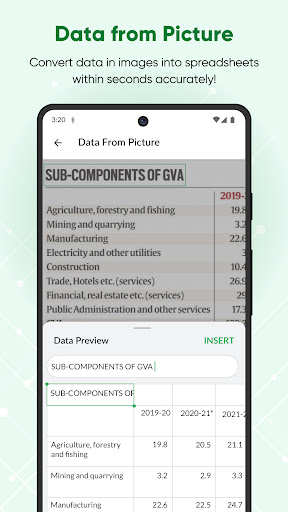
Create, edit, share, and collaborate on your spreadsheets using the Zoho Sheet app for Android devices—smartphones and tablets—for free. Also, open files in your device without having to sign up or sign in and start working from where you left, from anywhere, any time.<br><br>Work on all your budgets, accounts, reports, task lists, and other data with your team, on the go using your mobile devices. With the Zoho Sheet app, your office is wherever you are!<br><br>Here's how Zoho Sheet can be the spreadsheet app for you:<br><br><b>Create data records effortlessly</b><br>• Convert printed copies of tabular data into spreadsheet data in an instant using Data from Picture. Just take a picture, convert it into a spreadsheet, preview, and insert it into the desired range.<br>• Control data entered into your spreadsheet using Picklist and Data Validation.<br>• Finish data records in a jiffy using text auto-suggestions and customized keypad.<br> <br><b>Crunch numbers using formulas</b><br>• Break down numbers in your spreadsheet with more than 400 predefined functions in Zoho Sheet.<br>• Zoho Sheet provides you with basic arithmetic functions such as SUM and AVERAGE, as well as advanced functions such as XLOOKUP, for free.<br>• Contextual suggestions, a range picker, and the help guide right within the app, let you work seamlessly with formulas.<br><br><b>Visualize spreadsheet data with charts</b><br>• Choose from more than 35 different chart types, including bar charts and pie charts.<br>• Find the right chart to display all your data types, including sales, marketing, accounts, and stock market reports.<br>• Create animated bar chart races and bring your periodic and time-series data alive with race charts.<br>• Get help from Insights by Zia, our AI-powered analytical assistant. Insights by Zia recommends charts, creates pivot tables, and answers all data-related questions. It supports voice command too. <br><br><b>Work as a team, from anywhere</b><br>• Share your spreadsheets with your colleagues using four levels of access permissions including read only, read/write, read/comment, and co-owner.<br>• Collaborate in real time, make cell- and range-level comments and discuss with your team inside the sheet, even when away from your office.<br>• Share the file with a wider audience using external link and publishing options.<br>Export your spreadsheet files in XLSX, PDF, CSV, or ODS formats in an instant.<br><br><b>Interactive spreadsheets, on the go</b><br>• Create picklists and regulate the data entry process with desired values and predefined formats.<br>• Evaluate data that is being entered into your sheet with Data Validation rules.<br>• Access and open hyperlinks directly in the browser from your spreadsheet.<br>• Be it a simple task list or a complex project management sheet, make them in a jiffy using checkboxes.<br>• Transform sheets into mobile handbooks using interactive date, phone number, and location widgets using number formats.<br><br><b>Customized for your mobile devices</b><br>• Enjoy the convenience of the Zoho Sheet app custom-designed for smartphones and tablets.<br>• Work simultaneously on more than one spreadsheet or app, using split-screen mode.<br>• Access spreadsheets and make quick changes using widgets.<br>• Open the Sheet app instantly using quick access and shortcuts.<br><br>Zoho Sheet is part of the Zoho Office Suite, which includes Writer, an online word processor, and Show, an online presentation software. Also, you can access Zoho Sheet via the Zoho Workdrive, Zoho Workplace, and Zoho One bundles too.<br><br>We're constantly working on improving the app, and as a part of that we're looking into the possibility of providing offline support.<br><br>For more details visit: https://www.zoho.com/sheet/mobile.html<br><br>Have a feature in mind that you would like to see in Zoho Sheet? Write to us at [email protected]
- Price
- Free
- Size
- 0M
- Type
- spreadsheets apps
- Rating 3.8 (2949 Ratings)
- 4 Ranking
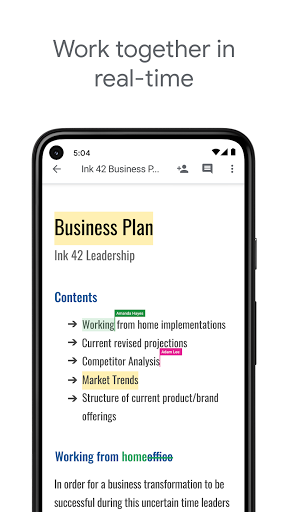
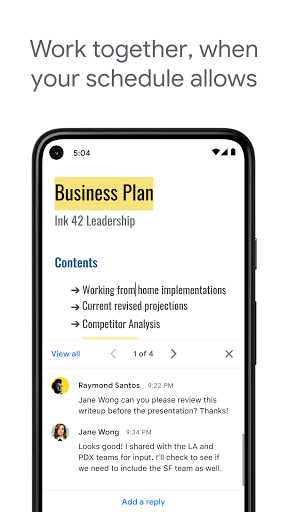
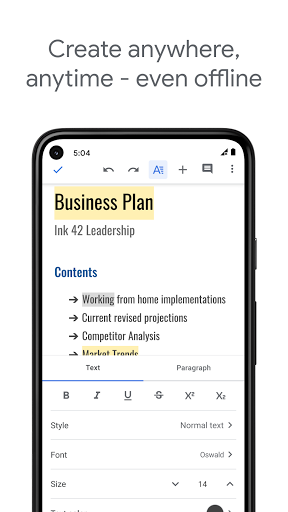
Create, edit, and collaborate with others on documents from your Android phone or tablet with the Google Docs app. With Docs you can:<br><br>- Create new documents or edit existing files<br>- Share documents and collaborate in the same document at the same time.<br>- Work anywhere, anytime - even offline<br>- Add and respond to comments.<br>- Never worry about losing your work – everything is saved automatically as you type.<br>- Search the web and your files in Drive, right from Docs<br>- Open, edit, and save Word documents and PDFs.<br><br>Google Docs is part of Google Workspace: where teams of any size can chat, create, and collaborate.<br><br>Google Workspace subscribers have access to additional Google Docs features, including:<br>- Working in a single document with teammates or people outside your company. See edits as others type, communicate through built-in chat, and leave feedback through comments and suggestions<br>- Importing your documents to make them instantly editable, including Microsoft® Word and PDF files. Export your work in .docx, .pdf, .odt, .rtf, .txt or .html format<br>- Unlimited version history. Track changes made to your documents and undo anything you choose.<br>- Working across devices, with or without Internet<br><br>Learn more about Google Workspace: https://workspace.google.com/products/docs/<br><br>Follow us for more:<br>Twitter: https://twitter.com/googleworkspace<br>Linkedin: https://www.linkedin.com/showcase/googleworkspace<br>Facebook: https://www.facebook.com/googleworkspace/.
- Price
- Free
- Size
- 0M
- Type
- spreadsheets apps
- Rating 4.1 (1853429 Ratings)
- 5 Ranking
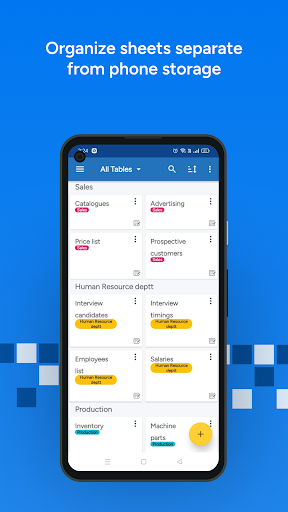
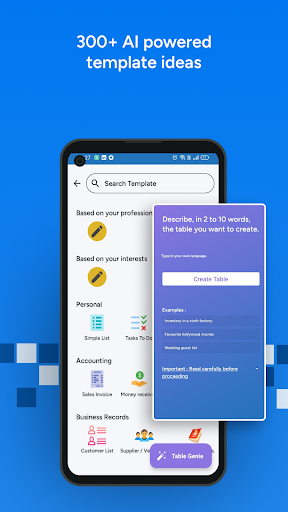
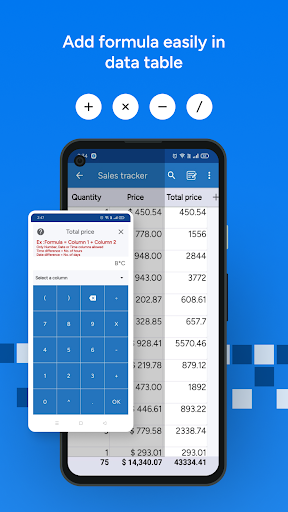
It is a mobile friendly alternative to Excel. It has a simple and easy interface for editing spreadsheets on small screens. <br><br>Useful for small business owners, freelancers, and professionals who want to use Excel files to keep business records on mobile devices or share with others. <br>Also available on <b> PC </b> 💻 at <a href="https://www.google.com/url?q=https%3A%2F%2Fwww.tablenotes.net&sa=D&sntz=1&usg=AOvVaw2GCILvex7v0p-cmYFy7Riw">https://www.tablenotes.net</a><br><br> <b>Easily enter data </b> <br>📷 <b>Photos</b> - From camera or gallery <br>🔊 <b>Audio</b> - From voice recorder <br>✒️ <b>Signature</b> - Sign on the screen <br>🖍️ <b>Drawing</b> - Mark and paint on photos <br>🗺️ <b>Address</b> - Using Google maps <br>☎️ <b>Phone Number</b> - From phone contacts<br> 📆 <b>Date & time</b> - Calendar pickers to select time <br>👆 <b>List</b> - From a Drop down list of items<br> ☑️ <b>Checkbox</b> - Just tick to change value <br>∑ <b>Formula</b> - Any formula of numbers and time <br><br>👷 <->👨💼 <-> 👩💼<b> Add People - Realtime collaboration </b> (Only Admin pays for more than 2 collaborators) <br>- Add your team members, customers and suppliers to view and / or edit your spreadsheet at same time. <br>- They can either edit only their own data, can add new data or view other members' data. <br><br><b> Works Offline and backup in cloud server </b> <br>- Work anywhere , anytime offline. <br>- Once you are back online, app syncs your records, photos, and files automatically with Table Notes Cloud. <br><br><b> PDF, WORD and XLS / XLSX reports</b> (pay or watch ad) <br>- Create and share instant reports on company letterhead. ☆ Format with header and footer. <br><br>📊 <b> Graphs and analysis</b> <br> Sort, filter or analyse your data using graphs <br><br>🎨 <b> Enhanced styling</b> <br> Set colour, bold and italic to cells, columns or rows in spreadsheet. <br><br>🌐 <b> Supported in 26 different languages </b> <br>Use app in your local language - Arabic , German, French, Indonesian, Portuguese, Spanish, Hindi, Tamil, Turkish, Polish, Russian <br><br>📝 <b> Forms </b> <br>Enter data using form <br><br>⏰ <b> Reminders </b> <br>Remind people on tasks and notes <b> No need of any programming or coding knowledge. </b><br><br> <b>Where is it used?</b><br>☆ Insurance <b>surveyors</b> record car damage details instantly with photos and generate PDF reports. <br>☆ Salesman carries <b> product catalogues, technical data sheets and price lists </b> outside office and shares with customers . <br>☆ Transport & logistics agents make <b> lorry receipts </b> on field. ☆ <b> Employee attendance </b> by photo and signature. <br>☆ Waiters at the restaurants take food orders on the app which is updated at the kitchen simultaneously.<br> ☆ Taxi drivers enter trip details and <b> accounts </b> ☆ Students make time table of the day <br>☆ Doctors maintain <b> database of reports and patients </b> and track <b>expenses.</b> <br>☆ Shopkeepers keep product <b> rate list </b> <br>☆ Maintain <b> product inventory </b> <br><br><b>App is free to use with online backup and cloud server upto 10 tables <br></b> Terms and conditions apply - <a href="https://www.google.com/url?q=https%3A%2F%2Fwww.support.tablenotes.net%2Fterms-of-service&sa=D&sntz=1&usg=AOvVaw0rXTzO7MCzfFR-gpOWn-0I"> https://www.support.tablenotes.net/terms-of-service</a> <br><br><b>Important links</b> <br><br>☆ For Tutorial Videos, please visit - <a>https://www.youtube.com/channel/UCvwYcYD48_gSla6ZLsDJylQ</a> <br><br>☆ Like us on Facebook <a>https://www.facebook.com/tablenotes</a> <br><br>☆ Follow us on Twitter at <a>http://twitter.com/table_notes</a> ☆ Visit our website - <a>https://www.tablenotes.net</a> <br><br>☆ Support & FAQ -<a>https://www.support.tablenotes.net</a> If you like our app, please rate us 👍 on Google Play store to motivate us! You can email us at <a href="mailto:[email protected]?Subject=Feedback%20from%20Google%20Play">[email protected]</a>
- Price
- Free
- Size
- 0M
- Type
- spreadsheets apps
- Rating 4.3 (12615 Ratings)
- 6 Ranking
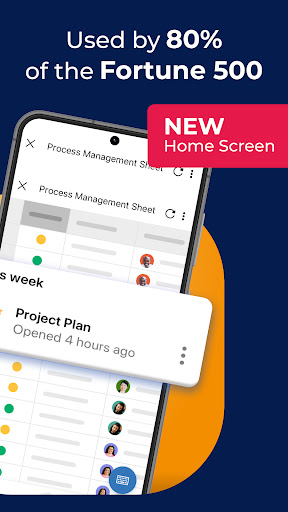
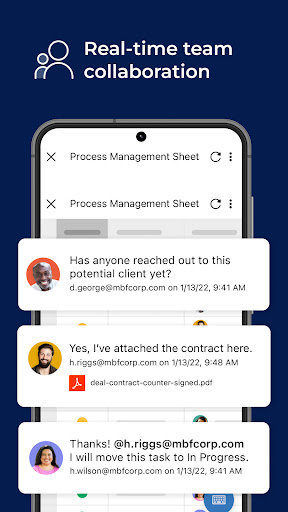
Getting started is easy! Either sign in with your existing Smartsheet account or enter your email to sign up for a free 30-day trial. Join millions of other innovative users and upgrade to a paid account at any time.<br><br>Use Smartsheet, a work execution platform that empowers better collaboration and project management. Smartsheet offers rich views, workflows, reports, and dashboards for successful project planning. Smartsheet accelerates innovation in 190 countries for 80,000+ leading brands—including 75% of the Fortune 500.<br><br>Manage projects and tasks, automate workflows, collaborate with your team, and maximize productivity anytime, anywhere!<br>Empower your team to plan, track, automate, and deliver projects like a pro.<br><br>With Smartsheet, you can:<br><br>COLLABORATE WITH YOUR TEAM<br>• Create, share, and collaborate with your team on projects anywhere.<br>• Access your projects, tasks, workflows, and sheets anytime.<br>• Get business collaboration and productivity tools to help manage and plan teamwork.<br>• Review and edit documents and sheets that your team is working on.<br><br>ORGANIZE PROJECTS & TASKS<br>• Use sheets to oversee tasks and workflows, plan and track projects, and maximize your team's productivity.<br>• Add assignees, due dates, followers, checklists, predecessors, and files to your tasks and follow the progress of your projects to track everything effectively.<br>• Plan your project and choose how to visualize tasks switching between grid, card, Gantt, and calendar views with the same data.<br>• Keep everyone on the same page. Attach files from Google Drive, OneDrive, Dropbox, and more.<br>• Send automated updates and approval requests to streamline work and reduce the need for meetings to increase productivity.<br>• Use dashboards to showcase sheets, reports, charts, and forms and visualize tasks clearly.<br><br>AUTOMATE WORKFLOWS<br>• Implement simple and powerful automated workflows in minutes to better track progress and manage efficiency.<br>• Automate repetitive processes by sending alerts, requesting approvals and updates, and maximize productivity.<br><br>WORK IN ONE PLACE<br>• See work alongside key conversations, decisions, and rationale in one place—improve project visibility and task management.<br>• Share spreadsheets with others to view, edit, or add comments, and collaborate anywhere.<br><br>COLLECT INFORMATION WITH FORMS<br> • Collect data from the field with forms, capture and upload images, or scan barcodes to track inputs in real time.<br>• Capture information in low or no-connectivity environments with offline forms.<br>• Collect and act on error-free, consistent data from stakeholders.<br>• Create forms that automatically map to the columns in your sheets.<br>• Provide easy access by embedding forms on dashboards and websites<br><br>TAKE ACTION & INCREASE PRODUCTIVITY<br>• Get notifications to your Inbox about the projects, tasks, and workflows you’re following.<br>• Act on requests and approvals or update status in card view.<br><br>VIEW WORK STATUS IN REAL TIME<br>• View and manage your dashboards, sheets, and more in real-time from your phone, so you always know the status of work.<br>• Give project owners, stakeholders, and leadership a robust, real-time view into the status of top KPIs, critical trends, and summary reports.<br>• Rapidly adapt to changing conditions and identify trends with easy-to-use widget dashboards that display live data, charts, and key metrics.<br><br><br>WORK SEAMLESSLY WITH YOUR FAVORITE APPS<br>• Enable real-time synchronization and visibility with many of the apps you use, so you can easily track tasks, compile data in spreadsheets, and collaborate with your team, all in one place.<br>• This allows for improved collaboration, task management, and maximized productivity across your tech stack.<br><br>BUILD PURPOSE BUILT APPS WITHOUT CODING<br>• WorkApps is a no-code platform for building intuitive web and mobile apps to streamline your business.<br><br>Smartsheet is built to plan, track, manage, automate, and report on work at scale.<br><br>To learn more about Smartsheet, visit https://www.smartsheet.com.
- Price
- Free
- Size
- 0M
- Type
- spreadsheets apps
- Rating 4.8 (21666 Ratings)
- 7 Ranking
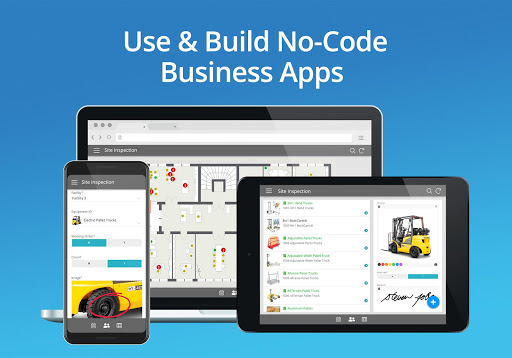
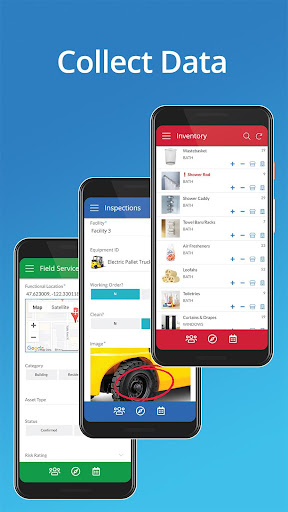
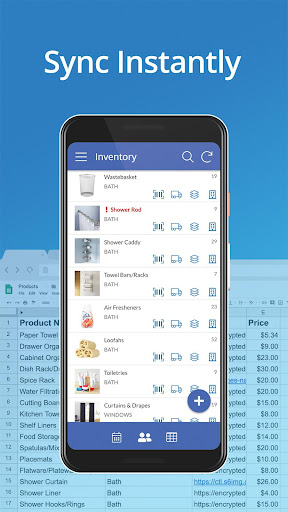
AppSheet is the intelligent, no-code platform trusted by over 200,000 app creators around the world including Clearlink, Enterprise, ESPN, Pepsi, Husqvarna, and more. <br><br>Build apps directly from your cloud-based spreadsheets (e.g. Google Sheets, Excel, and Smartsheet) and databases (mySQL, postgreSQL, AWS DynamoDB, etc.) to streamline your business operations. <br><br>Common use cases include inventory management, field data capture, equipment and safety inspections, custom CRMs, fleet management, field sales, property management, and more. <br><br>Build a no-code App in 4 ways: 1) Connect your data sources 2) Copy a sample app. 3) Use an add-on for Google Sheets, Forms, or Excel. 4) Start from SPEC, our natural language declarative programming tool<br><br>WORKING WITH REMOTE TEAMS<br>AppSheets helps teams connect Spreadsheets saved in Google Drive, Box, and Drobpox with remote users through the AppSheet App. Remote users can access the data in rich and simplified ways and are able to edit an add new data for a complete workflow.<br><br>PROJECT MANAGEMENT<br>Millions of people manage projects using Google Sheets, Excel, and Smartsheet. AppSheet helps project managers display and share project data through a mobile device with other team members and stakeholders. Keep data centralized in a core spreadsheet and share only the parts that their audience needs to see. No more managing dozens of files that go back and forth via email!<br> <br>EDUCATION<br>Manage study plans, school rosters, grading, and group work with a single spreadsheet. See the data on a mobile device using AppSheet through the interactive app that allows for form entry, charts, maps, text summaries and image galleries that can be shared with students and colleagues. Select customers include Harvard and the University of Michigan.<br><br>CUSTOMER SUPPORT AND ENGAGEMENT:<br>Keep track of your pipeline on a Google Sheet and access the data through AppSheet for an enhanced and streamlined view. You can also interact with your spreadsheet data in new ways like building maps from your data, calling to telephone numbers listed on the spreadsheet, sending emails to contacts listed in your spreadsheet, and building catalogs using image galleries to keep your customers updated in your most recent offerings.
- Price
- Free
- Size
- 0M
- Type
- spreadsheets apps
- Rating 3.8 (12694 Ratings)
- 8 Ranking
<b>MobiOffice is the smart choice for office productivity.</b><br><br>With this powerful office pack, you can create, edit, comment, format, convert, and protect documents, spreadsheets and presentations - as well as the ability to view and sign PDF files. Compatible with Microsoft Office (Word, Excel, PowerPoint), Google Docs, Google Sheets, Google Slides, OpenOffice, LibreOffice, WPS Office, Polaris Office, Adobe PDF, and more.<br><br><br><b>Everything you need to get your work done</b><br><br>Work on-the-go and take your productivity to the next level with our mobile office app. Easily link your Google Drive, OneDrive for Business, Box, or Dropbox accounts to access your projects from any device, anywhere, anytime. Collaborate seamlessly with your team and stay efficient, even when you're away from your desk. <br><br><br>Features include:<br><br>• Powerful applications packed with helpful tools to handle any task with any file format – Microsoft Office365 docs, Google docs, OpenOffice, and more.<br>• All the advanced features you need – format painter, track changes, conditional formatting, formulas, presentation mode, and much more.<br>• Export Documents, Sheets, and presentations Slides to PDF with our PDF converter.<br>• Advanced security options.<br>• Save all your files on your Google Drive account, OneDrive for Business, Box, or Dropbox accounts.<br><br><b>Advanced PDF management</b><br><br>• PDF docs reader.<br>• PDF files editor.<br>• PDF documents filler.<br>• Work with fillable forms.<br>• Digitally sign PDF documents.<br>• Enhanced security and permissions management.<br>• PDF converter to Word, Excel or ePub.<br><br><b>Mobile office - Designed for work on the go</b><br><br>• Integrated cloud storage for easy access to files – get 5GB free on our MobiDrive cloud or link your existing Google Drive, OneDrive for Business, Box, or Dropbox accounts.<br>• Cross-platform capabilities linking your Windows PC with all your Android and iOS mobile devices with our office mobile pack.<br>• Compatibility with popular file formats – Microsoft docs, Google docs, OpenOffice, Apple's iWork, and hundreds more.<br>• Practical and a user-friendly interface optimized for the latest Android version.<br>• PDF editor that you can use to create and fill PDF files, or as a PDF converter to office documents.<br><br><b>Create and edit files and documents with ease</b><br><br>Take your office with you wherever you go and stay productive on-the-go with our mobile document editor. Our app enables you to edit Word documents, Excel spreadsheets, and PowerPoint slides, and easily convert them to PDF files. No matter what type of document you need to work on, you can access it from anywhere and make changes whenever you need to. <br><br><b>Give it a go and see for yourself</b><br><br>Experience the complete set of features and tools available in MobiOffice with our free 7-day trial, giving you access to our advanced document editor, as well as all other premium features and tools. Our flexible pricing plans, which include monthly and annual options, allow you to choose the package that perfectly meets your needs. Whether you need a powerful documents editor, a spreadsheet app for budgeting, or a comprehensive suite of productivity tools, MobiOffice has got you covered. <br><br><br><b>Mobile documents editor for Word docs, Excel Sheets & PowerPoint slides and PDF files at your fingertips. </b><br><br>Link your mobile office to your Google Drive account or OneDrive for Business, Box, or Dropbox accounts to save all your files, compatible with many file formats including Google Docs, OpenOffice, Microsoft Office 365, and many more.<br><br>Premium benefits include:<br>• 5GB storage on MobiDrive<br>• Unlimited usage of the PDF converter<br>• Unlock 20+ advanced features<br>• Use Premium on 2 mobile devices & 1 Windows PC.<br>• No ads<br>• Priority support
- Price
- Free
- Size
- 0M
- Type
- spreadsheets apps
- Rating 4.3 (1422509 Ratings)
- 9 Ranking
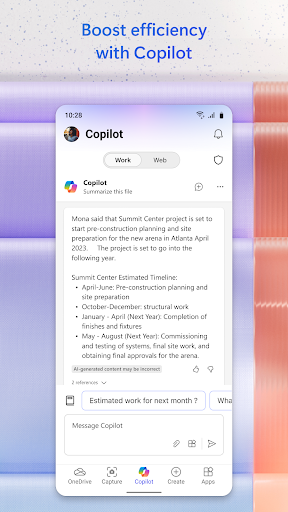
Microsoft 365 is the productivity app for work and life that helps you find and edit files, scan documents, and create content on the go with Copilot*, Word, Excel, PowerPoint, and PDFs all in one app. <br><br>For work, Copilot enables you to boost productivity, enhance decision-making, and unlock powerful insights in your favorite Microsoft 365 apps. <br> <br>*Copilot in the Microsoft 365 App is available for Microsoft 365 Enterprise, Academic, and SMB subscribers with a work or education account. Microsoft 365 Personal and Family subscribers and free accounts can access Copilot at copilot.microsoft.com and on the Copilot mobile app. It is available in these specific markets: https://support.microsoft.com/en-us/office/supported-languages-for-microsoft-copilot-94518d61-644b-4118-9492-617eea4801d8. <br> <br><b>Word, Excel, PowerPoint, and Copilot all in one app: </b><br>* Ask Copilot questions as your AI-powered Chat Assistant to improve productivity. <br>* Use Word to write and edit documents like resumes with professional templates. <br>* Use PowerPoint with tools like Presenter Coach to practice your presentation. <br>* Use Excel to manage your budget with spreadsheet templates. <br>* Try Designer* to create designs and edit photos in seconds with the power of AI.<br><br>*Designer is only available for personal Microsoft accounts. A Microsoft 365 Personal and Family subscription will be required to continue using premium features. <br> <br><b>PDF scanning, editing, and signing capabilities: </b><br>* Scan PDF files and convert them into Word documents with the PDF converter tool. <br>* Edit PDF files on your device quickly and easily while on the go. <br>* PDF Reader allows you to access and sign PDFs. <br><br>Anyone can download the Microsoft 365 App for free. Access and save documents to the cloud by connecting a Microsoft Account (for OneDrive or SharePoint) or by connecting to a third-party cloud storage provider. Logging in with a personal Microsoft account or a work or school account connected to a Microsoft 365 subscription will unlock premium features within the app.<br> <br><b>Subscription & Privacy Disclaimer </b><br>Monthly Microsoft 365 Personal and Family subscriptions purchased from the app will be charged to your App Store account and will automatically renew within 24 hours prior to the end of the current subscription period unless auto-renewal is disabled beforehand. You can manage your subscriptions in your App Store account settings. <br><br>This app is provided by either Microsoft or a third-party app publisher and is subject to a separate privacy statement and terms and conditions. Data provided using this store and this app may be accessible to Microsoft or the third-party app publisher, as applicable, and transferred to, stored and processed in the United States or any other country where Microsoft or the app publisher and their affiliates or service providers maintain facilities. <br><br>Please refer to Microsoft's EULA for Terms of Service for Microsoft 365. By installing the app, you agree to these terms and conditions: https://support.office.com/legal?llcc=en-gb&aid=SoftwareLicensingTerms_en-gb.htm
- Price
- Free
- Size
- 0M
- Type
- spreadsheets apps
- Rating 4.7 (6683409 Ratings)
- 10 Ranking
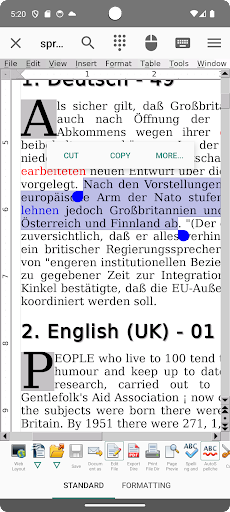
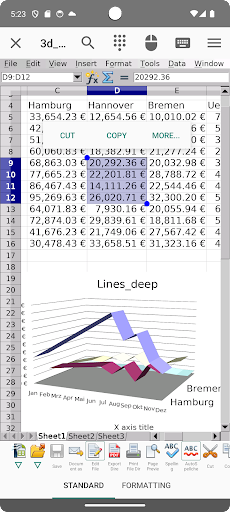
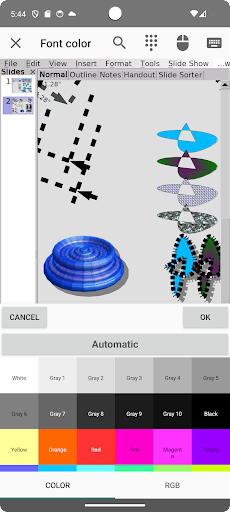
<b>Celebrating 7 Million Downloads!!!</b><br><br>AndrOpen Office is the world's first porting of OpenOffice for Android and it's a powerful and complete office suite for OpenOffice / LibreOffice documents.<br><br>You can view, edit, import, and export PDF, Word, Excel & PowerPoint documents using full features of the OpenOffice in the PC version.<br><br>AndrOpen Office has 5 components:<br><b>Writer</b> a word processor you can use for anything from writing a quick letter to producing an entire book.<br><b>Calc</b> a powerful spreadsheet with all the tools you need to calculate, analyze, and present your data in numerical reports or graphics.<br><b>Impress</b> the fastest, most powerful way to create effective multimedia presentations.<br><b>Draw</b> lets you produce everything from simple diagrams to dynamic 3D illustrations.<br><b>Math</b> lets you create mathematical equations with a graphic user interface or by directly typing your formulas into the equation editor.<br><br>* AndrOpen Office is a forked project from the Apache OpenOffice project.<br>AndrOpen Office is not affiliated with the Apache OpenOffice and LibreOffice projects.<br><br><b>Supported File Formats</b><br>You can import and export the following formats:<br>- Microsoft Word (DOC / DOT / RTF)<br>- Microsoft Word 2007 (DOCX / DOTX / DOCM)<br>- Microsoft Excel (XLS / XLT)<br>- Microsoft Excel 2007 (XLSX / XLTX / XLSM)<br>- Microsoft PowerPoint (PPT / POT)<br>- Microsoft PowerPoint 2007 (PPTX / POTX / PPTM)<br>- OpenDocument (ODT / ODS / ODP / ODG / ODF)<br>- Portable Document Format (PDF)<br>- OpenOffice.org1.0 / StarOffice6.0 (SXW / SXC / SXD / SXI / SXG / SXM)<br>- Text (TXT / CSV)<br>- Adobe Photoshop (PSD)<br>- Scalable Vector Graphics (SVG)<br>- Windows Metafile (EMF / WMF)<br>- Tagged Image File Format (TIFF)<br>- Data Interchange Format (DIF)<br>- SYLK (SLK)<br>- Portable Anymap Format (PBM / PGM / PPM)<br>- OS/2 Metafile (MET)<br>- Sun Raster Image (RAS)<br>- Mac Pict (PCT)<br>- X PixMap (XPM)<br>- StarView Metafile (SVM)<br>You can import the following formats:<br>- WordPerfect Document (WPD)<br>- AutoCAD (DXF)<br>- T602 Document (602)<br>- Computer Graphics Metafile (CGM)<br>- Truevision Targa (TGA)<br>- X Bitmap (XBM)<br>- Zsoft Paintbrush (PCX)<br>- Kodak Photo CD (PCD)<br>You can export the following formats:<br>- HyperText Markup Language (HTML)<br>- PlaceWare (PWP)<br>- Macromedia Flash (SWF)<br>- JPG / GIF / PNG / BMP<br><br><b>Features</b><br>- View / edit / insert / export docs<br>- Export / Import PDF<br>- High fidelity<br>- Formatting paragraphs<br>- Support for embedded object<br>- Save docs to extensive file formats<br>- Support for password<br>- Internationalization<br>- Localization<br>- Support for macro<br>- Support for Google Drive / Dropbox / OneDrive / Box / NAS / WebDAV (Paid version only)<br>- Support for spell checker, hyphenator, thesaurus<br>- Support for printing (Android 4.4+)<br><br><b>Motion Event Assigns</b><br>The device's motion events (mouse, pen, finger, trackball) are assigned to mouse events of the PC version.<br>And some gestures are assigned to application actions.<br>- Swipe = Scroll<br>- Pinch In / Out = Zoom In / Out<br>- Long Tap = Click Right Button<br>And you can general mouse operations by virtual mouse pad.<br><br><b>Supported Languages</b><br>French / German / English (US) / Italian / Spanish / English (British) / Russian / Polish / Dutch / Japanese / Indonesian / Portuguese (Brazilian) / Turkish / Czech / Swedish / Portuguese (European) / Finnish / Hungarian / Chinese (Traditional) / Catalan / Greek / Romanian / Danish / Arabic / Slovak / Norwegian / Bulgarian / Serbian / Vietnamese / Thai / Slovenian / Korean / Chinese (Simplified) / Hebrew / Hindi / Bengali / Persian / Basque / Gaelico / Galician / Central Khmer / Lithuanian / Tamil<br><br><b>Links</b><br>Twitter<br>https://twitter.com/andropenoffice<br><br><b>Bug reports</b><br>Please report bugs at following the e-mail address;<br>[email protected]<br><br><b>About Apache OpenOffice</b><br>"Apache OpenOffice" is a trademark of the Apache Software Foundation.<br>(http://openoffice.apache.org/)<br><br><b>Special Thanks</b><br>This product includes many open source codes.<br>Thanks to Open Source!!!
- Price
- Free
- Size
- 0M
- Type
- spreadsheets apps
- Rating 3.9 (52926 Ratings)