Best parenting apps for android
- The Happy Child Parenting App|
- Google Family Link|
- Parents|
- Little Love Parenting|
- FlashGet Kids:parental control|
- Huckleberry: Baby & Child|
- OurFamilyWizard Co-Parent App|
- Pregnancy App & Baby Tracker|
- Pregnancy + | Tracker App|
- AppClose: Co-Parent Essentials|
Here are UPUP's list of best parenting apps for android:
- 1 Ranking
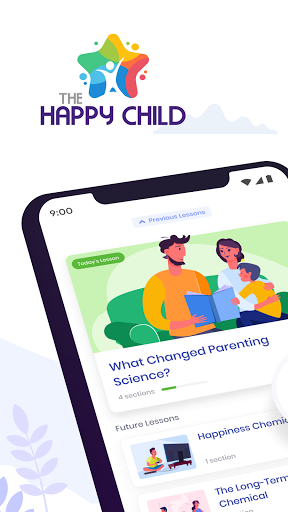
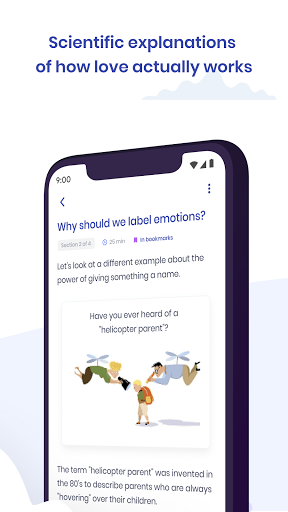
The Happy Child - Parenting App grants you access to cutting-edge research and tips that will help you raise a happy, well-adjusted child. Years of ground-breaking research and findings in Psychology, Neuroscience and Pediatrics have been curated into one easy-to-use app… for free (no in-app-purchases)!<br><br>No more need to spend precious time combing through countless articles, reading lists, or listening to unsolicited advice. Our daily lessons will help you manage parental information overload by giving you science-based ways to increase the long-term happiness of your child. These short, easy-to-understand lessons can be implemented immediately to improve your family life no matter the age of your child(ren). <br><br>DID YOU KNOW<br>• 67% of users described The Happy Child as “life-changing”<br>• 78% of users reported better relationships with their partner and children<br>• 98% of users continue to use the concepts in their family<br><br>KEY FEATURES<br>• Customized, science-based app<br>• Short daily lessons that fit easily in your busy schedule<br>• Knowledge you can immediately put into practice<br>• Alerts and insights<br>• Years of scientifically-backed research and findings <br><br>The Happy Child has improved the lives of countless users- hit “INSTALL” now to see how it can change yours! <br><br>ABOUT US<br>The Human Improvement Project is a non-profit foundation dedicated to funding projects that discover what makes the largest positive impacts on children. We work with the nation’s leading childhood development experts, psychologists, psychiatrists, and neuroscientists to guide parents on the pathway to their child’s optimal well-being. <br><br>CONNECT WITH US<br>We welcome your questions at www.humanimprovement.org
- Price
- Free
- Size
- 0M
- Type
- parenting apps
- Rating 4.9 (19144 Ratings)
- 2 Ranking
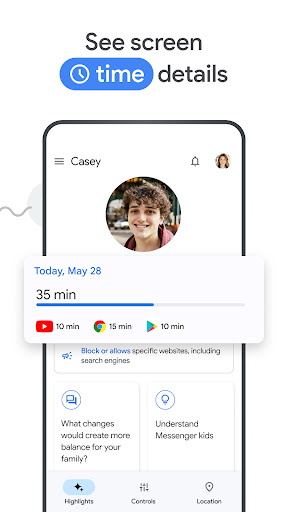
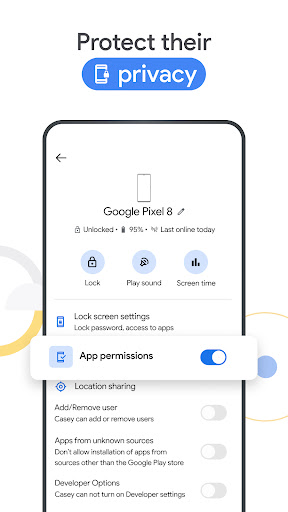
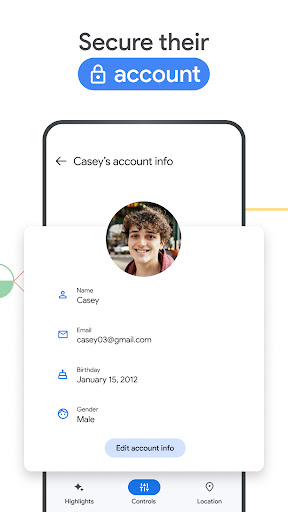
Google Family Link is a parental controls app that helps you keep your family safer online. We know that every family’s relationship with technology is unique, so we designed tools like Family Link that give you the flexibility to choose the right balance for your family, and help them create healthy digital habits. Family Link’s easy to use tools allow you to understand how your child is spending time on their device, see their device location, manage privacy settings, and more.<br><br><br> With Family Link, you can:<br><br> <b>Establish Digital Ground Rules</b><br> • Set screen time limits — Family Link lets you set downtime for your child’s device and time limits for apps, so you can help them find a healthy balance.<br> • Guide them to age-appropriate content — Approve or block apps your child wants to download. Family Link also allows you to choose the right YouTube experience for your child: a supervised experience on YouTube, or YouTube Kids.<br><br> <b>Manage and secure your child’s account</b><br> • Protect their privacy — Permissions management in Family Link allow you to make meaningful choices about your child’s data. View and manage permissions for websites and extensions accessed through Chrome as well as apps downloaded on your child’s device.<br> • Secure their account — Family Link gives you access to manage your child's account and data settings. As a parent, you can help change or reset your child’s password if they forget it, edit their personal information or even delete their account if you feel necessary.<br><br> <b>Stay connected on the go</b><br> • See where they are — It’s helpful to be able to find your family when they’re on the go. With Family Link, you can locate your children on one map, as long as they’re carrying their device.<br> • Get notifications and alerts — Family Link delivers critical notifications including when your child arrives or leaves a certain location. You can also ring devices and view the device’s remaining battery life.<br><br><br> <b>Important Information</b><br><br> • Family Link’s tools vary depending on your child’s device. See a list of compatible devices at https://families.google/familylink/device-compatibility/<br> • While Family Link helps you manage your child's purchases and downloads from Google Play, they will not need approval to install app updates (including updates that expand permissions), apps you have previously approved, or apps that have been shared in Family Library. In addition, purchase approvals will apply only when your child makes a purchase through Google Play’s billing system and will not apply to purchases made through alternate billing systems. Parents should regularly review their child’s installed apps and app permissions in Family Link.<br> • You should carefully review the apps on your child’s supervised device and disable those you don’t want them to use. Note that you may not be able to disable some pre-installed apps such as Play, Google, etc.<br> • To see the location of your child or teen’s device, the device must be powered on, recently active, and connected to the internet through data or wifi.<br> • Family Link parental controls are only available for supervised Google accounts. With supervised Google Accounts, children get access to Google products like Search, Chrome, and Gmail, and parents can set up basic digital ground rules to supervise them.<br> • While Family Link provides tools to manage your child’s online experience and keep them safer online, it does not make the internet safe. Family Link can not determine the content on the internet, but it can give parents the opportunity to make decisions about how their child spends time on their device, and determine what path to online safety looks best for your family.
- Price
- Free
- Size
- 0M
- Type
- parenting apps
- Rating 4.6 (3763098 Ratings)
- 3 Ranking
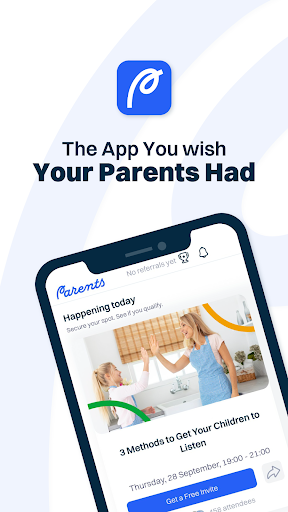
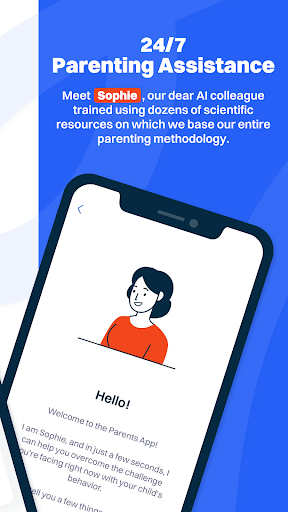
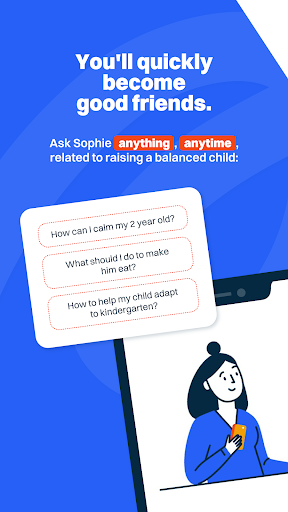
Learn how to be the best mommy or daddy you can be for your child with our live seminars and premium programs.<br><br>FEATURES<br><br>1. Events<br>See all the free, live seminars we organize every day, in several languages. You will be able to choose the titles that interest you the most and you will be able to register easily, because you already have the account created.<br><br>2. Programs<br>Here you will find the All About Parenting program, which, once purchased, you can download and watch just like a favorite series or you can listen to it when you travel. Here you will also find audiobooks and other shorter programs.<br><br>3. Sophie Bot<br>Sophie, our virtual colleague, will help you with the right advice exactly for the challenge you are facing. It is 100% connected to the entire All About Parenting program and the dozens of scientific resources on which we base our entire parenting methodology.<br><br><br>YOUR INFORMATION IS 100% YOURS<br><br>We don’t sell ads. We don’t sell data. We don’t sell your private information. We simply sell an excellent educational program - All About Parenting.
- Price
- Free
- Size
- 0M
- Type
- parenting apps
- Rating 4.8 (7022 Ratings)
- 4 Ranking
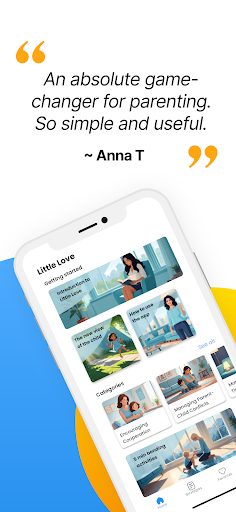
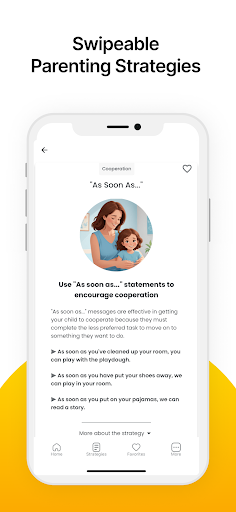
Parenting can be tough, and it's easy to feel lost amongst the sea of self-proclaimed experts and conflicting advice. This is where Little Love steps in. Our app simplifies this complex world of parenting advice by delivering actionable strategies based on over 30 years of research and professional experience. Think of Little Love as a wise friend who's been there before, bringing you all the best tips that you can put into action right then and there. <br><br>At Little Love, we recognize that you know your child better than anyone. We're not here to judge your parenting, but rather to extend a helping hand when you need it. With Little Love, you get access to reliable advice that fits into your busy schedule, helping you turn challenges into opportunities for success and connection.
- Price
- Free
- Size
- 0M
- Type
- parenting apps
- Rating 0 (0 Ratings)
- 5 Ranking
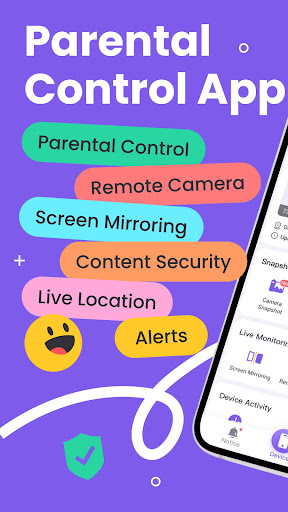
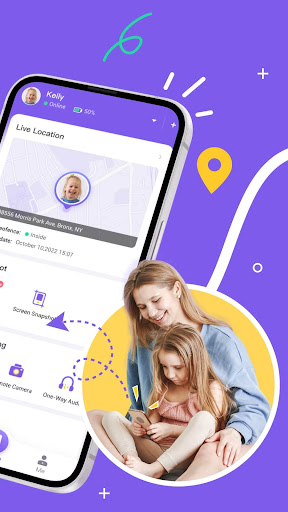
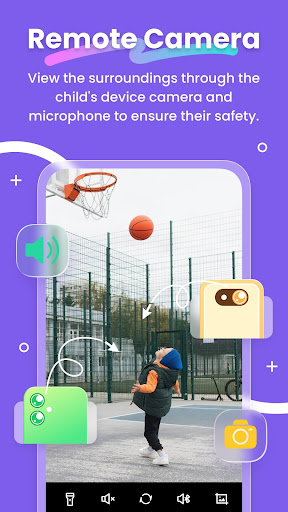
FlashGet Kids: parental control is a comprehensive remote control software for parents. With just one account, you can track your child's location and learn about their online activities through your phone. This helps ensure your child's safety and promotes good device usage habits.<br><br>What can FlashGet Kids do?<br>* Through intelligent content management, it helps parents understand their children's device usage, manage screen and app usage time, and create a safe online environment to keep children away from various dangers such as pornography, scams, bullying, and crime, and at the same time forms usage reports for parents to view in summary<br>* Through the Live Location function, it helps parents achieve real-time positioning of children's devices, and can set up geo-fences to receive message reminders when entering or leaving<br>* Through Remote Camera/One-Way Audio function, it helps parents identify and understand their children's surroundings in real time, and protect their safety.<br>*Sync app notification function can helps you to know more about your child's chat on social media, help your child to stay far away from cyberbullying and online fraud.<br><br>Product features:<br>1. Real-time understanding of your child's device usage<br>2. Alert reminders for location tracking and GEO-Fencing<br>3. Remotely view and manage your child's device usage<br>4. Discover and limit inappropriate content on children's devices<br>And more <br><br>Activating FlashGet Kids is simple:<br>1. Install FlashGet Kids on your phone<br>2. Connect to your child's device through an invitation link or code<br>3. Link your account to your child's device<br><br>Below is FlashGet Kids Privacy Policy and Terms<br>Privacy Policy: https://kids.flashget.com/privacy-policy/<br>Terms of Service: https://kids.flashget.com/terms-of-service/<br><br>Help and Support:<br>If you have any questions, please feel free to contact us via email: [email protected]
- Price
- Free
- Size
- 0M
- Type
- parenting apps
- Rating 4.8 (39885 Ratings)
- 6 Ranking
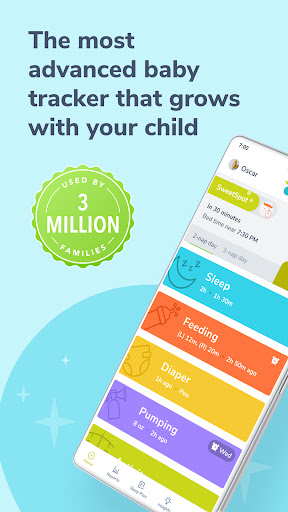
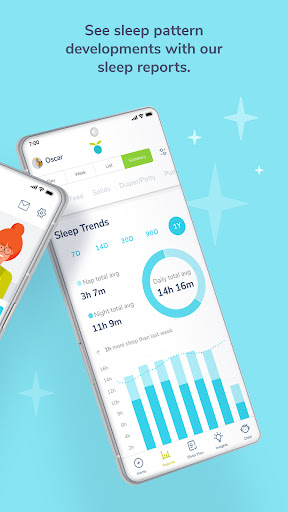
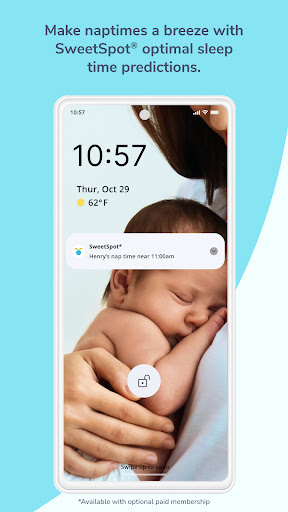
A one-stop baby & parenting app for all things baby and toddler. Need a newborn tracker or need to keep track of your child's activities, sleep & feeding? Our comprehensive solution provides you with a baby tracker, baby sleep guidance, and expert advice to help you navigate parenthood.<br><br>SEE WHY OVER 3 MILLION PARENTS LOVE THE HUCKLEBERRY: BABY AND CHILD APP <br><br>FREE CHILD & BABY TRACKER APP<br>-Pumping tracker, with reminders, to track total amount and log output from each side.<br><br>-Track bottle feeds or breastfeeding time , amounts and the last side you breast fed on.<br><br>-Add notes to our solids tracker (baby food tracker) of all solids your baby has tried and their reactions to the foods.<br><br>-Track potty activities (pee, poo, mixed or accidents) with our potty tracker.<br><br>-Track medication, temperature, and growth.<br><br>-Other features include: one-hand tracking, summary charts, cross-device syncing for multiple users, multiple child profiles, reminders, dark mode, and data export.<br><br>HUCKLEBERRY PLUS<br>-Make nap and bedtimes easier with the SweetSpotⓇ feature that predicts your child’s next nap time like magic. No more wake window math. No more overtired babies: just better sleep.<br><br>-Schedule Creator allows you to visualize your day by creating age-appropriate sleep schedules tailored for your child. Share your custom-made sleep schedules with other caregivers.<br><br>-Enhanced reports for sleep (Wake Windows vs. SweetSpot, Rise and Bedtime) and solids (Allergens and Sensitivities).<br><br>UNLOCK ALL FEATURES WITH HUCKLEBERRY PREMIUM<br>Huckleberry Premium is like a sleep consultant in your pocket! Get everything in Huckleberry Plus, along with customized sleep plans created for you by one of our sleep consultants. Get personalized help on all sleep challenges, such as newborn day/night confusion, the dreaded four-month sleep regression, nap transitions and night wakings.<br><br>Huckleberry blends the step-by-step guidance and advice of a traditional sleep consultant with the convenience of an app: no crying it out required. We’ll give you easy-to-follow actionable guidance to get better sleep for the whole family. <br><br>AWARDS<br>Our Huckleberry parenting and baby tracker app has served 2MM+ families across 179 countries. Up to 93% of families who use Huckleberry baby tracker report improvement to their child's sleep.<br><br>Finally - sleep guidance from baby sleep experts, expert advice, and an easy baby tracker, all in one app. No matter your sleep situation, Huckleberry can help.<br><br>Read our outstanding reviews from thousands of parents, or visit our website to learn more: www.huckleberrycare.com <br><br>Huckleberry Plus: $9.99/mo or $58.99/yr<br>Huckleberry Premium: $14.99/mo or $119.99/yr. Includes one child’s assessment per month.<br><br>Note: All subscriptions auto-renew & can be canceled anytime with no penalty.<br>Prices are in USD; pricing may vary in other countries, & actual charges may be converted to your local currency depending on the country of residence. Payment will be charged at confirmation of purchase. Subscription automatically renews unless canceled at least 24-hours before the end of the current period. Account will be charged for renewal within 24-hours prior to the end of the current period with the same term (monthly or annual) & same price. Subscriptions may be canceled in the Settings -> Huckleberry Memberships page in the app.<br><br>Terms of Use: https://www.huckleberrycare.com/terms-of-use <br>Privacy Policy: https://www.huckleberrycare.com/privacy-policy
- Price
- Free
- Size
- 0M
- Type
- parenting apps
- Rating 4.9 (24133 Ratings)
- 7 Ranking
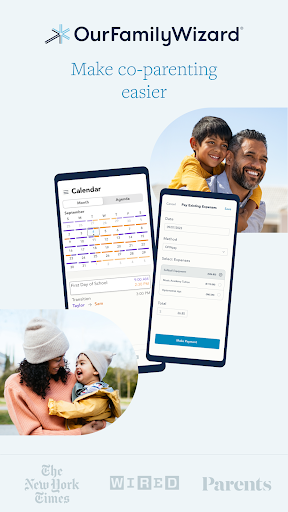
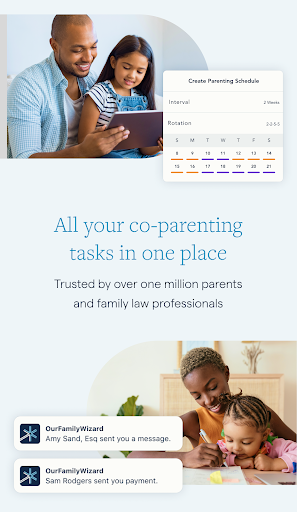
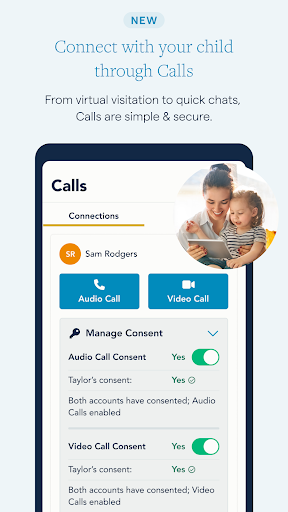
OurFamilyWizard makes co-parenting easier. We designed the app to help you reduce conflict, so your kids can thrive after a separation or a divorce. With our powerful and customizable tools, you can free up time, emotional energy, and mental space.<br><br>With all your digital co-parenting interactions rolled up in one secure app, you can keep everything organized and documented. Plus, you can shield your kids from adult conversations they don’t need to see.<br><br>NEW: STAY CONNECTED THROUGH CALLS<br><br>• Stay close when you’re apart<br><br>When you miss your child or they miss you, give them an audio or video call.<br><br>• Connect virtually<br><br>Calls offer an easy solution for virtual visitation, midweek visits, or long-distance co-parenting.<br><br>*Currently, the calls feature is only available to users located in the United States.<br><br>• Automatic documentation<br><br>With Calls, the details are documented: all dates, times, and in-call activity. All in the same place as your other co-parenting communications.<br><br>SIMPLIFY COMMUNICATION<br><br>• Use just one app<br><br>No more searching for messages or attachments across DMs, phone calls, texts, and emails. Just use one secure app.<br><br>• Track the truth<br><br>Once you send a message, it’s permanent. First-viewed timestamps mean no more arguing about who said what, when, or whether it was seen.<br><br>• Communicate calmly<br><br>ToneMeter™ catches language that could escalate conflict.<br><br>COORDINATE YOUR CALENDAR<br><br>• Create a parenting time schedule (or custody schedule)<br><br>The color-coded schedule shows what’s coming up, including events, holidays, and drop-offs/pick-ups.<br><br>• Encourage reliability<br><br>When everyone shares the same Calendar, mix-ups are a thing of the past.<br><br>• Schedule Change Requests<br><br>Need to make a one-time change to the schedule? Adjust the Calendar with an easy form.<br><br>STREAMLINE YOUR EXPENSES<br><br>• Simplify the math<br><br>Keep clear, secure records of your co-parenting expenses and receipts.<br><br>• Customize categories<br><br>Create new categories, with your own percentage splits.<br><br>• Centralize everything<br><br>With OFWpay, you can reimburse your co-parent in the app—and you can even make scheduled payments for child support. (Or record payments via another method.)<br><br>KEEP A MEANINGFUL JOURNAL<br><br>• Log when you arrive<br><br>Verify your presence at drop-offs and pick-ups with GPS Check-Ins.<br><br>• Capture memories<br><br>Record parenting observations and special, close moments with photos and text.<br><br>SHARE INFO ABOUT YOUR KIDS<br><br>• Store essential details<br><br>Share and view medical records, clothing sizes, school information, and more.<br><br>• Minimize messaging<br><br>No need to message your co-parent for basic stuff—just check the Info Bank.<br><br>DOCUMENTATION AND REPORTS<br><br>If you need to go to court or mediation, quick and simple documentation will make your life easier. It only takes a couple minutes on the website to customize and download a report from any app feature.<br><br>GRANT YOUR PROS ACCESS<br><br>With your permission and a Practitioner Account, your family law pro can view all app activity, help you manage the practical details, and quickly download reports—which potentially reduces your legal fees. Available for:<br><br>Lawyers<br><br>Mediators<br><br>Parenting coordinators<br><br>Guardians ad litem<br><br>Therapists<br><br>KEEP EVERYONE ON THE SAME PAGE<br><br>OurFamilyWizard helps you coordinate with your co-parent, but you can also add accounts for your kids and anyone involved in childcare. (These accounts can only view limited features.)<br><br>ABOUT OURFAMILYWIZARD<br><br>For over 20 years, OurFamilyWizard has been the leading co-parenting app, used by over 1 million co-parents and family law professionals. Throughout the United States and Canada, courts often order and recommend OurFamilyWizard to co-parents.<br><br>OurFamilyWizard has been featured in the New York Times, Parents.com, Verywell Family, NPR, WIRED, the Today Show, and more.<br><br>HAVE ANY QUESTIONS?<br><br>Our customer service and tech support are available 7 days a week—contact us via phone, chat, or email. We’d love to help.<br><br>Make co-parenting easier - download OurFamilyWizard today.
- Price
- Free
- Size
- 0M
- Type
- parenting apps
- Rating 4 (10726 Ratings)
- 8 Ranking
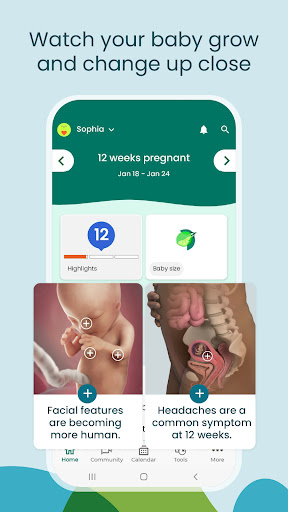
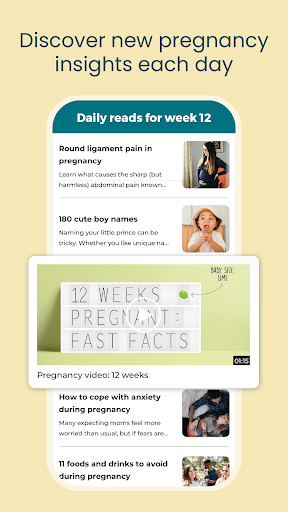
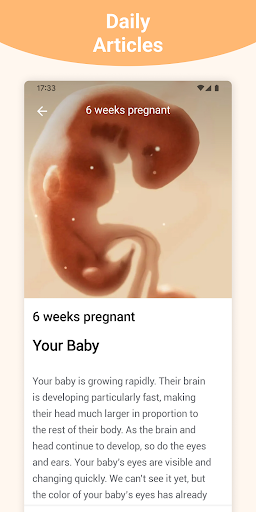
BabyCenter is a top-rated pregnancy and parenting brand, offering a pregnancy & baby tracker app that guides you through pregnancy and parenting with daily updates and week-by-week information on baby development.. The BabyCenter community provides resources and information to improve your pregnancy, motherhood and parenting experience.<br> <br>Enter your baby's due date ,or find it using our Pregnancy Due Date Calculator, to customize our pregnancy tracker and receive week by week updates tailored to your pregnancy. Look at photos and 3-D videos to track your baby’s development and growth. Get answers to your pregnancy questions from thousands of medically reviewed articles.<br> <br>BabyCenter’s free pregnancy and baby tracker also supports you after your baby’s arrival with daily parenting updates, tools like the Baby Growth Tracker, and baby sleep and feeding guides for your baby or toddler<br><br>All health information is written by experts and reviewed and approved by the BabyCenter Medical Advisory Board. These doctors and other professionals ensure that our pregnancy and parenting information is thorough and accurate for women and their baby.<br> <br>Pregnancy & Maternity<br>* Learn about your baby’s growth during pregnancy with our 3-D fetal development videos<br>* Get helpful tips about dealing with common pregnancy symptoms and questions<br>* Enjoy pregnancy workouts, food guides and nutrition advice tailored to your trimester<br>* Use our Pregnancy Calendar to track appointments and symptoms<br>* Find the best pregnancy and baby products recommended by parents and editors<br>* Choose a name for your baby with our Baby Names Finder<br>* Get organized with our comprehensive Baby Registry Checklist<br>* Take BabyCenter’s online birth class so you’re prepared for labor and delivery<br>* Get ready for the big day with our printable hospital bag checklist and birth plan.<br> <br>Parenthood<br>* Use our Baby Growth Tracker to chart your baby’s progress<br>* Follow along with your baby’s big milestones<br>* Get ideas for fun baby and toddler games and activities to boost your child’s development<br>* Sing your little one to sleep with our lullabies for babies<br>* Solve feeding problems with our breastfeeding and formula-feeding tips<br> <br>Starting a Family<br>* Track ovulation and fertility with our Ovulation Calculator<br>* Get tips on how to get pregnant<br>* Learn which prenatal vitamins experts recommend<br>* Spot the early signs of pregnancy<br> <br>BabyCenter Community<br>* Take comfort in this supportive space and connect with moms, parents and parents-to-be during your pregnancy journey<br>* Join your Birth Club to meet people with due dates in the same month<br>* Ask questions, read stories, and share your pregnancy and parenting experiences<br> <br>Pregnancy Apps & Tools<br>* Ovulation Calculator: Predict your fertile window while TTC<br>* Pregnancy Due Date Calculator: Calculate your baby’s due date<br>* Registry Builder: Research your favorite pregnancy and baby products<br>* Baby Name Generator: Choose the perfect baby name<br>* Baby Kick Tracker: Count your baby’s kicks during pregnancy<br>* Baby Growth & Development Tracker: Track your baby’s growth milestones <br>* Birth Plan Template: Document your preferences for your birth experience <br>* Contraction Timer: Track contractions during late pregnancy and labor <br> <br>An Award-Winning Experience<br>BabyCenter is proud to be recognized by leading organizations for its excellence in delivering expert content and top-of-the-line experiences to the parents who visit our site and use our pregnancy app and baby tracker app.<br> <br>Do not sell my info: https://www.babycenter.com/0_notice-to-california-consumers_40006872.bc<br> <br>We value you as a part of the BabyCenter community and would love to hear from you. Please tell us what’s on your mind:<br>[email protected]<br> <br>Let’s connect!<br>Facebook: facebook.com/babycenter<br>Instagram: @babycenter<br>Twitter: @BabyCenter<br>Pinterest: pinterest.com/babycenter<br>YouTube: youtube.com/babycenter<br> <br>© 2011–2023 BabyCenter, LLC, a Ziff Davis company. All rights reserved.
- Price
- Free
- Size
- 0M
- Type
- parenting apps
- Rating 4.9 (1497858 Ratings)
- 9 Ranking
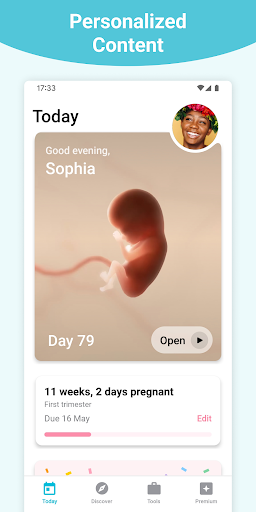
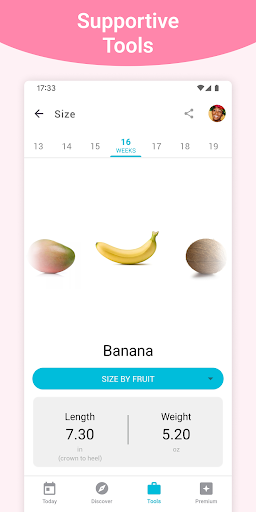
<b>Download the world’s leading pregnancy tracker app today, for free week-by-week pregnancy information and articles!</b><br><br>The Pregnancy+ app features expert advice, daily articles, healthcare tips and interactive 3D models so you can track your baby’s development. Our pregnancy app has been downloaded over 80 million times by expecting families. Join our worldwide community today! <br><br><u>Baby Development</u> ⌛<br>✔️ <b>Unique, interactive 3D models</b> showing your baby’s development <br>✔️ <b>Baby Size Guide</b> helps you visualize your baby’s size in fruits, animals & candy<br>✔️ <b>Pregnancy Week-by-Week Guides</b> explain what to expect in each pregnancy week<br>✔️ <b>Simple & informative Pregnancy Timeline</b> highlighting important milestones<br><br><u>Pregnancy Guides & Information</u> ℹ️<br>✔️ <b>In-depth Pregnancy Guides</b> covering breastfeeding, exercise, food, twins & more <br>✔️ <b>Daily Pregnancy Articles</b>, tailored to your pregnancy stage<br>✔️ <b>2D & 3D Scans</b> by pregnancy week for you to browse<br>✔️ <b>Daily Blog Posts</b> with tips, tricks & helpful advice<br>✔️ Upload photos in <b>My Bump</b> to create a visual pregnancy diary<br><br><u>Pregnancy Tools</u> 🧰<br>✔️ <b>Pregnancy Due Date Calculator</b> helps you work out when your bundle will arrive<br>✔️ <b>Kick Counter</b> tracks your baby’s movements & activity<br>✔️ <b>Pregnancy Weight Log</b> helps you keep an eye on changes in your weight<br>✔️ <b>Contraction Timer</b> measures contractions throughout your labor<br><br><u>Organize & Plan</u> 📅<br>✔️ <b>Pregnancy Calendar</b> enables you to plan & document your prenatal appointments<br>✔️ <b>Hospital Bag</b> helps you prepare your hospital visit, for Mother, Birth Partner & Baby<br>✔️ <b>Birth Plan</b> allows you to customize, organize & export your needs & wishes<br>✔️ <b>To-Do List & Baby Shopping List</b> for ideas of what you need to do & buy<br>✔️ Search thousands of <b>Baby Names</b> for inspiration & share your favorites<br><br><u>Our EXCLUSIVE 3D Models</u> 👶<br>Enjoy our unique 3D models showing your pregnancy’s week-by-week development, from blastocyst to fetus to baby. Our 3D models truly help you to connect with the baby growing inside you. <br>❤️ Choose from multiple ethnicities<br>❤️ Zoom in or out & rotate to see the baby’s intricate detail<br>❤️ Watch guided pregnancy week-by-week walk-throughs<br>❤️ Tap to see baby movements<br><br><u>Pregnancy Articles & Guides</u> 📝<br>If you’re feeling overwhelmed by all the advice out there, don’t worry. Our Pregnancy + tracker app will guide you through your pregnancy, week-by-week, keeping you up to date with your baby’s development and helping you stay healthy through pregnancy and beyond. The Pregnancy+ app content is written in-house, with the help of medical experts, lactation consultants, midwives and, of course, parents.<br><br><u>Share your journey with friends & family</u> 👪<br>Our pregnancy tracker app can be personalized so your partner, future grandparents or best friend can join in the fun and follow your baby’s development in the womb, from bump to birth! Keep everyone up to date with your pregnancy by inviting them to download the app today.<br><br><u>Follow us on Social Media</u> 👍<br>Facebook: facebook.com/PregnancyPlusApp<br>Instagram: @pregnancyplus<br><br><b>🔽 Download Pregnancy+ App today 🔽</b><br><br>Privacy Policy<br>https://info.philips-digital.com/PrivacyNotice?locale=en&country=US<br><br>Terms of Use<br>https://info.philips-digital.com/TermsOfUse?locale=en&country=US<br><br>This app is not intended for medical use, or to replace the advice of a trained medical doctor. Philips Consumer Lifestyle B.V. disclaims any liability for the decisions you make based on this information, which is provided to you on a general information basis only and not as a substitute for personalized medical advice. If you have any concerns about your pregnancy, consult with your doctor or midwife.<br><br>The Pregnancy + tracker app wishes you a healthy, full-term pregnancy and a safe delivery.
- Price
- Free
- Size
- 0M
- Type
- parenting apps
- Rating 4.8 (3042598 Ratings)
- 10 Ranking
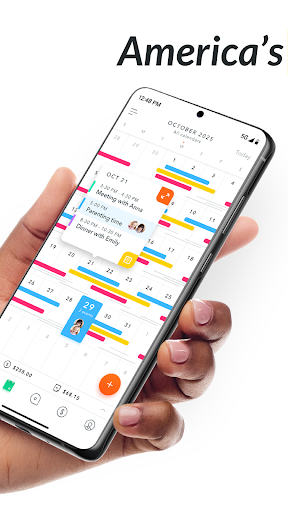
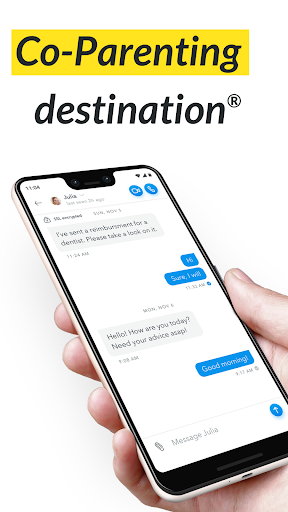
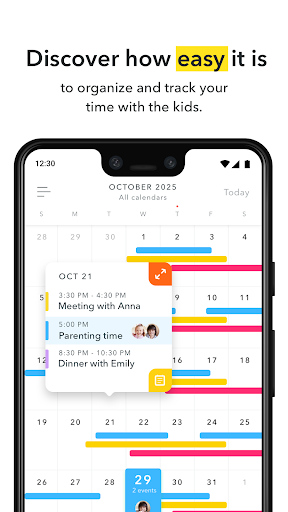
AppClose® has been featured on: The Wall Street Journal, USA Today, Yahoo Lifestyle, TechCrunch, Austin American-Statesman.<br><br>Experience AppClose, the Co-Parenting App like never before - beautifully redefined to make co-parenting simpler and more seamless. <br><br>Now, co-parents, stepparents, family members, childcare providers, professionals, and other third parties – regardless of whether or not they use the app – can communicate and share information easily from the convenience of any mobile device. By organizing priorities and obligations into three different categories, we’ve made it even easier for you and the people in your circle to communicate, manage tasks, share appointments and events, track expenses, and send & receive money for reimbursement obligations. <br><br>Why use AppClose?<br><br>• NO MONTHLY CHARGES or SUBSCRIPTION FEES! <br>• Our unique, multi-functional calendars record and share events, appointments, expenses, and requests, & allow you to communicate by entry with other AppClose users in your circle.. <br>• Send and receive text messages that cannot be altered or deleted.<br>• Group chat with multiple people in your circle. <br>•. Video & Phone Calls <br>• Save or share important child-related information (allergies, special medications, alternative child care options, measurements, school related information, etc.) with your co-parent or other third parties.<br>• Add third parties to your circle (i.e. grandparents, stepparents, ad litems, attorneys, mental health professionals, etc.) to keep everyone on the same page. <br>• Use AppClose Solo when your co-parent doesn’t use the app, you are a single parent, or you want to share personal or child-related information with non-AppClose users. <br>• Utilizing our parenting schedule templates or customizing your own makes schedule sharing easy.<br>• View parenting time percentages or your planned v. actual parenting time using our built-in parenting schedule statistics tracker. <br>• Quickly send a pick-up, drop off, or swap days request when the unexpected happens.<br>• . Check-in. With this exclusively private and non-trackable feature, you can now keep accurate records of when you arrive or depart any location, such as picking up or dropping off kids at exchanges or anywhere else for that matter. <br>• Track expenses by category and scan and organize receipts easily.<br>• Submit reimbursement requests through our expense tracker and keep records of any responses from the recipient (approved, declined, or paid). <br>• Send and receive money for reimbursement obligations via ipayou®, our built-in payment solution.<br>• Pet management.<br>• Calendar notes!<br><br>Exporting Records <br><br>With AppClose, exporting records is simple and FREE! Whether you need records for personal use or for litigation purposes, you can easily export the following records as needed:<br><br>• Unaltered text messages (on-on-one or group chat messages)<br>• Expense records<br>• Reimbursement request and response records <br>• Pick up, drop off, or swap days request and response records<br>• AppClose Solo requests and events<br><br>What is AppClose Solo? <br><br>AppClose Solo is a unique and exclusive feature only available to AppClose users, allowing you to send requests and events to non-connected co-parents, third parties, or other family members via text, email, or social media. You can even attach receipts or documents and export and print any records you might need for FREE with continued access to all of the other benefits of AppClose.<br><br>We owe our safety to the brave men and women who serve in our military. AppClose can provide military families with a way to stay connected, share information and keep everyone involved without the burden of another expense.
- Price
- Free
- Size
- 0M
- Type
- parenting apps
- Rating 4.6 (21826 Ratings)