Best launchers apps for android
- Nova Launcher|
- Microsoft Launcher|
- Smart Launcher 6|
- Niagara Launcher ‧ Home Screen|
- Square Home|
- HiOS Launcher - Fast|
- XOS Launcher -Cool Stylish|
- POCO Launcher 2.0 - Customize,|
- Launcher OS™ Pro|
- Before Launcher | Go Minimal|
Here are UPUP's list of best launchers apps for android:
- 1 Ranking
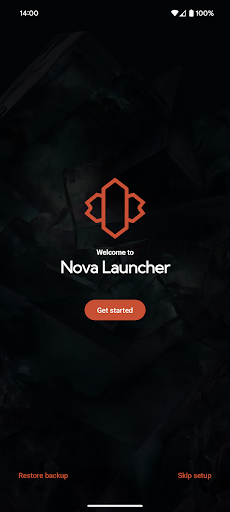
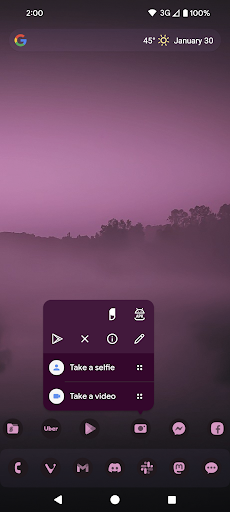
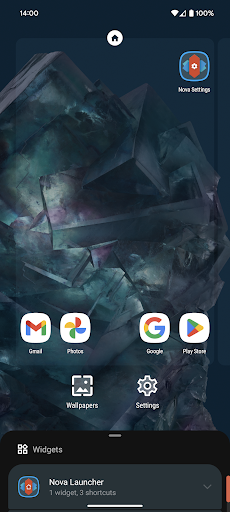
Nova Launcher is a powerful, customizable, and versatile home screen replacement. Nova brings advanced features to enhance your home screens, but still remains a great, user-friendly choice for everyone. Whether you want to completely overhaul your home screens or are looking for a cleaner, faster home launcher, Nova is the answer.<br><br><u><b>✨ The newest features</b></u><br>Nova brings the latest Android launcher features to all other phones.<br><br><u><b>🖼️ Custom icons</b></u><br>Nova supports thousands of icon themes available in the Play Store. Plus, reshape all icons to a shape of your choice for a uniform and consistent look.<br><br><u><b>🎨 An extensive color system</b></u><br>Use Material You colors from your system, or choose your own colors for a personalised feel that's unique to you.<br><br><u><b>🌓 Custom light and dark themes</b></u><br>Sync dark mode with your system, the sunrise and sunset, or keep it on permanently. The choice is yours.<br><br><u><b>🔍 A powerful search system</b></u><br>Nova allows you to search for content in your apps, your contacts, and other services with integrations for your favorite platforms. Additionally, get instant Micro Results for calculations, unit conversions, package tracking, and more.<br><br><u><b>📁Customizable home screen, app drawer, and folders</b></u><br>Icon size, label colors, vertical or horizontal scroll and search bar positioning just scratch the surface of customization for your home screen setup. The app drawer also adds innovative customizable cards to give you the information you need, right when you need it.<br><br><u><b>📏 Subgrid positioning</b></u><br>With the ability to snap icons and widgets in between grid cells, it’s easy to get a precise feel and layout with Nova in a way that’s impossible with most other launchers.<br><br><u><b>📲 Backup and restore</b></u><br>Moving from phone to phone or trying new home screen setups is a snap thanks to Nova’s backup and restore feature. Backups can be stored locally or saved to the cloud for easy transfers.<br><br><u><b>❤️ Helpful support</b></u><br>Quickly get in touch with support through a convenient option in the app, or join our active Discord community at https://discord.gg/novalauncher<br><br><u><b>🎁 Do even more with Nova Launcher Prime</b></u><br>Unlock Nova Launcher’s full potential with Nova Launcher Prime.<br>• <b>Gestures:</b> Swipe, pinch, double tap, and more on the home screen to execute custom commands.<br>• <b>App drawer groups:</b> Create custom tabs or folders in the app drawer for an ultra-organized feel.<br>• <b>Hide apps:</b> Hide apps from the app drawer without uninstalling them.<br>• <b>Custom icon swipe gestures:</b> Swipe up or down on your home screen icons to become more productive without taking up more home screen space.<br>• <b>…and more.</b> More scrolling effects, notification badges, and others.<br><br>――――――――――<br><br><u><b>Icons used in screenshots</b></u><br>• OneYou Icon Pack by PashaPuma Design<br>• OneYou Themed Icon Pack by PashaPuma Design<br>Icon packs used with permission from the respective creators.<br><br>――――――――――<br><br>This app uses the AccessibilityService permission for optional support of making certain system functions more accessible, such as with desktop gestures. For example screen off or opening the Recent Apps screen. Nova will automatically prompt you to enable this if it is necessary for your configuration, for many cases it is not! No data is collected from the AccessibilityService, it is merely used to invoke system actions.<br><br>This app uses the Device Administrator permission for optional screen off/lock functionality.<br><br>This app uses a Notification Listener for optional badges on icons and media playback controls.
- Price
- Free
- Size
- 0M
- Type
- launchers apps
- Rating 4 (1324562 Ratings)
- 2 Ranking
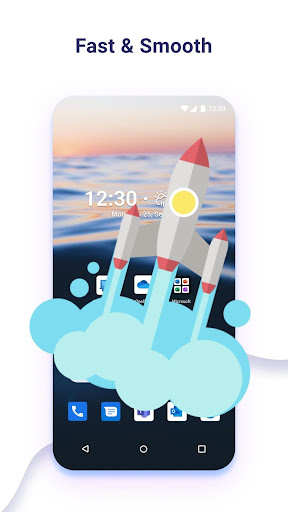
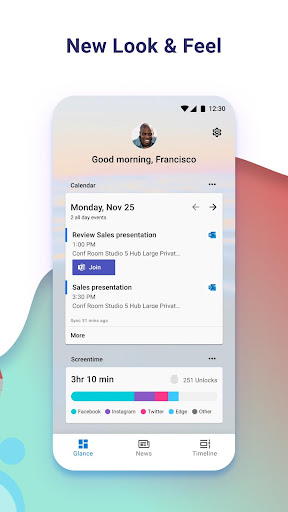
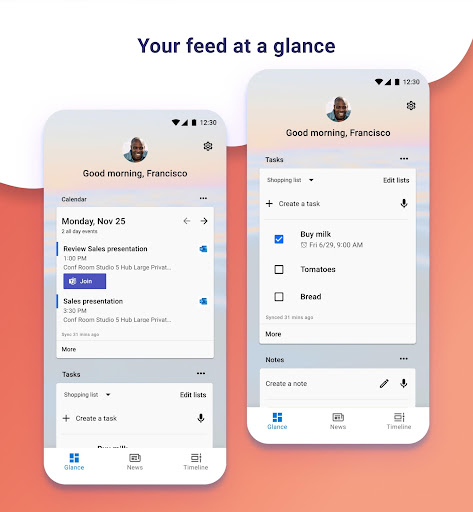
Microsoft Launcher provides a new home screen experience that empowers you to be more productive on your Android device. Microsoft Launcher is highly customizable, allowing you to organize everything on your phone. Your personalized feed makes it easy to view your calendar, to do lists, and more. Sticky Notes on the go. When you set up Microsoft Launcher as your new home screen, you can either start fresh with your favorite apps or import your current home screen layout. Need to switch back to your previous home screen? You can do that, too!<br><br>This version of Microsoft Launcher has been rebuilt on a new codebase to make new features possible, including dark mode, and personalized news.<br> <br>MICROSOFT LAUNCHER FEATURES <br><b>Customizable icons:</b> <br>· Give your phone a consistent look and feel with custom icon packs and adaptive icons. <br><br><b>Beautiful wallpapers:</b> <br>· Enjoy a fresh new image from Bing every day or choose your own photos.<br> <br><b>Dark theme:</b> <br>· Comfortably use your phone at night or in low light environments with Microsoft Launcher’s new dark theme. This feature is compatible with Android’s dark mode settings.<br><br><b>Backup and Restore:</b> <br>· Easily move between your phones or try Home Screen setups through Microsoft Launcher’s Backup and Restore feature. Backups can be stored locally or saved to the cloud for easy transfers.<br> <br><b>Gestures:</b> <br>· Swipe, pinch, double tap, and more on the home screen to easily navigate on the Microsoft Launcher surface.<br>This app uses Accessibility Service Permission for optional gesture of screen lock and recent apps view.<br> <br>Microsoft Launcher asks for the following optional permissions:<br><br>· Microphone: Used for speech-to-text functionality for Launcher features, such as Bing Search, Bing Chat, To Do, and Sticky Notes. <br><br>· Photo and video: Used for getting features, such as your wallpaper, Blur Effect, and Bing Chat Visual Search, and to show recent activities and backups. On Android 13 and higher, these permissions are replaced with the ‘All file’ access permissions. <br><br>· Notifications: Needed to notify you of any update or app activity. <br><br>· Contacts: Used for searching contacts on Bing Search. <br><br>· Location: Used for the Weather widget. <br><br>· Phone: Allows you to call your contacts with a swipe in Launcher. <br><br>· Camera: Used to create image notes for the Sticky Notes card and to search for images in Bing Search. <br><br>· Calendar: Used to show calendar info for the Calendar card in your Launcher feed. <br><br>You can still use Microsoft Launcher even if you do not consent to these permissions, but some functions may be restricted.<br><br><b>TERM OF USE</b> <br>By installing this app, you agree to the Terms of Use (http://go.microsoft.com/fwlink/?LinkID=246338) and Privacy Policy (http://go.microsoft.com/fwlink/?LinkID=248686). <br><br>Downloading Microsoft Launcher gives the option to replace the default launcher or to toggle between device launchers. Microsoft Launcher does not replicate the user’s PC home screen on the Android phone. Users must still purchase and/or download any new apps from Google Play. Requires Android 7.0+.
- Price
- Free
- Size
- 0M
- Type
- launchers apps
- Rating 4.7 (1666188 Ratings)
- 3 Ranking
<p><strong>Smart Launcher improves and extends the features of your Android devices giving them a new home screen designed to be easier and faster to use.<br></strong>Smart Launcher automatically sorts your apps into categories. It features a powerful search engine that allows you to search for what you need in just a few taps. It matches your wallpaper colors every time you change it. We designed every area of your new home screen to be as smart as possible. <br><br>Everything you need to perform your daily tasks faster and easier.<br><br><br>🏅 <strong>Best Android Launcher 2020 - 2021</strong> - Android Central<br>🏅 <strong>Best Android Launcher 2020 for customization</strong> - Tom's Guide<br>🏅 <strong>Best launcher Android app for efficiency 2020 - 2021</strong> - Android Headlines<br>🏅 <strong>Top 10 Launchers</strong> - Android Authority, Tech Radar<br>🏅 <strong>Playstore Best App 2015</strong> - Google <br><br><br>-----<br><br><br><strong>WHAT'S IN SMART LAUNCHER:</strong><br><br><br><strong>• Automatic app sorting</strong><br><br>Apps are automatically sorted into categories, you won't have to waste time organizing your icons anymore! The advantages of automatic app sorting have been recognized also by Apple which introduced it in their <i>App Library</i> in iOS 14.<br><br><br><strong>• Ambient theme</strong><br>Smart Launcher automatically changes the theme colors to match your wallpaper.<br><br><br><strong>• Designed to be used with one hand</strong><br>We moved the items you need to interact the most, in the bottom part of the screen where they are easier to reach.<br><br><br><strong>• Responsive build-in widgets</strong><br>Smart Launcher includes a full set of responsive widgets.<br><br><br><strong>• Customization</strong><br>Smart Launcher is completely customizable. You can now modify every single color of the theme unlocking infinite possibilities of color combination. Change fonts on the home screen choosing among thousands of fonts from Google Fonts.<br><br><br><strong>• Smart search</strong><br>The Smart Launcher search bar allows to quickly find contacts and apps or to perform actions like searching on the web, adding a contact, or performing a calculation.<br><br><br><strong>• Adaptive icons</strong><br>The icon format introduced with Android 8.0 Oreo is fully supported and available for any Android device! Adaptive icons mean not only customizable shapes but also beautiful and bigger icons!<br><br><br><strong>• Gestures and hotkeys</strong><br>Both gestures and hotkeys are supported and configurable. You can turn off the screen with a double-tap or show the notification panel with a swipe.<br><br><br><strong>• On-screen notifications</strong><br>Smart Launcher will now show you which apps have active notifications without requiring you to download an external plugin. This makes the feature more stable and reliable.<br><br><br><strong>• Ultra immersive mode</strong><br>You can now hide the navigation bar in the launcher to maximize the screen space.<br><br><br><strong>• Protect your apps</strong><br>You can hide the apps you want and if you want to keep them secret, you can protect them with a PIN.<br><br><br><strong>• Wallpaper selection</strong><br>Smart Launcher includes a very efficient wallpaper picker that allows you to choose between many sources of pictures. You can also backup your wallpaper before trying a new one!<br><br><br>-----<br><br><br>Smart Launcher is a community-driven project, regularly updated with new features to support the most recent Android APIs and new devices. You can join our community and find out how to become a beta tester using this link: https://www.reddit.com/r/smartlauncher<br><br><br>-----<br><br><br>Smart Launcher requires access to the Android Accessibility API in order to provide some features like turning off the screen or showing the notification panel with a gesture. Enabling the access is optional and in any case, Smart Launcher will never collect any kind of data using this API.<br></p>
- Price
- Free
- Size
- 0M
- Type
- launchers apps
- Rating 4.3 (628114 Ratings)
- 4 Ranking
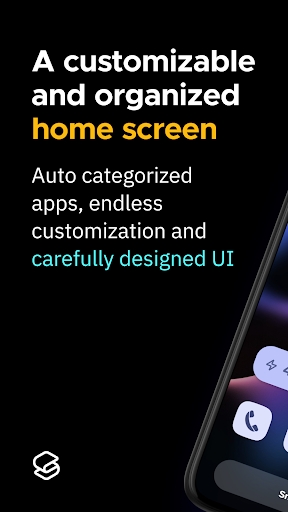
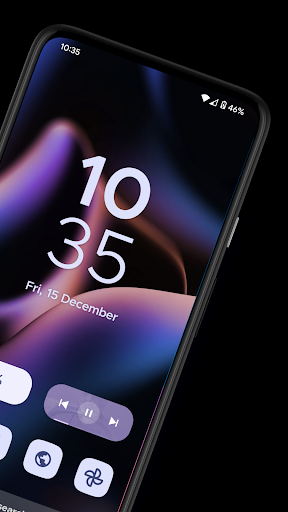
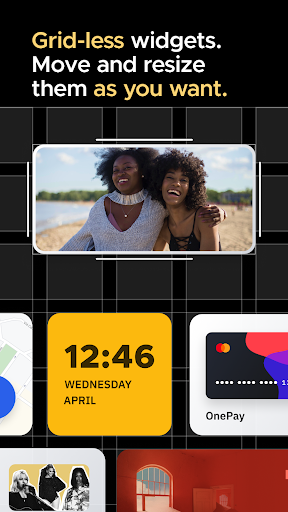
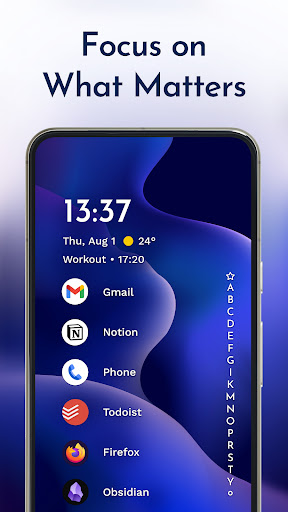
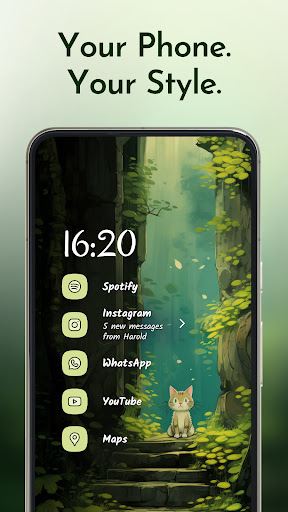
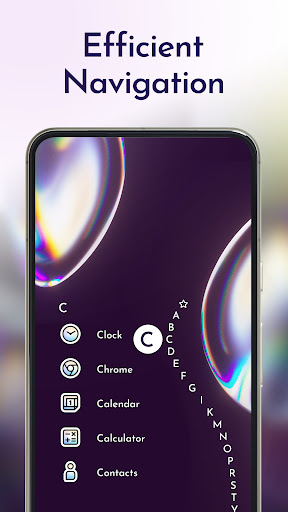
The traditional home screen we know was made more than a decade ago when phone<br> screens were smaller than your credit card. Smartphones keep growing, but not your fingers. The minimalist<br> Niagara Launcher makes everything accessible with one hand and lets you focus on what matters.<br> <br><br>🏆 "The best Android app I've used in years" · Joe Maring, Screen Rant<br><br>🏆 "It changed the way I look at the full device—big time" · Lewis Hilsenteger, Unbox Therapy<br><br>🏆 Among the best launchers of 2022, according to Android Police, Tom's Guide,<br> 9to5Google, Android Central, Android Authority, and Lifewire<br> <br><br><b>▌ Top reasons to use Niagara Launcher:</b><br><br><b>✋ Ergonomic efficiency</b> · Access everything with one hand - no matter how big your phone<br> is.<br> <br><br><b>🌊 Adaptive list</b> · In contrast to a rigid grid layout used by other Android<br> launchers, Niagara Launcher's list can adapt to your needs. The media player, incoming messages, or calendar<br> events: everything pops in when it needs to.<br> <br><br><b>🏄♀ Wave alphabet</b> · Efficiently reach every app without even having to open an app<br> drawer. The launcher's wave animation does not only feel satisfying but also helps you navigate your phone with<br> just one hand.<br> <br><br><b>💬 Embedded notifications</b> · Not just notification dots: Read and respond to<br> notifications right from your home screen.<br> <br><br><b>🎯 Stay focused</b> · The streamlined and minimalist design declutters your home screen,<br> reduces distractions, and is super easy to use.<br> <br><br><b>⛔ Ad-free</b> · Having to endure advertisements on a minimalist launcher designed<br> to keep you focused does not make sense. Even the free version is also completely ad-free.<br> <br><br><b>⚡ Lightweight & lightning fast</b> · Being minimalist and fluid are two of the most important<br> aspects of Niagara Launcher. The home screen app runs smoothly on all phones. With just a few megabytes in size,<br> no space is wasted.<br> <br><br><b>✨ Material You Theming</b> · Niagara Launcher adopted Material You, Android's new expressive<br> design system, to make your home screen truly yours. Set an awesome wallpaper, and Niagara Launcher instantly<br> themes around it. We went one step further by bringing Material You to everyone by backporting it to all Android<br> versions.<br> <br><br><b>🦄 Personalize your home screen</b> · Impress your friends with Niagara Launcher's clean look and<br> customize it to your needs. Personalize it with our integrated icon pack, fonts, and wallpapers, or use your<br> own.<br> <br><br><b>🏃 Active development & great community</b> · Niagara Launcher is in active development and has a<br> very supportive community. If you ever have a problem or want to voice your opinions about the launcher, please<br> join us:<br> <br><br>🔹 Twitter: https://twitter.com/niagaralauncher<br><br>🔹 Discord: https://niagaralauncher.app/discord<br><br>🔹 Telegram: https://t.me/niagara_launcher<br><br>🔹 Reddit: https://www.reddit.com/r/NiagaraLauncher<br><br>🔹 Press kit: http://niagaralauncher.app/press-kit<br><br>---<br><br><b>📴 Why we offer an accessibility service</b> · Our accessibility service has the sole purpose of letting you<br> quickly turn off your phone's screen with a gesture. The service is optional, disabled by default, and neither<br> collects nor shares any data.<br> <br>
- Price
- Free
- Size
- 0M
- Type
- launchers apps
- Rating 4.8 (117228 Ratings)
- 5 Ranking
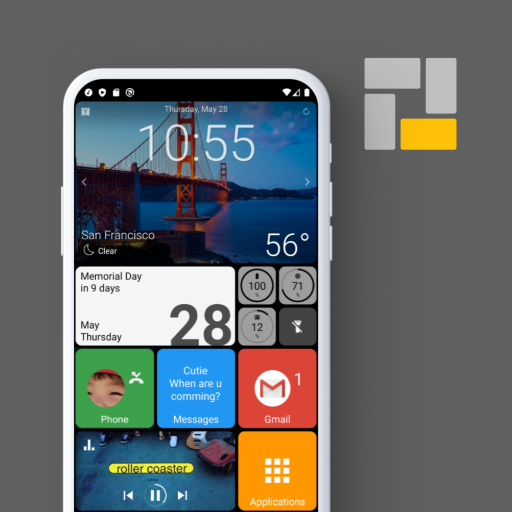
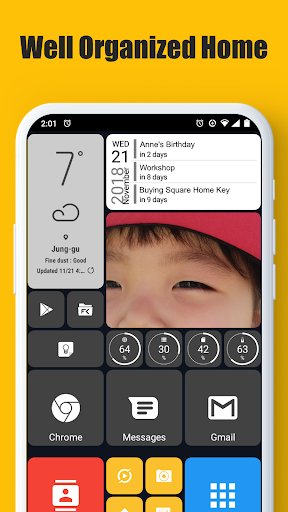
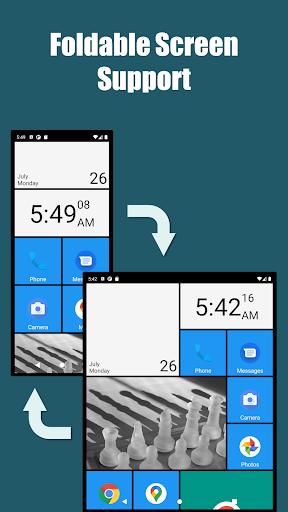
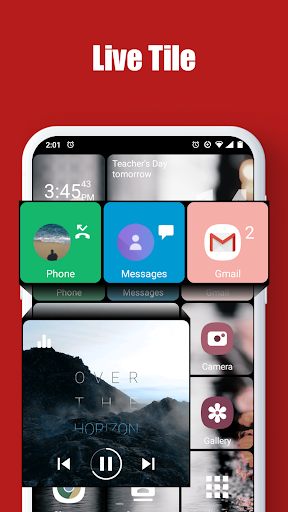
* This app uses the Device Administrator permission.<br>If Android version is lower than 9.0, you should allow the permission to make the "screen lock" launcher action work.<br><br>* This app uses Accessibility service API for the following Launcher actions only if necessary:<br> - Expand notifications panel<br> - Expand quick settings panel<br> - Open recent apps<br> - Screen lock<br> - Power dialog<br><br><br>Square Home is the best launcher with metro UI of Windows.<br>It's easy to use, simple, beautiful and powerful for any of phone, tablet and TV box.<br><br>Main features:<br>- Foldable screen support.<br>- Vertical scrolling in a page and horizontal scrolling from page to page.<br>- Perfect metro style UI and tablet support.<br>- Beautiful tile effects.<br>- Shows notifications and count on tile.<br>- Smart app drawer : Sort the best apps to the top based on app usage patterns<br>- Quick access to your contacts.<br>- Plenty options for customization.
- Price
- Free
- Size
- 0M
- Type
- launchers apps
- Rating 4.5 (100221 Ratings)
- 6 Ranking
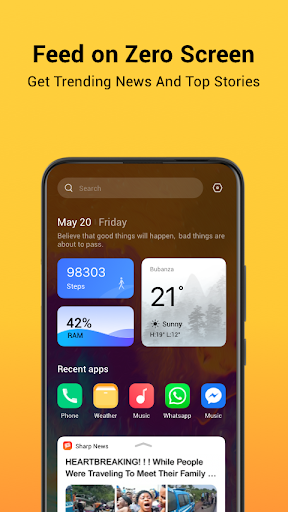
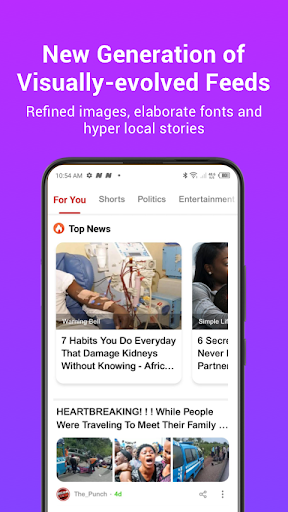
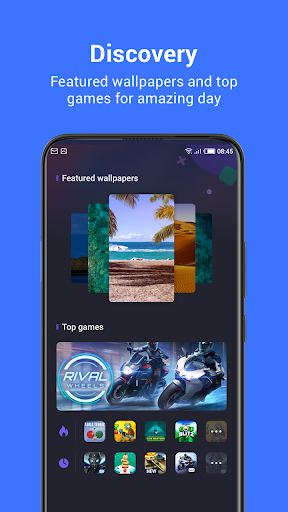
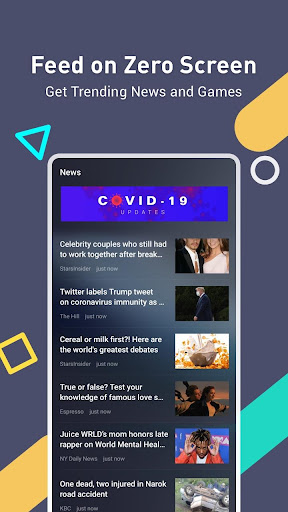
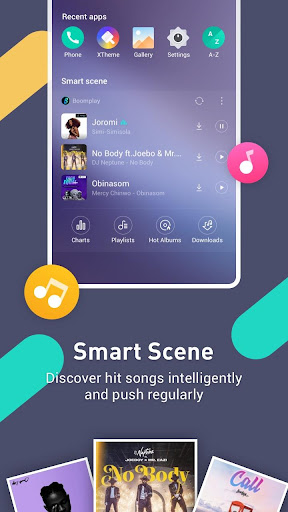
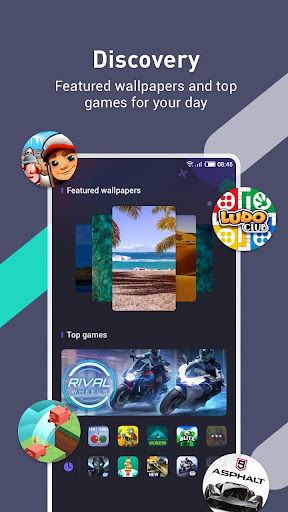
HiOS launcher is faster and lighter.<br><br>*Feed on Zero Screen<br>Get trending news and games<br><br>*Smart Scene <br>Discover hit songs intelligently and push regularly<br><br>*Discovery<br>Featured wallpapers and top games for your day<br><br>* More Interesting Functions <br>One-Click Font Preview & Freezer & Theme……<br><br>to be continued.....<br><br>If you have questions or suggestions, please share them with us!
- Price
- Free
- Size
- 0M
- Type
- launchers apps
- Rating 4.2 (740020 Ratings)
- 7 Ranking
XOS launcher is highly customizable, smart, beauty and so cool.<br><br>*Feed on Zero Screen<br>Get trending news and games<br><br>*Smart Scene <br>Discover hit songs intelligently and push regularly<br><br>*Discovery<br>Featured wallpapers and top games for your day<br><br>* More Interesting Functions <br>One-Click Font Preview & Freezer & Theme……<br><br>to be continued.....<br><br>ABOUT XOS Launcher<br>XOS is an Infinix Project brought to you.<br>Learn more about XOS at: http://www.infinixmobility.com/xos/<br><br>If you have questions or suggestions, please share them with us!
- Price
- Free
- Size
- 0M
- Type
- launchers apps
- Rating 4.3 (1095864 Ratings)
- 8 Ranking
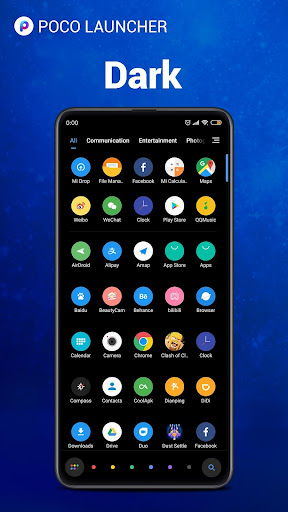
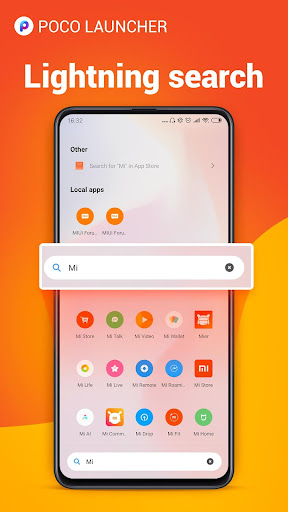
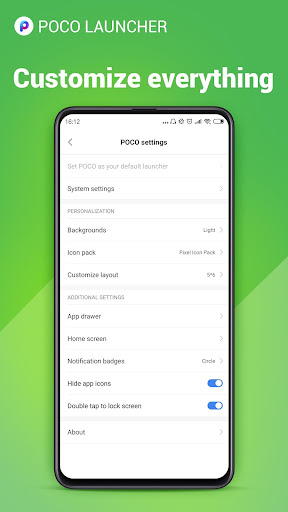
<b>POCO Launcher</b> - Our app is a fast and lightweight launcher designed especially for Android phones. High performance and gorgeous design will give your device a boost of confidence. Play with Home screen wallpapers, themes, and animations; personalize your device to make it truly unique.<br><br>🏆 One of the 15 best Android apps released in 2018 (Android Authority)<br><br>👍 <b>Key features</b><br><br>🏠 <b>Minimalist design</b> - Following in footsteps of Material Design, POCO Launcher puts all your apps in the App drawer, keeping the Home screen neat and clean.<br><br>🌟 <b>Personalization</b> - Resize the Home screen layout and app icons. Apply customized wallpapers, themes, and animations. Use third party icon packs to give your device a new look.<br><br>🔎 <b>Convenient search</b> - App suggestions, icon color categories, and lots of other customizable features allow you to find what you need much faster.<br><br>🎯 <b>Manage apps</b> - Group apps by category automatically or create custom groups to always keep important things just a tap away.<br><br>🔐 <b>Privacy</b> - Keep your apps private by hiding their icons.<br><br>🚀 <b>Fast and smooth</b> - POCO Launcher is optimized for breakneck speeds! Simple and fast, it works like a charm. Forget about slow system animations!<br><br><br>What's new: <br>🔥 Dark mode rolls out<br>🔥 You can change the style of notification badges(Dots or Count) if your device is running Android 8.0 or later.<br>🔥 You can double tap the screen to lock device now.<br>🔥 Show more local results in search(type less!)<br>🔥 Lock home screen icons.<br>🔥 We extended functional support for various phone models.<br>🔥 POCO Launcher is fully compatible with Android Q now.<br><br><br>💕💕💕 Thank you for choosing POCO Launcher! Don't forget to leave us a review if you like our app. Also, feel free to drop us a line if you have any questions: [email protected]
- Price
- Free
- Size
- 0M
- Type
- launchers apps
- Rating 4.6 (694588 Ratings)
- 9 Ranking
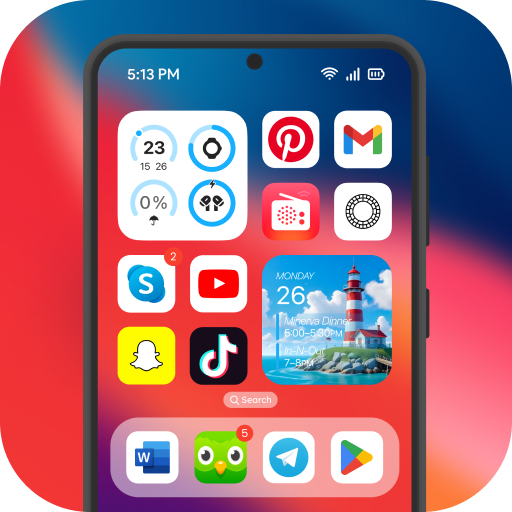
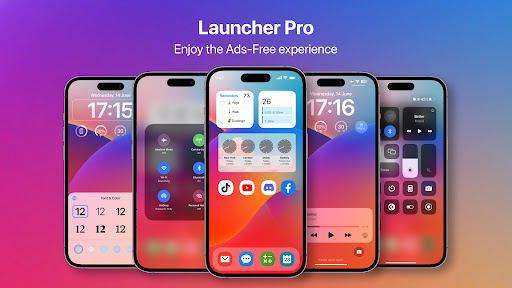
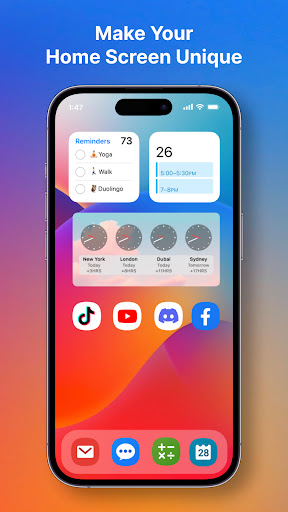
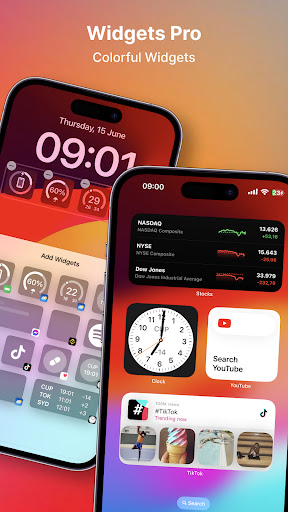
✨ Launcher OS™ Pro Features✨<br>✔️ Remove Ads to ensure pure & clean user interface<br>✔️ Friendly user interface with row and column icon elements inspired<br>✔️ 50+ Unique wallpapers<br>✔️ Many color widgets and themes which support light mode and dark mode.<br>✔️ Customize your Lock Screen, widget<br>✔️ More gestures to quickly access apps, contacts, settings, search, swipe up...<br>✔️ More premium functions are coming...<br><br>Launcher OS™ Pro without ads, the next evolution of our popular Android launcher app. With Launcher OS™ Pro, we continue to set a new standard for the Android mobile operating system, bringing you the latest features and design. Launcher OS™ Pro builds elements inspired with powerful personalized, and intelligent features: <br>Launcher OS™ Pro sets a new standard for the Android mobile operating system. It makes your phone better than before. And now it opens up to amazing possibilities for launcher on your phone. With Launcher OS™ Pro, your phone is the most powerful, personal, and intelligent device they've ever been. <br><br>To make Launcher OS™ Pro working most perfectly. You must grant some special permissions like to: <br>- READ_PHONE_STATE: Show phone call when screen is locked. <br>- NOTIFICATION ACCESS: Show notification when screen is locked. <br>- READ/WRITE_EXTERNAL_STORAGE: Support wallpaper set from your storage and our server save image. <br>- DRAW OVER SCREEN: Show Lock Screen in over all application<br><br>If you have any problem, please contact me via email [email protected] <br>THANK YOU SO MUCH FOR YOUR USING MY APPLICATION!
- Price
- $2.99
- Size
- 0M
- Type
- launchers apps
- Rating 4.7 (16859 Ratings)
- 10 Ranking
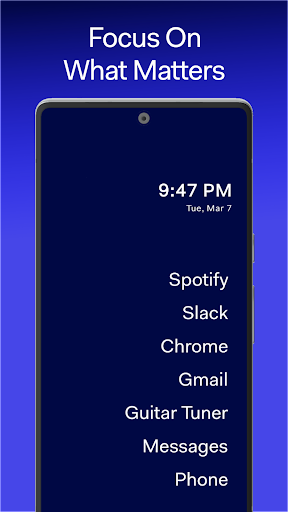
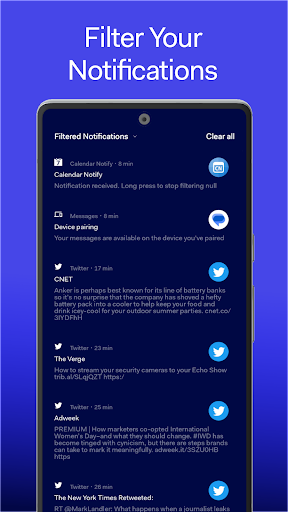
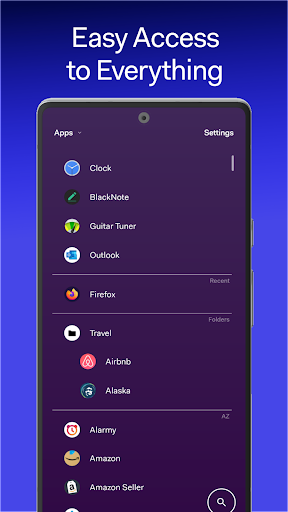
⚡️Stay focused using the minimalist launcher with style and functionality.<br><br><b>🔥Top 10 minimal launchers</b><br>✶Featured by Mrwhosetheboss and Copper vs Glass as a pioneer in Android minimal launchers✶<br><br><b>✶Open your phone 40% less✶</b><br><b>✶Reduce distractions with the notification filter. 80% of all notifications don’t warrant interruption✶</b><br><b>✶Focus on what matters. Streamline your work and play✶</b><br><br><b>❌ Zero ads, never a subscription</b><br><b>✶No ads, EVER✶</b><br><b>✶No subscriptions, EVER✶</b><br><b>✶Lifetime purchase for ALL of your devices✶</b><br><br>—<br><br>Before Launcher maximizes your time by minimizing the look of your phone. This minimalist launcher provides functional features including:<br><br><b>✅ Minimal homescreen</b><br>Quick launch of your most important apps. It’s configurable, too!<br><br><b>📱Customize the look, make your own clean style</b><br>Choose from our large list of photo, gradient and solid themes or create your own.<br><br><b>🚀 Fast access to your favorites and everything else with one swipe</b><br>Fast access to all your apps in a scrollable, sortable & searchable list.<br><br><b>⭐ Favorite, folder and hide your apps</b><br>Group apps into folders. Pin apps to the top of your apps list. Hide unwanted and distracting bloatware (*available in pro version)<br><br><b>⛔ Hide trivial notifications</b><br>Our filtered notification drawer is unique. Trivial notifications don't interrupt you with vibrations, pings or noise. They won't clutter up your notification bar. But you still receive them and they are accessible with a quick swipe.<br><br><b>🔕 Notified but not distracted</b><br>Focus on what is essential. Important notifications (defined by you) still notify you, so you don’t miss anything.<br><br><b>🤝 Built to be private</b><br>We are not in the business of capturing or selling your data. We don't track any data that identifies you. We even allow you to turn off our anonymous analytics.<br><br><b>🔒 No required permissions = more privacy/security</b><br>Many other launchers want 10 or more device permissions. (the notification filter asks for one access but you can turn off that feature).<br><br><b>🎯Take control of your phone</b><br>Before Launcher can sort apps by their size, their installed date and the last time you used them. Uninstall the ones that take up too much space, or you never use.<br><br><b>⚙️Suite of custom widgets designed for wellness</b><br>Practice mindfulness using our free widgets designed to reduce screen time. See date & time, battery, weather, and your average screen unlocks for the day and week.<br><br><b>🦄 Style your app icons</b><br>Add our own styles and also add 3rd party icon packs.<br><br><b>💯Easy set up</b><br>Our guided process helps you get Before Launcher set up in no time.<br><br><b>❤️No AI, just humans</b><br>We’re here for any questions, comments, or concerns about the launcher.<br><br>—<br><br>Selected as one of Fast Company's best new apps of the year in 2019. <br><br>The minimalism movement inspired our work! This includes books like Digital Minimalism by Cal Newport, How to Break Up with Your Phone by Catherine Price and Indistractable by Nir Ayal. (2) Products like the Lightphone.<br><br>The Before Launcher app, with your consent, uses Android's Accessibility Service API to enable the double-tap gesture to quickly turn off your device’s screen. Your use of this feature is optional. The accessibility service in Before Launcher is disabled by default. Your consent is required to allow the accessibility service to be used by the Before Launcher and when consent is granted it is only used for the double-tap feature. You can revoke your consent at any time. The feature and the service do not collect or share any data.<br><br>🔹X / Twitter: https://twitter.com/beforelabs<br>🔹Medium: https://medium.com/beforelabs <br>🔹LinkedIn: https://www.linkedin.com/company/before-software/about<br>🔹Email: [email protected]
- Price
- Free
- Size
- 0M
- Type
- launchers apps
- Rating 4.7 (10397 Ratings)