


Best screen rotation apps for android
- control screen rotation|
- Screen Orientation Control|
- Rotation | Orientation Manager|
- Rotation Control|
- Rotation Control Pro|
- Rotation Control|
- Rotation Control|
- Screen Rotation Control|
- Auto-rotate Control Pro|
- Custom Screen Rotation Control|
Here are UPUP's list of best screen rotation apps for android:
- 1 Ranking
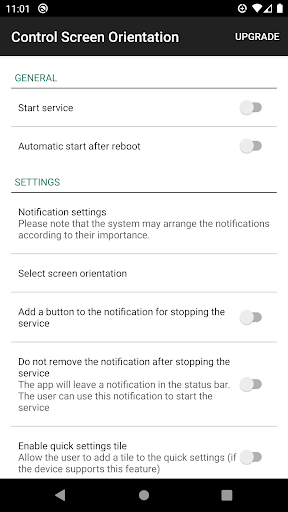
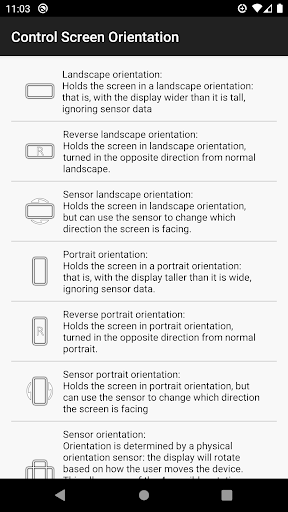
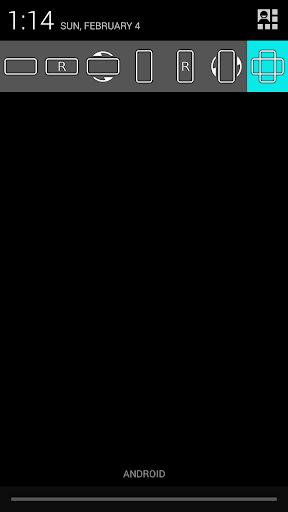
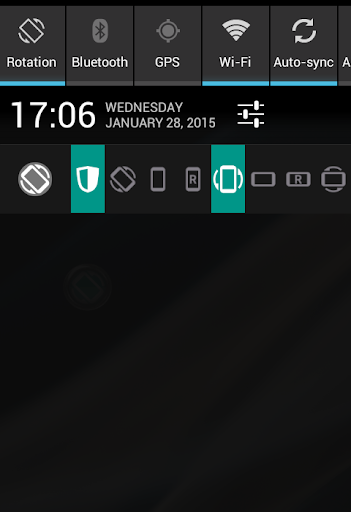
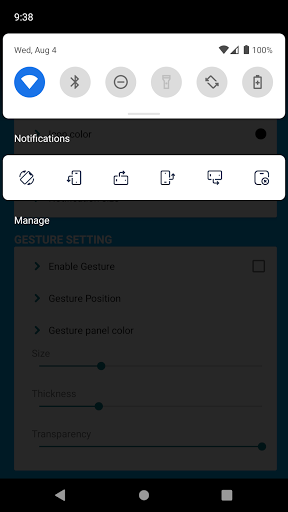
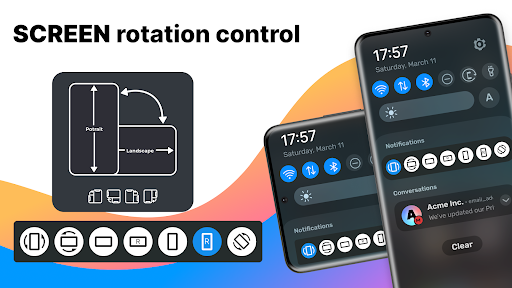
Control your screen orientation very easily from your device notification bar.<br>Prevent screen auto rotation and choose the screen orientation that you want with any application<br>Available orientations:<br>Landscape<br>Reverse landscape<br>Sensor landscape<br>Portrait<br>Revers portrait<br>Sensor portrait<br>Sensor orientation (auto rotation)<br>PLEASE NOTICE THAT:<br>Some screen orientations may not available in some devices
- Price
- Free
- Size
- 0M
- Type
- screen rotation apps
- Rating 4 (28662 Ratings)
- 2 Ranking
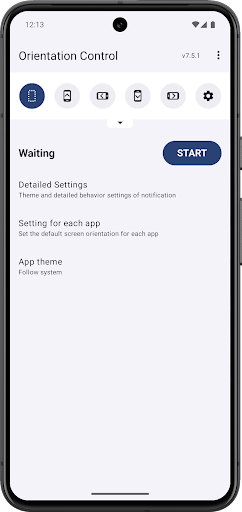
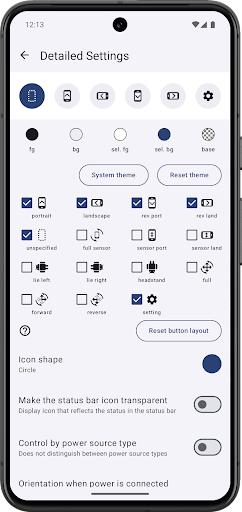
This is a tool app that can change the orientation and rotation of the screen regardless of the attributes of the displayed application.<br>The screen can be fixed in a specific orientation or, conversely, rotated according to the sensor.<br>You can change the screen orientation from the notification area. It is also possible to associate a specific application with the screen orientation and switch settings when the application starts.<br>Not all settings are available because some screen orientations are not supported by some devices.<br><br>Because this app forcibly changes the display of the running application, it can become inoperable or, in the worst case, cause a crash.<br>Please use at your own risk.<br><b>Even if a problem occurs, please refrain from making inquiries to the developer of the application as it will be a nuisance.</b><br><br><b>How this app works</b><br><br>This application displays the UI on a layer above other general applications.<br>It's transparent, no size and untouchable, so it's invisible to the user, but by changing the screen orientation requirements of this UI, it has a higher priority than apps that are normally visible to the user. The OS recognizes it as a high instruction.<br><br>In addition, this application will remain resident in the background to display the UI even after it is closed.<br>Therefore, the UI that resides in the notification bar is displayed. This is because Android rules need to display something in the notification bar in order to stay in the background.<br><br>Due to this mechanism, there are some restrictions.<br>- Although it can change the display of the notification bar, it cannot hide. I often request that you want to turn off the display, but please note that this is impossible due to the system.<br>- The system may recognize that it is the cause of battery consumption. In that case, this application may be terminated. If the app quits frequently, you may be able to avoid it by setting power saving, so please check the settings of your device.<br>- Since it has a UI above other apps, it may be recognized as an app that induces unauthorized operations. Therefore, this application may be detected and a warning may be displayed or operation may be prohibited. This app is not such an app, but please note that it will be an unavoidable problem as long as it uses the same mechanism as the fraudulent app.<br>- If you use this app together with other apps that display overlays, it may cause functional conflicts and may not function properly.<br><br><b>Settings possible with this application</b><br><br>The following settings are possible<br>unspecified<br>- Unspecified orientation from this app. Device will be the original orientation of the displayed app<br>portrait<br>- Fixed to portrait<br>landscape<br>- Fixed to landscape<br>rev port<br>- Fixed to reverse portrait<br>rev land<br>- Fixed to reverse landscape<br>full sensor<br>- Rotate in all orientations by sensor (system control)<br>sensor port<br>- Fixed to portrait, automatically flip upside down by sensor<br>sensor land<br>- Fixed to landscape, automatically flip upside down by sensor<br>lie left<br>- Rotate it 90 degrees to the left with respect to the sensor. If you lie on left lateral and use it, the top and bottom will match.<br>lie right<br>- Rotate it 90 degrees to the right with respect to the sensor. If you lie on right lateral and use it, the top and bottom will match.<br>headstand<br>- Rotate 180 degrees with respect to the sensor. If you use this by headstand, the top and bottom will match.<br>full<br>- Rotate in all orientations by sensor (app control)<br>forward<br>- Rotate in forward orientations by the sensor. Does not rotate in reverse orientations<br>reverse<br>- Rotate in reverse orientations by the sensor. Does not rotate in forward orientations<br><br>Trouble shooting<br>- If you can not fix in the opposite direction of the portrait / landscape, try changing the system setting to auto-rotate
- Price
- Free
- Size
- 0M
- Type
- screen rotation apps
- Rating 4.4 (7070 Ratings)
- 3 Ranking
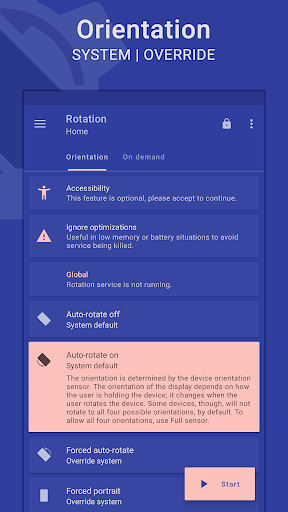
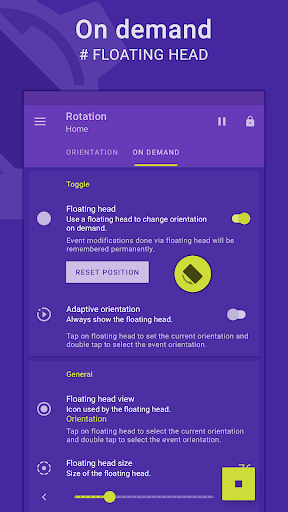
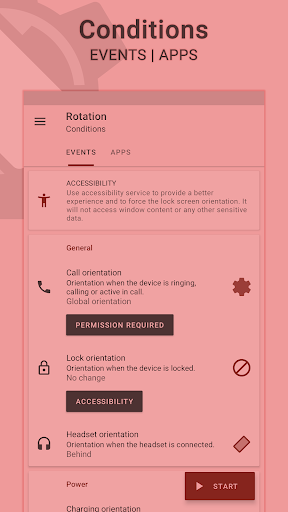
Rotation is a tool to manage the device screen orientation. It offers all the modes that Android supports and can be configured according to the apps or various events like call, lock, headset, charging and dock. Let's give it a try to explore its other features. <br><br><b>FEATURES</b><br><br><b>Orientations</b><br>• Auto-rotate on • Auto-rotate off<br>• Forced auto-rotate • Forced portrait • Forced landscape<br>• Reverse portrait • Reverse landscape • Sensor portrait • Sensor landscape<br>• Forced full sensor • Lock Current – Lock current orientation<br><br><b>Conditions</b><br>• Call orientation • Lock orientation • Headset orientation<br>• Charging orientation • Dock orientation • App orientation<br>• Events priority - Customizable events preference in case of two or more events occur simultaneously. <br><br><b>On demand</b><br><i># Change the orientation of the foreground app or events with a fully customizable floating head (or notification or tile) available on the top of supported tasks.</i><br><br><b>Themes</b><br>• A dynamic theme engine with background-aware functionality to avoid any visibility issues.<br><br><b>Others</b><br>• Start on boot • Notification • Vibration and more.<br>• Widgets, shortcuts and notification tiles to perform various operations.<br><i># Rotation extension to automate over 40 actions via Locale / Tasker plugin.</i><br><br><b>Support</b><br>• Quick setup to configure major features at once.<br>• Dedicated support section to troubleshoot general issues.<br><i># Perform backup and restore operations to save and load the app settings.</i><br><br><i>Features marked with <b>#</b> are paid and <b>Rotation Key</b> is required to use them.</i><br><br><b>LANGUAGES</b><br>English, Deutsch, Español, Indonesia, Italiano, Português, Русский, Türkçe, 中文 (简体), 中文 (繁體)<br><br><b>PERMISSIONS</b><br><b>Internet access</b> – To display ads in free version.<br><b>Retrieve running apps</b> – To detect foreground app.<br><b>Usage statistics (Android 5.0+)</b> – To detect foreground app.<br><b>Modify system settings</b> – To change display orientation settings.<br><b>Draw over other apps</b> – To change foreground orientation.<br><b>Read device state and identity</b> – To change the phone call orientation.<br><b>Run at startup</b> – To start service when the device boots up.<br><b>Control vibration</b> – To vibrate device when orientation changes.<br><b>Post notifications (Android 13 and above)</b> – To show notifications that help (and are required) in keeping the service running during various restrictions.<br><b>Modify USB storage (Android 4.3 and below)</b> – To create and restore backup.<br><br><b>ACCESSIBILITY</b><br>It uses an accessibility service to provide a better experience and to force the lock screen orientation on Android 8.0+ devices. It will not access window content or any other sensitive data.<br><i>Rotation > Conditions > Events > Accessibility.</i><br><br><b>------------------------------</b><br><br><b>-</b> Buy <i>Rotation Key</i> for more features and to support the development.<br><b>-</b> In case of bugs/issues, please contact me via email for better support.<br><b>-</b> Some apps might not work properly when forced to work in certain orientations. Use Auto-rotate on/off from conditions to use system settings for those apps.<br><b>-</b> Reverse portrait is disabled on some Xiaomi (MIUI) devices with the default launcher. Please try any other launcher (home screen) to make it work.<br><br><i><b>Android is a trademark of Google LLC.</b></i>
- Price
- Free
- Size
- 0M
- Type
- screen rotation apps
- Rating 3.9 (5409 Ratings)
- 4 Ranking
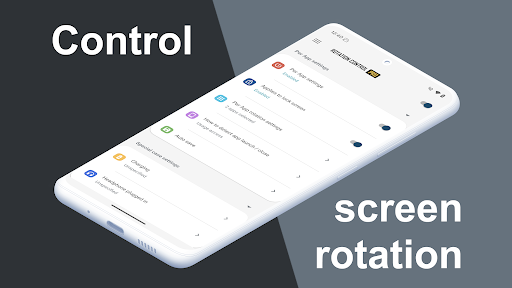
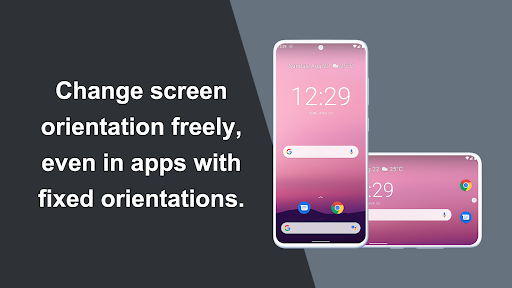
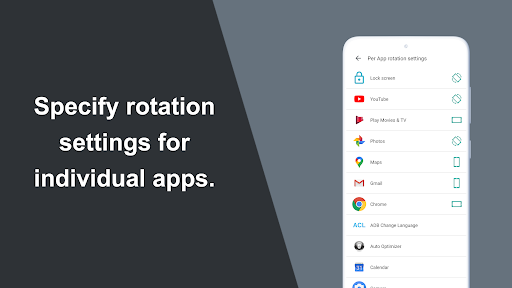
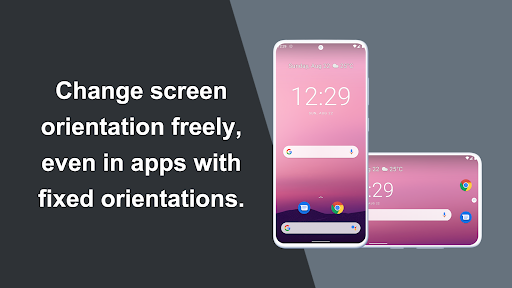
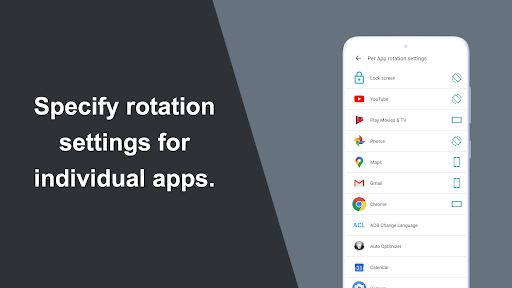
Can force a particular rotation on apps with fixed screen orientation.<br>A simple design with functions that are easy to understand and use.<br><br><br>=-=-=-=-=-=-=-=-=-=-=-=-=-=-=-=<br>Recommended for people who:<br>- Want to use their smartphone home screen in landscape mode<br>- Want to use landscape mode games or video apps in portrait mode<br>- Want to always use their tablet in landscape mode<br>- Want to switch between fixed orientations with one tap via the status bar<br>=-=-=-=-=-=-=-=-=-=-=-=-=-=-=-=<br><br><br><b>Features</b><br><br><b>►Rotation settings</b><br>Can configure the rotation of the screen.<br><br><b>►Notification settings</b><br>Control the rotation of the screen easily from the notification bar.<br><br><b>►Per App rotation settings</b><br>Can configure different rotations for each apps.<br>Rotates to your preset screen orientation upon starting the application.<br>Returns to the original screen orientation on closing the application.<br><br><b>►Special case settings</b><br>Detects when chargers or earphones are connected and rotates to your preset screen orientation.<br>Returns to the original screen orientation when they are removed.<br><br><br><b>Difference from PRO version</b><br>This is a free version that allows you to check the app's operations and functions.<br>It will expire 2 days after installation.<br><br><br>Pro version<br>https://play.google.com/store/apps/details?id=jp.snowlife01.android.rotationcontrolpro&referrer=store<br><br><br><b>Rotation</b><br><br>Automatic : the screen rotates based on a sensor.<br>Landscape : the screen is fixed to a horizontal orientation.<br>Landscape (Reverse) : the screen is fixed horizontal upside down.<br>Landscape (Auto) : rotates automatically to a horizontal orientation based on a sensor.<br>Portrait : the screen is fixed to a vertical orientation.<br>Portrait (Reverse) : the screen is fixed vertical upside down.<br>Portrait (Auto) : rotates automatically to a vertical orientation based on a sensor.<br><br>* Some of the direction of rotation may not correspond depending on device specifications. This is not an issue with the app.<br><br><br><b>This app uses accessibility service.</b><br>This is used to detect when an app is launched or closed and allows you to change the rotation actions for each app.<br>This information is not stored or shared.<br><br><br><b>【For OPPO users】</b><br>This app needs to run a service in the background to detect which app has started.<br><font color="red">OPPO devices require special settings to operate app services in the background due to their unique specifications.</font> (If you do not do this, services running in the background will be forcibly terminated, and the app will not operate properly.)<br>Please drag this app a little down from the recent apps history and lock it.<br>If you do not know how to set, please search for "OPPO task lock".
- Price
- Free
- Size
- 0M
- Type
- screen rotation apps
- Rating 4 (13418 Ratings)
- 5 Ranking
Can force a particular rotation on apps with fixed screen orientation.<br>A simple design with functions that are easy to understand and use.<br><br><br>=-=-=-=-=-=-=-=-=-=-=-=-=-=-=-=<br>Recommended for people who:<br>- Want to use their smartphone home screen in landscape mode<br>- Want to use landscape mode games or video apps in portrait mode<br>- Want to always use their tablet in landscape mode<br>- Want to switch between fixed orientations with one tap via the status bar<br>=-=-=-=-=-=-=-=-=-=-=-=-=-=-=-=<br><br><br><b>Features</b><br><br><b>►Rotation settings</b><br>Can configure the rotation of the screen.<br><br><b>►Notification settings</b><br>Control the rotation of the screen easily from the notification bar.<br><br><b>►Per App rotation settings</b><br>Can configure different rotations for each apps.<br>Rotates to your preset screen orientation upon starting the application.<br>Returns to the original screen orientation on closing the application.<br><br><b>►Special case settings</b><br>Detects when chargers or earphones are connected and rotates to your preset screen orientation.<br>Returns to the original screen orientation when they are removed.<br><br><br>You can check this app's functions and operations with a free trial.<br><b>Please check the functions and operations by free trial before you buy.</b><br>https://play.google.com/store/apps/details?id=jp.snowlife01.android.rotationcontrol<br><br><br><b>Rotation</b><br><br>Automatic : the screen rotates based on a sensor.<br>Landscape : the screen is fixed to a horizontal orientation.<br>Landscape (Reverse) : the screen is fixed horizontal upside down.<br>Landscape (Auto) : rotates automatically to a horizontal orientation based on a sensor.<br>Portrait : the screen is fixed to a vertical orientation.<br>Portrait (Reverse) : the screen is fixed vertical upside down.<br>Portrait (Auto) : rotates automatically to a vertical orientation based on a sensor.<br><br>* Some of the direction of rotation may not correspond depending on device specifications. This is not an issue with the app.<br><br><br><b>This app uses accessibility service.</b><br>This is used to detect when an app is launched or closed and allows you to change the rotation actions for each app.<br>This information is not stored or shared.<br><br><br><br><b>【For OPPO users】</b><br>This app needs to run a service in the background to detect which app has started.<br><font color="red">OPPO devices require special settings to operate app services in the background due to their unique specifications.</font> (If you do not do this, services running in the background will be forcibly terminated, and the app will not operate properly.)<br>Please drag this app a little down from the recent apps history and lock it.<br>If you do not know how to set, please search for "OPPO task lock".
- Price
- $3.49
- Size
- 0M
- Type
- screen rotation apps
- Rating 4.3 (6240 Ratings)
- 6 Ranking
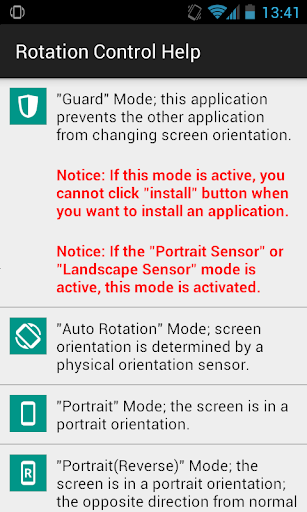
You can control screen orientation from notification area easily.<br><br>You also can prevent the other application from changing screen orientation.<br>The following rotation modes are available.<br>- Guard: this application prevents the other application from changing screen orientation.<br>- Auto Rotation: screen orientation is determined by a physical orientation sensor.<br>- Portrait: the screen is in a portrait orientation.<br>- Portrait (Reverse): the screen is in a portrait orientation; the opposite direction from normal portrait.<br>- Portrait (Sensor): the screen is in a portrait orientation, but the sensor is used to change direction.<br>- Landscape: the screen is in a landscape orientation.<br>- Landscape (Reverse): the screen is in a landscape orientation; the opposite direction from normal landscape.<br>- Landscape (Sensor): the screen is in a landscape orientation, but the sensor is used to change direction.<br><br>* Depending on the device, you may not be able to use several modes.<br>* If "Guard" mode is active, you cannot click "install" button when you want to install an application. When you want to install an application, you should inactivate "Guard" mode or this application.
- Price
- Free
- Size
- 0M
- Type
- screen rotation apps
- Rating 3.9 (40285 Ratings)
- 7 Ranking
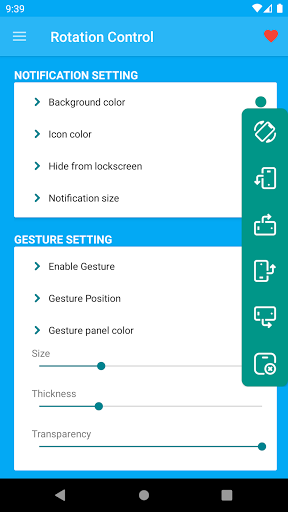
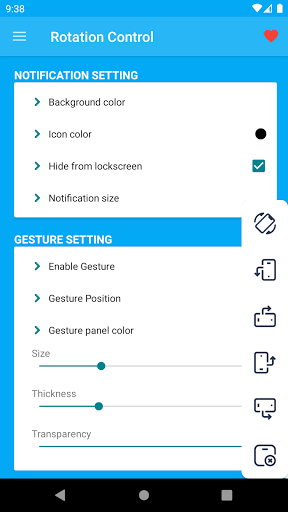
Rotation Control app gives you three options to rotate your device screen.<br>1. Rotation control widget.<br>2. Rotation control notification.<br>3. Floating Rotation Control.<br><br>Its simple and easy to use app to handle rotation of your device screen.<br>You can also forcefully rotate your screen even if any running app do not supports it.<br><br>Its Rotation widget app that allows you to control and rotate your screen from any where, you do not need to exit your currently running app. you can control rotation of screen from notification or you can use floating panel that's always available to you.<br><br>There are many settings available on app that makes it convenient and easier to access Rotation control. you can customise color, icon ,size of rotation control.<br><br>You can change position of floating panel and color and transparency of the floating rotation control.<br><br>App gives you most required and needed options to customise and control Screen Rotation.<br><br>App need Modify system setting permission to change the system rotation setting.<br>App also need system overlay permission for floating rotation control.<br><br>App do not require any internet permission, we do not use network or internet and app do not need this permission.<br><br>Thank you for using our app, your suggestion and feedback can help us to improve app and enhance it to make it more useful.
- Price
- $0.99
- Size
- 0M
- Type
- screen rotation apps
- Rating 3.8 (451 Ratings)
- 8 Ranking
<h1>Easy Screen Rotation Control App free - Take charge of your device’s display with this auto rotate screen app for all apps!</h1><br>Are you tired of your device’s display orientation changing unexpectedly? Do you wish you could have full screen rotation control free? Look no further! Download the best home Screen Rotation Control App free now and take charge over your display. With a simple, intuitive interface, this powerful tool allows you to auto rotate screen all apps free and with ease. What are you waiting for? Try out this amazing auto Screen Rotation Control App today, easily manage your device’s orientation and full rotate screen free.<br><br>📱<b>Key Features of Control Screen Orientation App:</b>📱<br>☑️ Auto rotation control for all apps - auto rotate app for Android™ free based on a sensor<br>☑️ Portrait orientation control<br>☑️ Portrait (Reverse) - the screen is fixed vertical in opposite direction from normal portrait<br>☑️ Portrait (Sensor) : auto rotate mobile to a vertical orientation based on a sensor<br>☑️ Landscape orientation control app<br>☑️ Landscape (Reverse) : the screen is fixed horizontal in opposite direction from normal Landscape<br>☑️ Landscape (Sensor) : full screen auto rotate to a horizontal orientation based on a sensor.<br>☑️ User-Friendly Interface - set orientation control with just one tap<br><br><b>Auto rotation app:</b><br>Allow this amazing software to automatically detect your orientation preferences and auto rotate home screen based on a sensor. Get this display auto rotate app now because this powerful tool allows you to customize your display orientation with ease. Enjoy seamless transitions without lifting a finger, thanks to this free auto rotate screen pro app. What are you waiting for? Protect your device from unwanted rotations with this auto rotate display tool and take charge of your device.<br><br><b>Flexible all side screen rotation app:</b><br>Choose from various orientation settings—portrait, landscape, and auto—tailored to your specific needs. Whether you’re reading, gaming, or watching videos, you can select screen orientation that suits your needs. This custom Screen Rotation Control App free offers the flexibility and functionality you need to enhance your device's usability.<br><br><b>Easy-to-use full screen rotation app for mobile:</b><br>Our sleek and straightforward design ensures that you can adjust settings quickly and efficiently. Get this total rotation control free app and don’t let unwanted display rotations disrupt your experience any longer. All you have to do is set the ON/OFF button and select rotation mode which you want to apply to your phone in order to rotate screen all directions. Thanks to the intuitive design of this control screen rotation app, there will be no more fumbling through complicated menus.<br><br><h2>Control screen rotation and orientation app - Auto rotate screen landscape or portrait, effortlessly and easily!</h2><br>Are you tired of dealing with your phone display flipping when you don’t want it? If so, you’re in the right place! Whether you’re a gamer needing a stable landscape mode, a reader preferring portrait orientation, or a video streamer wanting to rotate your screen the way you choose, our easy rotation control application provides a tailored experience. So, hurry up! <b>Download this powerful Screen Rotation Control App free and manage your device’s display like never before!</b> 🔥<br><br>Depending on your device specification, some rotation modes may not respond accordingly.
- Price
- Free
- Size
- 0M
- Type
- screen rotation apps
- Rating 4 (4995 Ratings)
- 9 Ranking
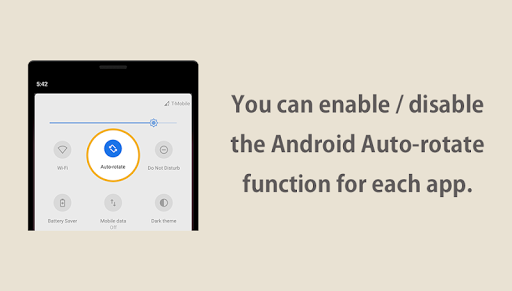
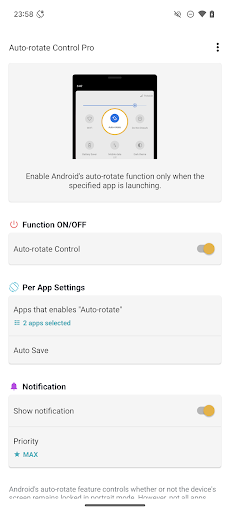
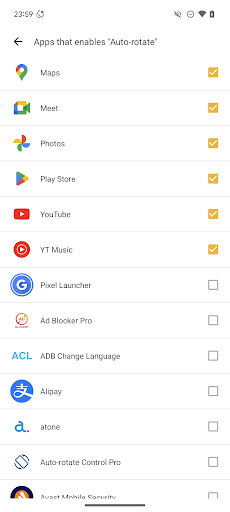
Our app lets you enable or disable Android's auto-rotate function for individual apps.<br><br>Some apps, such as YouTube, Netflix, and gallery apps benefit from auto-rotation, whereas others, such as browser apps, work best without it. <br><br>By enabling or disabling Android's auto-rotate in each app, you can switch seamlessly between them and enjoy the use of your smartphone without having to constantly change the settings yourself. <br><br><br><b>This app does not force you to rotate each app to portrait or landscape.</b><br><br>[Common misconceptions]<br>≪Questions≫ Some apps do not rotate even though the Android's auto-rotate function is enabled. Isn't this a malfunction of this app?<br>≪Answer≫ This is not a malfunction. This app does not force rotation. The app does not rotate because the individual rotation settings of the app are set to be portrait fixed.<br><br>In order to understand this app, you need to understand the Android's auto-rotate function and the mechanism of Android app rotation.<br><br>Each app has its own settings for rotation.<br>Most apps are set to rotate portrait or landscape (auto-rotate), but some apps are set to portrait fixed.<br>Few apps are set to landscape fixed, but app developer can design that way.<br><br>There are conditions required for the app to rotate freely portrait and landscape.<br>1. Android's auto-rotate function enabled<br>2. App must be set to rotate automatically both portrait and landscape in individual settings<br><br>If these two conditions are met at the same time, the app will rotate both portrait and landscape.<br><br>If the Android's auto-rotate function is disabled, the screen orientation is fixed based on the rotation setting of each application.<br>If the individual rotation setting of each application is "auto rotate" or "portrait fixed", it will be displayed portrait fixed and will not rotate landscape.<br>If the individual rotation setting of each application is "landscape fixed", it will be displayed landscape fixed and will not rotate portrait.<br><br><b>And this app is an app to automatically enable and disable Android's auto-rotate function for each app.</b><br><br><br><b>[Features]</b><br><b>►Per App Settings</b><br>Android's auto-rotate function is enabled only when the app specified here is launching.<br><br><b>►Auto Save</b><br>If you change Android's auto-rotate settings from the notification area or quick panel, the settings are automatically saved for each app.<br><br><b>►Notification Settings</b><br>You can set the notification display and priority.<br><br><br><b>【For OPPO users】</b><br>This app needs to run a service in the background to detect which app has started.<br><font color="red">OPPO devices require special settings to operate app services in the background due to their unique specifications.</font> (If you do not do this, services running in the background will be forcibly terminated, and the app will not operate properly.)<br>Please drag this app a little down from the recent apps history and lock it.<br>If you do not know how to set, please search for "OPPO task lock".
- Price
- $1.99
- Size
- 0M
- Type
- screen rotation apps
- Rating 4.1 (1289 Ratings)
- 10 Ranking
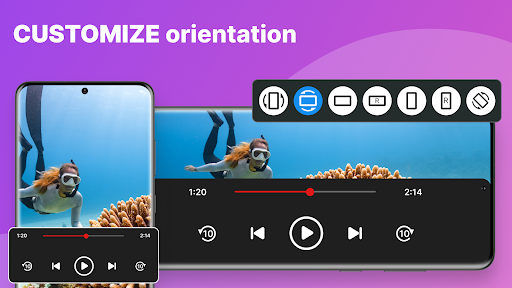
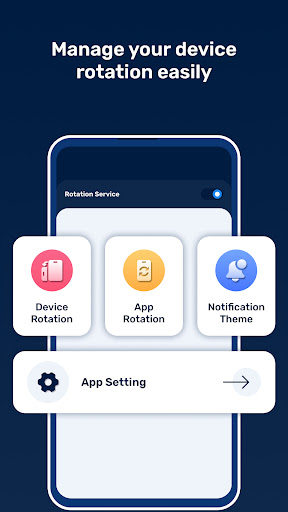
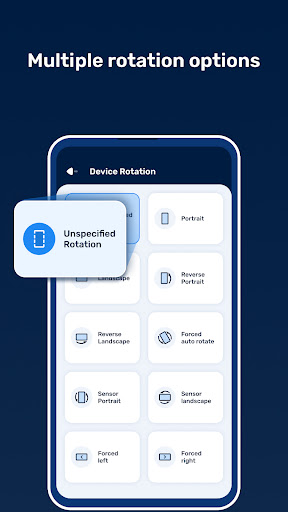
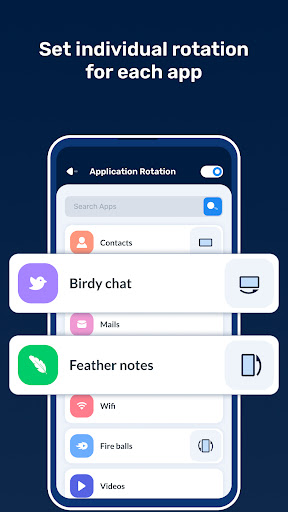
Introducing the ultimate screen rotation app - 🎉 Custom Screen Rotation Controls 🎉! With a plethora of features, our app allows you to effortlessly customize the rotation settings of your device and individual apps. Say goodbye to your device set in to the wrong orientation and hello to a seamless rotating experience!<br><br>Here are just a few of the amazing features you'll enjoy:<br><br>🔁 Device Rotation: With options like portrait, landscape, reverse portrait, and reverse landscape, you can choose the perfect orientation for your device. Plus, you can even force your device to auto rotate or set it to rotate based on sensor orientation!<br><br>📲 App Rotation: Want a specific app to always be in landscape mode? No problem! With Custom Screen Rotation Controls, you can set the rotation of any installed app individually.<br><br>🔔 Notification Theme: Our app makes it easy to set any rotation directly from the notification bar. And with customization options like transparent status bar icons, system settings warnings, and notification privacy, you can truly make it your own.<br><br>⚙️ App Settings: We've included a ton of convenient settings to make your life easier. From auto-start at device startup to a floating button for orientation changes, we've got you covered.<br><br>So what are you waiting for? Download Custom Screen Rotation Controls now and take control of your device's rotation settings. With our app, you can customize your device's orientation like never before! 😍
- Price
- Free
- Size
- 0M
- Type
- screen rotation apps
- Rating 3.2 (188 Ratings)